Best answer

Issues with ReadAI report summaries not syncing correctly in ClickUp

  • October 23, 2025
  • 8 replies
  • 44 views

Forum|alt.badge.img

I have a simple Zap that just triggers when a new ReadAI report is created. It makes a new document in ClickUp and puts the report summary in the document and a link to the report. 

The main problem is that half the time, the summary is just “No summary available due to limited meeting data” but when you look at the report in the link, it has a summary. If it were just this, I would think to just upgrade my account and put in a delay; however, I am getting some reports that do have the correct summary. 

I have done 7 live tests - the first one didn’t create a report, as we didn’t realize that ReadAI has a minimum word count before generating a report. the other 6 is split 50/50 if the summary is in the ClickUp doc or not.

I don’t understand how it’s 50/50 if it sends or not. The meetings are set up the same way; there’s only a trigger and an action, so there is minimal logic. I haven't changed the zap between runs.

Does anyone have an idea on what is going on?

Best answer by Alison_Falkingham

It had turned out that it was a bug on Read AI’s Side that they fixed the weekend after I had posted this. They had already been aware of it when we reached out to them about it.


Thanks for following up on this!

8 replies

Troy Tessalone
Zapier Orchestrator & Solution Partner
Forum|alt.badge.img+14
  • Zapier Orchestrator & Solution Partner
  • October 23, 2025

Hi ​@Alison_Falkingham 

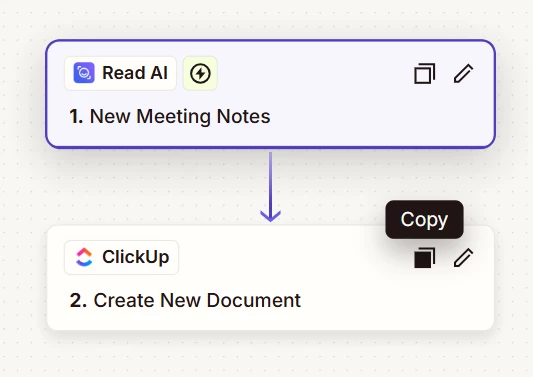
For us to have more info about what you are referring to, post these screenshots:

  • how your Zap steps are outlined
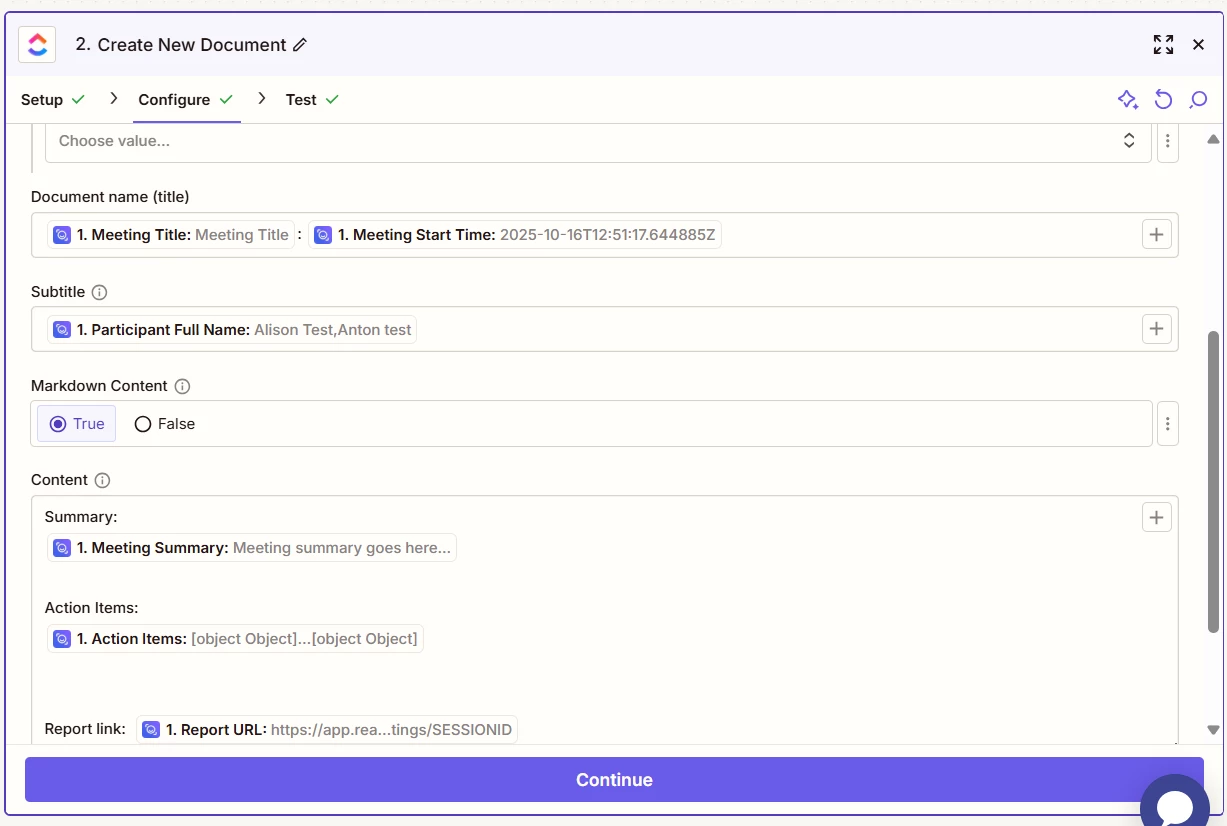
  • how your Zap steps are configured in EDIT mode
  • the DATA OUT from the Zap trigger step

Forum|alt.badge.img
I only have these two steps: the trigger(new meeting notes) and the action(Create new document)
The configuration of the New document (I can’t show the location for privacy reasons, but it is correct as it is creating a new document), it’s the content that’s not coming out correctly 

As it’s read AI the test Data is just filler information, 


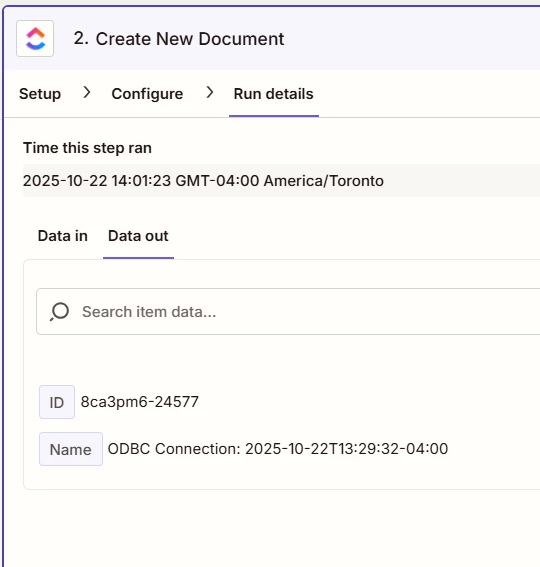
This is the data out from a test did work and has the correct summary in the new document 
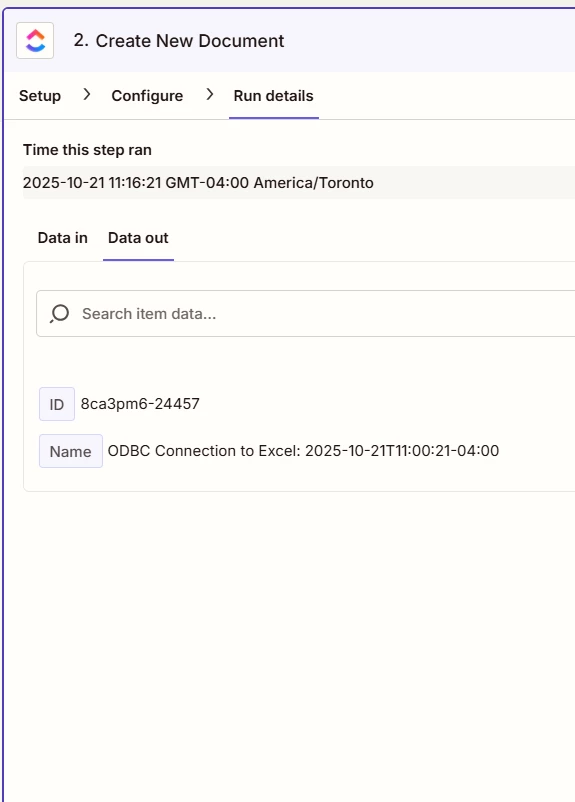
This is the Data out of one that didn’t have the correct summary

Thank you for the help.


Troy Tessalone
Zapier Orchestrator & Solution Partner
Forum|alt.badge.img+14
  • Zapier Orchestrator & Solution Partner
  • October 23, 2025

@Alison_Falkingham 

To help us have more info, post screenshots from the live Zap Runs that show the DATA OUT from the Zap trigger step for the fields that are having data issues.

Make sure to include an example that worked and did not work.


FYI...Most Zap app integrations are created and managed by the app developer (Read AI) using the Zapier Developer Platform, so you may want to try reaching out to Read AI Support for help troubleshooting their Zap app integration.


Sparsh from Automation Jinn
Forum|alt.badge.img+6

Hey ​@Alison_Falkingham,

Try adding a delay of 5-10 minutes as there is a possibility that the meeting notes are still being generated but I don’t know if it will work as you only have a single trigger for ReadAI in Zapier. Here is a helpful article from ReadAI when meeting notes are not there- https://support.read.ai/hc/en-us/articles/13815534474771-Why-didn-t-I-get-a-meeting-report

Some of the points that may be causing this-

  • It can take anywhere from 5-15 minutes to generate the report.
  • The minimum word count needed to generate a report with notes is 200 words in the transcript. If a transcript has fewer than 200 words, Read AI will still generate a report, but it will only include the transcript without any summary or notes.


Alternatively, you can use webhooks in ReadAI and catch that hook in Zapier. See more about Webhooks in ReadAI here- https://support.read.ai/hc/en-us/articles/16352415827219-Getting-Started-with-Webhooks. Here is a helpful article about Webhooks in Zapier- https://zapier.com/apps/webhook/integrations. Hope it helps!


Forum|alt.badge.img

Thank you for the help. I’ll be reaching out to ReadAI as it seems to be on their end.


SamB
Community Manager
Forum|alt.badge.img+11
  • Community Manager
  • November 14, 2025

Hi there ​@Alison_Falkingham! 👋 

Were the ReadAI team able to fix things, or did Sparsh’s suggestion of using Webhooks do the trick? 

Please let us know how it’s going. Want to make sure this gets sorted. 🙂


Forum|alt.badge.img

It had turned out that it was a bug on Read AI’s Side that they fixed the weekend after I had posted this. They had already been aware of it when we reached out to them about it.


Thanks for following up on this!


SamB
Community Manager
Forum|alt.badge.img+11
  • Community Manager
  • November 17, 2025

Yay! 🎉 I’m so glad Read AI were able to get the bug fixed, ​@Alison_Falkingham. Thank you so much for letting us know, and thanks as well to Troy and Sparsh for jumping in to offer some help here 🤗

Feel free to reach back out if you need help with anything else. In the meantime, happy Zapping! 😁⚡