

Question

Issue: Airtable fields automatically unlinked in Zapier's filter step

  • June 19, 2023
  • 2 replies
  • 25 views

MissionLaw


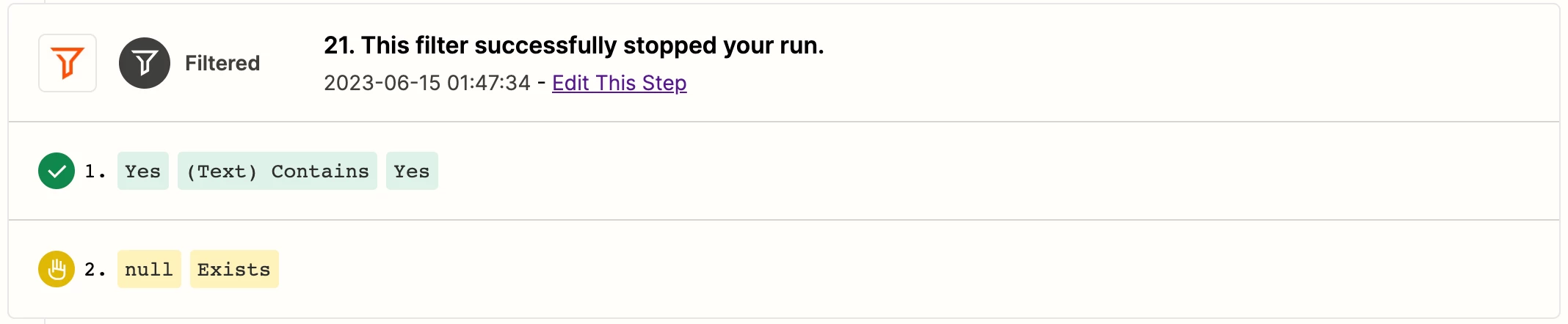
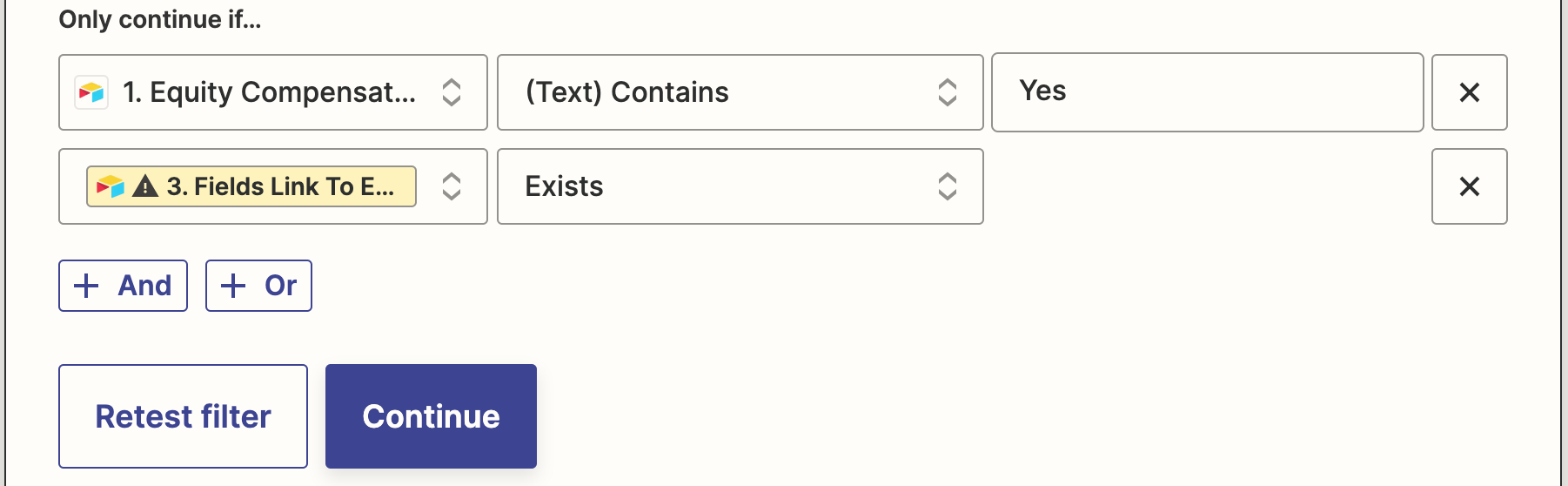
We experienced a failure in a sensitive Automation because the Airtable field in the Zapier’s filter step unlinked automatically. Does anyone else experience similiar issues with Airtable fields, and if so is there a cause for this problem? 

Note: we also use the same Airtable field in two other automations and the fields/filter there are working fine. 

Note: In the zap history the Airtable field existed and was retrieved in an earlier step. 

This post has been closed for comments. Please create a new post if you need help or have a question about this topic.

2 replies

ken.a
Forum|alt.badge.img+6
  • Zapier Staff
  • June 19, 2023

Hi there @MissionLaw,

Welcome to the Community! 🎉

From the screenshot you've shared, it appears that the data mapped to the first column in the Filter step might no longer be available, which is likely why it's highlighted in yellow. This could be due to some modifications in your Airtable fields.

You should be able to resolve this by simply remapping the highlighted data in the Filter step. This should get everything back on track.

Please give that a try, and keep us posted! 😊


Troy Tessalone
Zapier Orchestrator & Solution Partner
Forum|alt.badge.img+14
  • Zapier Orchestrator & Solution Partner
  • June 19, 2023

Hi @MissionLaw 

Good question.

FYI: If you changed the field name in Airtable, then that can break mapped variables in Zap steps.





