Hi there @HA-Austin 👋
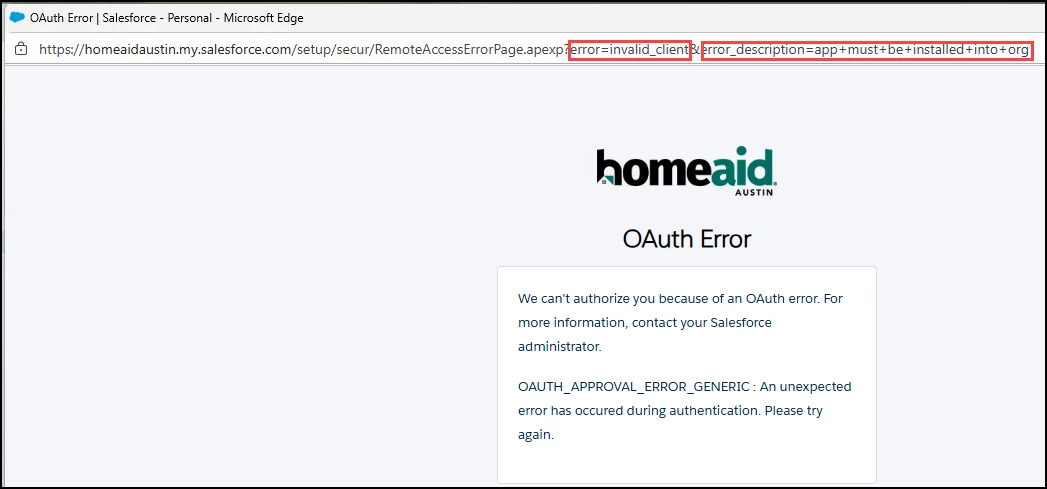
I’m so sorry that you’ve been running into that error when attempting to connect to Salesforce. I had a look into the Support tickets and it seems like the bug was fixed and Support sent through some instructions on how to resolve it. Sharing those here in case it’s helpful for others that might be facing similar errors:
the underlying OAuth authentication bug that was preventing [redacted by moderator]- from connecting to Salesforce has been resolved. Our engineering team identified that Salesforce recently implemented restrictions on uninstalled Connected Apps, which was causing the OAUTH_APPROVAL_ERROR_GENERIC error you encountered.
Here's what needs to happen for [redacted by moderator] to successfully connect:
The Solution:
- First, [redacted by moderator] (as the Salesforce admin) needs to install the Zapier Connected App in her Salesforce org
- Once installed, she'll be able to authenticate her Salesforce connection in Zapier without errors
Step-by-step process:
- In Salesforce, go to Setup → Apps → Connected Apps → Manage Connected Apps
- When [redacted by moderator] attempts to connect Salesforce in Zapier again, she'll see the org she's authenticating to during the OAuth flow
- After successful authentication, the Zapier app will appear under Connected Apps OAuth Usage for the admin
- If needed, [redacted by moderator] can control which users have access to the Zapier integration through the Connected App settings
What changed:
Salesforce now requires Connected Apps to be installed by an admin before users can authenticate. This wasn't the case when you successfully set up [redacted by moderator], but it's now a requirement that affected [redacted by moderator]'s setup.
It seems like that may have done the trick, but if that’s not resolved things, please do let us know. Want to make sure this gets sorted!