
Answer

Instagram to YouTube - Not sure what to add under video?

  • August 23, 2023
  • 6 replies
  • 58 views

CCnDoc

Just set up my first zap and I’m running into trouble. Used this article but it did not include what selections from IG I should make in the VIDEO settings portion of the YouTube actions to get the video to come over from IG. https://zapier.com/blog/connect-instagram-and-youtube-for-automated-crossposting/

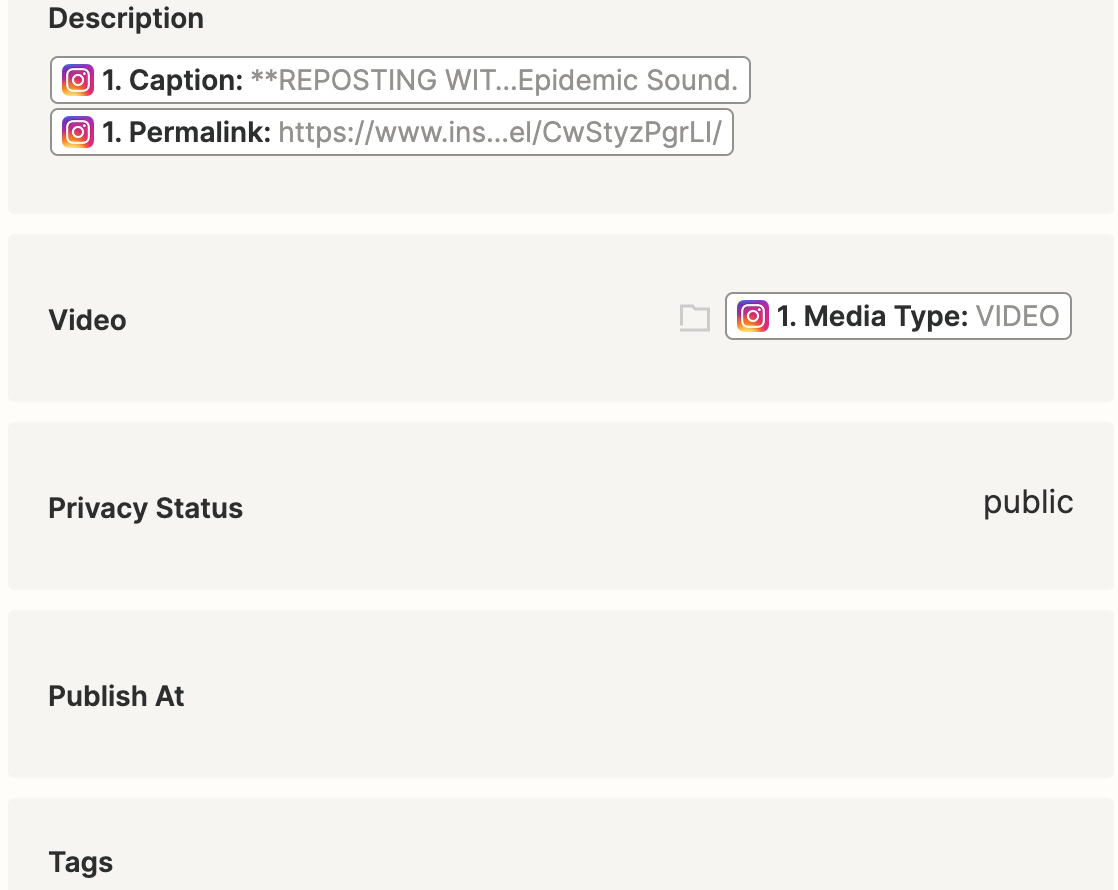
I selected Media Type: VIDEO, but it doesn’t appear as if the test video posted to YouTube. What selections should I have made. Did I make the correct selection in VIDEO below? Also, for TITLE, the article suggests if captions are long to use the username and timestamp instead - will people still find my videos in searches this way (with content from description and tags instead)?  Thanks in advance for the help! 
 

Best answer by TechTaps

Hello @CCnDoc , you need to use the Media Url mapping. The Media Url link will contain the file.


For reference, you can refer to this link :
https://zapier.com/webintent/create-zap?template=13929

Let me know if it works. Cheers.

This post has been closed for comments. Please create a new post if you need help or have a question about this topic.

6 replies

Troy Tessalone
Zapier Orchestrator & Solution Partner
Forum|alt.badge.img+14
  • Zapier Orchestrator & Solution Partner
  • August 23, 2023

Hi @CCnDoc 

Good question.

Please post full screenshots with how your Zap steps are configured as shown in the Zap Editor mode to help us have more context.


TechTaps
Forum|alt.badge.img
  • Answer
  • August 24, 2023

Hello @CCnDoc , you need to use the Media Url mapping. The Media Url link will contain the file.


For reference, you can refer to this link :
https://zapier.com/webintent/create-zap?template=13929

Let me know if it works. Cheers.


CCnDoc
  • Author
  • New
  • August 24, 2023

Hello @CCnDoc , you need to use the Media Url mapping. The Media Url link will contain the file.


For reference, you can refer to this link :
https://zapier.com/webintent/create-zap?template=13929

Let me know if it works. Cheers.

Thank you for this answer. I did as you suggested and now am waiting for the test to upload. It’s only a 1:20 video. How long would it normally take? 


TechTaps
Forum|alt.badge.img
  • August 24, 2023

Hello @CCnDoc , you need to use the Media Url mapping. The Media Url link will contain the file.


For reference, you can refer to this link :
https://zapier.com/webintent/create-zap?template=13929

Let me know if it works. Cheers.

Thank you for this answer. I did as you suggested and now am waiting for the test to upload. It’s only a 1:20 video. How long would it normally take? 


@CCnDoc , I’m not really sure. You can take a look at successful job history and can check how long it took.


CCnDoc
  • Author
  • New
  • August 24, 2023

Hello @CCnDoc , you need to use the Media Url mapping. The Media Url link will contain the file.


For reference, you can refer to this link :
https://zapier.com/webintent/create-zap?template=13929

Let me know if it works. Cheers.

Unfortunately it never showed up in YouTube. :-( Any ideas? Thank you! 


TechTaps
Forum|alt.badge.img
  • August 25, 2023

Hello @CCnDoc , you need to use the Media Url mapping. The Media Url link will contain the file.


For reference, you can refer to this link :
https://zapier.com/webintent/create-zap?template=13929

Let me know if it works. Cheers.

Unfortunately it never showed up in YouTube. :-( Any ideas? Thank you! 

 Sent you a DM.