Best answer

Improving Jira issue creation from CSV data in Google Sheets

  • June 12, 2026
  • 4 replies
  • 31 views

I've got a Zap that reads a flat Google Sheet (each row = Epic, Story, Sub Task, Due Date) and builds a Jira hierarchy: Epics at top, Stories under their Epic, Subtasks under their Story. The sheet repeats Epic/Story names across rows by design, since those rows are really just different subtasks sharing a parent.
Most of it is working now:

Epic dedup under bulk load is solved. I was getting duplicate Epics when multiple rows fired at once (Jira's search index lagging behind creation, so parallel runs didn't see the just-created Epic and made another). A Delay After Queue step fixed it — runs serialize, each Epic gets indexed before the next row searches, so I get one Epic per unique name.
Epic - Story parenting works. The Epic find/create step returns the Epic key, and the Story step uses it as the parent. No issues there — the Epic key is reliably available at the Story step.

The Story step is a Jira "Find Issue (create if it doesn't exist)" matching on the Story summary.
The one open question (not blocking — just wondering if there's a clean way):
Because the Story step matches on name only, the same Story name under two different Epics gets merged into one Story instead of created separately. Example: "Story A" under Epic 1 and "Story A" under Epic 2 should be two distinct Stories, but the find step locates the existing one and reuses it under the wrong Epic.
I have a manual workaround (renaming on update) and that's acceptable for my use case, so this isn't urgent. But I'm curious: is there a better way to go about the Story find/create to its parent Epic — so identical Story names under different Epics are treated as distinct — without over-engineering it? I already have the parent Epic key available at that step if that helps.


Best answer by JongHyun Park

I've got a Zap that reads a flat Google Sheet (each row = Epic, Story, Sub Task, Due Date) and builds a Jira hierarchy: Epics at top, Stories under their Epic, Subtasks under their Story. The sheet repeats Epic/Story names across rows by design, since those rows are really just different subtasks sharing a parent.
Most of it is working now:

Epic dedup under bulk load is solved. I was getting duplicate Epics when multiple rows fired at once (Jira's search index lagging behind creation, so parallel runs didn't see the just-created Epic and made another). A Delay After Queue step fixed it — runs serialize, each Epic gets indexed before the next row searches, so I get one Epic per unique name.
Epic - Story parenting works. The Epic find/create step returns the Epic key, and the Story step uses it as the parent. No issues there — the Epic key is reliably available at the Story step.

The Story step is a Jira "Find Issue (create if it doesn't exist)" matching on the Story summary.
The one open question (not blocking — just wondering if there's a clean way):
Because the Story step matches on name only, the same Story name under two different Epics gets merged into one Story instead of created separately. Example: "Story A" under Epic 1 and "Story A" under Epic 2 should be two distinct Stories, but the find step locates the existing one and reuses it under the wrong Epic.
I have a manual workaround (renaming on update) and that's acceptable for my use case, so this isn't urgent. But I'm curious: is there a better way to go about the Story find/create to its parent Epic — so identical Story names under different Epics are treated as distinct — without over-engineering it? I already have the parent Epic key available at that step if that helps.

Your remaining issue is probably that the Story lookup key is too broad.


If `Story A` can exist under more than one Epic, the Zap should not search by Story summary alone. I would make the Story identity a compound key:


`project + epic_key + story_summary`


Practical options:


1. Add a helper column in the Sheet, for example `story_lookup_key = Epic Name | Story Name`.

2. After the Epic step returns the Epic key, search Jira with both the Story summary and the parent Epic key if Zapier's Jira search step supports that filter.

3. If the built-in Find Issue step cannot filter by parent reliably, keep a separate lookup table in Google Sheets with columns like `epic_key`, `story_summary`, and `story_issue_key`.

4. Queue the Zap, as you already did for Epics, so each row can update the lookup table before the next row searches.


The important part is that Story creation should be idempotent within one Epic, not globally by Story name. That prevents identical Story names under different Epics from being merged incorrectly.

4 replies

Troy Tessalone
Zapier Orchestrator & Solution Partner
Forum|alt.badge.img+14
  • Zapier Orchestrator & Solution Partner
  • June 12, 2026

Hi ​@jmarsh5 

Help links for using Jira Software Cloud: https://zapier.com/apps/jira-software-cloud/integrations#help

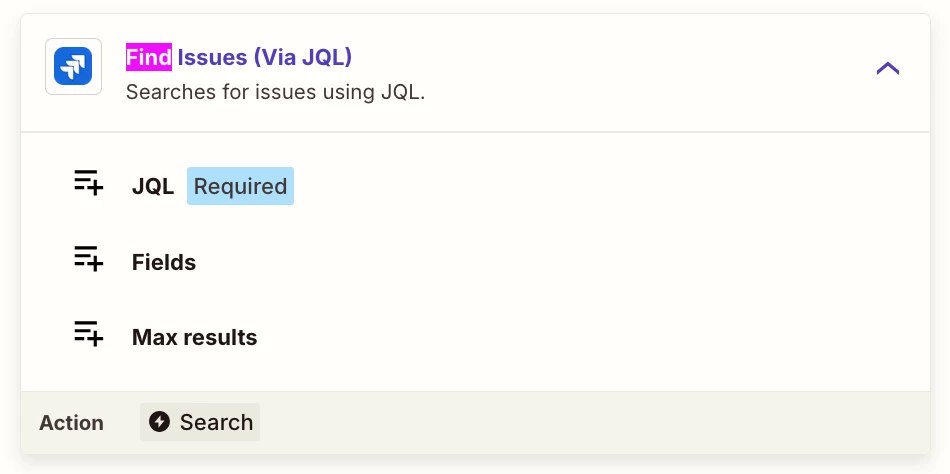
Try using this Zap action: Jira - Find Issues (via JQL)


Forum|alt.badge.img

I've got a Zap that reads a flat Google Sheet (each row = Epic, Story, Sub Task, Due Date) and builds a Jira hierarchy: Epics at top, Stories under their Epic, Subtasks under their Story. The sheet repeats Epic/Story names across rows by design, since those rows are really just different subtasks sharing a parent.
Most of it is working now:

Epic dedup under bulk load is solved. I was getting duplicate Epics when multiple rows fired at once (Jira's search index lagging behind creation, so parallel runs didn't see the just-created Epic and made another). A Delay After Queue step fixed it — runs serialize, each Epic gets indexed before the next row searches, so I get one Epic per unique name.
Epic - Story parenting works. The Epic find/create step returns the Epic key, and the Story step uses it as the parent. No issues there — the Epic key is reliably available at the Story step.

The Story step is a Jira "Find Issue (create if it doesn't exist)" matching on the Story summary.
The one open question (not blocking — just wondering if there's a clean way):
Because the Story step matches on name only, the same Story name under two different Epics gets merged into one Story instead of created separately. Example: "Story A" under Epic 1 and "Story A" under Epic 2 should be two distinct Stories, but the find step locates the existing one and reuses it under the wrong Epic.
I have a manual workaround (renaming on update) and that's acceptable for my use case, so this isn't urgent. But I'm curious: is there a better way to go about the Story find/create to its parent Epic — so identical Story names under different Epics are treated as distinct — without over-engineering it? I already have the parent Epic key available at that step if that helps.

Your remaining issue is probably that the Story lookup key is too broad.


If `Story A` can exist under more than one Epic, the Zap should not search by Story summary alone. I would make the Story identity a compound key:


`project + epic_key + story_summary`


Practical options:


1. Add a helper column in the Sheet, for example `story_lookup_key = Epic Name | Story Name`.

2. After the Epic step returns the Epic key, search Jira with both the Story summary and the parent Epic key if Zapier's Jira search step supports that filter.

3. If the built-in Find Issue step cannot filter by parent reliably, keep a separate lookup table in Google Sheets with columns like `epic_key`, `story_summary`, and `story_issue_key`.

4. Queue the Zap, as you already did for Epics, so each row can update the lookup table before the next row searches.


The important part is that Story creation should be idempotent within one Epic, not globally by Story name. That prevents identical Story names under different Epics from being merged incorrectly.


SamB
Community Manager
Forum|alt.badge.img+11
  • Community Manager
  • June 16, 2026

Hi ​@jmarsh5! 👋 Have you had a chance to give the suggestions from Troy and JongHyun Park a try yet?

Keep us posted on how it goes!


  • Author
  • Beginner
  • June 16, 2026

 ​@JongHyun Park

Thank you! I’m not sure how I didn’t realize a second search level would be necessary. I appreciate the time you took to help me out!