Question

Hubspot lifecycle stage not updating

  • February 10, 2026
  • 7 replies
  • 21 views

Forum|alt.badge.img+1

Hi, I have had a zap turned on for about 4 months now that does this:

  • Contact signs Docusign contract
  • Zap looks up contact in Hubspot
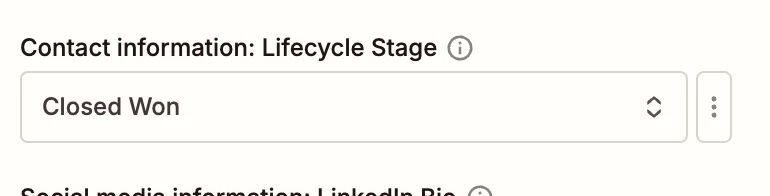
  • Zap changes lifecycle stage of contact to “Closed Won”

We just noticed that for the last few contacts the lifecycle stage did not update, but the zap history says the runs were successful. This zap has been working with no changes to Hubspot or Docusign, so I don’t know why they are no longer working. Can anyone help trouble shoot?


7 replies

AndrewJDavison
Forum|alt.badge.img+11
  • Zapier Solution Partner
  • February 10, 2026

@Maddie Webb Is it possible that you updated the name of the contact stage at all? That could break the mapping.

Either way, first thing to check, I’d open the zap, and check the stage selection field - open the dropdown and make sure it’s still selected to the ‘Closed Won’ stage. If not, reselect and republish the zap.

I’m a Zapier expert, so happy to help you troubleshoot.


Forum|alt.badge.img+1
  • Author
  • Beginner
  • February 10, 2026

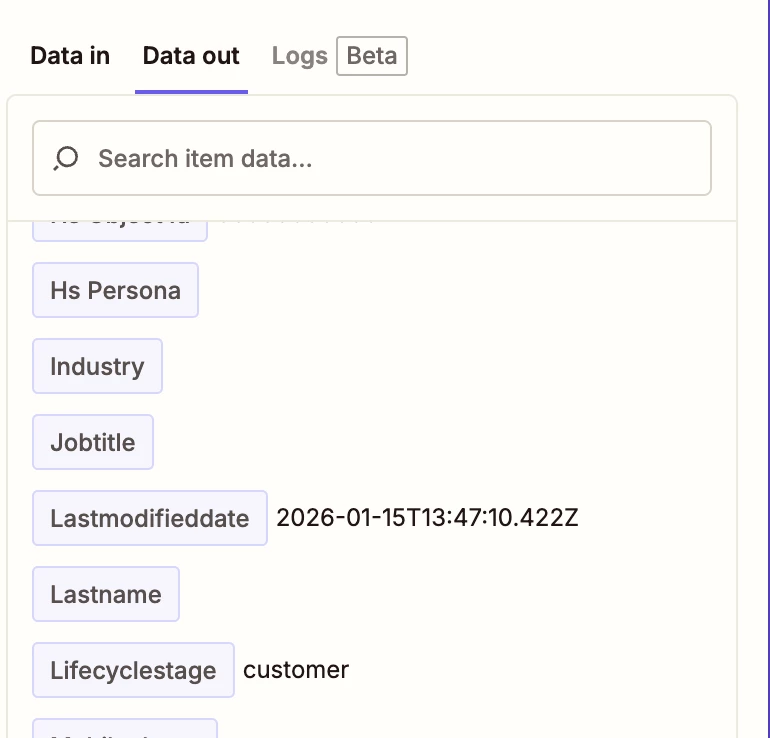
Thanks, Andrew. I did open the zap and can see that the “Closed Won” lifecycle stage is still connected. That being said, the “data out” section only shows “customer” as the output - I’m not sure why.


AndrewJDavison
Forum|alt.badge.img+11
  • Zapier Solution Partner
  • February 10, 2026

As a double check - just try opening that dropdown and make sure it’s still mapped to a stage listed in a the dropdown.

I’ve had situations where I have a dropdown showing something selected in a zap step, but when I open the dropdown, the thing it says is selected, no longer exists.

Failing that, I’d open a ticket with Zapier support, see if they can find anything.


Troy Tessalone
Zapier Orchestrator & Solution Partner
Forum|alt.badge.img+14
  • Zapier Orchestrator & Solution Partner
  • February 10, 2026

Hi ​@Maddie Webb 

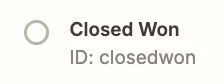
For the HubSpot Pipeline Stage “Customer Won” the internal ID might be “customer”.


Help link for understanding dropdown value options: https://help.zapier.com/hc/en-us/articles/8496241696141-Add-custom-values-to-dropdown-menu-fields-in-Zaps


SamB
Community Manager
Forum|alt.badge.img+11
  • Community Manager
  • February 23, 2026

Hey there ​@Maddie Webb 👋 Were you able to get the lifecycle stage updating correctly again? 

Let us know whether Andrew’s or Troy’s replies helped you get it sorted, or if you could do with any more help on this 🙂


Forum|alt.badge.img+1
  • Author
  • Beginner
  • February 23, 2026

Yes, I was able to figure it out, thank you. There were other issues with our workflow that made the lookup step not able to find the correct email address. I still don’t understand why the zap history said the zap was successful, but we have since figured it out


SamB
Community Manager
Forum|alt.badge.img+11
  • Community Manager
  • February 24, 2026

Glad you got it sorted ​@Maddie Webb! 🙌 Not sure how exactly you’ve got those HubSpot actions set up but if they didn’t error then those steps would have been given a status of ‘successful’. In which case, it would be expected that the Zap run would also be marked as successful since all its steps had a ’successful’ status.

Hope that helps to clarify. Please do let us know if there’s anything else we can help with. In the meantime, happy Zapping! ⚡