Best answer

HubSpot deal filter not working

  • March 16, 2026
  • 3 replies
  • 16 views

I have created a zap which triggers when a deal in HubSpot is moved to specific stages of the deal pipeline. I then want the topline details of this deal to push into a Miro board as a card or sticky. 

The flow is:
1. Hubspot Deal property change
2. Zapier Filter
3. Miro Create Card

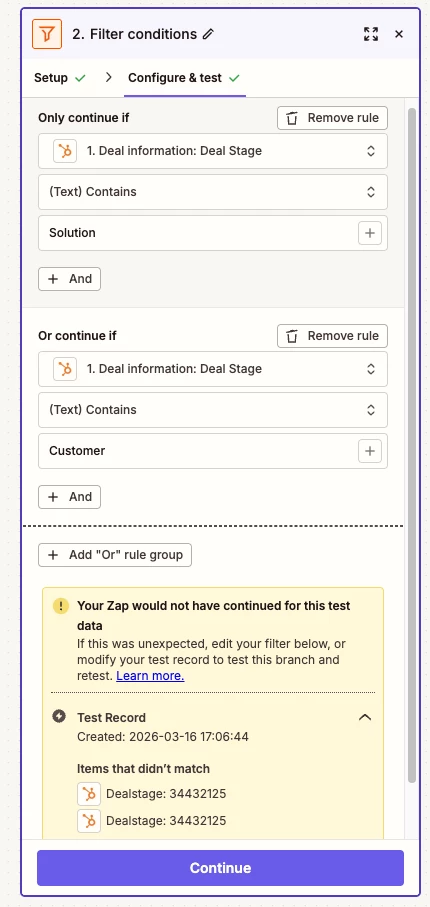
The issue I have is with step 2. The Filter is meant to only proceed with the flow if the deal stage changes to one of three stages. I have tried using ‘contains’, ‘starts with’ and ‘matches exactly’, but none of them work and the test fails. What am I doing wrong? Is the wrong property being used for ‘deal stage’ - maybe there’s an updated one I can’t find? I’ve attached an overview of the flow below, as well as a view of teh filter conditions and error. I’d be grateful for any advice.
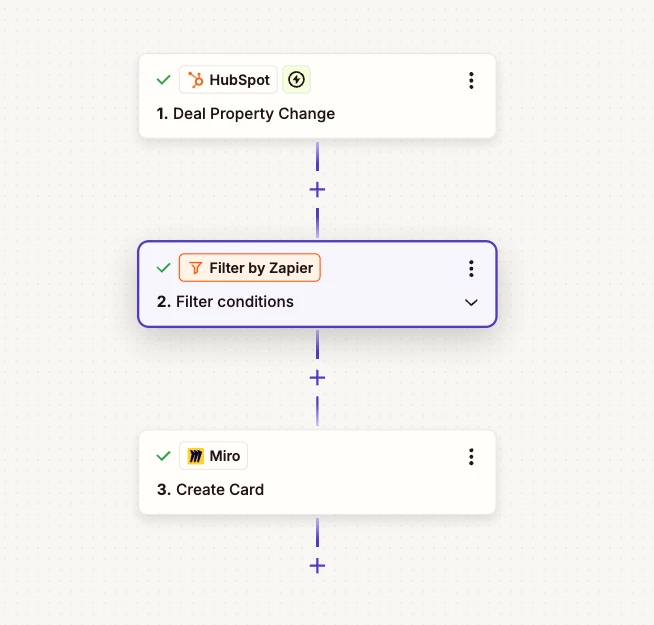
Overview
Filter conditions & error


Best answer by Troy Tessalone

Hi ​@Cbo123 

See screenshot below.

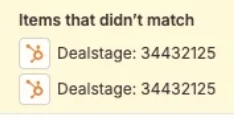
Deal Stage field value returned from HubSpot is the internal Deal Pipeline Stage ID, not the name.

So you either need to use a different variable that has the Deal Stage Name or you need to get the internal Deal Pipeline Stage IDs to use in the Filter conditions.


3 replies

Troy Tessalone
Zapier Orchestrator & Solution Partner
Forum|alt.badge.img+14
  • Zapier Orchestrator & Solution Partner
  • Answer
  • March 16, 2026

Hi ​@Cbo123 

See screenshot below.

Deal Stage field value returned from HubSpot is the internal Deal Pipeline Stage ID, not the name.

So you either need to use a different variable that has the Deal Stage Name or you need to get the internal Deal Pipeline Stage IDs to use in the Filter conditions.


  • Author
  • Beginner
  • March 17, 2026

Thank you so for this ​@Troy Tessalone, I really appreciate your help. I found out how to get the deal stage IDs and entering these worked so my flow now runs successfully!
For anyone else who might need to know how to find HubSpot Deal Stage IDs, I’ve listed steps below. 

  1. Click the Settings icon in the main navigation bar.
  2. Navigate to Objects > Deals in the left sidebar menu.
  3. Click the Pipelines tab.
  4. Select the pipeline you want to check from the dropdown menu.
  5. Click the code icon (</>) to view the internal stage IDs.

Thanks again!


SamB
Community Manager
Forum|alt.badge.img+11
  • Community Manager
  • March 18, 2026

Thanks for letting us know what worked, and for sharing those steps on where to find the deal stage IDs ​@Cbo123 🙌 Super helpful for anyone who runs into the same issue. And thanks as always ​@Troy Tessalone for helping with this!