Question

How to sync options from Meta Instant Form to ClickUp using Zapier

  • September 20, 2026
  • 3 replies
  • 21 views

Hello Everyboady i just joined zapier 14 days ago so i want some help with the meta ads leads and clickup troubleshoot 

The problem is that 

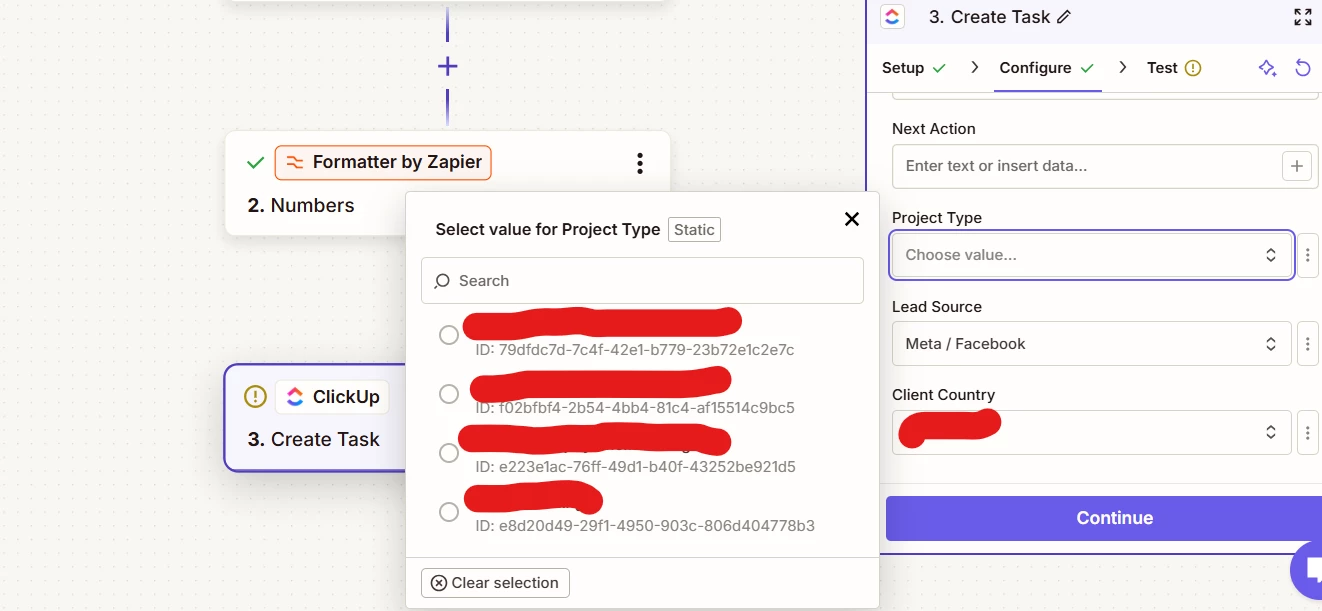
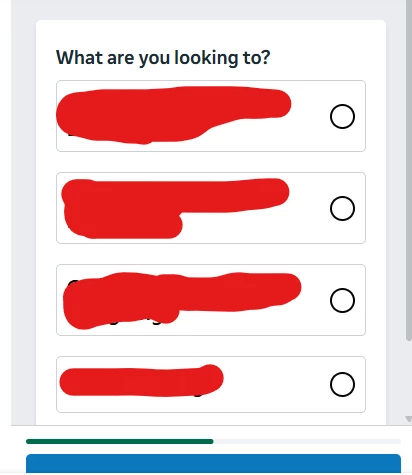
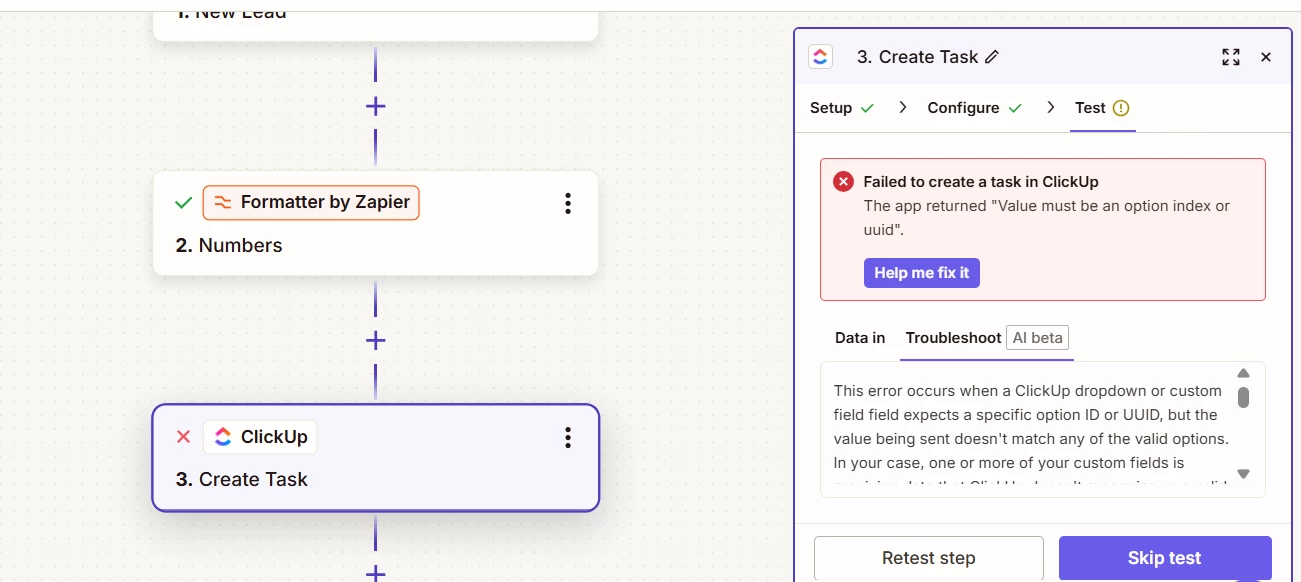
Whenever the lead fills or select the option in the meta instant form, i want to show same in the clickup dropdown menu options same as it is like filled in meta instant form but zapier is giving me an error showing option index or uuid problem 

So how to fix it !!!
 

 Please give me a solution for this 

3 replies

SamB
Community Manager
Forum|alt.badge.img+11
  • Community Manager
  • September 21, 2026

Hi and welcome to the Community ​@aqadeer! 😁

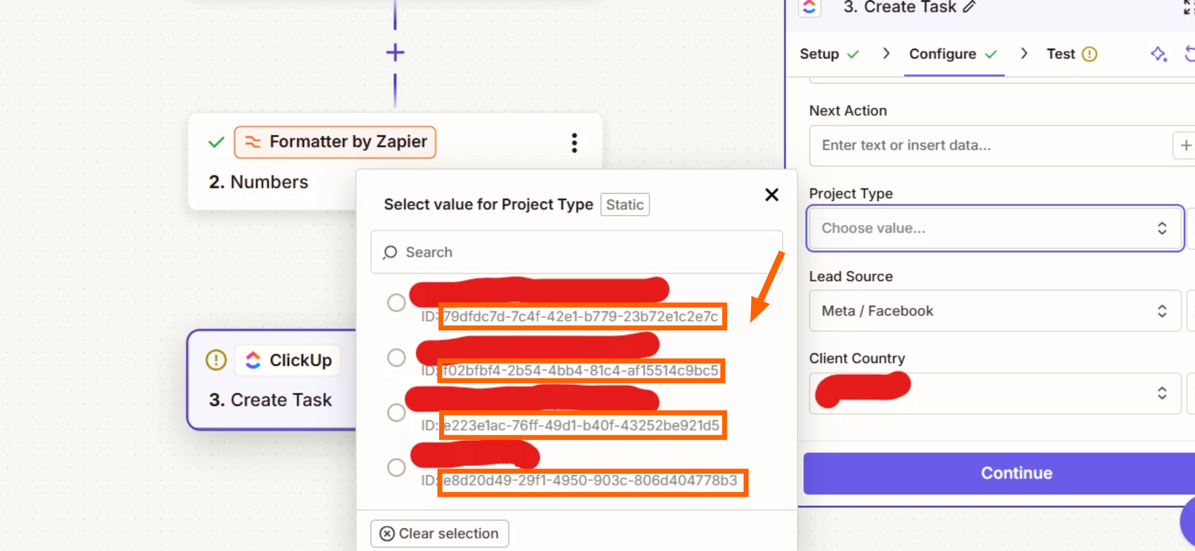
For dropdown menu fields like that Project Type field, it’ll expect to receive the ID for the option when you map a value from another step into that field. So if the Facebook Lead Ads trigger is only giving you the name of the project type and not its ClickUp ID then that’s likely why it’s erroring. 

Try using a lookup table before the ClickUp action to convert the project type name into the corresponding ClickUp ID. You can learn more about how to do that here: Create lookup tables in Zap workflows.

If it helps the IDs the ClickUp action would need are listed under each of the project type names:

ead371b0b6c8586cbe4945e5d5de9572.png
 

Let us know how it goes!


Forum|alt.badge.img
  • Zapier Solution Partner
  • September 21, 2026

I assume you mean you want to send leads from a certain Meta form to the relevant ClickUp project. You’d likely need to create a lookup table matching each form to its corresponding project ID, for example:

X Form → Project ID
B Form → Project ID

Then, for the dropdown field, you’ll need to map the Meta form response to the corresponding ClickUp dropdown option. The error about the option index or UUID usually means ClickUp expects the specific option ID/UUID rather than the text value coming from Meta.


Troy Tessalone
Zapier Orchestrator & Solution Partner
Forum|alt.badge.img+14
  • Zapier Orchestrator & Solution Partner
  • September 21, 2026

Hi ​@aqadeer 

OPTIONS

  1. Action: Paths
    1. Used to route Zap Run data, and you can select a static dropdown option
    2. Help: https://zapier.com/apps/paths/integrations#help
  2. Action: Formatter > Utilities > Lookup Table
    1. Used to translate a lookup key to a lookup value
    2. Help: https://zapier.com/apps/formatter/integrations#help
  3. Action: Zapier Tables > Find Record
    1. Used to translate a lookup key to a lookup value
    2. Help: https://zapier.com/apps/zapier-tables/integrations#help