Question

How to split multiple attachments in Outlook or Exchange mail

  • January 20, 2026
  • 5 replies
  • 35 views

I have have to attachments in a specific mailtype. The first attachment is a zip file and the second attachment is a pdf. the first attachment i need to unzip and safe to a google drive. The second attachment i need to extract the info from the pdf file. The problem is that i cannot split the 2 two attachments. With new attachment it just gets the first attachment. not the second one and with new mail it sees both attachments and i cannot split them not with loop and notwith filter

5 replies

Troy Tessalone
Zapier Orchestrator & Solution Partner
Forum|alt.badge.img+14
  • Zapier Orchestrator & Solution Partner
  • January 20, 2026

Hi ​@Maximillium 

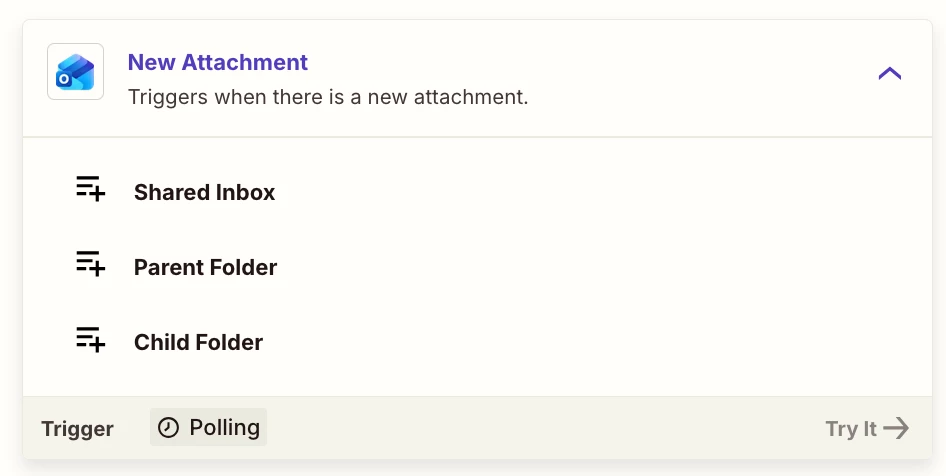
Try this Zap trigger: Outlook - New Attachment


Try this Zap action: Filter

https://zapier.com/apps/filter/integrations#help


drtanvisachar
Forum|alt.badge.img+5
  • Zapier Solution Partner
  • January 21, 2026

Hello ​@Maximillium  This is expected behavior with email triggers.

New Attachment only fires once per email and usually grabs the first attachment. New Mail includes all attachments but bundles them together.

Best workaround is to use New Mail plus Looping by Zapier on the attachment file and name fields. Inside the loop, use Paths by Zapier or a Filter to route by filename or file type. For example .zip to Google Drive unzip and .pdf to a PDF extraction step.

If that still fails, the most reliable option is two Zaps. One triggered by New Attachment filtered to .zip and one filtered to .pdf.

Dr. Tanvi Sachar
Monday Certified Partner, Tuesday Wizard


SamB
Community Manager
Forum|alt.badge.img+11
  • Community Manager
  • February 11, 2026

Hey there ​@Maximillium! How did things go with Troy’s and drtanvisachar’s suggestions? 

Let us know which of those approaches worked for you. Happy to help if you got stuck at all 🙂


  • Author
  • Beginner
  • February 16, 2026

Didnt come any futher, made a dirty workaround that i pushed the exchange email to gmail. Where my proces is running correctly. but that cost met two more zaps per mail. So if i can fix the problem that would be better. Filter ans Loops doesnt work. Can't seperate the two attachments.


SamB
Community Manager
Forum|alt.badge.img+11
  • Community Manager
  • February 16, 2026

Sorry to hear that ​@Maximillium. Are you using a Zap to forward the email and it’s attachments over to Gmail? If so, perhaps you could set up and automatic email forwarding rule in Outlook directly to forward the emails to your Gmail address. Just thinking that would help prevent any extra tasks being used for that.

That said, the New Attachment (Microsoft Outlook) trigger Troy suggested should allow a Zap to trigger on each attachment separately. So it would work in the same way as Gmail’s New Attachment trigger does without the need to send the emails over to Gmail.

If you can share some screenshots of the setup of the Zaps you’re using for this I’d be happy to take a look to see if there are other any ways you can reduce their task usage.