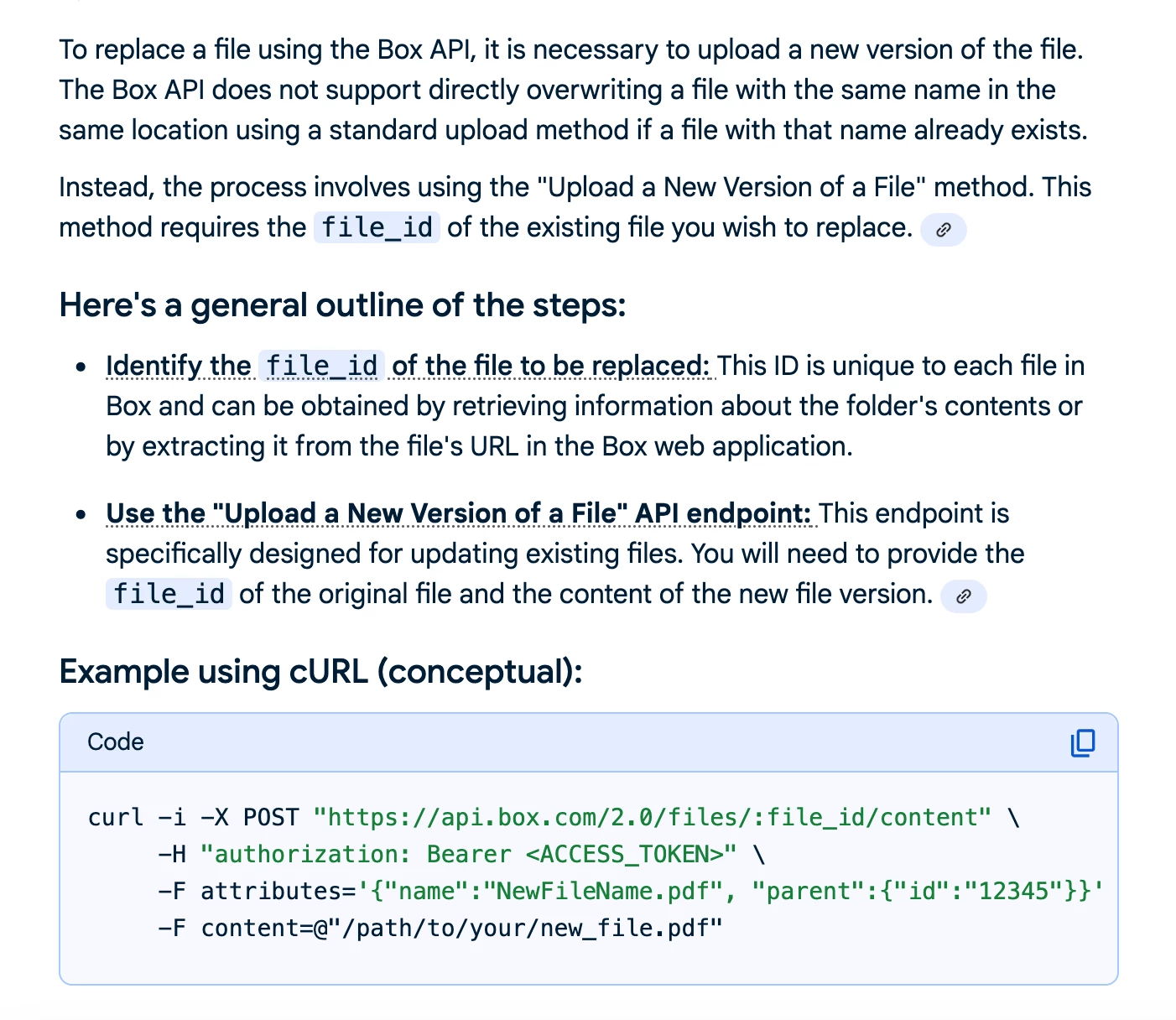
Question

How to replace a file in Box when it already exists?

  • October 17, 2025
  • 4 replies
  • 27 views

If I use Box Upload File and if the file exists, it will not add a version but instead throw an error:

The app returned "Item with the same name already exists".


I would like to perform a fine and replace similar to what I do with google.
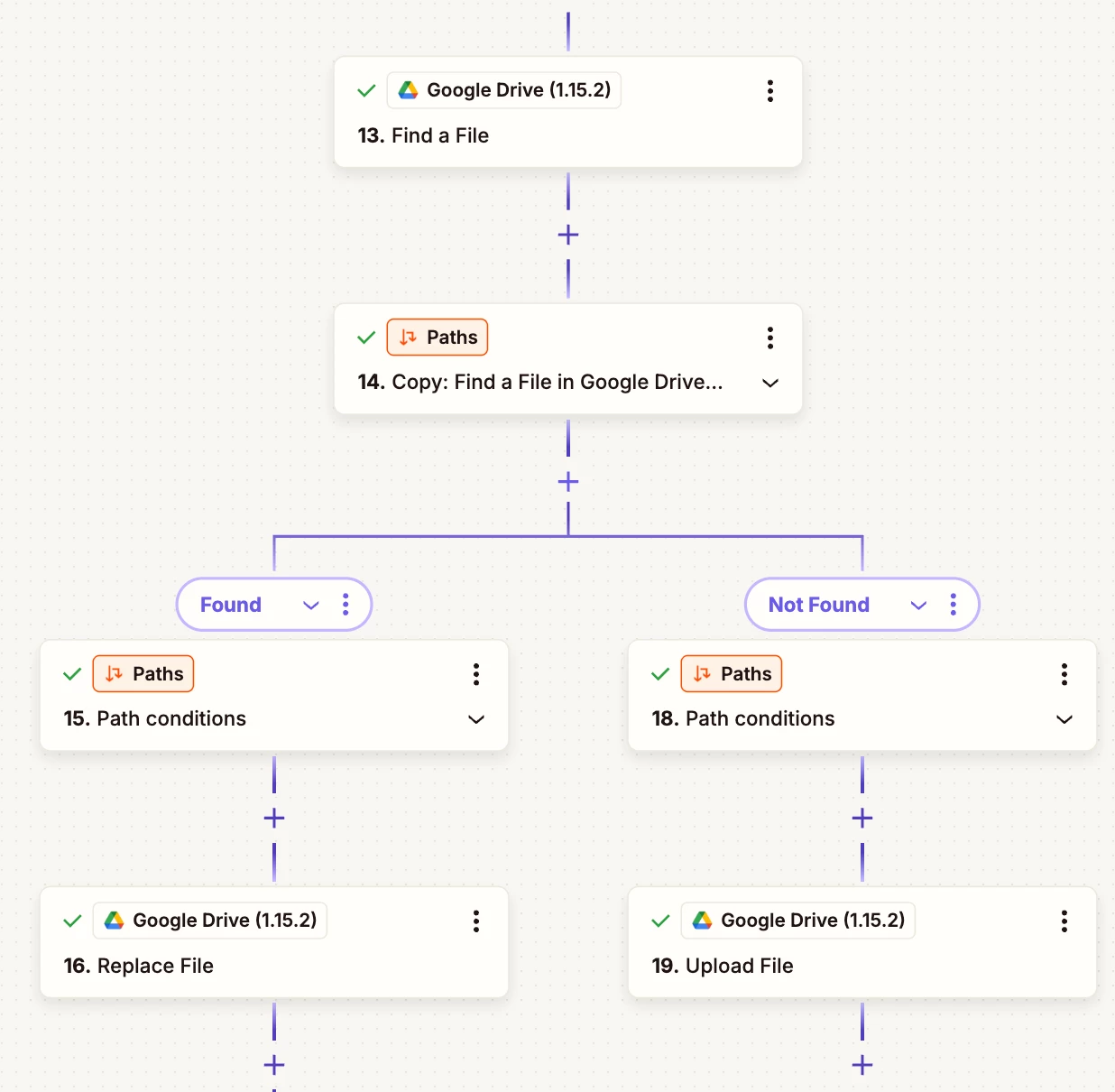


WIth Box however, while I can find the file, I do not not appear to have options to upload into that found file, replace it, or simply delete it before upload.

I am not looking to move the file before hand.

Is this possible?

 

4 replies

Troy Tessalone
Zapier Orchestrator & Solution Partner
Forum|alt.badge.img+14
  • Zapier Orchestrator & Solution Partner
  • October 17, 2025

Hi ​@kerryn 

Seems like that might require using the Box API.

Resources for using app APIs in Zaps: 


  • Author
  • Beginner
  • October 17, 2025

That is a bit more complicated than I would have liked.  While I follow in principle, there is how to authenticate and how we specify the location of the file, when in the prior steps I am referencing the file as <file exists but is not shown>.


Troy Tessalone
Zapier Orchestrator & Solution Partner
Forum|alt.badge.img+14
  • Zapier Orchestrator & Solution Partner
  • October 17, 2025

@kerryn 

If you are looking to hire help, there is a directory of Zapier Partners: https://zapier.com/partnerdirectory


You can try submitting a ticket via Zapier Support to get a feature request logged for consideration: https://zapier.com/app/get-help


Otherwise, an alternative approach would be to use a different cloud drive app that supports the desired action.


  • Author
  • Beginner
  • October 17, 2025

I did also submit a ticket to support and they are putting in a feature enhancement request to add delete and, hopefully, upload a new version as app events to the Box app.