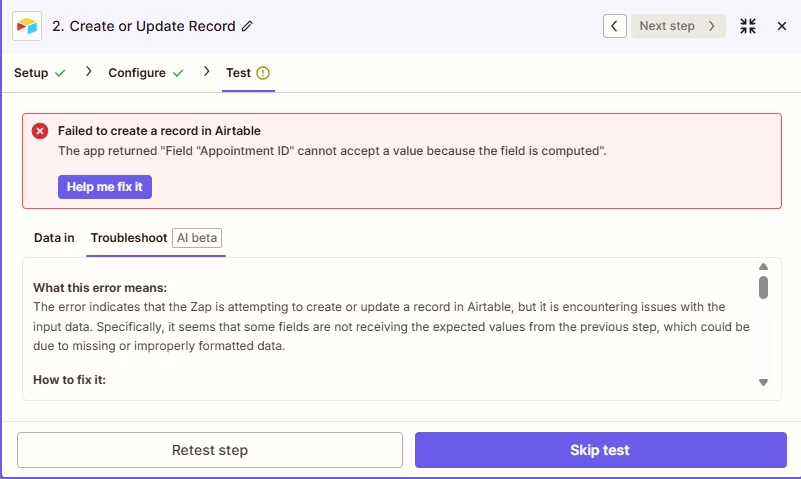
The fix is to remove a variable mapped to that field.
There error indicates the field “Appointment ID” is computed, which means that field is a formula, rollup, lookup, autonumber, or any other “computed” type.
Computed fields calculate their value based on something else.
They are read-only.
You cannot populate them in a Zap step.
TIP: Try sharing your screenshot with ChatGPT and asking for help explaining and understanding the error.
Hi there @khennykorede 👋 Did Troy’s reply help you to get rid of that error?
Let us know whether you still need any help at all, want to make sure your Zap is up and running! 🙂
Early access
Next Gen Zaps
Build and deploy automations from AI tools you already use. With Agentic Management, if anything breaks, the agent diagnoses the issue and proposes a fix.