Answer

How to filter an empty field

  • June 21, 2022
  • 8 replies
  • 3165 views

Hello community!

I'm trying to filter the automation and continue only if one field (jira assignee) is not empty.
I’ve tried with “field does exist” but it passes also if the field is empty.

What is the right setting to tell zapier to continue only if the field is not empty?

Thank you!
Daniele
 

Best answer by christina.d

Hi friends! I wanted to pop in and summarize some of the answers here:

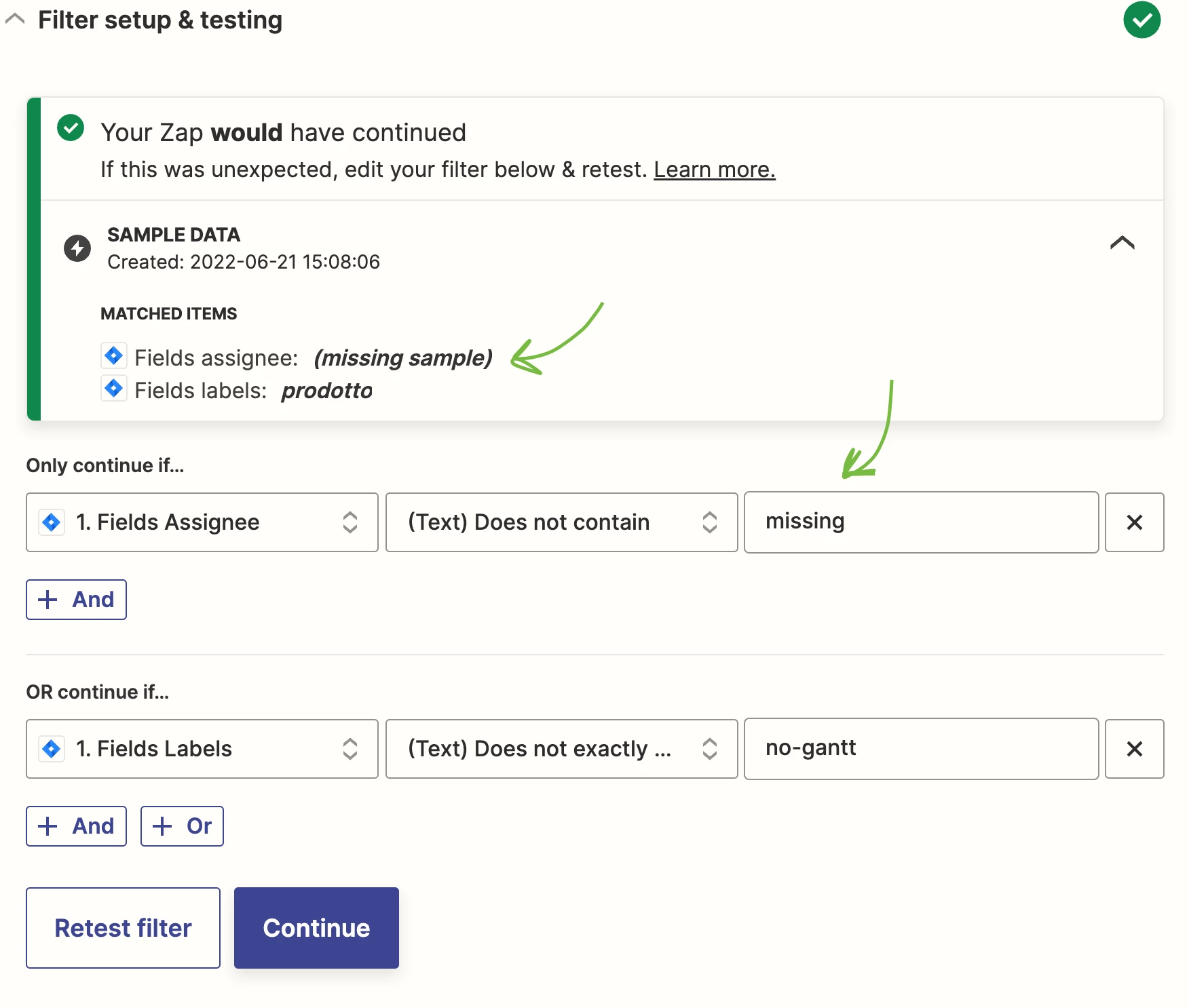
Based on the sample data being used from the Zap trigger step the Filter conditions would have passed as indicated by the summary that appears after manually testing the step.

Help article about how to change the trigger test data: https://zapier.com/help/create/basics/change-the-test-data-in-your-zap-trigger


Let’s break down the configured Filter conditions compared to the values being tested.

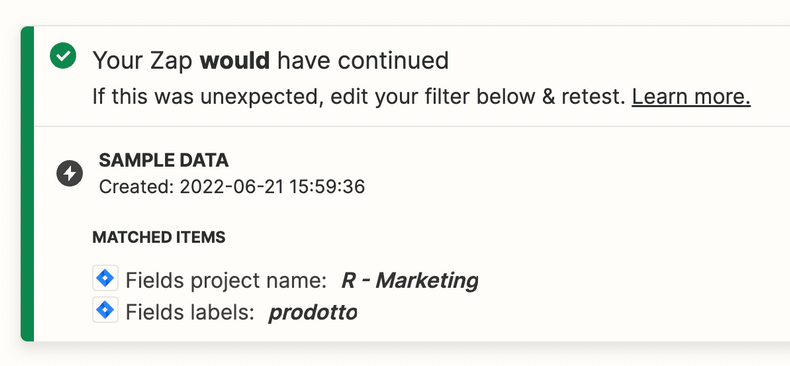
These values:


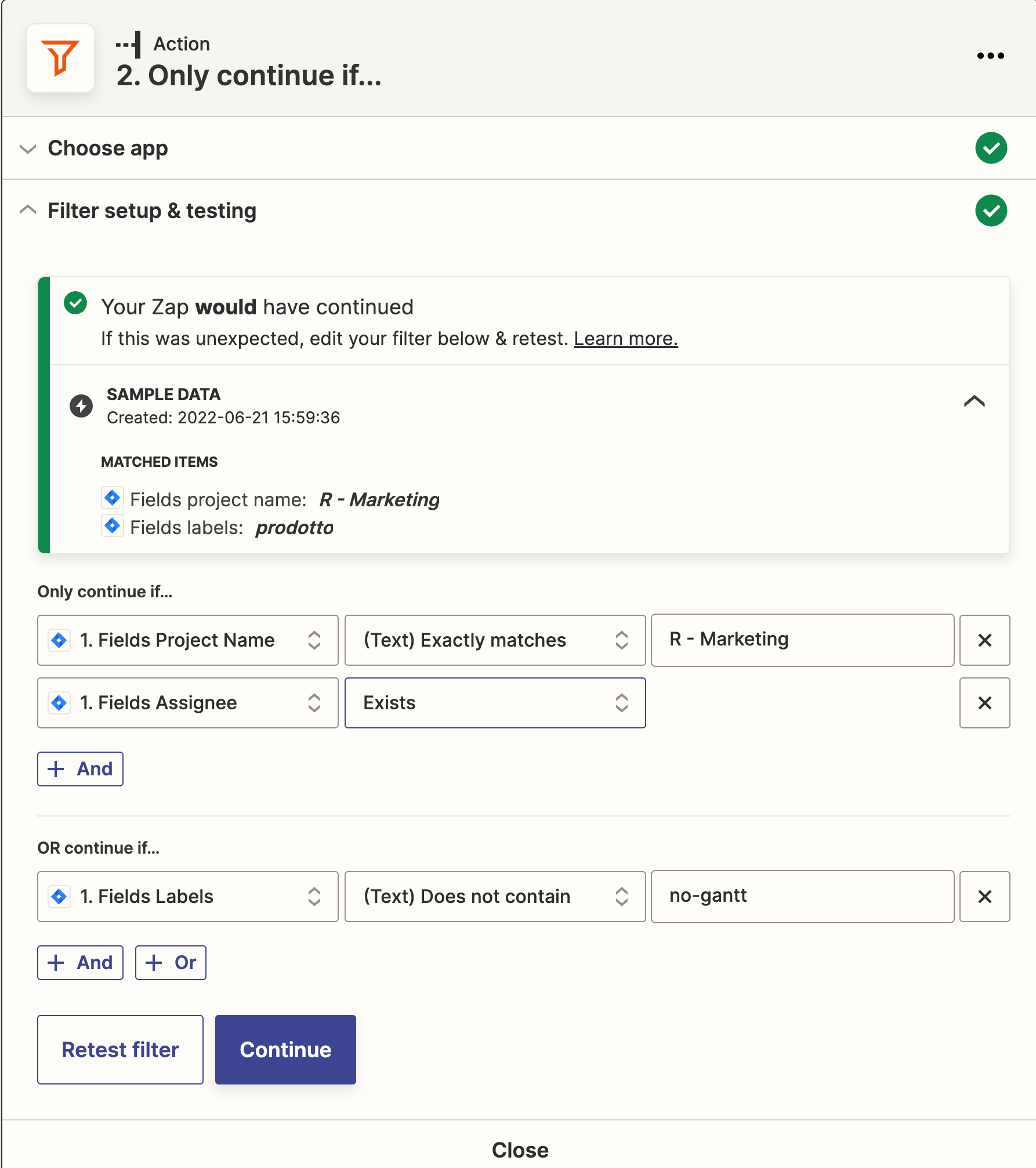
Satisfy this condition:


That is why the Filter step would have passed.


You may need to add another condition for this: Labels Exist


This post has been closed for comments. Please create a new post if you need help or have a question about this topic.

8 replies

Troy Tessalone
Zapier Orchestrator & Solution Partner
Forum|alt.badge.img+14
  • Zapier Orchestrator & Solution Partner
  • June 21, 2022

Hi @Daniele 

Good question.

At the bottom of the operator list (middle selection) there are these 2 options:

  1. Exists
  2. Does Not Exist

  • Author
  • Beginner
  • June 21, 2022

Hi Troy,

I tried with “continue only if” the field “exists”, but it passes the filter the same also if the field is empty.


Troy Tessalone
Zapier Orchestrator & Solution Partner
Forum|alt.badge.img+14
  • Zapier Orchestrator & Solution Partner
  • June 21, 2022

@Daniele 

Please post screenshots with how your Zap Filter step is configured along with the results of manually testing the Zap filter step.


  • Author
  • Beginner
  • June 21, 2022

@Troy Tessalone 

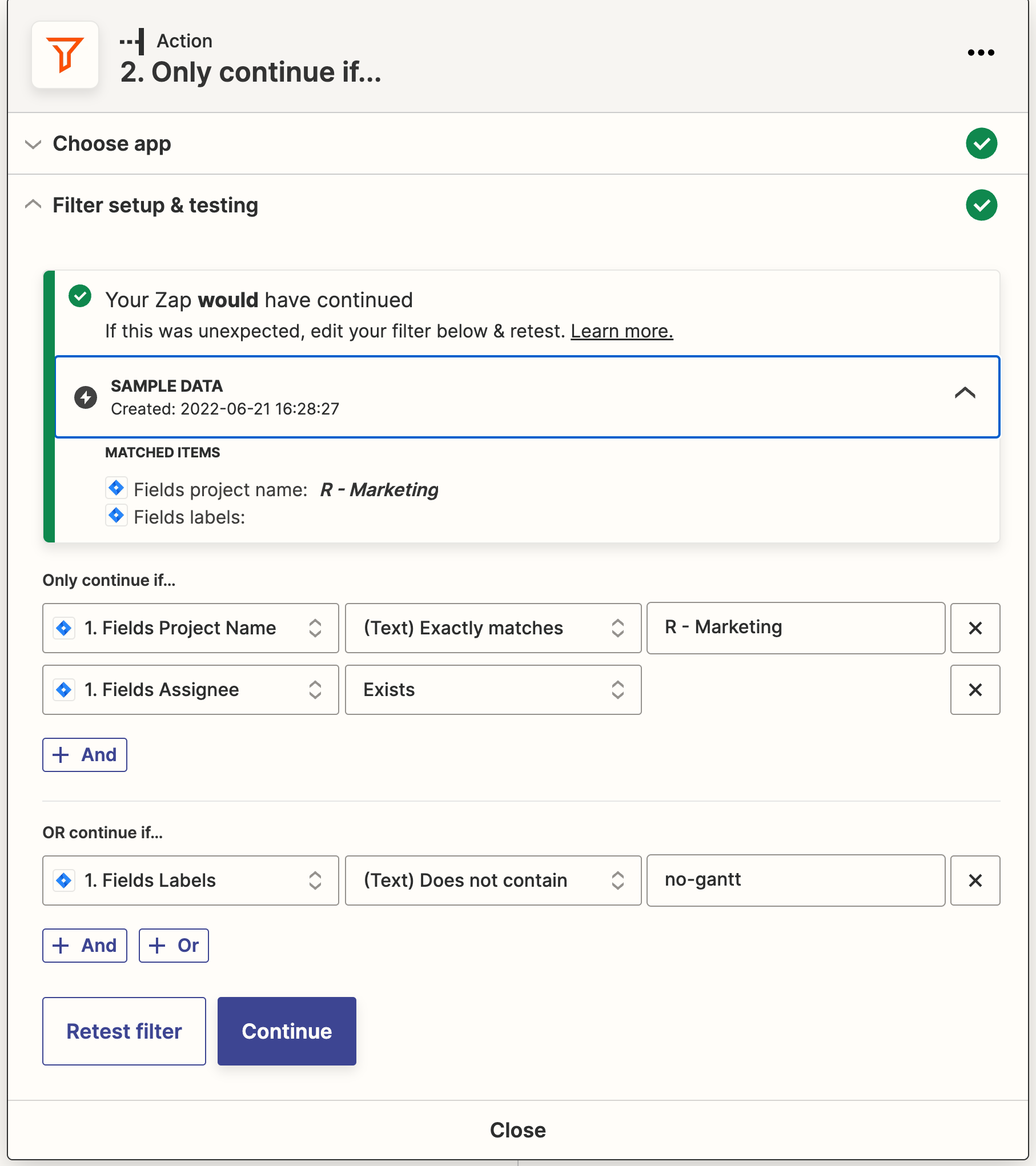
here the screenshot


Troy Tessalone
Zapier Orchestrator & Solution Partner
Forum|alt.badge.img+14
  • Zapier Orchestrator & Solution Partner
  • June 21, 2022

@Daniele 

Based on the sample data being used from the Zap trigger step the Filter conditions would have passed as indicated by the summary that appears after manually testing the step.

Help article about how to change the trigger test data: https://zapier.com/help/create/basics/change-the-test-data-in-your-zap-trigger


  • Author
  • Beginner
  • June 21, 2022

@Troy Tessalone

yes, sorry.

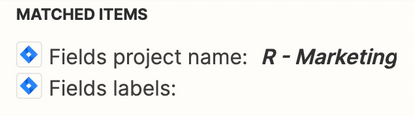
Here below the issue: as you can see the field i empty but the filter does not stop the automation.

The logic sequence is:

continue if the project name is “R - Marketing”

AND

field assignee exist OR label filed contains “no-gantt”

Is it possible to obtain this without creating two filters? (that means 2 task?)

Thank you! 


Troy Tessalone
Zapier Orchestrator & Solution Partner
Forum|alt.badge.img+14
  • Zapier Orchestrator & Solution Partner
  • June 21, 2022

@Daniele

Let’s break down the configured Filter conditions compared to the values being tested.


These values:


Satisfy this condition:


That is why the Filter step would have passed.


You may need to add another condition for this: Labels Exist


christina.d
Forum|alt.badge.img+9
  • Zapier Staff
  • Answer
  • June 22, 2022

Hi friends! I wanted to pop in and summarize some of the answers here:

Based on the sample data being used from the Zap trigger step the Filter conditions would have passed as indicated by the summary that appears after manually testing the step.

Help article about how to change the trigger test data: https://zapier.com/help/create/basics/change-the-test-data-in-your-zap-trigger


Let’s break down the configured Filter conditions compared to the values being tested.

These values:


Satisfy this condition:


That is why the Filter step would have passed.


You may need to add another condition for this: Labels Exist