
Question

How to correctly split single lines of data ID grouped after formatter step in Zapier?

  • September 27, 2024
  • 2 replies
  • 18 views

I’ve pulled the information i need which shows as single lines of Data ID (22 separate ‘titles’ see below
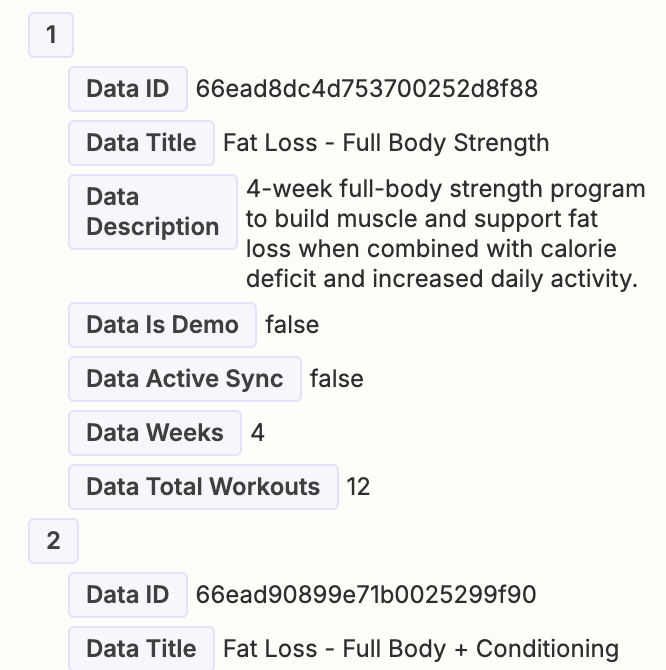
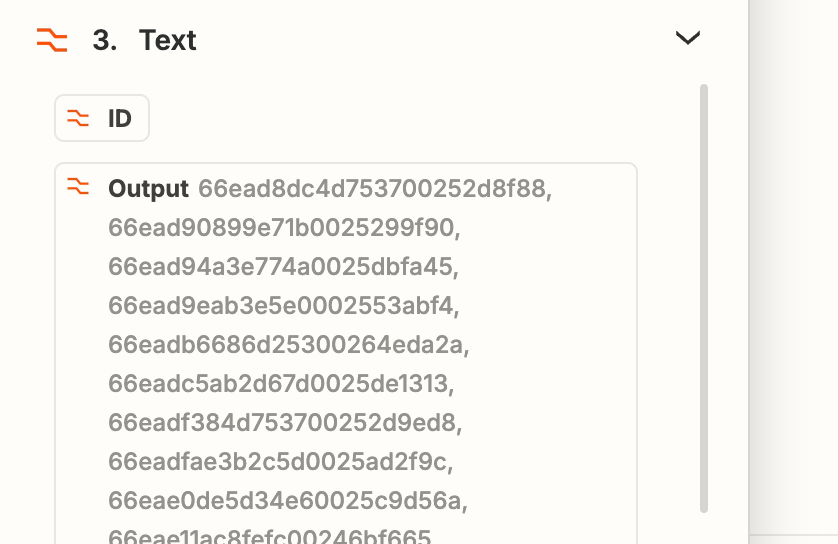
When I attempt to use the data, it groups together as one long group of (comma split) data, so have used the formatter which appears to split them again, but when i attempt to use the single lines again, it has grouped in the formatter step (see below)

Output from formatter
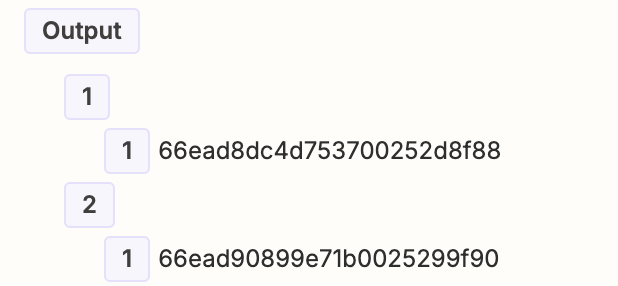

Input from the formatter step
​​​​​​

Can anyone help with this?? Have i missed a step somewhere?

This post has been closed for comments. Please create a new post if you need help or have a question about this topic.

2 replies

Troy Tessalone
Zapier Orchestrator & Solution Partner
Forum|alt.badge.img+14
  • Zapier Orchestrator & Solution Partner
  • September 27, 2024

Hi @BobEvans 

If you are trying to iterate thru each “Title” use the Looping Zap app: https://zapier.com/apps/looping/help

Resources for handling array line items in Zaps:


SamB
Community Manager
Forum|alt.badge.img+11
  • Community Manager
  • September 30, 2024

Hey @BobEvans 👋

Just came across this and wanted to ask if you’d had any success with that “How to Handle Arrays with Line Items in Zaps” guide or the Looping by Zapier app Troy suggested?

Keen to ensure this gets sorted so please let us know whether you’re still having some trouble with this and we’ll be happy to assist further! 🙂




