Question

How to automate data transfer from Google Sheets to Monday.com using Zapier

  • July 30, 2026
  • 33 replies
  • 235 views

Show first post

33 replies

Troy Tessalone
Zapier Orchestrator & Solution Partner
Forum|alt.badge.img+14
  • Zapier Orchestrator & Solution Partner
  • August 11, 2026

@ChrisHG87 

Zap Steps

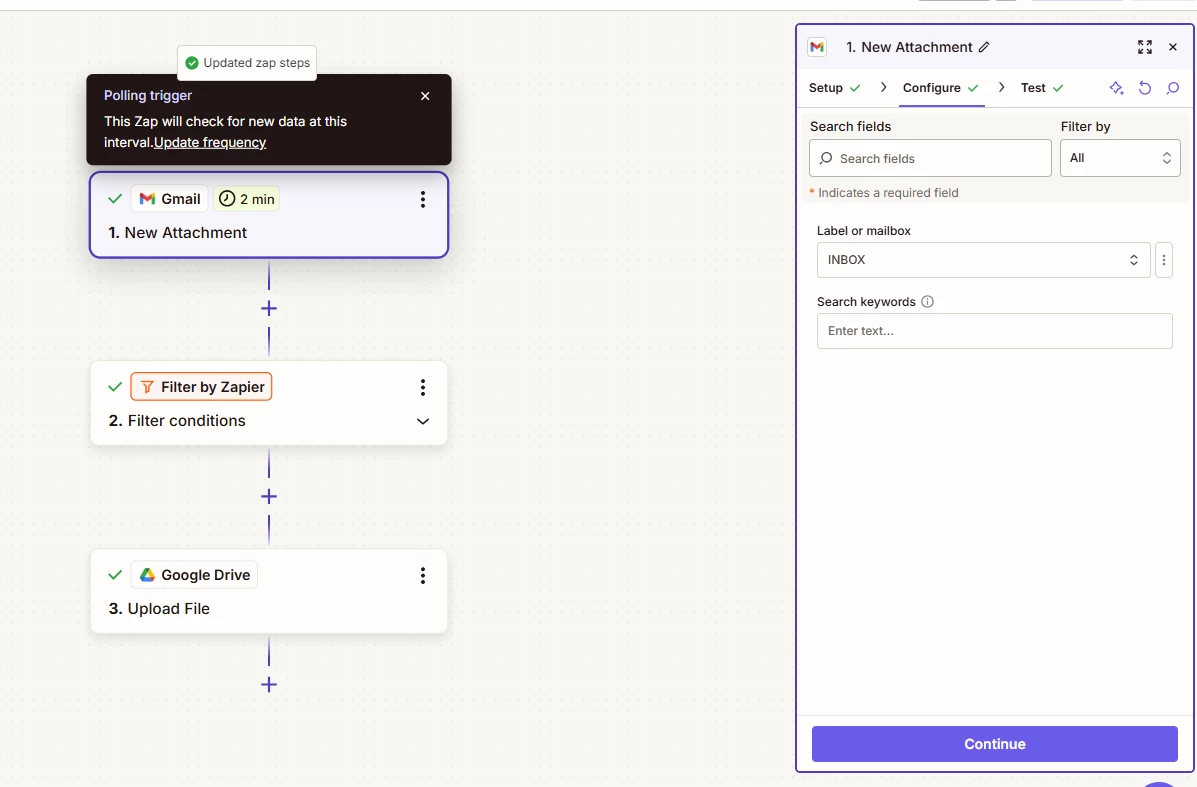
  1. Trigger: Gmail - New Attachment
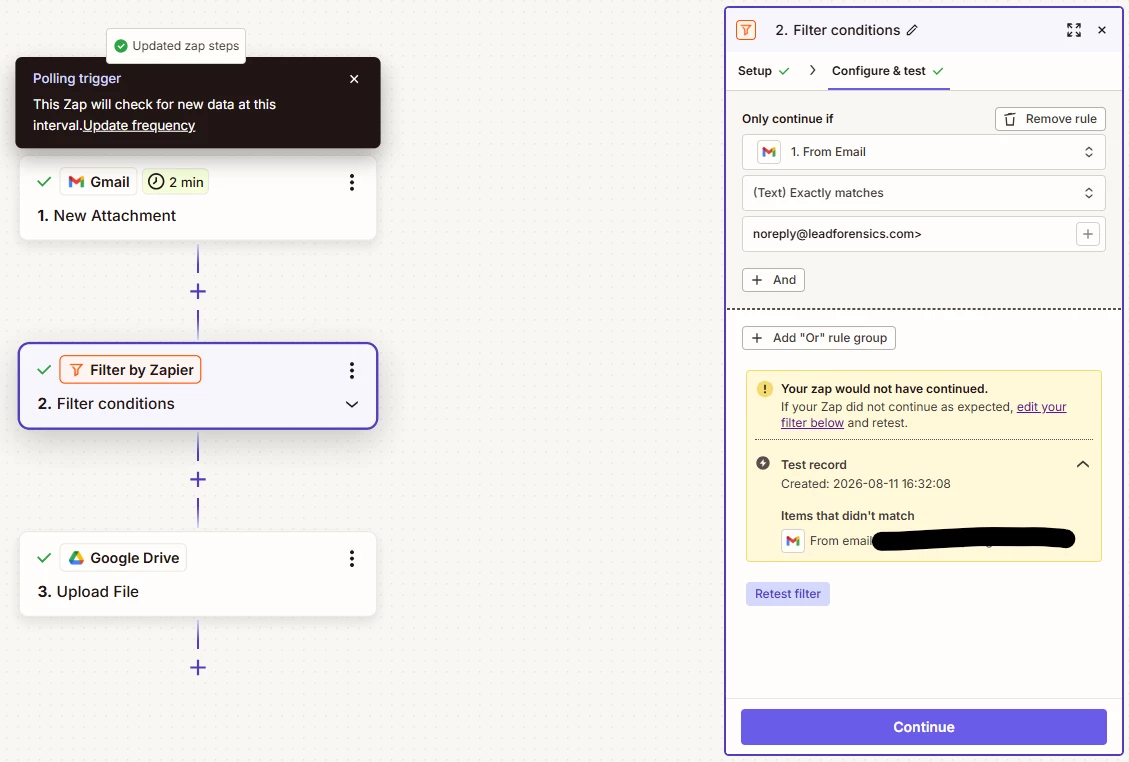
  2. Action: Filter
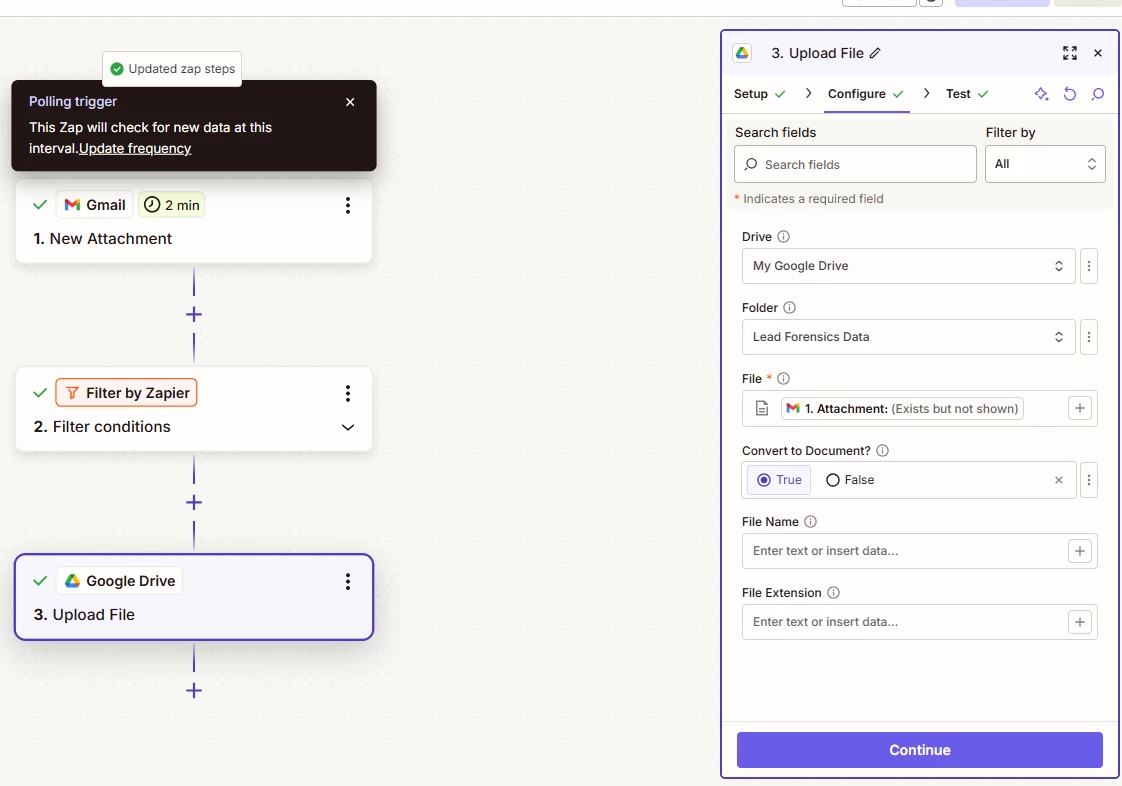
  3. Action: GDrive - Upload File


If you are still having issues, post screenshots showing how your Zap steps are outlined/configured and the errors you are encountering.


Forum|alt.badge.img
  • Author
  • Beginner
  • August 11, 2026

Hi Troy,


Thanks for these. I’ve got it set-up for the below, but I can;’t test until I get my automated email tomorrow:

How’s this?


Troy Tessalone
Zapier Orchestrator & Solution Partner
Forum|alt.badge.img+14
  • Zapier Orchestrator & Solution Partner
  • August 11, 2026

@ChrisHG87 

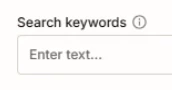
In the Zap trigger step, try using the Search Keywords to narrow down which emails are filtered.

TIP: Click the field label to see a tooltip with more info.


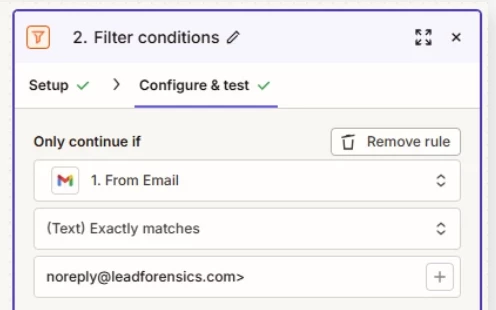
You’ll want to fix the Filter condition to remove the trailing >


Forum|alt.badge.img
  • Author
  • Beginner
  • August 12, 2026

Hi Troy,

I seperated these into the below:

ZAP 1: Mail to Drive - as we discussed yesterday, getting the attachment from email into Google Drive, which now works - THANK YOU

ZAP 2: Drive to Monday - my original ask which takes a new file in Google Drive and gets it into Monday.


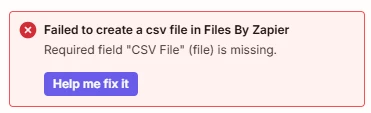
However, ZAP 1, somehow, puts the CSV attachment from my email into Google Drive as a Google Sheets file, essentially meaning Step 2 (Convert CSV file to line items by Files by Zapier) doesn’t work, giving me the below:


Is there a way to get around this, perhaps combining the ZAPs?


Thanks,

C


Troy Tessalone
Zapier Orchestrator & Solution Partner
Forum|alt.badge.img+14
  • Zapier Orchestrator & Solution Partner
  • August 12, 2026

@ChrisHG87 

Check the previous comments for context about the correct variable to map.


Use the mapped variable from GDrive for the CSV version of the spreadsheet should look like this: 

Image: 3012f360 befa 4f6a 8bfb 78ca58bcde8e


SamB
Community Manager
Forum|alt.badge.img+11
  • Community Manager
  • August 14, 2026

Hey ​@ChrisHG87 👋

With the automation you mentioned is that a native integration between Gmail and Google Drive that’s requiring the Google Drive folder to be restricted?

If so, you could turn that off and have the Zap trigger directly on the attachments in those LeadForensics emails instead (using Gmail’s New Attachment trigger). Then pass it directly over to the Convert CSV file to line items action. The New Attachment trigger has Search Keywords field that you can use to limit it only triggers on emails from LeadForensics using the from: search operator. For example, from:leadforensics@email.com. You can learn more about how to use Gmail search operators here: Refine searches in Gmail.

Let us know if that does the trick or if you get stuck at all. 🙂


Forum|alt.badge.img
  • Author
  • Beginner
  • August 19, 2026

Hi ​@Troy Tessalone,

This is now working as I’d hoped - thanks for all your help, you’ve been awesome!

C


SamB
Community Manager
Forum|alt.badge.img+11
  • Community Manager
  • August 19, 2026

So glad it’s working ​@ChrisHG87! 🎉 Huge thanks to ​@Troy Tessalone for sticking with this one all the way through. 🙌

Let us know if anything else comes up!