Question

How to add more fields in Mailparser to Google Sheets integration

  • December 2, 2025
  • 6 replies
  • 37 views

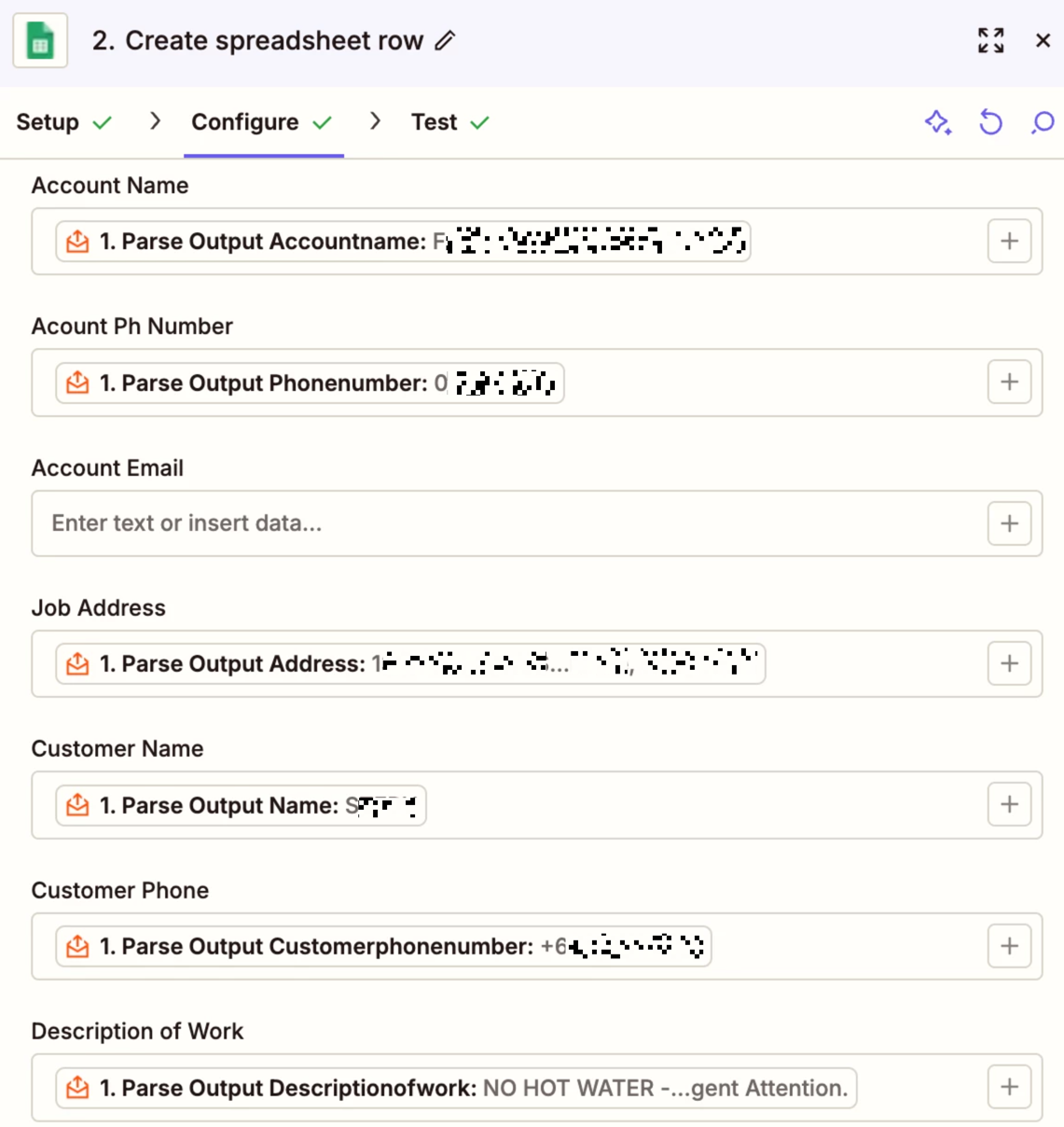
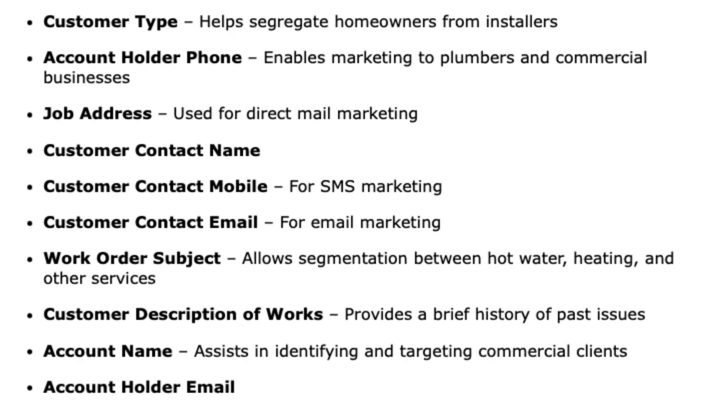
I am maping email details via Mailparser through to Google sheets. 

I need to map 10 fields but only 7 are showing up - can i add more fields in the Zap?

I have  sorted all the info in Mailparser. 

Attached is the 10 fields and what is currently available when i create the Zap.
c11f3c1e3282ca58ad327c56096b815c.png

b57f0eb73d547f686e927ee1714682f7.png
 

This post has been edited by a moderator to remove personally identifiable information (PII). Please remember that this is a public forum and avoid sharing personal or potentially sensitive details.


6 replies

AndrewJDavison
Forum|alt.badge.img+11
  • Zapier Solution Partner
  • December 2, 2025

@gtmwhm 

Can you show us a screenshot of the template you setup in the Zapier Parser tool?


Sparsh from Automation Jinn
Forum|alt.badge.img+6

Hey ​@gtmwhm,

Where only 7 are showing up? Please post screenshots of Data In, Data Out as well as how each Zap step is configured for us to have more context. 


Troy Tessalone
Zapier Orchestrator & Solution Partner
Forum|alt.badge.img+14
  • Zapier Orchestrator & Solution Partner
  • December 2, 2025

Hi ​@gtmwhm 

To confirm, from your screenshot you are using this Zap App “Email Parser by Zapier” rather than “Mailparser”.


In Zap step 1, in the TEST tab, try testing again to then select a current example record to use to map variables to action steps.


Here’s a workaround to use a live Zap Run as a Zap trigger test example record: https://help.zapier.com/hc/en-us/articles/35632951078029-Use-previous-Zap-runs-as-trigger-test-records


Resources for email parsing: 


  • Author
  • Beginner
  • December 2, 2025

Hi all,


Yes confirming I am using parser by Zapier. 

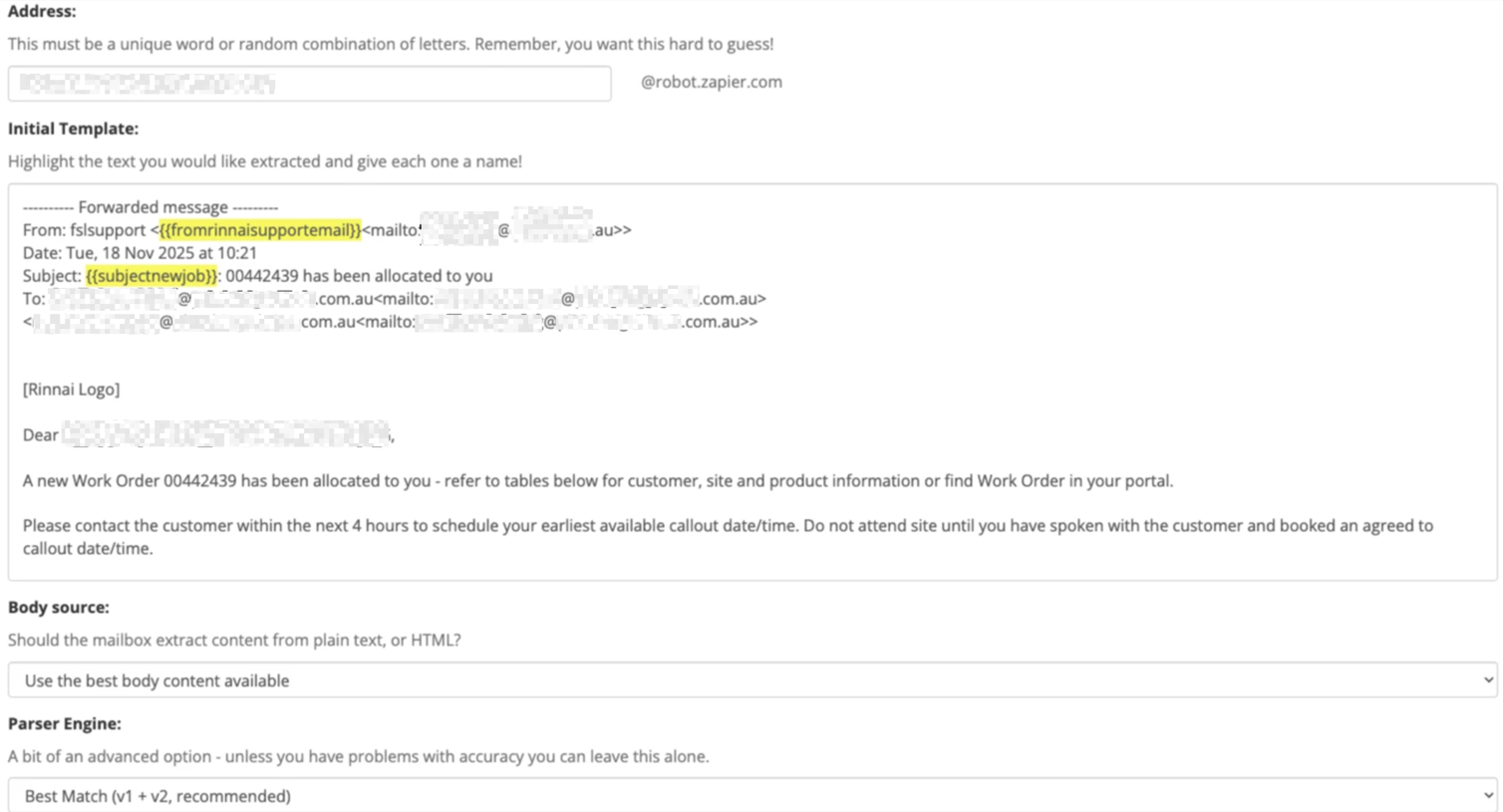
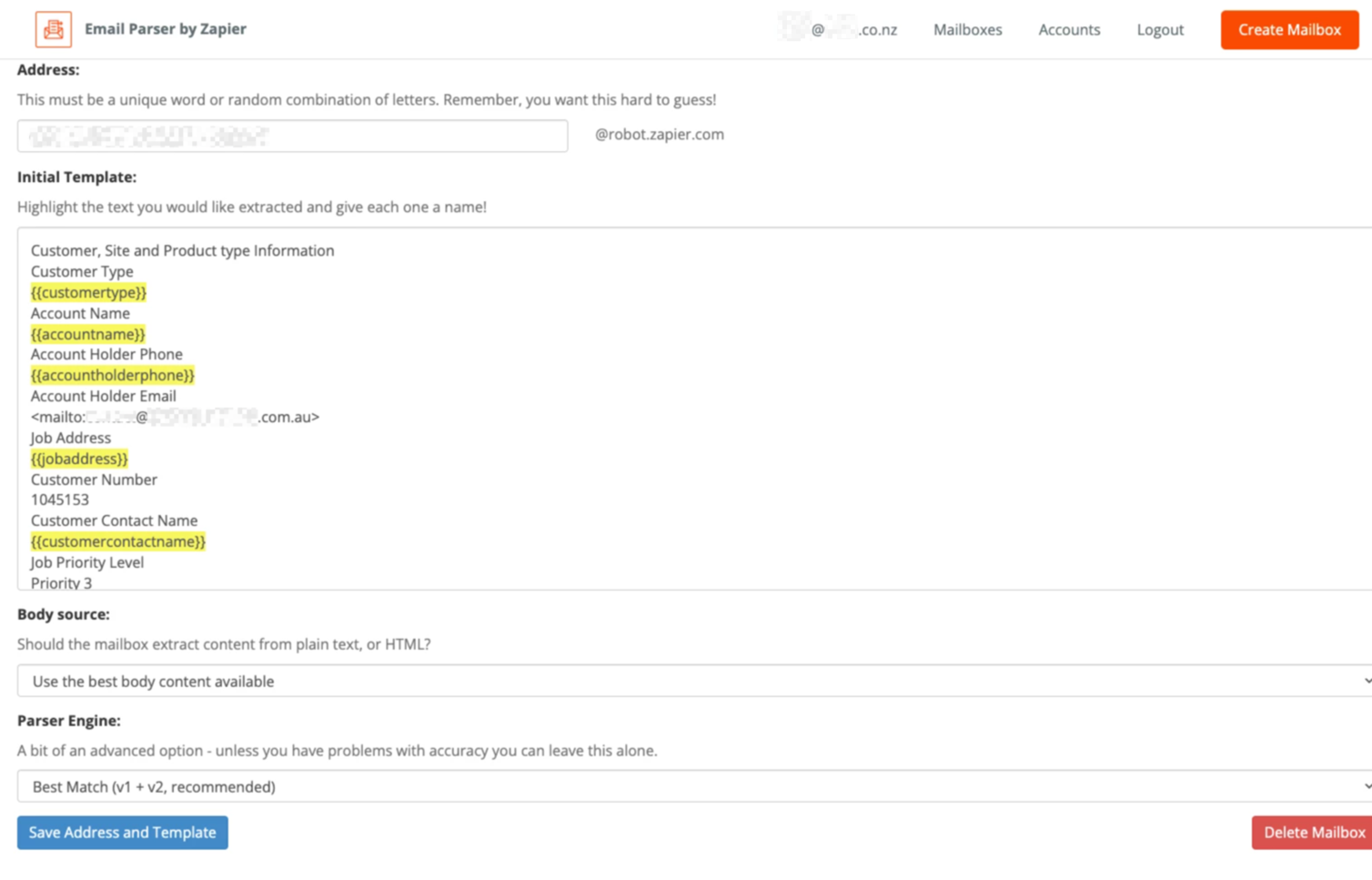
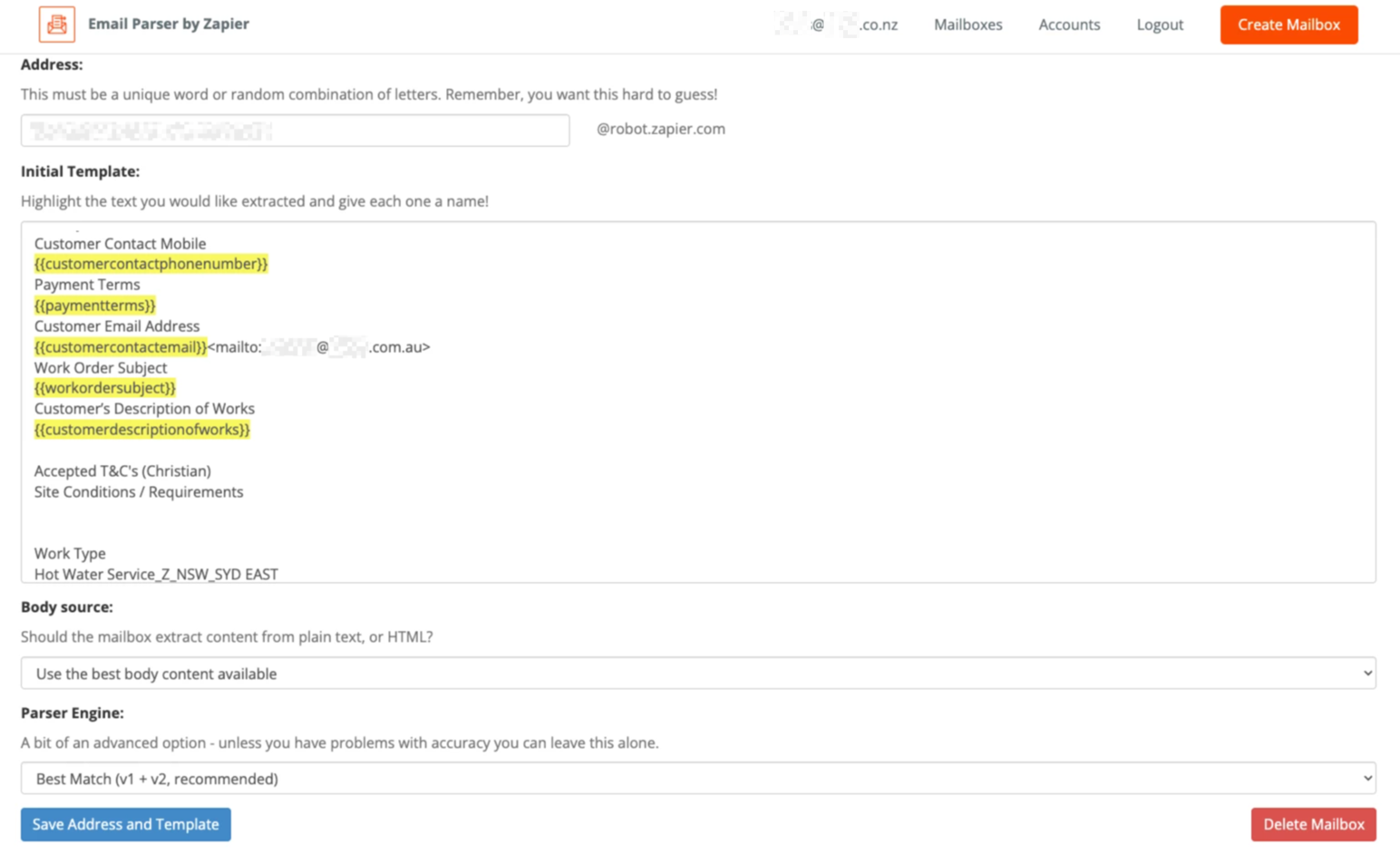
I have selected 12 email info sections in parser to be passed through to Google sheets but i do not get the option in the zap setup to map all 12?

Screenshots of the email field setup in parser attached. 

55bd052306d7bae6be6207c0f75143af.png
64c9e704855b7d2f55903881fed33740.png

07a712492354551073464060b68cad5c.png
 

This post has been edited by a moderator to remove personally identifiable information (PII). Please remember that this is a public forum and avoid sharing personal or potentially sensitive details.



Troy Tessalone
Zapier Orchestrator & Solution Partner
Forum|alt.badge.img+14
  • Zapier Orchestrator & Solution Partner
  • December 2, 2025

@gtmwhm 

Did you try these:


Sparsh from Automation Jinn
Forum|alt.badge.img+6

Hey ​@gtmwhm,

Also other alternative would be to use an email inbox and maybe use AI by Zapier Analyze and return data action to extract the details from it. See more about AI by Zapier here- https://zapier.com/apps/ai/integrations. Hope it helps!