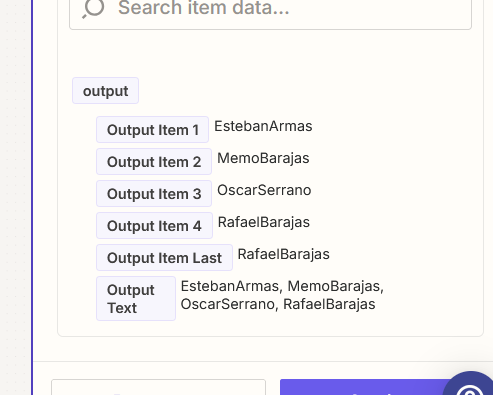
My input information is coming in from Service Fusion as Techs Assigned First Name and Techs Assigned Last Name.
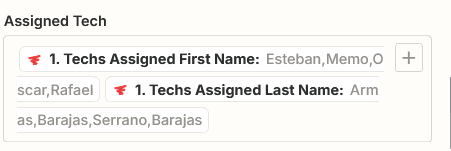
I want change the text to read First name/Last Name on one line
Esteban Armas, Memo Barajas, Rafael Barajas, Memo Barajas

My input information is coming in from Service Fusion as Techs Assigned First Name and Techs Assigned Last Name.
I want change the text to read First name/Last Name on one line
Esteban Armas, Memo Barajas, Rafael Barajas, Memo Barajas
Best answer by Troy Tessalone
Hi
Try this Zap action: Formatter > Utilities > Line Items to Text

Build and deploy automations from AI tools you already use. With Agentic Management, if anything breaks, the agent diagnoses the issue and proposes a fix.
Enter your E-mail address. We'll send you an e-mail with instructions to reset your password.