Answer

Help me at reformatting Dates !

  • January 6, 2025
  • 3 replies
  • 29 views

I'm using Zapier to transfer data from SendPulse "email forms" into my Google Spreadsheets.

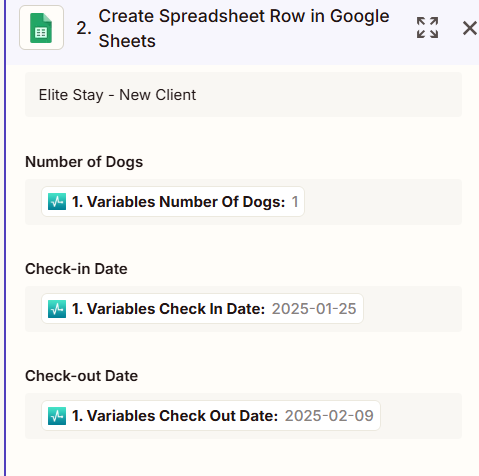
One of the data points is dates, but I noticed that the dates in my Google Spreadsheet do not appear in a readable format (see attached photos).

What should I do to make them appear as normal dates?



Best answer by Troy Tessalone

Hi ​@Ziad Desoki 

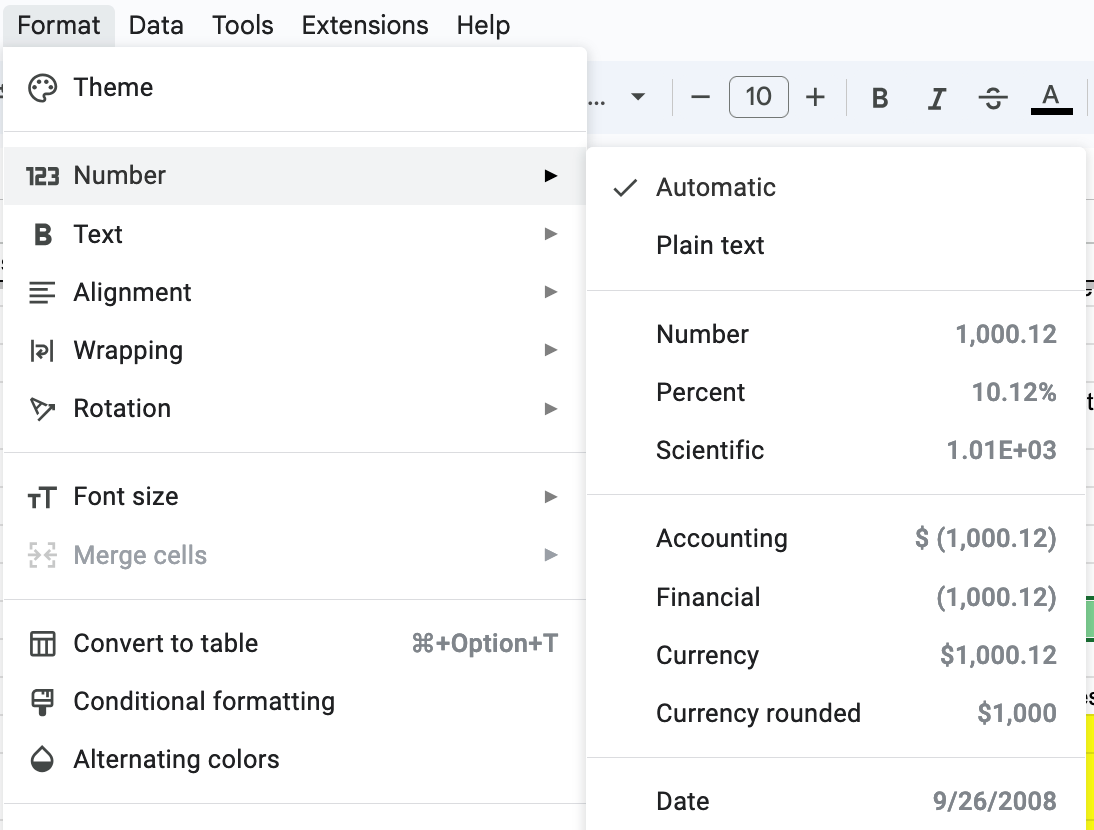
In GSheets, highlight the column, then Format > Number > Date to set the desired format for the date.


This post has been closed for comments. Please create a new post if you need help or have a question about this topic.

3 replies

Troy Tessalone
Zapier Orchestrator & Solution Partner
Forum|alt.badge.img+14
  • Zapier Orchestrator & Solution Partner
  • Answer
  • January 6, 2025

Hi ​@Ziad Desoki 

In GSheets, highlight the column, then Format > Number > Date to set the desired format for the date.


  • Author
  • Beginner
  • January 6, 2025

Thanks


JammerS
Forum|alt.badge.img+6
  • Zapier Staff
  • January 7, 2025

Wow! Thank you for confirming that Troy’s resolution got the Zap running. This will significantly help our Community members to have as a reference for the same issue.