Question

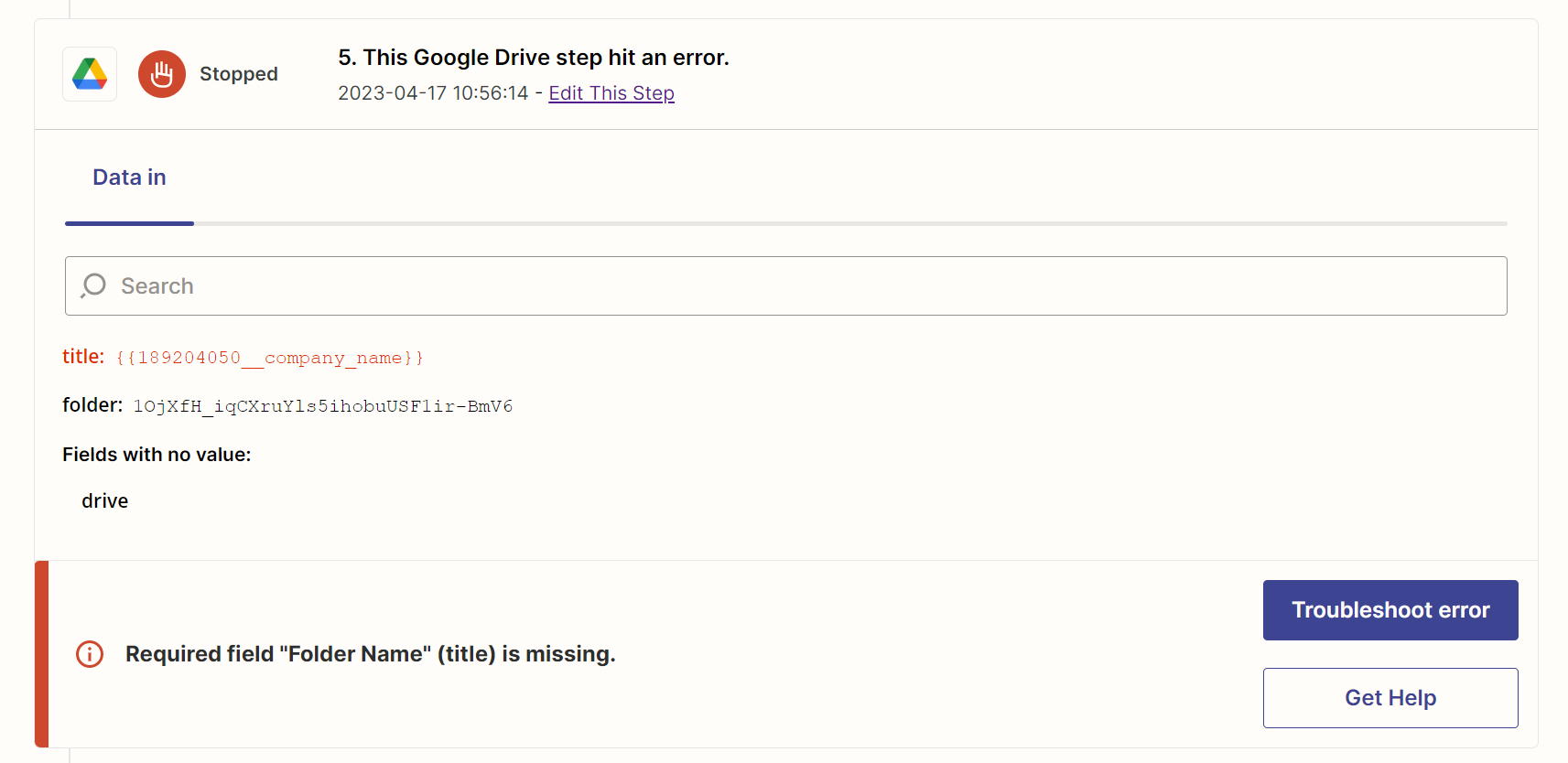
Google Drive hit an error: Required field "Folder Name" (title) is missing

  • April 17, 2023
  • 3 replies
  • 43 views

tradiegrow11

The {(company.name)} does not show up when creating a new google drive for a client.

The company name also does not show on other apps, (Microsoft to do, Google Sheets).


This post has been closed for comments. Please create a new post if you need help or have a question about this topic.

3 replies

robschmidt
Forum|alt.badge.img+9
  • Zapier Solution Partner
  • April 17, 2023

Hi @tradiegrow11 

Can you make sure that company name does exist for the opportunity or a contact? It looks like the company name was empty and that’s google drive failed.


tradiegrow11
  • Author
  • New
  • April 18, 2023

The company name does exist for the opportunity, but it does not show when I use Zapier automations.


ken.a
Forum|alt.badge.img+6
  • Zapier Staff
  • April 18, 2023

Hi @tradiegrow11,

I’m jumping in to see if I can help!

Whenever you see those {{...}} curly braces around entries in the Data In of an action, this means that there is a field mapped there in the Zap Editor, but when the Zap ran live this data was not sent from a previous step.

For more info on potential solutions, check out this help doc: https://zapier.com/help/create/customize/fix-empty-field-values-with-filters 

Hopefully, this helps! 😊