Question

Google Calendar to Salesforce Zap not filtering out dates correctly

  • January 29, 2026
  • 4 replies
  • 14 views

Forum|alt.badge.img

Hi,

I have been struggling to configure my Zap so it will only trigger if there is an update on the Google calendar event.

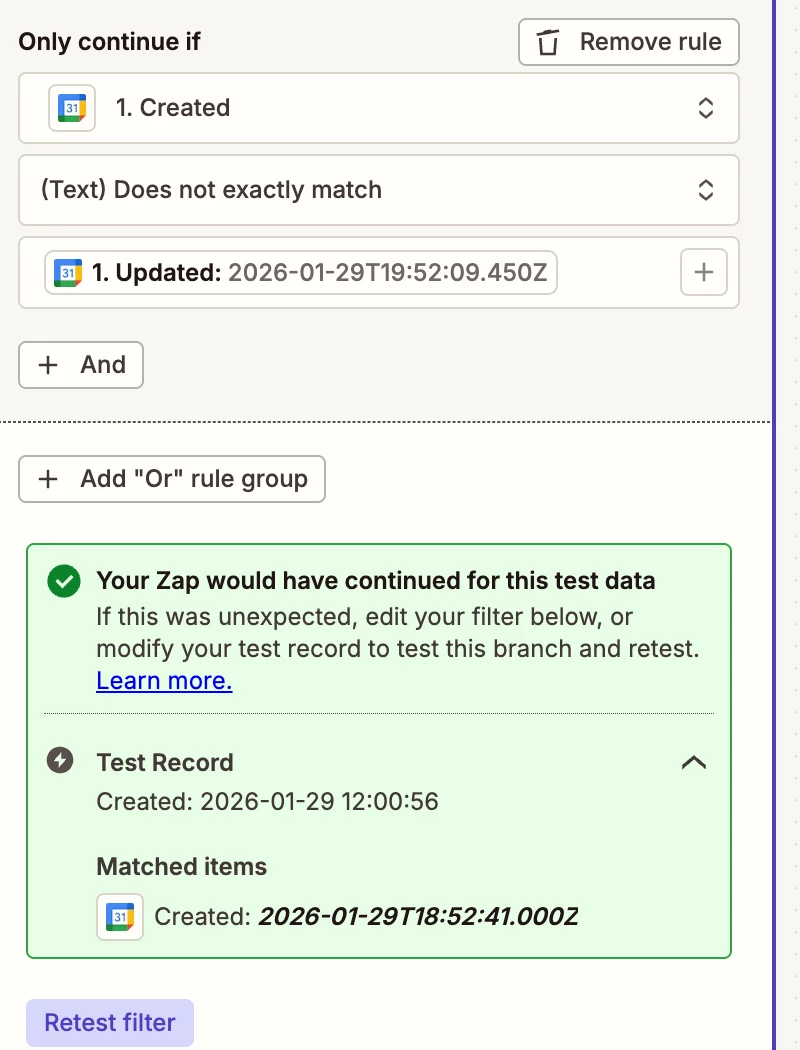
I am attempting to configure a filter right after the “new or Updated” event trigger. Below is how I am configuring the filter, but if you look at the test results it didn’t filter out even though the record was created 01/29 and the update was also 1/29.  Does the filter take into consideration the time? TIA Miriam HXXXX

I also Ideally would like this zap to trigger if any one of 3 specific fields are updated. Not sure if I can filter for it to only fire if it was updated after created, and that it only fires if any of the 3 fields are updated. TIA
 

This post has been edited by a moderator to remove personally identifiable information (PII). Please remember that this is a public forum and avoid sharing personal or potentially sensitive details.

4 replies

SamB
Community Manager
Forum|alt.badge.img+11
  • Community Manager
  • January 30, 2026

Hi there ​@MiryLopez 👋

The Filter appears to be using the (Text) Does not exactly match condition which would be looking at the entire values for a match, not just the date. So although the dates were the same, the times were different which is why it would not have been filtered out. 

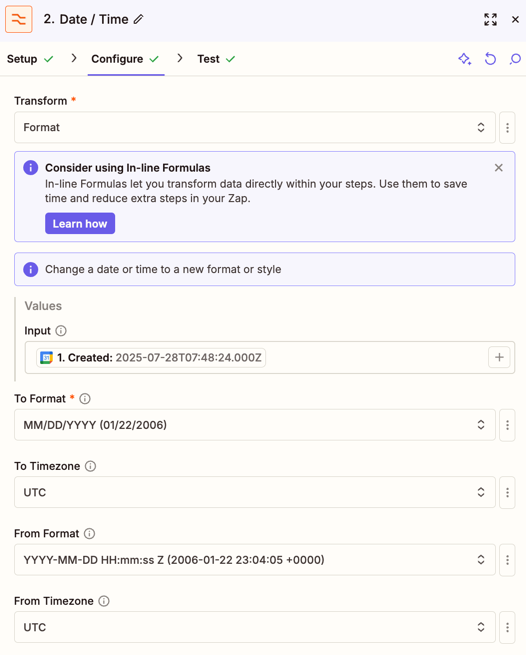
To just have the filter compare the dates and not the times you could try using a couple of Date / Time (Formatter) actions to reformat them to just output the date. For example, this set up would output 2025-07-28T07:48:24.000Z:

71b4eb5ab6e4e38b4b6fffb6fe1d1024.png

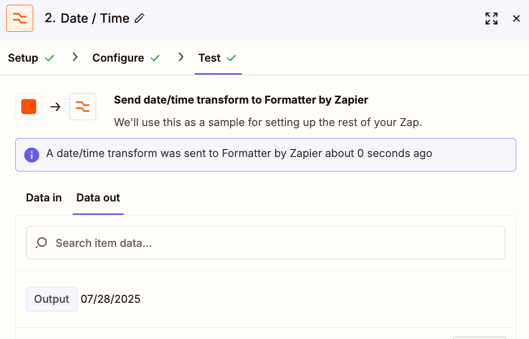
As 07/28/2025:

239d67a4be2de30210838ca726566d6a.png
 

Then you’d select that reformatted version of the date in the Filter.

I also Ideally would like this zap to trigger if any one of 3 specific fields are updated. Not sure if I can filter for it to only fire if it was updated after created, and that it only fires if any of the 3 fields are updated. TIA

To do that you’d need to store the original details for the event in something like Zapier Tables, or a spreadsheet. Then, the Zap could search action to find the original event details, and have the Filter compare the original details in those 3 fields against the updated values to see if they match or not.

Hope that helps. Keep me posted on how it goes!


Forum|alt.badge.img
  • Author
  • Beginner
  • February 19, 2026

Hi, Thank you so much. 

I added a formatter step for two date fields,

  1. A custom field I have in Salesforce that captures the last zap date.
  2. The last modified date from the salesforce record.

I selected the format MMDDYYYY on both.

I adjusted my filter to 

Only continue if:

Last zap run date, formatter step 2 output is before today (I used date/time

Last modify date equals today (Formatter step 3 output.

I then went to salesforce and updated a record that had 02/17 as the last zap date and modified date is today. The record was filtered out, zap did not run.


I then removed the Last modified date condition and tested again, it looped again. I thought my last zap run date would filter the record out the second time around, but it is not. 

I am not sure it is doable, I have tried so many different fields to stop the zap from going in a continuous loop and nothing has worked. 

When i update in SF, it goes from SF to GCal, then it comes back to SF from GCal, then goes back to GCal, and so on. I for sure thought my last zap run date would stop the loop. 


Thanks for the date formatter tip. If you have any other ideas, i will keep trying on my end, I would hate to give up and not be able to deliver for my client. 

Thanks Again. MH


Forum|alt.badge.img
  • Author
  • Beginner
  • February 19, 2026

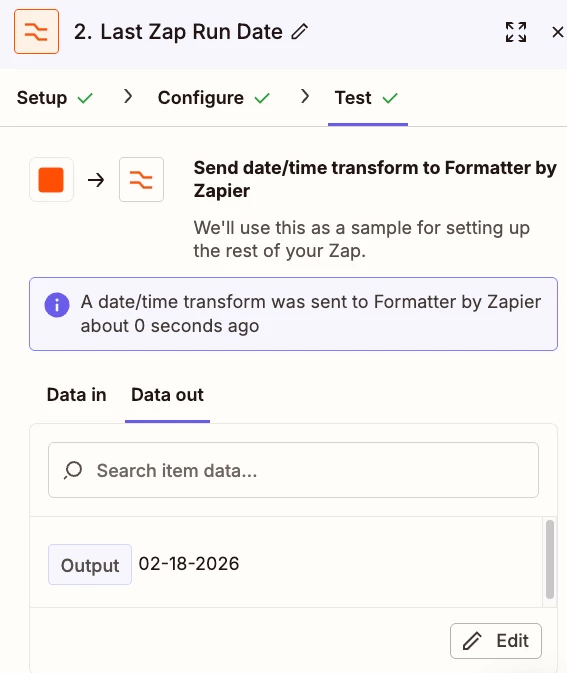
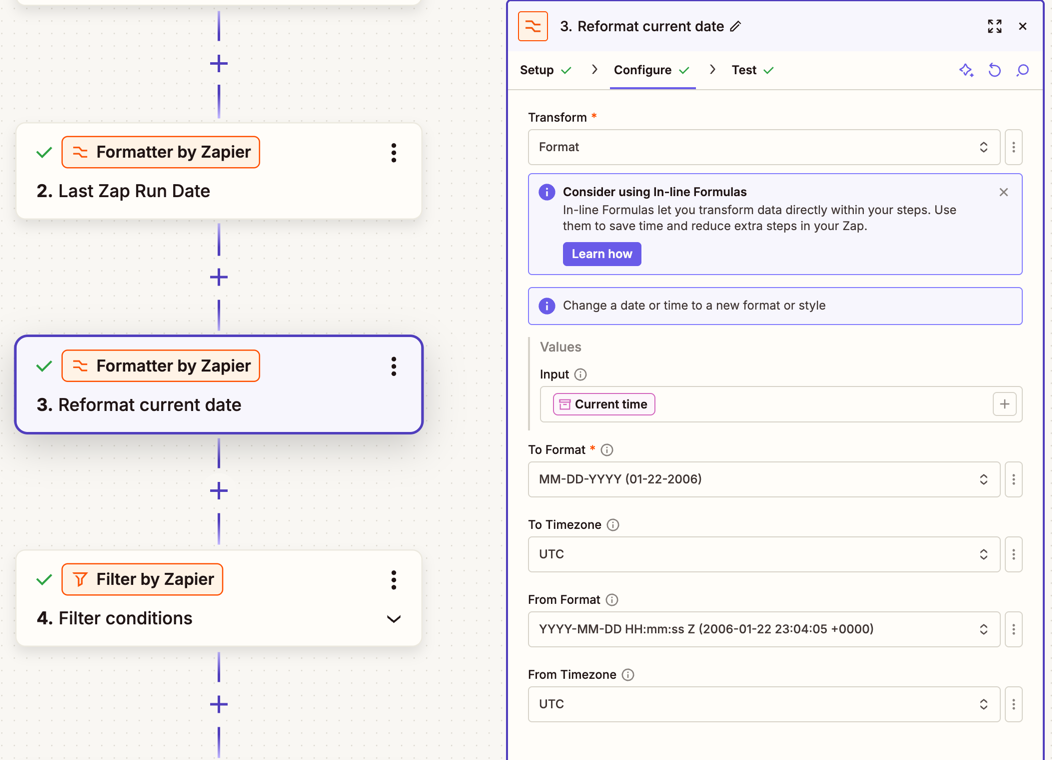
My formatter is for my Salesforce “Last zap run date” 


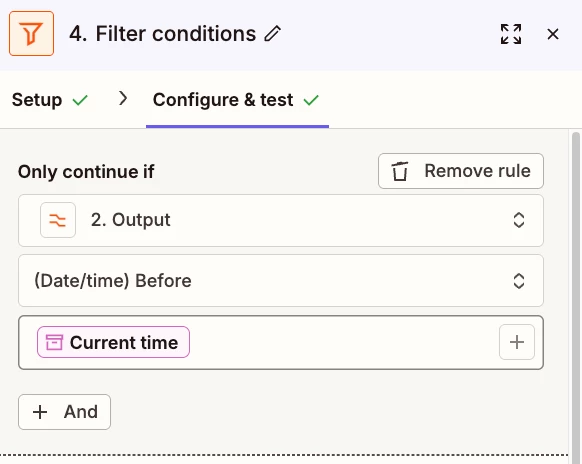
My filter 

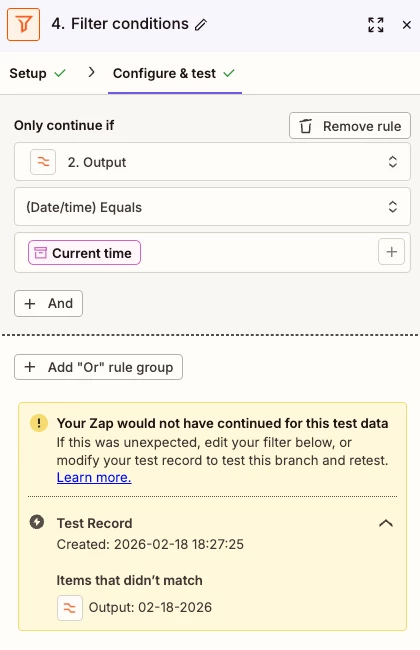
Filter results, 

Maybe I am not understanding how the filter works, because when I change the filter to 2. Output equals current date, the filter stops the zap.

My Logic.

If the Zap initiated from SF and went to GCal, the “Last zap run date is updated in Salesforce for Today. When or if it coms back around it should not run if the “Last Zap Run date” is today.

I am trying to use the “Last zap run date” filter on the GCal to SF zap and the SF to GCal zap. Neither one is working.

TIA

MH


SamB
Community Manager
Forum|alt.badge.img+11
  • Community Manager
  • February 19, 2026

Sorry to hear the Zaps are still stuck in a Zap loop ​@MiryLopez. I’d be happy to lend a hand in figuring this out.

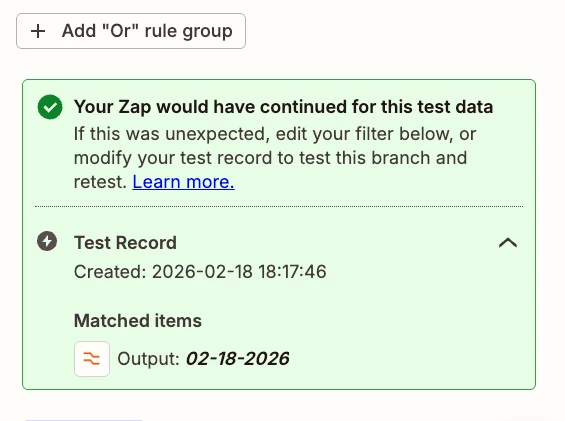
Ok, so with the filter setup that used the (Date/Time) Before condition it looks like it was checking the date that was reformatted to 02-18-2026 which had no time value, against a value that did have a time value (the Current time variable). I expect since no time value was present the reformatted date value, the time was assumed to be 00:00:00. So the filter would have essentially checked to see if 2026-02-18 00:00:00 is earlier than 2026-02-18 18:17:46 (which would have been the current time that the filter was tested), so that is why it said it would have continued for that data.

With the second filter setup where it used the (Date/Time) Equals condition it was checking that the reformatted date exactly matched the current time (which includes a date and time value) which because although both values had the same date the time were different, so that’s why it said it would not have continued.

If you want to compare that reformatted Last Zap Run Date from step 2 of the Zap against the current date then you’ll need another Formatter action ahead of the filter to reformat the Current time variable to the same date format so the filter can just compare the date values. For example:

470694cfd499a977589f84c2eda41a52.png

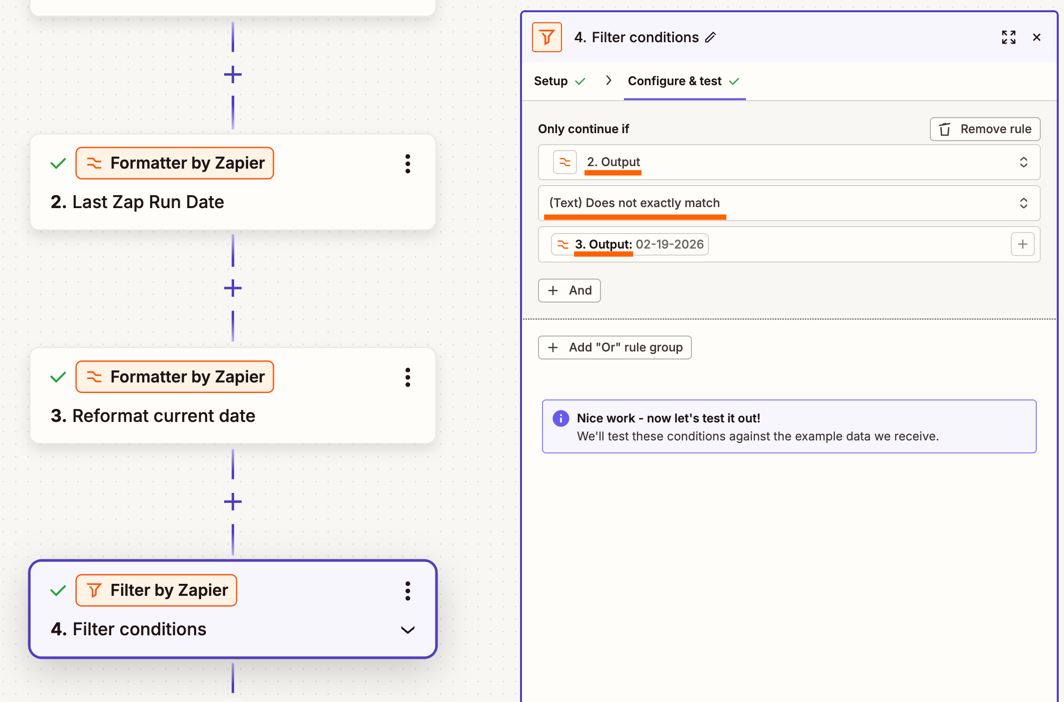
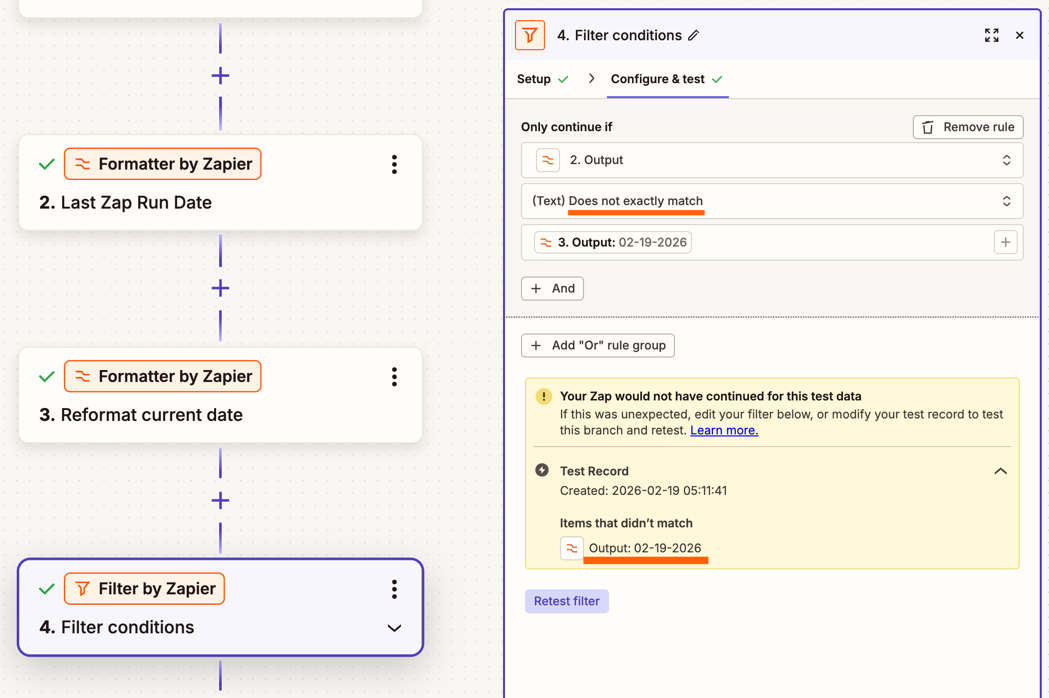
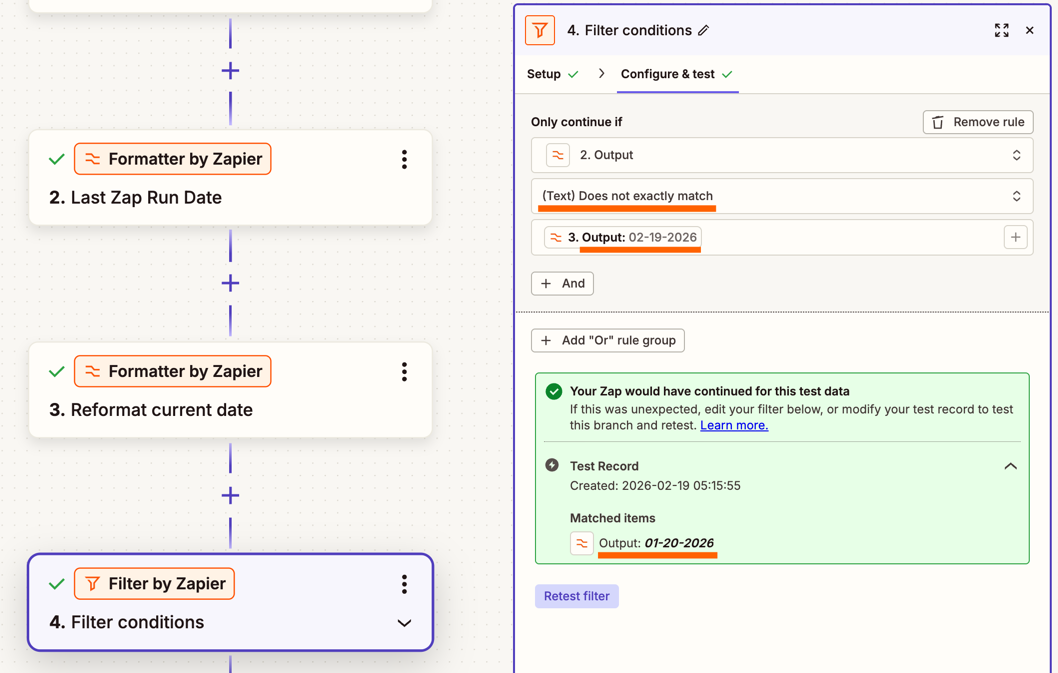
Then, you’d have the filter compare the Last Zap Run Date against the date output by the second Formatter action, so that if the dates are an exact match (e.g. the Last Zap Run Date and the current date that the Zap runs is the same then the Zap would not continue. For that I’d suggest using the (Text) Does not exactly match rule condition since the Date/Time filter rule conditions don’t have a “(Date/Time) Does not match” condition:

25abd3c6e4369047023e1c09106917fb.png
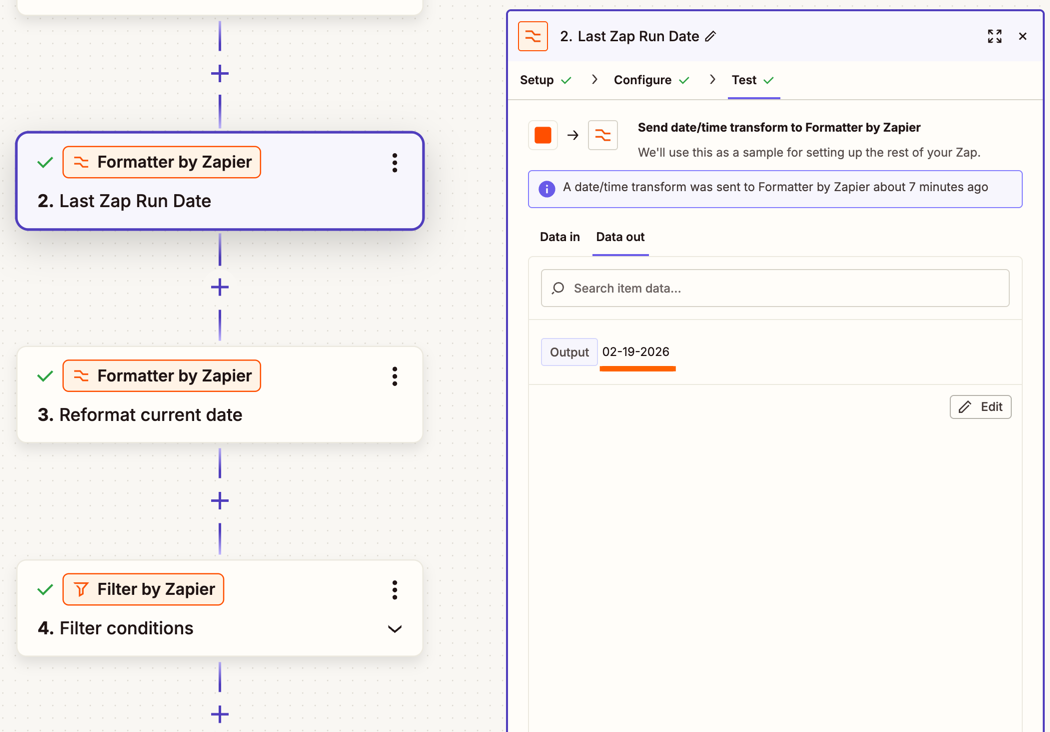
I ran a quick test with this setup having the Last Zap Run Date as 02-19-2026:

1a110d13965e0daf1a0ebee0b523243b.png

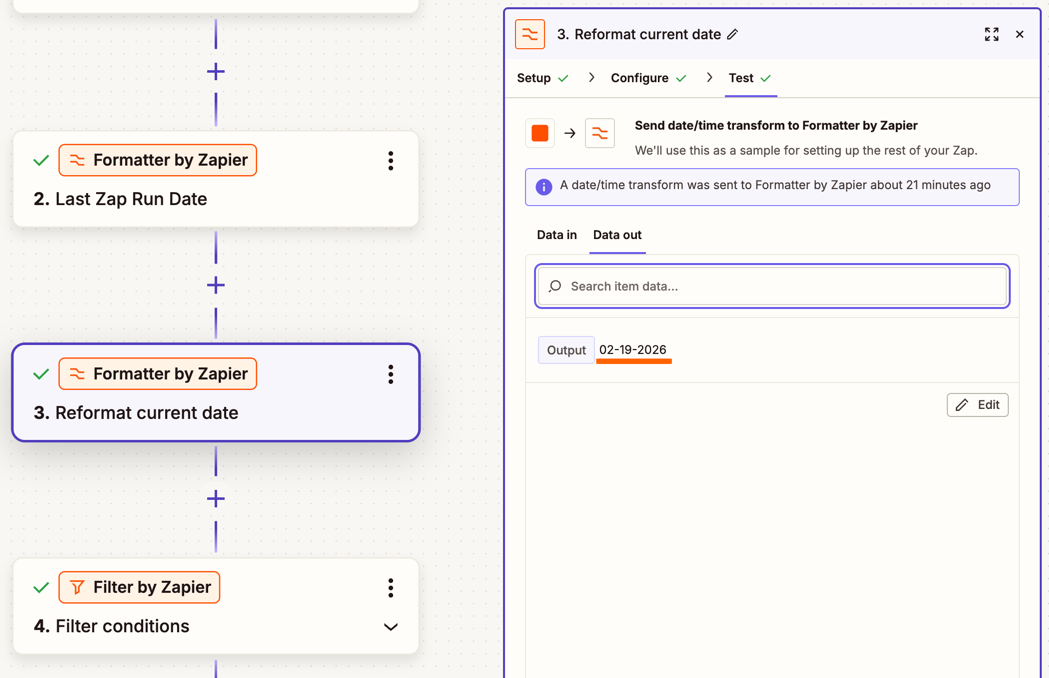
And the Current time value reformatted as 02-19-2026 as well:

022640b8cecd0c14ea1e3990d24fdb11.png
And the filter correctly, would not have allowed the Zap to continue as the two dates were the same:

14c43862dac5438b6f7caa502d3a7534.png
 

Then, I tested with a Last Zap Run Date value of 01-20-2026 which didn’t match the current date of 02-19-2026, so the Zap would have allowed the Zap to continue:

81bfee20f876f3240c1b2e8667f372b6.png

Can you give the above a try and let me know if that gets it working?