
Best answer

Google Calendar Invalid Start Time

  • January 20, 2022
  • 4 replies
  • 666 views

Hello,


I’m having an issue updating a Google Calendar event.


There are four steps involved in the calendar updating (as well as a bunch of non-related steps in the zap). Please note that I have the time zone in my Zapier profile set to Eastern.


Step 1 is to format the start date and time.
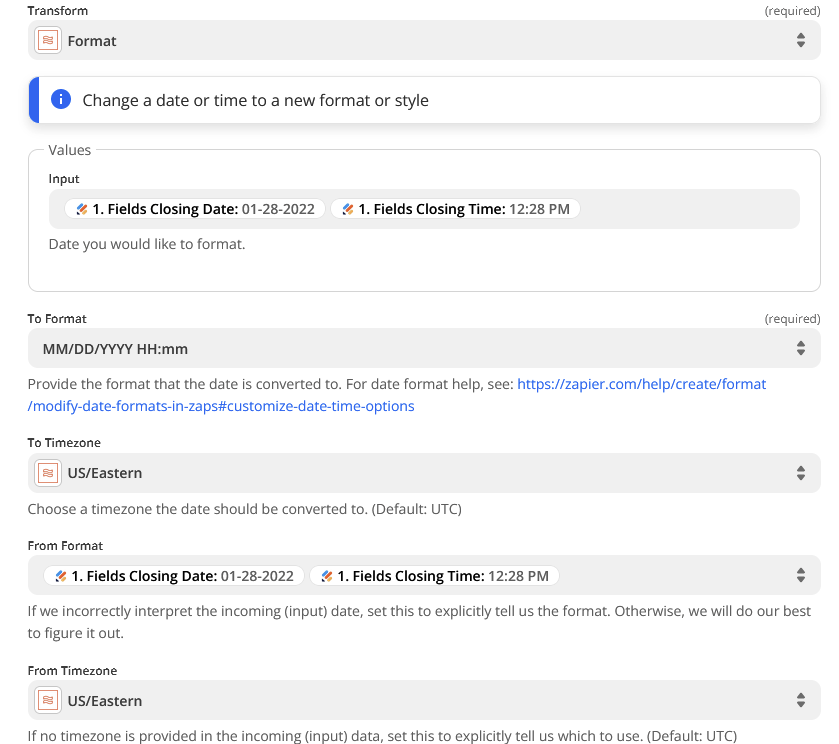


This outputs: 01/28/2022 12:28


Step 2 formats the end date and time.
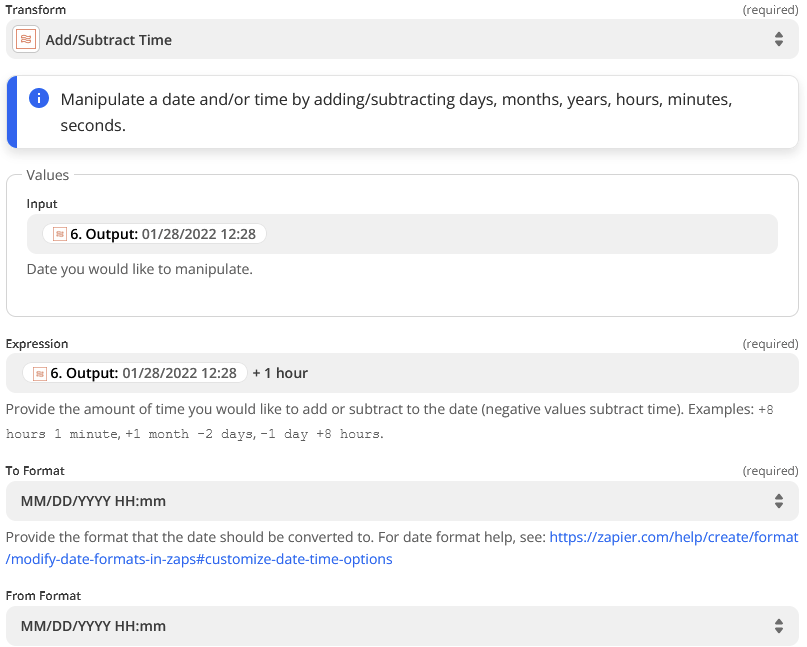
This outputs: 01/28/2022 13:28


Step 3 finds the event in Google Calendar (which works fine, no problem there).


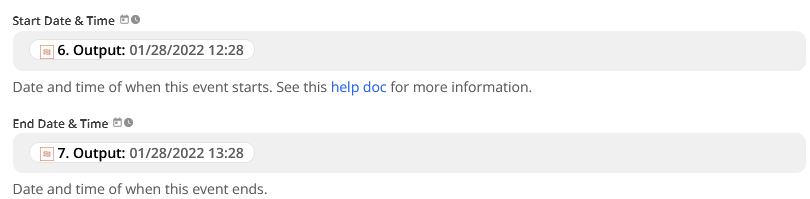
Step 4 updates the event in Google Calendar using the previously found event.


I use the outputs from two Formatter steps as the Start Date & Time and End Date & Time
 

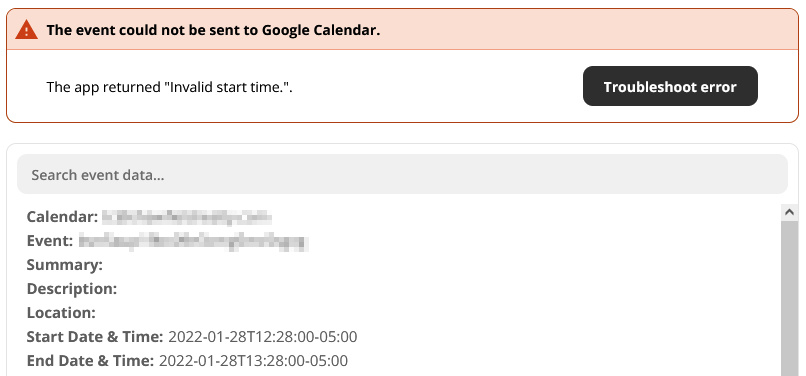
However, no matter how many different variations of date formats I try, I get this error.
 

Thank you for your help!

Best answer by GetUWired

@solver 
Was the event previously scheduled as an all day event?

This post has been closed for comments. Please create a new post if you need help or have a question about this topic.

4 replies

GetUWired
Forum|alt.badge.img+12
  • Zapier Solution Partner
  • 1030 replies
  • Answer
  • January 20, 2022

@solver 
Was the event previously scheduled as an all day event?


  • Author
  • New
  • 2 replies
  • January 20, 2022

@solver 
Was the event previously scheduled as an all day event?

@GetUWired 


Yes it is! The automation is for a realty company who don’t always know the times of a closing but usually know the date. If that is the issue, then perhaps I can format empty time to be a default time if they don’t know it initially.


Would that fix it? Do you know of a better solution?


Thank you!


GetUWired
Forum|alt.badge.img+12
  • Zapier Solution Partner
  • 1030 replies
  • January 20, 2022

@solver I believe that could be the issue. It has to do with the way their API sends date values for all day events vs datetime values if it isn’t an all day event. 


  • Author
  • New
  • 2 replies
  • January 21, 2022

That fixed it, thank you.



