Question

Getting Jotform to populate a Google Calendar

  • July 6, 2026
  • 2 replies
  • 14 views

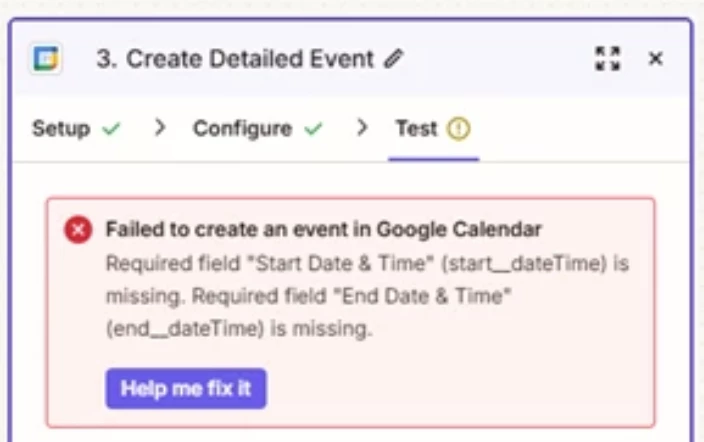
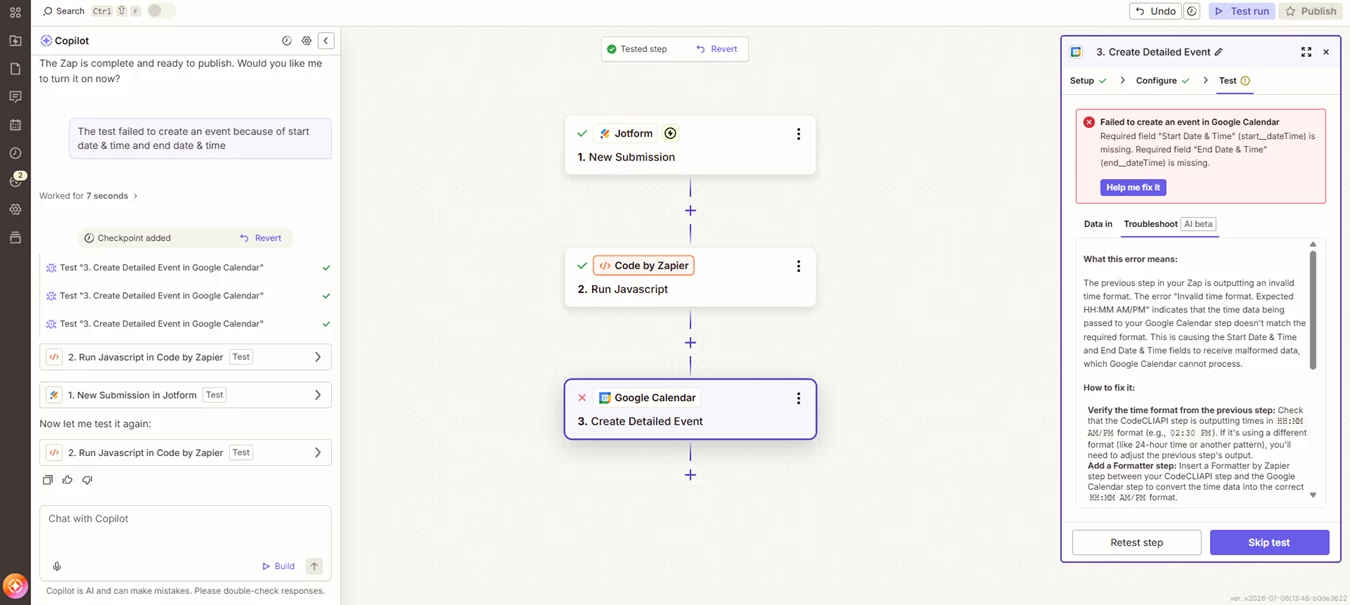
I don’t really know enough about Zapier to phrase this question correctly, but here goes. I’m trying to take the responses in a Jotform and populate them into a Google calendar. The form is to request an event, so it’s asking for Date, Start time, End time, Event Name, Description, etc. Zapier found my form and my calendar, but is getting stuck making the connection because of the date or time formatting in Jotform. The one thing I understood how to do was change the date from 00-00-0000 to 00/00/0000 as it asked me to do, but beyond that I’m at a loss for what the rest of the error message means. 
 

2 replies

Troy Tessalone
Zapier Orchestrator & Solution Partner
Forum|alt.badge.img+14
  • Zapier Orchestrator & Solution Partner
  • July 6, 2026

Hi ​@ANGEvents 

For us to have more context about the GCal Zap step error, post screenshots showing how your Zap step is configured in the CONFIGURE tab while in EDIT mode with the field mappings visible.


Zap help links for working with date/time in Zaps: https://help.zapier.com/hc/en-us/sections/38069757461773-Date-Time


TIP: Click field labels to see tooltips with more info about expected field values and formats.


Help links for using GCal in Zaps: https://zapier.com/apps/google-calendar/integrations#help


SamB
Community Manager
Forum|alt.badge.img+11
  • Community Manager
  • July 8, 2026

Hi ​@ANGEvents 👋

The error it’s showing seems to indicate that the Start Date & Time and End Date & Time fields don’t have any values in them. Looks like you’re using our Copilot feature to help build the Zap. In the Google Calendar action, did it select fields from either of the Jotform trigger or the Code action for those two fields for you? Just wondering if there’s an issue with the fields it’s selected.

Like Troy said, can you share screenshots showing what’s been selected in the Configuration tab on that Google Calendar action? If we can see what’s been selected there that’ll help us to work out what’s causing the error.