

Question

Formatting date and sending message in Slack threads work in testing, but not as a published zap run

  • August 13, 2026
  • 3 replies
  • 26 views

I have a few issues i’m running into now that I’ve published my zap. These steps work fine when I am running my test within each action/step. The data in for both are coming from the triggered slack message:

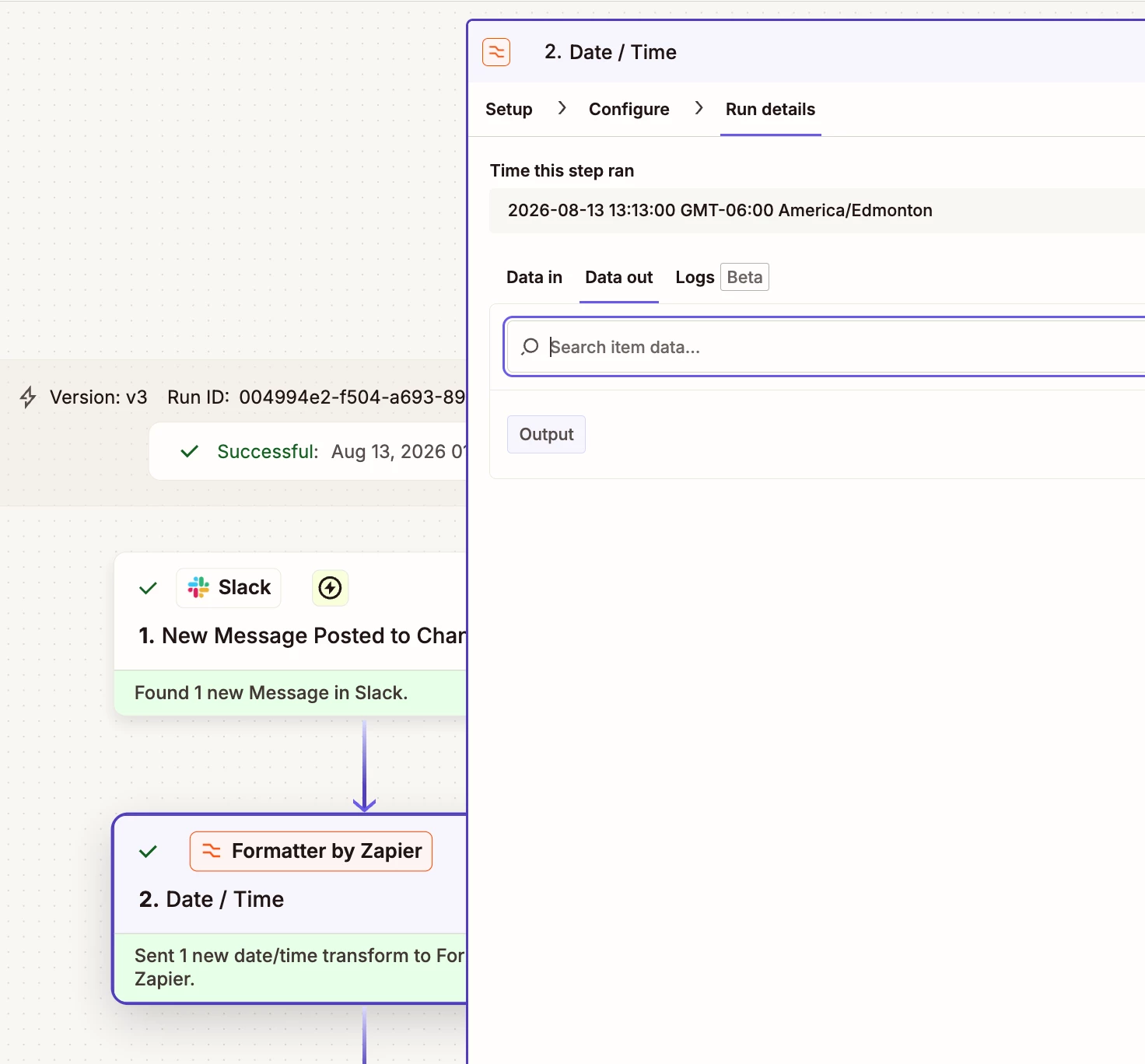
  1. When running a full zap run, the Thread Ts Time doesn’t format, returns an empty field for Output
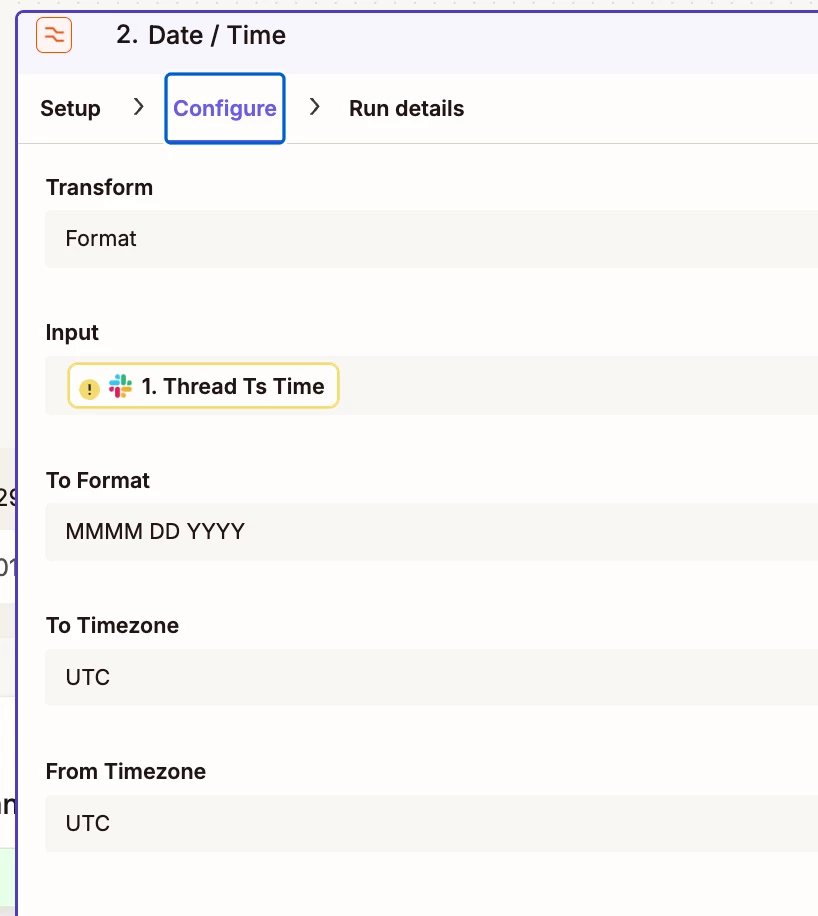
    this is what’s returned, even though it works when we run individual tests in “edit draft mode”
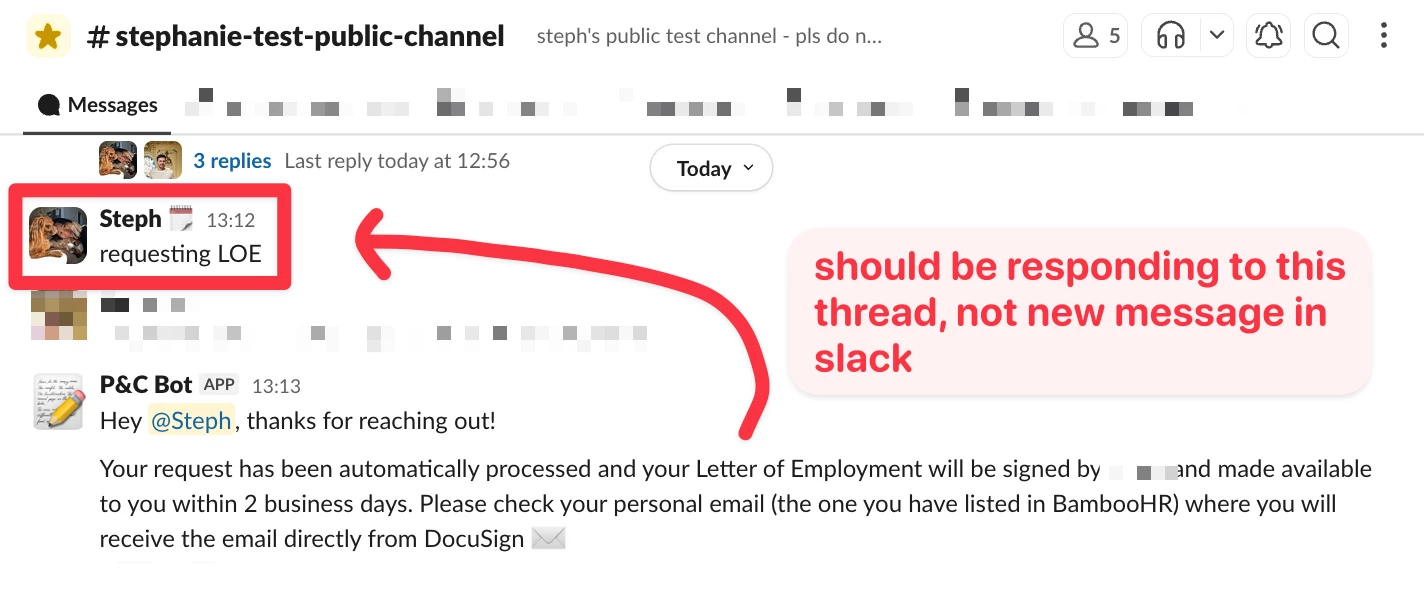
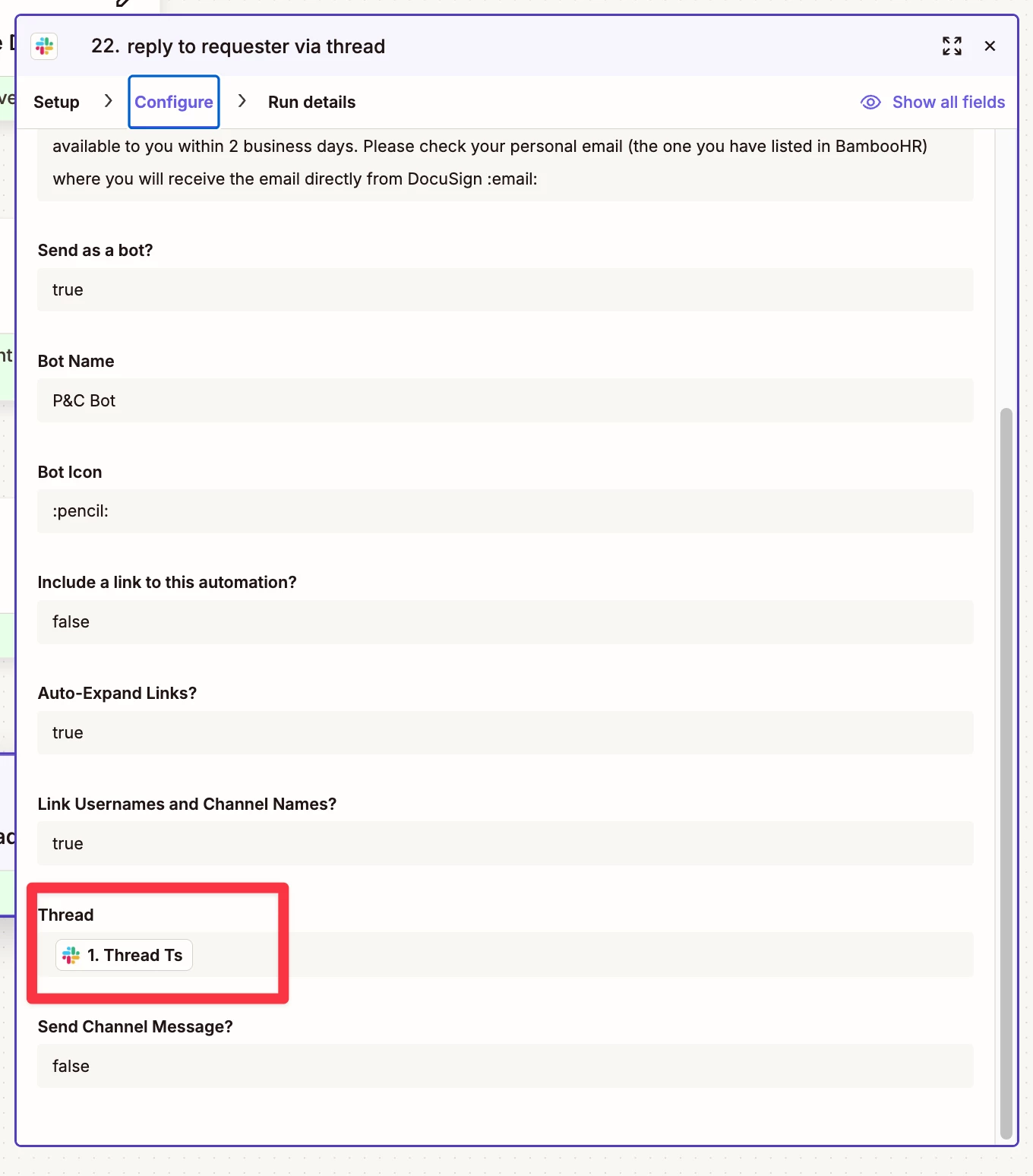
    1. Responding to a message within a thread works during testing, but running the full zap it sends a new message to the channel instead
      ​​​​​​​configuration shown to target the thread from the initial slack message trigger: 
How can I fix this? Please help
3 replies

Troy Tessalone
Zapier Orchestrator & Solution Partner
Forum|alt.badge.img+14
  • Zapier Orchestrator & Solution Partner
  • August 14, 2026

HI ​@stephroo 

Help links for using Slack in Zaps: https://zapier.com/apps/slack/integrations#help


For live Zap Runs, for each Zap step, you can see the DATA IN/OUT to help you troubleshoot and trace the data flow.

Check that there is a value for the mapped variable.


You can add a Filter step to check a variable value exists: https://zapier.com/apps/filter/integrations#help


SamB
Community Manager
Forum|alt.badge.img+11
  • Community Manager
  • August 14, 2026

Hey ​@stephroo, welcome to the Community! 👋

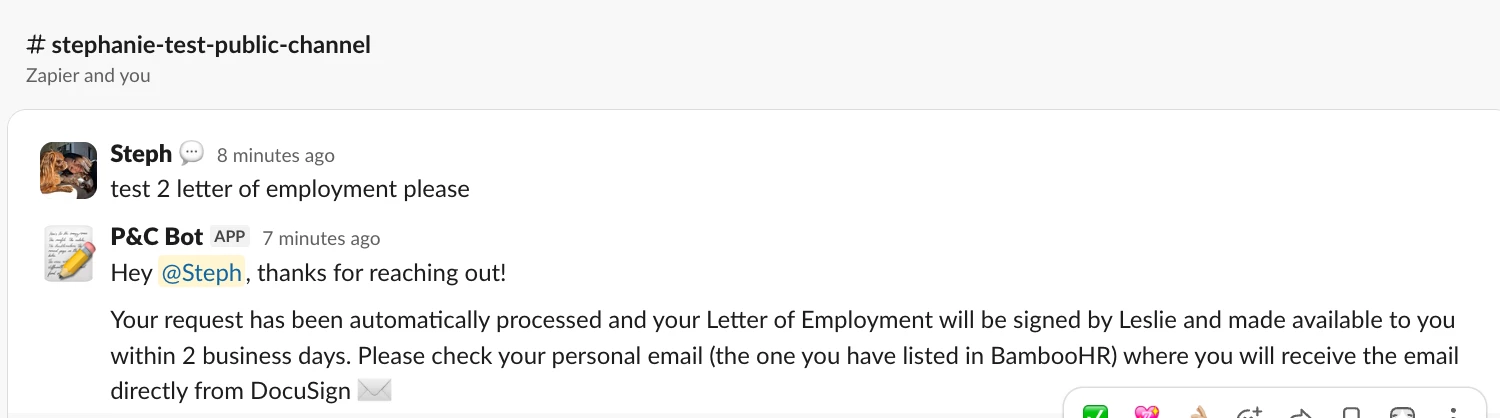
The Thread Ts and Thread Ts Time fields would be empty if the message that triggers it is a standalone message, meaning it's not part of a thread at all (it hasn't been replied to yet, and it isn't a reply itself). For messages like the one in your screenshot that don't have any replies, you'd want to use the Ts field instead, since that's the unique ID for that specific message. Any replies posted under that top-level message would have the top-level message's Ts as the Thread Ts value.

I’m guessing you’d only ever want that P&C bot to reply to top level messages in that channel and not messages within a thread right? If that’s the case, then you’ll need to use a Filter like Troy said. And set it up to only allow the Zap to continue if the Thread Ts field Does not exist, meaning it’s a top level message as no value exists for that field. 

Let us know how it goes if you give that a try!


When you test each step by itself, it works fine. But when the whole Zap runs, the date comes back empty.

Just add  a Filter step right after your Slack trigger. Tell it to only go ahead if Thread Ts actually has something in it. That way the formatter never sees a blank value.





