Question

Follow Up Boss not syncing leads correctly

  • March 23, 2026
  • 3 replies
  • 19 views

Hey! I have a zap setup to input fresh leads with all their details to Follow up boss but it never does. It created a new empty contact with nothing
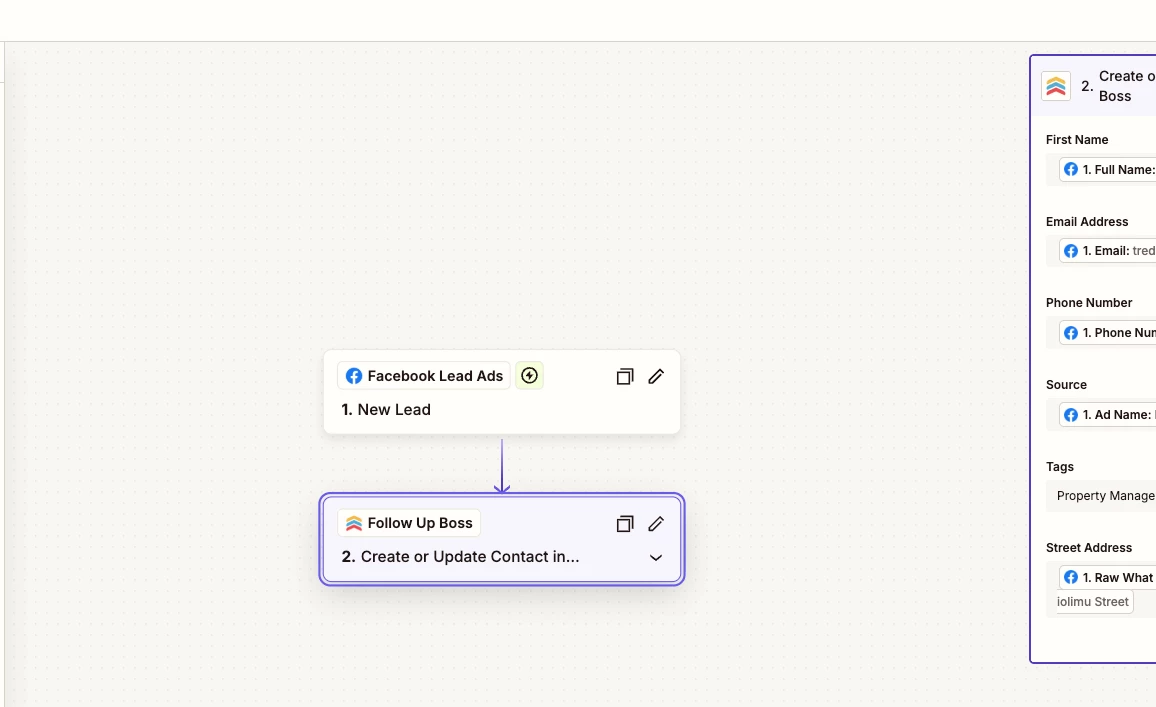
. If possible I would also like it to automatically add a tag.

3 replies

Troy Tessalone
Zapier Orchestrator & Solution Partner
Forum|alt.badge.img+14
  • Zapier Orchestrator & Solution Partner
  • March 23, 2026

Hi ​@Rayp 

Zaps work while turned ON for new data going forward.

Check your Zap Run history for activity and to see the DATA IN/OUT for each step to help you trace the data flow and troubleshoot.

FUB will return a Contact ID that you can use to find the Contact in FUB to review.


Forum|alt.badge.img+2
  • Zapier Solution Partner
  • March 23, 2026

Hi ​@Rayp 

Here's the Zapier doc that might help: [link]

If you're still running into issues, drop a screenshot of the zap configuration(DATA IN/OUT) and a quick description of what your Zap is doing, happy to take a look!

And if you'd rather just get it sorted quickly, I offer a free 20-min Zapier troubleshooting call. Book it under Resources on my Zapier Directory profile: https://zapier.com/partnerdirectory/automatemybiz

!-->


Sparsh from Automation Jinn
Forum|alt.badge.img+6

Hey ​@Rayp,

It probably means that the mapping for your action is wrong if it’s creating an empty contact. Please post screenshots of Data In, Data Out as well as how each Zap step is configured for us to have more context. 

You can always add tags automatically by mapping the tag in the tag column. But if it’s not working as expected, you can use Add tag to a contact action.

For the live Zaps, see Zap history page here- https://zapier.com/app/history to spot any issues there. Hope it helps!

PS: If you need more active help, I’m happy to connect through my Zapier Solution Partner page if you’d like to reach out here- https://zapier.com/partnerdirectory/automation-jinn







