Question

Fixing mixed birthday dates in calendar events from Google Sheets

  • September 23, 2025
  • 4 replies
  • 18 views

Hi!

I created a zap that takes birtday dates from a google spreadsheet and put them as an event in a calendar. The problem is that some dates a put correctly, and others date and month is mixed (ex. if the birthday is 1st of September, but in calendar is shown as 9th of January).

This happens only to some of the entries even if the entire column has the same format, the calendar is formated as well.

I created a helping column that formats the birtday as mm/dd/yyyy (required by Calendar API) it didn’t work. I know there is a Formater tool, but I’m on free tier. Is there a solution to fix it without formatter? And is the problem in the format or it can be other thing?


This post has been closed for comments. Please create a new post if you need help or have a question about this topic.

4 replies

Ashar Malik Easyaiz
Forum|alt.badge.img+1

Looks like the issue is that Google Calendar isn’t reading the date format from your Google Sheet correctly.

Google Calendar only accepts dates in these formats:

- For just a date: YYYY-MM-DD (example: 2025-09-01)

- For date + time: YYYY-MM-DDTHH:MM:SSZ (example: 2025-09-01T14:00:00Z)

The problem is that Google Sheets sometimes stores dates differently depending on your regional settings (like DD/MM vs MM/DD), which is why the day and month get flipped.

 Since you’re on the free plan and can’t use the Formatter, a quick fix is to add a helper column in your Sheet with this formula:

 =TEXT(A2,"yyyy-mm-dd")

(assuming A2 is the date cell).

Then, in your Zap, map this helper column instead of the original date column. That way Google Calendar will always get the date in the correct format.


Ashar Malik Easyaiz
Forum|alt.badge.img+1

Give that a try, and if it still doesn’t work, share a screenshot of your Google Sheet and the field mapping in Zapier so we can take a closer look.


Troy Tessalone
Zapier Orchestrator & Solution Partner
Forum|alt.badge.img+14
  • Zapier Orchestrator & Solution Partner
  • September 23, 2025

Hi ​@DanaG 

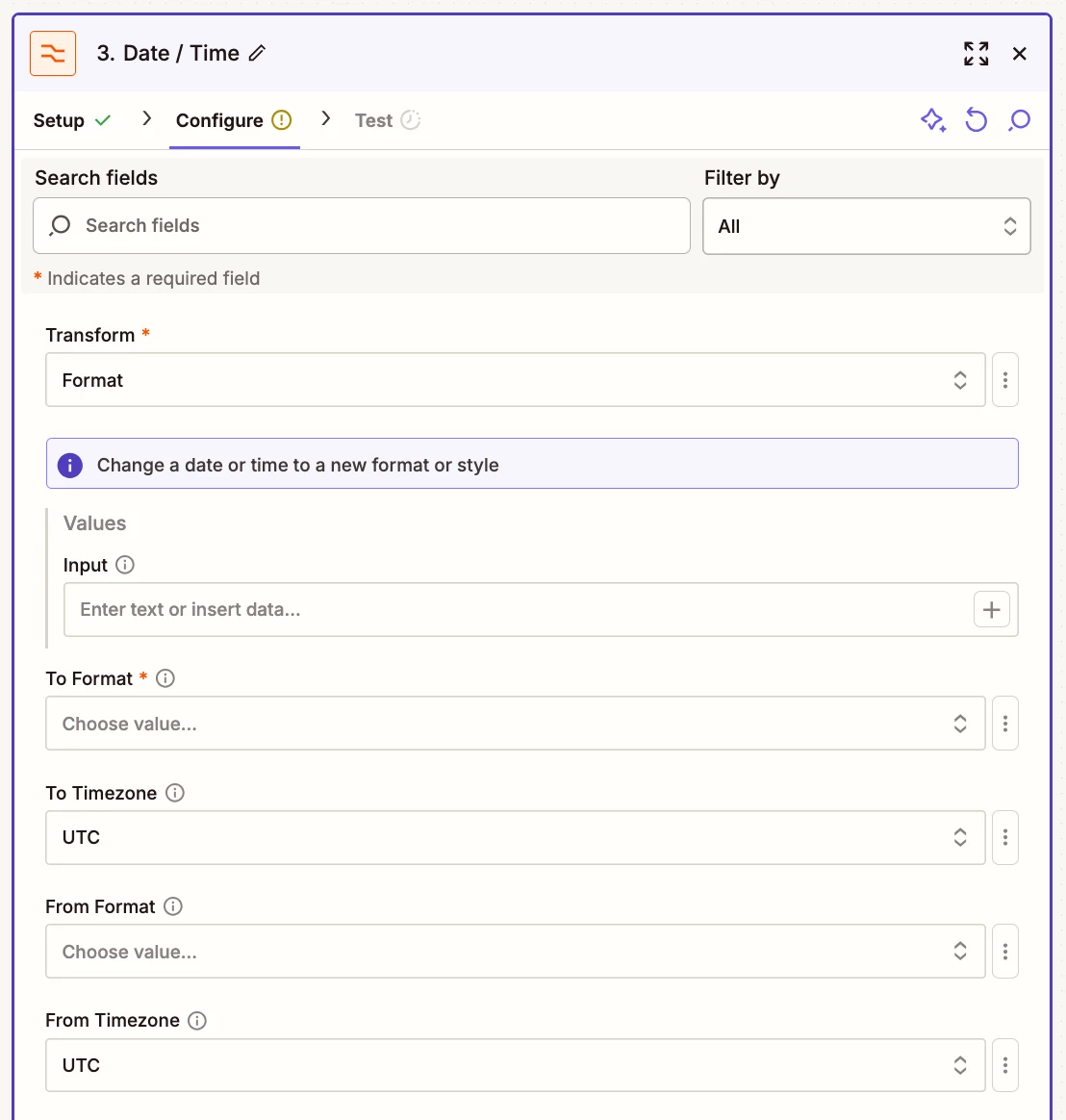
Try this Zap action: Formatter > Dates / Times > Format

Format into ISO: YYYY-MM-DD

You can leave the From Format field blank.

NOTE: Only the required fields need values.


SamB
Community Manager
Forum|alt.badge.img+11
  • Community Manager
  • October 7, 2025

Hey there ​@DanaG 👋 How did you get on with the potential fixes Ashar Malik Easyaiz and Troy suggested? Did either of those do the trick?

Want to make sure this got sorted 🙂