Question

Fixing configuration issues with Google Forms in Zapier

  • February 25, 2025
  • 3 replies
  • 103 views

I bought a Udemy course that allows file downloads for practical application. However the file automatically registers my account with Zapier so I’m able to use the 14 day free trial with the course. 

The first application is basic, I need to create a Zap between Google Forms and Gmail. However when I get to the configure step for the Google Forms it shows the following error in the image below. I tried logging out and back into my account as well as deleting the Zap created from the course and trying to create a new one in my account, nothing works. How do I fix this? 
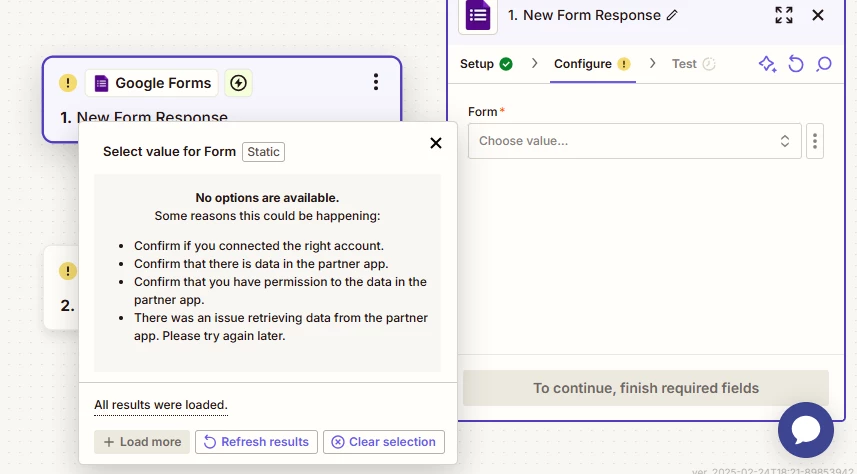
Error Message under Form “choose value” dropdown


This post has been closed for comments. Please create a new post if you need help or have a question about this topic.

3 replies

JammerS
Forum|alt.badge.img+6
  • Zapier Staff
  • February 26, 2025

Hi ​@Eve22,


Welcome to the Community.


If your Zap isn't working, try reconnecting your Google account in Zapier, ensuring your Google Form is shared with the correct account, and verifying that Zapier has the necessary permissions. You can also try a different browser or incognito mode to rule out interference.


I hope this helps, and we're here to assist you further if needed.


michaeltoth
Forum|alt.badge.img+1
  • New
  • February 26, 2025

Hey ​@Eve22!

One possibility is that you’ve connected the wrong Google account to Zapier. Please verify that first. If that’s not the issue, then you can manually select the correct form rather than using the dropdown menu within Zapier. You’ll need to find your form ID for this.

Navigate to the correct form in Google Forms. Then, in the URL, you can copy the form ID:

Form ID in Google Forms

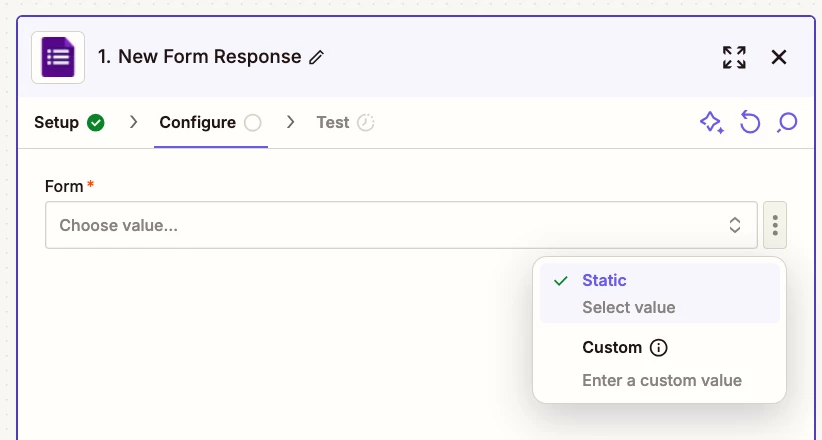
Head back to Zapier and click the three vertical dots to the right of the form field:

Zapier form field dropdown

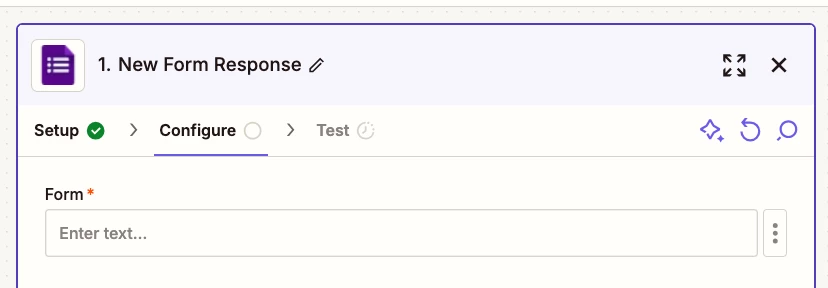
Select Custom here, then paste your Form ID into the text field:


Once you have it entered there, you should be able to proceed with your Zap.

Let me know if you need any more help troubleshooting!


SamB
Community Manager
Forum|alt.badge.img+11
  • Community Manager
  • March 6, 2025

Hi there, ​@Eve22 👋

Just wanted to check in to see how you got on with this—did Jammer’s and michaeltoth’s suggestions do the trick?

If not, it could be that the form hasn’t been set to store it’s responses in a Google Sheets yet. I found this guide in our Help Center which has instructions on this: 

“Google Form responses need to be saved to a Google Sheet in order to work with Zapier.

To resolve this, you'll want to adjust where you save your Google Form responses using this guide and ensure they're saved in a Google Sheet.

The Google Sheet will then become selectable in the dropdown when setting up your Zap.”


Let us know if you need any more help, want to ensure you’re all set! 🙂