


Question

Files uploaded to Slack private channels appearing in test data

  • January 9, 2025
  • 5 replies
  • 48 views

Forum|alt.badge.img

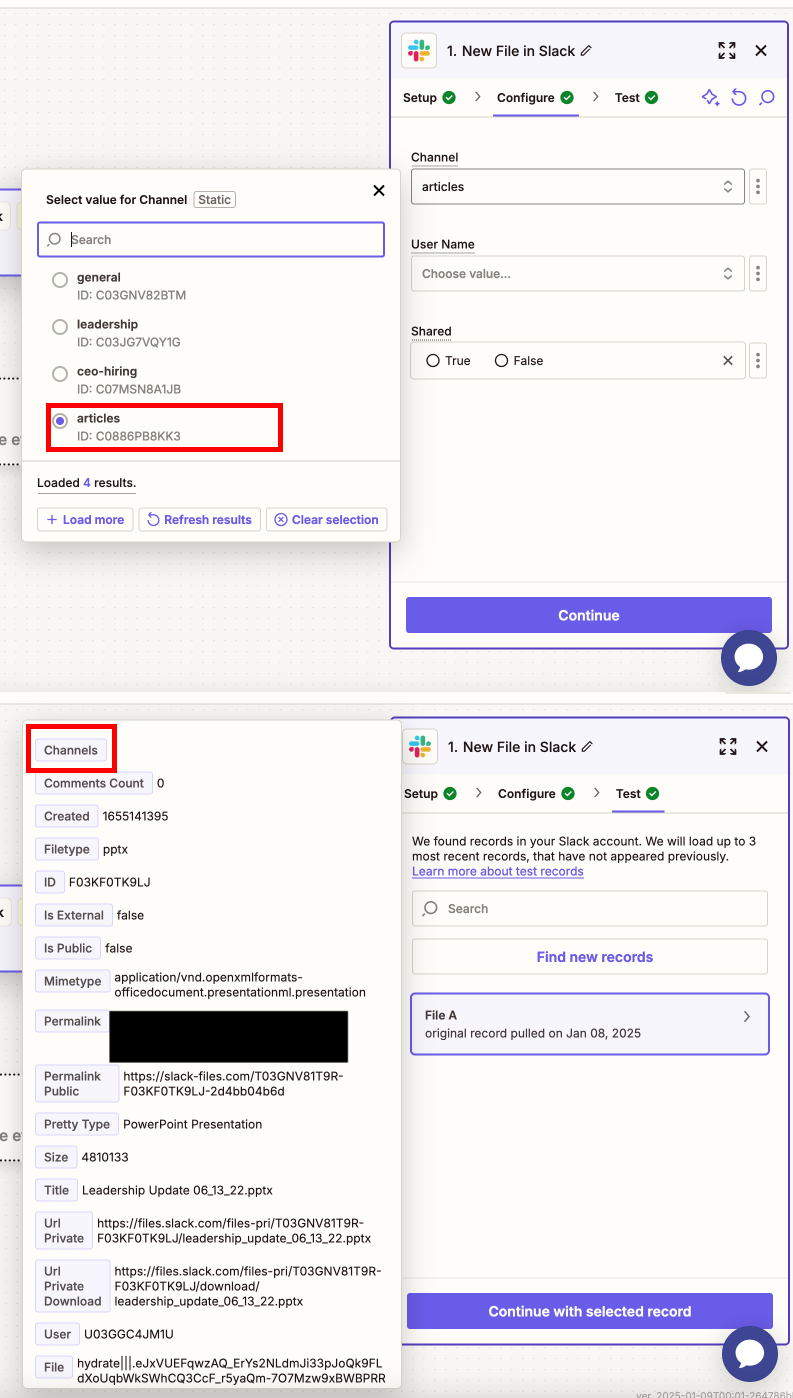
I am creating a Zap where files uploaded to a specific Slack channel (#articles) are saved to Google Drive. Files that are not in the #articles channel are also appearing as records in the Test data.

The file in the attached image was uploaded to a private channel by an inactive Slack user. I have tried creating a new Zap and the same thing happens. Files in the #articles channel also (correctly) appear in the test data.

 

This post has been closed for comments. Please create a new post if you need help or have a question about this topic.

5 replies

Troy Tessalone
Zapier Orchestrator & Solution Partner
Forum|alt.badge.img+14
  • Zapier Orchestrator & Solution Partner
  • January 9, 2025

Hi ​@thethunderbird 

Try turning the Zap ON and testing live.

Then check your Zap Runs history details to see the DATA IN/OUT for each step to help you troubleshoot: https://zapier.com/app/history/

If needed, you can try to add a Filter step to check the Slack Channel: https://zapier.com/apps/filter/help


Forum|alt.badge.img+5

Set up the filter with the following conditions:

  • Channel Name (from the Slack trigger) contains #articles.


ken.a
Forum|alt.badge.img+6
  • Zapier Staff
  • January 10, 2025

Hi ​@thethunderbird,

I just came across your post here and wanted to check in here to see how you’re getting on. Were you able to try the suggestion of Troy and ​@pranayshinde here?

Please do let us know if you’re still in need of some help on this at all - happy to assist further! 🙂


Forum|alt.badge.img
  • Author
  • Beginner
  • January 10, 2025

That indeed filters the data correctly. Publishing the Zap, it also works correctly.  It just seems to be an issue with the rows coming in for the Test data for this specific step.

According to my interactions with Zapier Support, this seems to be a known issue.


ken.a
Forum|alt.badge.img+6
  • Zapier Staff
  • January 13, 2025

That’s great news ​@thethunderbird! Glad to hear that the Zap is working correctly after publishing.

If you have any other questions, please don’t hesitate to reach out to the Community. We’re always happy to help! 🤗



