Question

"File not found" when trying to delete file in Google Drive

  • February 9, 2026
  • 4 replies
  • 17 views

I have a zap that catch a webhook from a Notion database with a path :

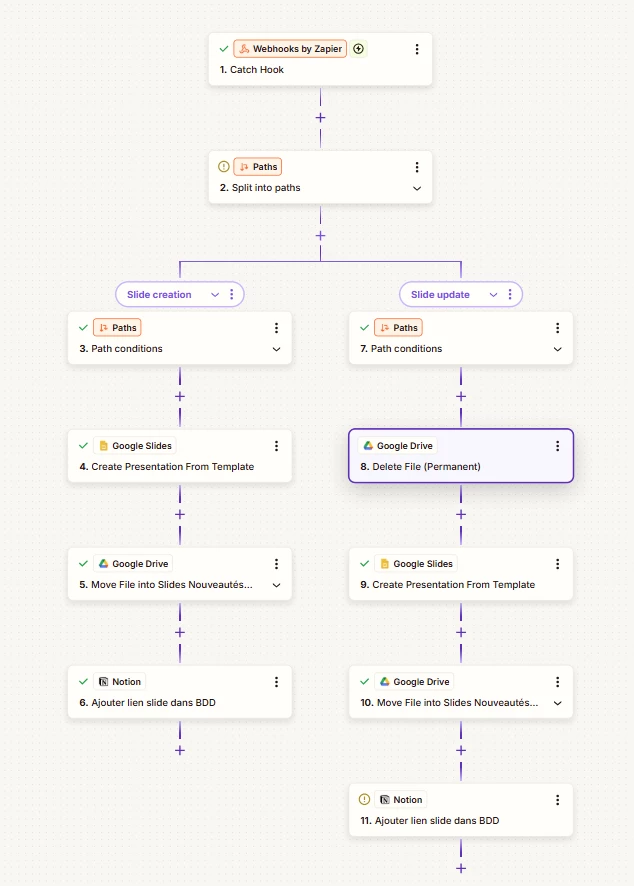
  • First it creates a presentation (Google Slide), moves it into a folder and updates the database with the presentation id
  • When it runs again and the id field is completed in Notion, it goes through the other path which would delete the existing presentation and create a new one.

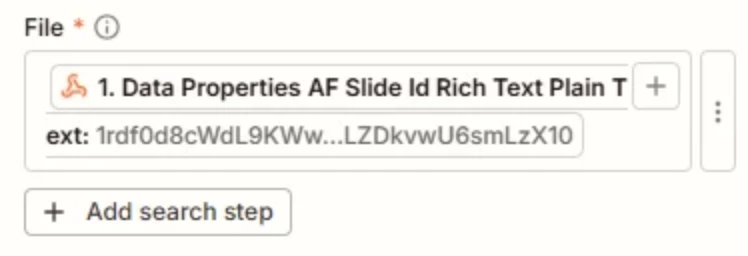
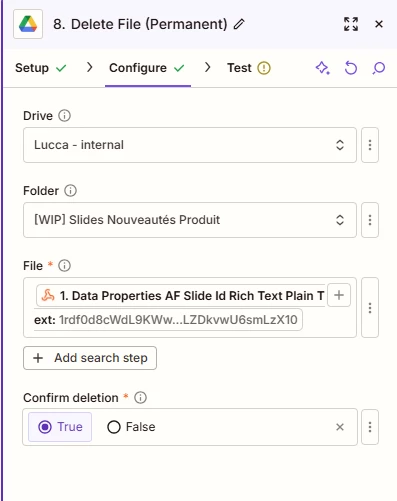
I’m stuck on the Delete file (Google Drive) step, it keeps giving me “file not found” error. I have checked the id and even enter the id directly in the step but to no avail. I tried the delete file and delete file (permanently) actions.
  •  


4 replies

Troy Tessalone
Zapier Orchestrator & Solution Partner
Forum|alt.badge.img+14
  • Zapier Orchestrator & Solution Partner
  • February 9, 2026

Hi ​@Anne-Flore 

The File field expects the ID of the File.

Make sure you are testing with a variable that has a value of an ID for a File that still exists.


drtanvisachar
Forum|alt.badge.img+5
  • Zapier Solution Partner
  • February 10, 2026

Hello ​@Anne-Flore 
 

his usually happens when Zapier can’t “see” the file, even if the ID is correct.

Quick checks:

  1. The Google Drive account in the Delete step must be the same one that created/owns the Slides file (or at least has delete permission).

  2. If it’s in a Shared Drive, your connected user needs Manager access.

  3. Make sure you’re passing the Drive File ID (not a full URL, and not the Slides presentation ID).

Best debug: add a Google Drive “Find File” step right before Delete using that ID. If Find can’t locate it, Delete will always fail.

Dr. Tanvi Sachar
Monday Certified Partner, Tuesday Wizard


  • Author
  • Beginner
  • February 12, 2026

Hi ​@drtanvisachar ,

Many thanks for your answer. 

  1. I use my account to create, move then delete the file
  2. It’s indeed a shared folder and I have checked and I’m content manager but I can delete a file (manually at least) : do you think this could be the issue anyway?
  3. Yes I have checked and I’m passing the correct file id

I did try to add a find file step which returns the correct file but when passing the id in the “delete step”, I’m still getting a “file not found” error.


SamB
Community Manager
Forum|alt.badge.img+11
  • Community Manager
  • February 16, 2026

Hi there ​@Anne-Flore 👋

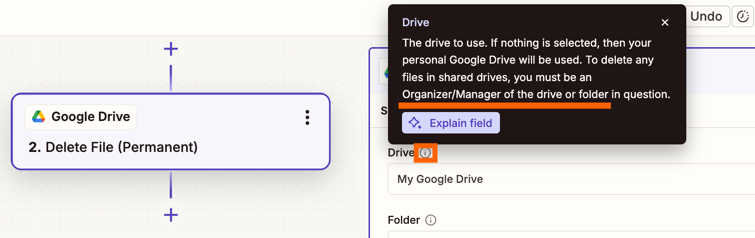
Sorry to hear the Zap isn’t deleting the file as expected. I did some checking and the help text for the Drive field on the Delete File (Permanent) action says “To delete any file in shared drives, you must be an Organizer/Manager of the drive or folder in question”:

bd4ad6670feaecc91f1b1394ef25276b.png
 

Do the content manager permissions of your account allow you to edit the folder that contains the file, or just the files within the drive/folder? If it’s the latter then that might be why you’re getting errors when attempting to delete the file. 

Can you try moving the file to a folder you have Organizer/Manager permissions over, then see if the Zap is able to delete it from there? If it does, then that would confirm that it’s an issue with the folder permissions for the connected account. 

If it isn’t able to delete it from the other folder, then I’d suggest reaching out to our Support team to get this investigated further. They’ll be able to take a look into the logs for your Zap to see if there’s any additional information in the errors we’re getting from Google that can help to shed some more light on why the Zap isn’t able to delete the file.

Keep us posted on how it goes!