

Get Support Have a question? Let's get you an answer!
Other Help Resources Wait, there's more! Check out these Community sourced spaces for additional resources.
Learning Resources All of our best learning resources can be found here.
Share your knowledge Give back to the Community by sharing your automation wins and helping to answer questions.
Other Learning Resources Some of our favorite additional ways to upskill your Zapier knowledge.
Product Updates Check out what is new and upcoming with Zapier with our regular product updates.
Early Access Program Want to join Early Access? Learn more here.
Best answer by Troy Tessalone
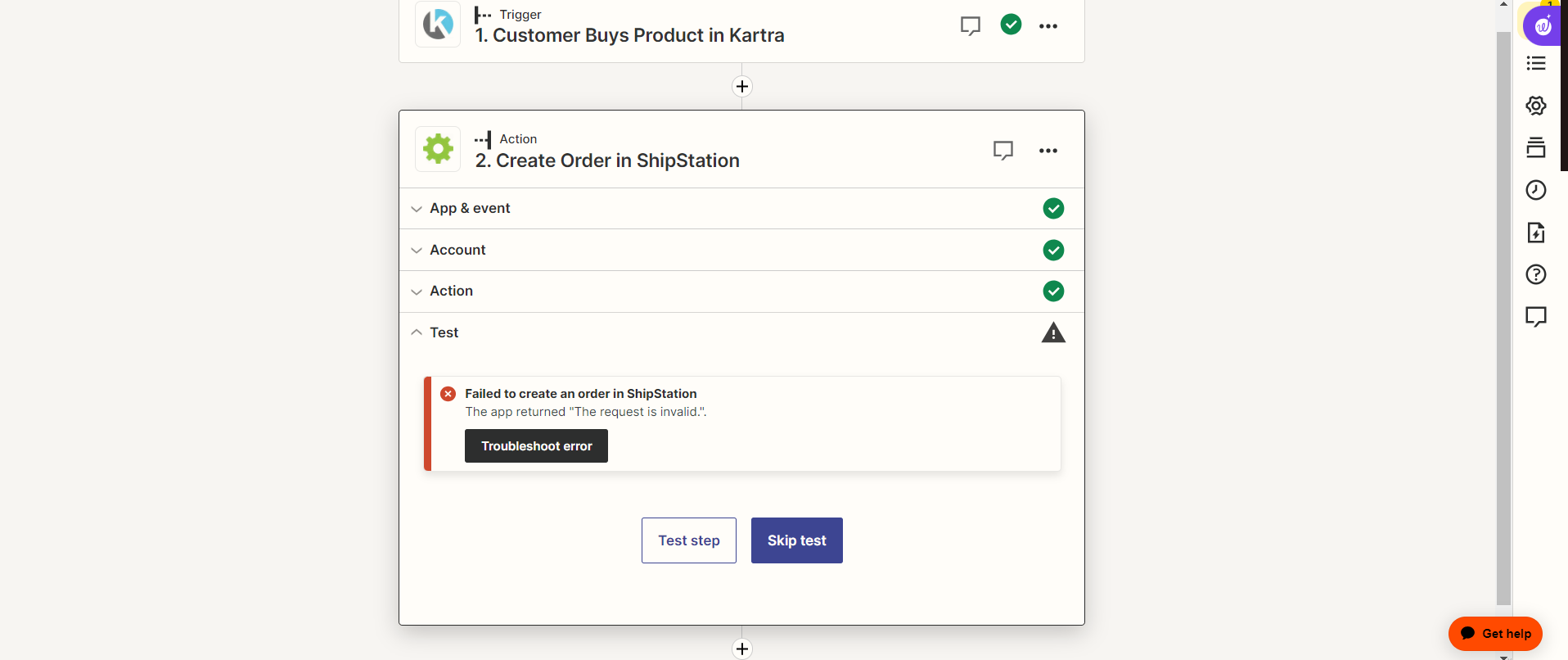
@EB Zap
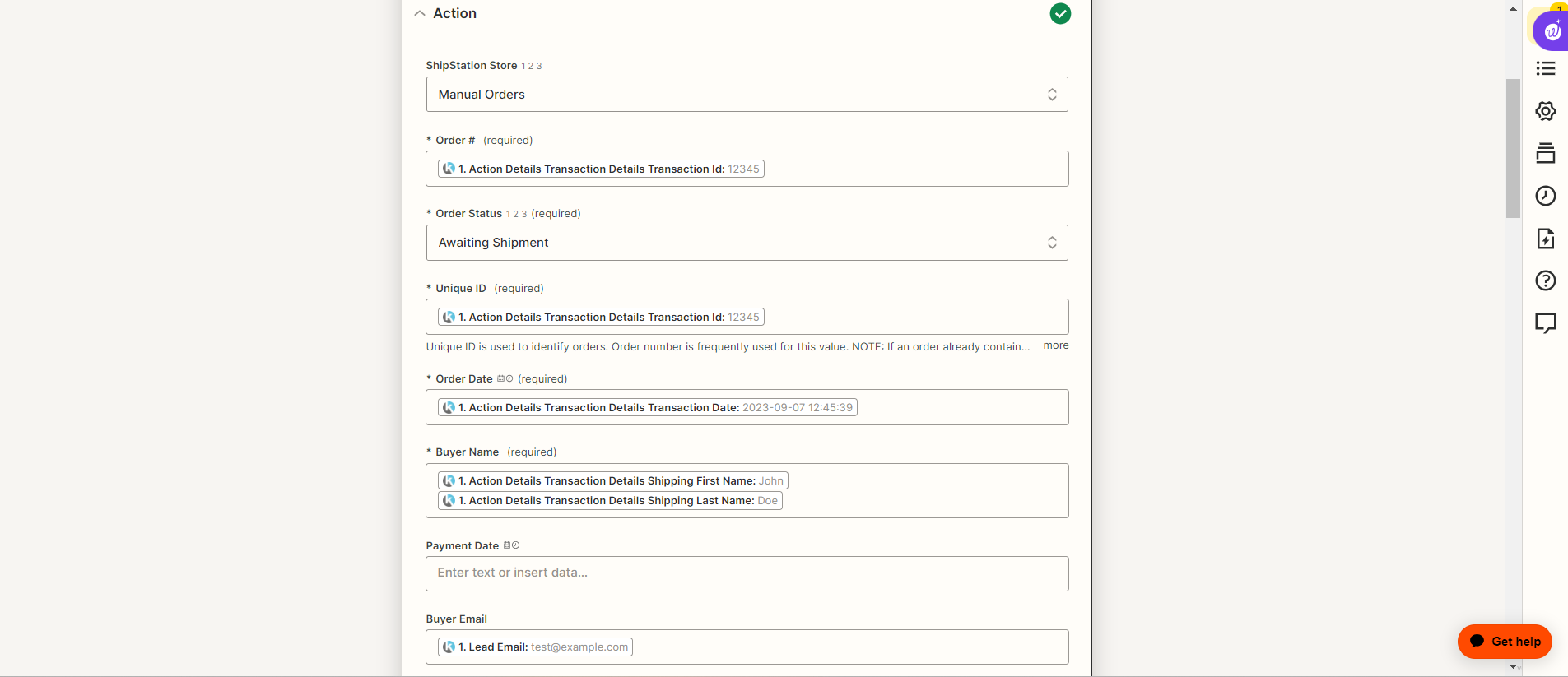
Make sure all required fields are populated.
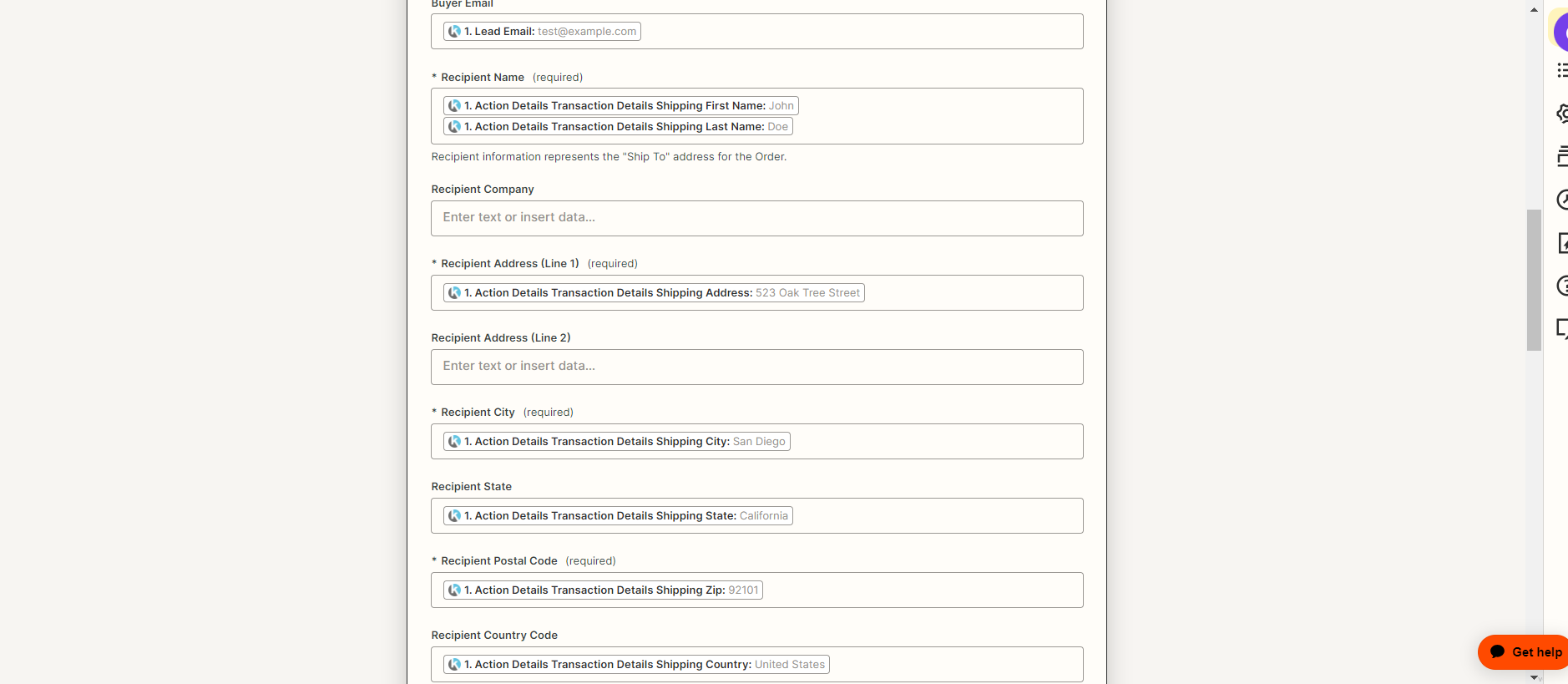
State may expect the State abbreviation. (e.g. CA)

Country Code probably expects the 2-letter or 3-letter country code. (e.g. US or USA)

Hi @EB Zap
Good question.
The error might be due to the dummy data being used.
Try using real data to test.
I tried but for some reason zapier will not pull the good information. Even though we just had an order. Never had this issue before.
@Troy Tessalone I tried we just had an order so there is info to pull but it wont pull it for some reason.
It alsoo failed on the live run so not that
But how would I get that adjusted as it does not have those options from the trigger app?
I cannot set the filter for abbreviation of all 50 states
All required fields are input
You may have to use a Lookup Table:
Hey @EB Zap
Looking at the logs, it looks like the issue was that the ship-to country needed to be a two-character code. E.g., “US” instead of “United States”
It also looks like you might have figured that out now and have had some success...is that right?
Already have an account? Login
Enter your E-mail address. We'll send you an e-mail with instructions to reset your password.

Sorry, we're still checking this file's contents to make sure it's safe to download. Please try again in a few minutes.
Sorry, our virus scanner detected that this file isn't safe to download.