Answer

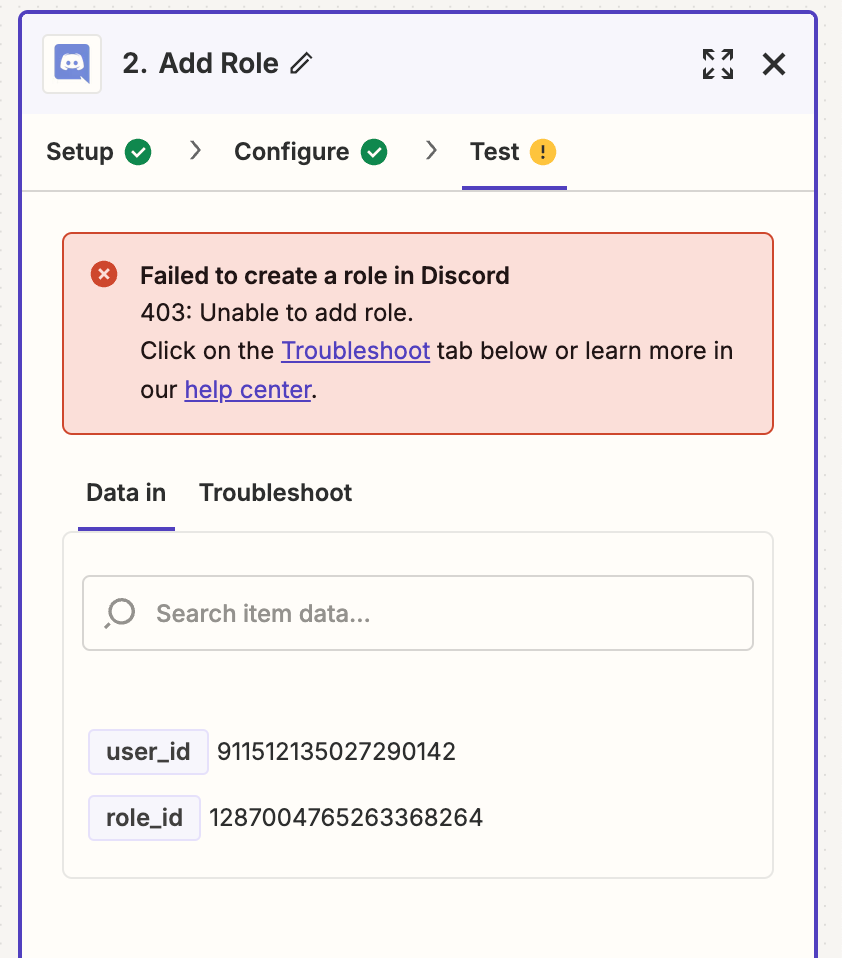
Failed to create a role in Discord. 403: Unable to add role

  • September 25, 2024
  • 10 replies
  • 149 views

Hello, I’m trying to have a role assigned as soon as a new member joins my discord channel. I face this issue “

Failed to create a role in Discord

403: Unable to add role.

Click on the Troubleshoot tab below or learn more in our help center.”

and after several attempts, can’t make that work.

Can someone help me with that matter please?

Many thanks

Géraldine

Best answer by ken.a

Hi there @xcsmall,

I’m jumping in to see if I can help!

This happens when the Zapier bot's own role is too low. Bots cannot assign users to roles higher than the bot, itself. The bot's role needs to be higher than the role it's assigning.

Discord determines role priority by its physical place in the "Roles" list, and users can drag-and-drop to rearrange roles. Moving Zapier's role higher than the role it's assigning should resolve the issue.

Kindly give it a try and let me know how it goes? I'll keep an eye out for your response!

This post has been closed for comments. Please create a new post if you need help or have a question about this topic.

10 replies

Troy Tessalone
Zapier Orchestrator & Solution Partner
Forum|alt.badge.img+14
  • Zapier Orchestrator & Solution Partner
  • September 25, 2024

Hi @xcsmall 

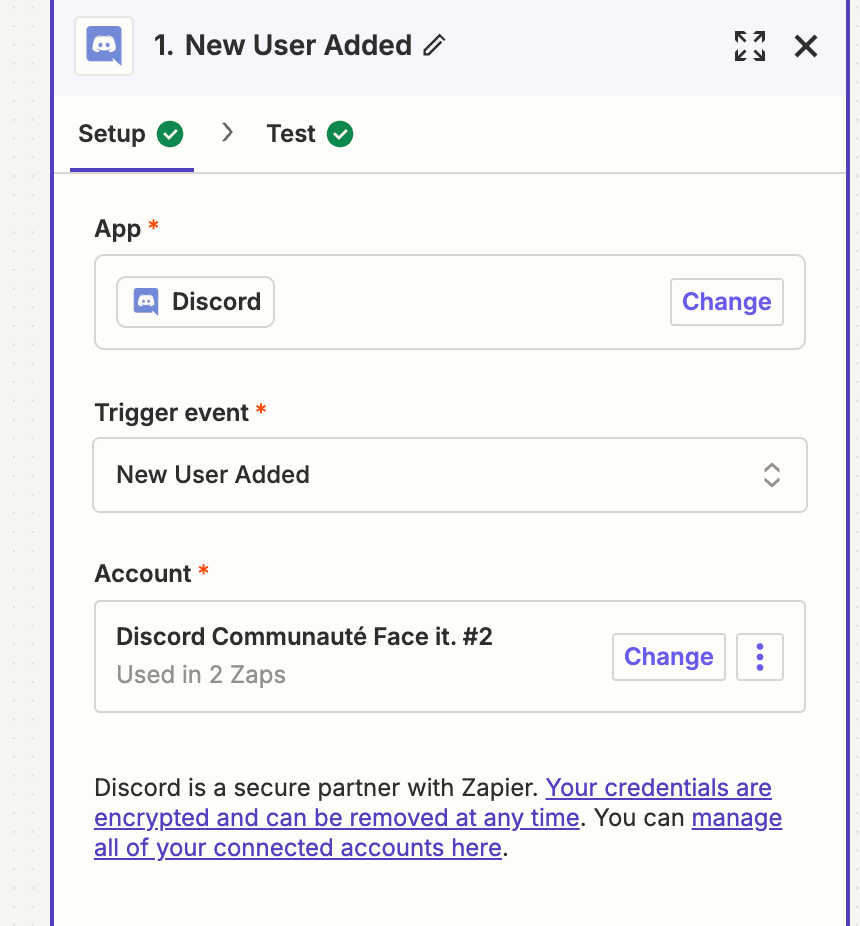
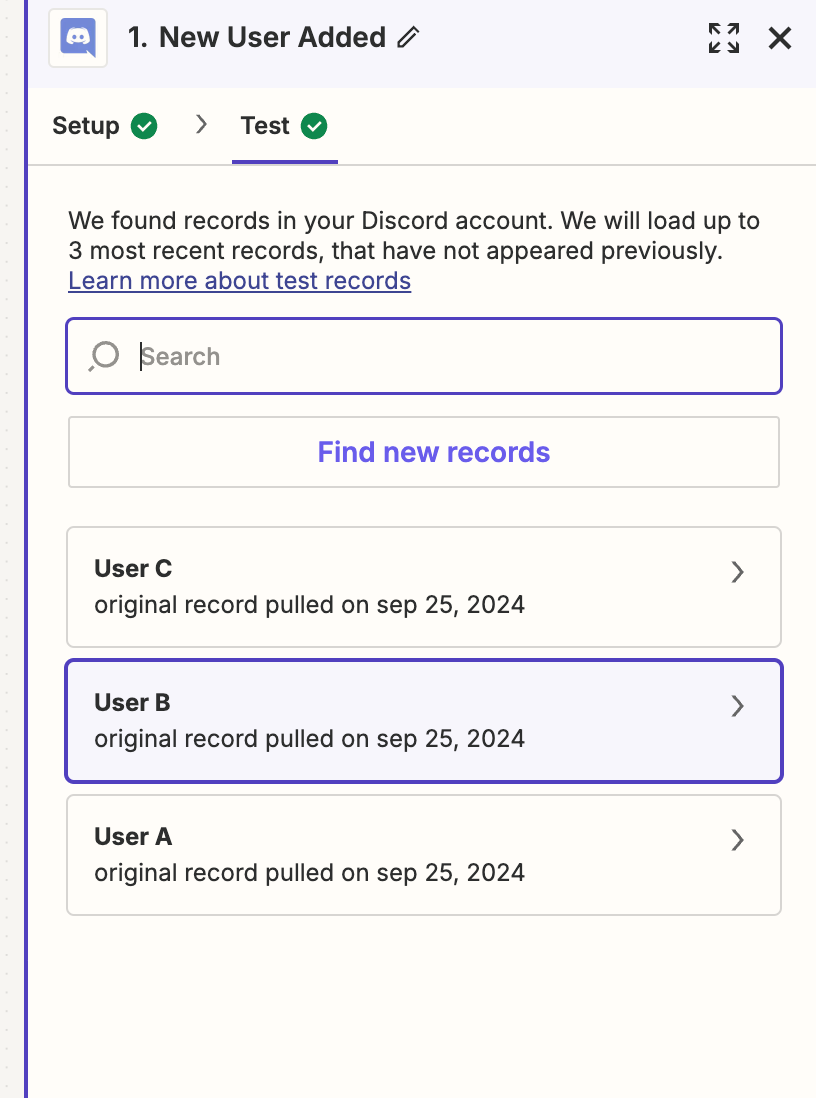
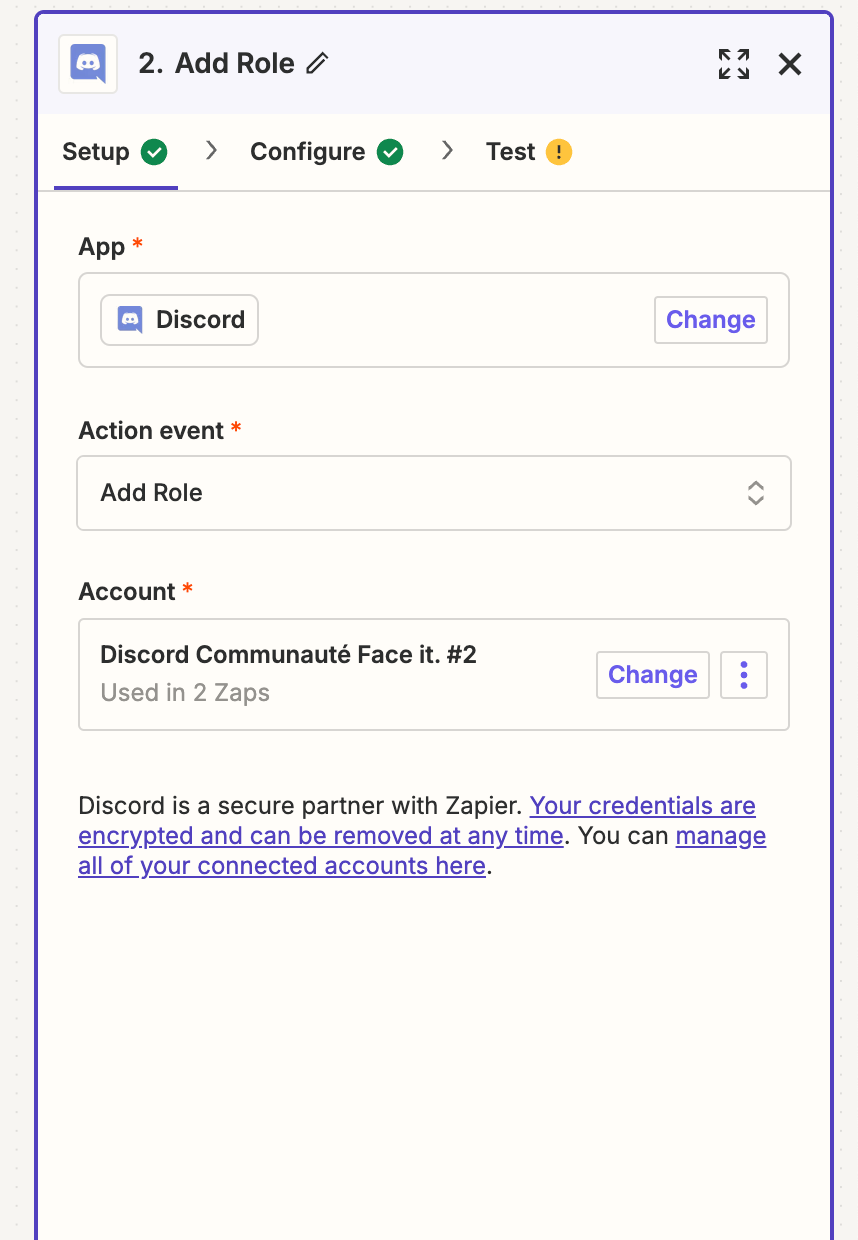
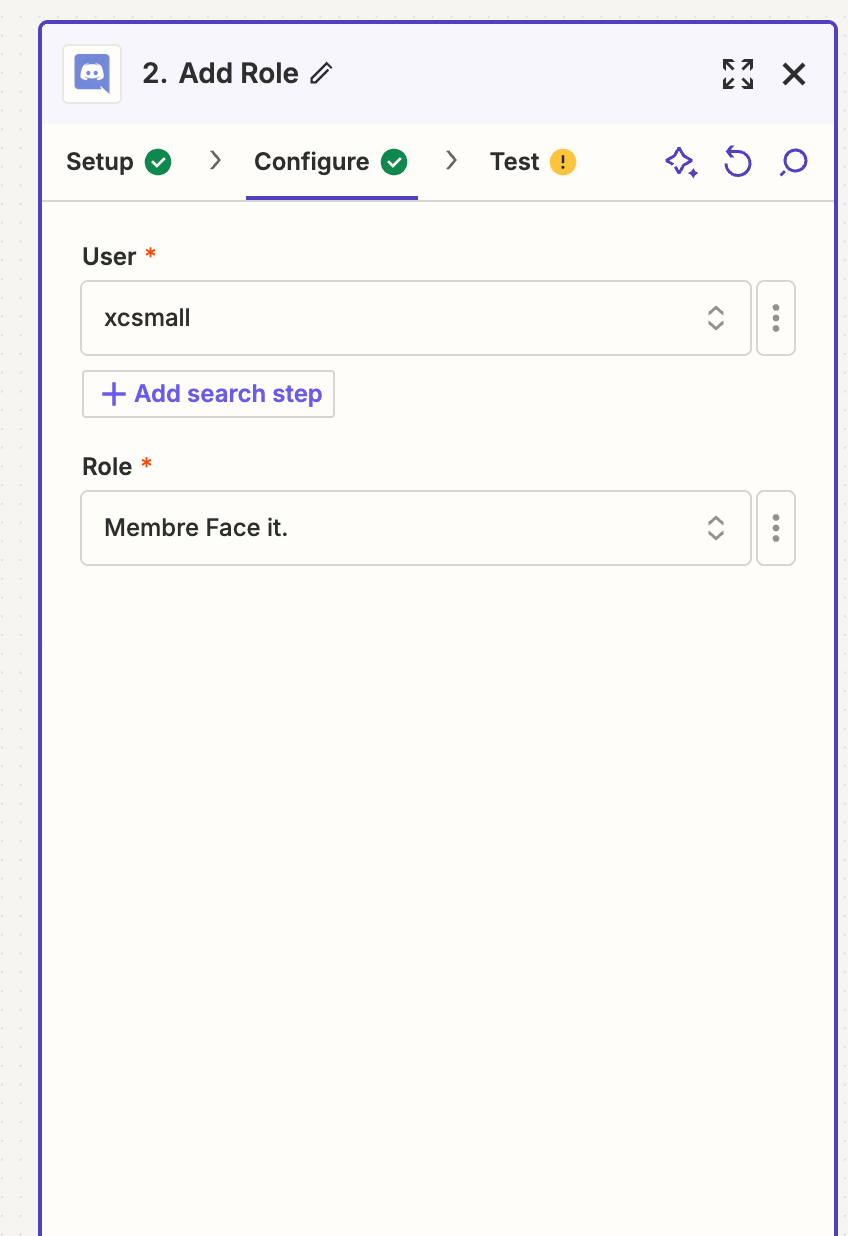
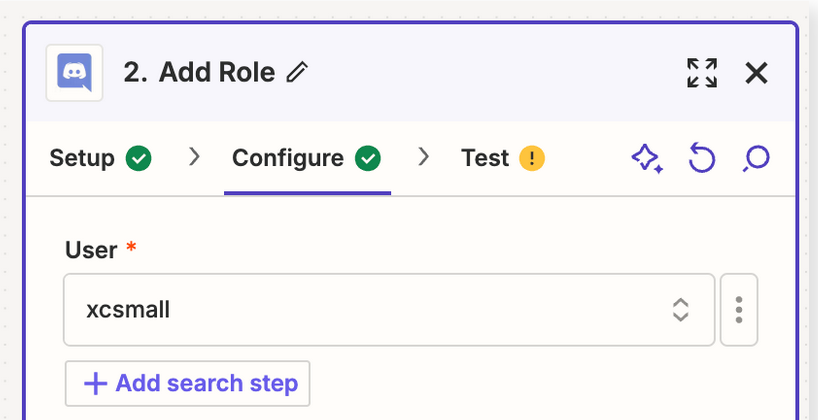
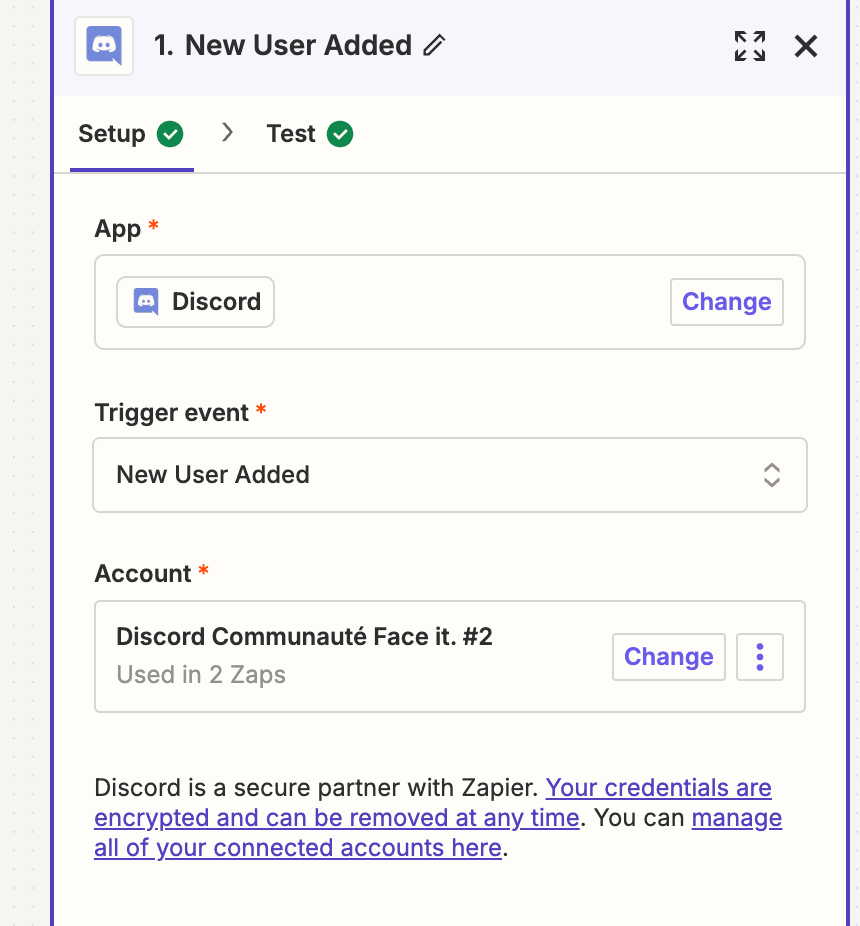
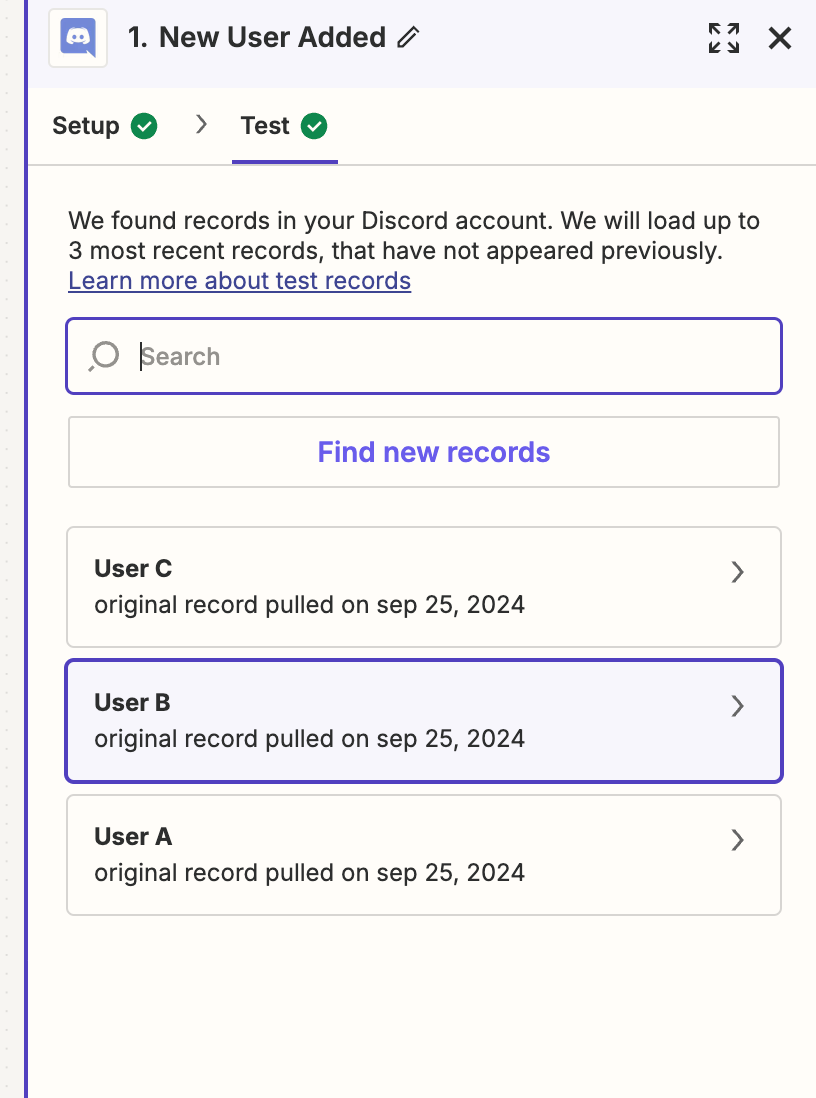
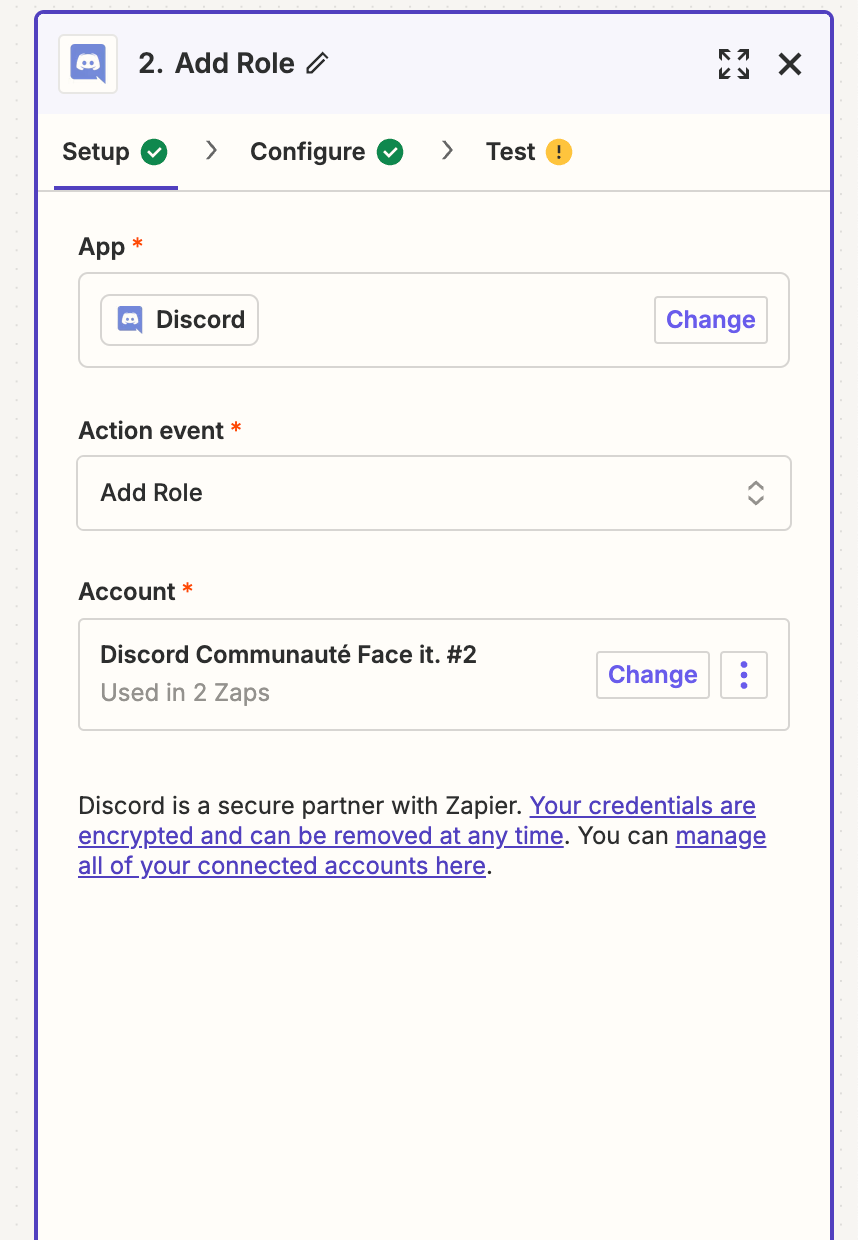
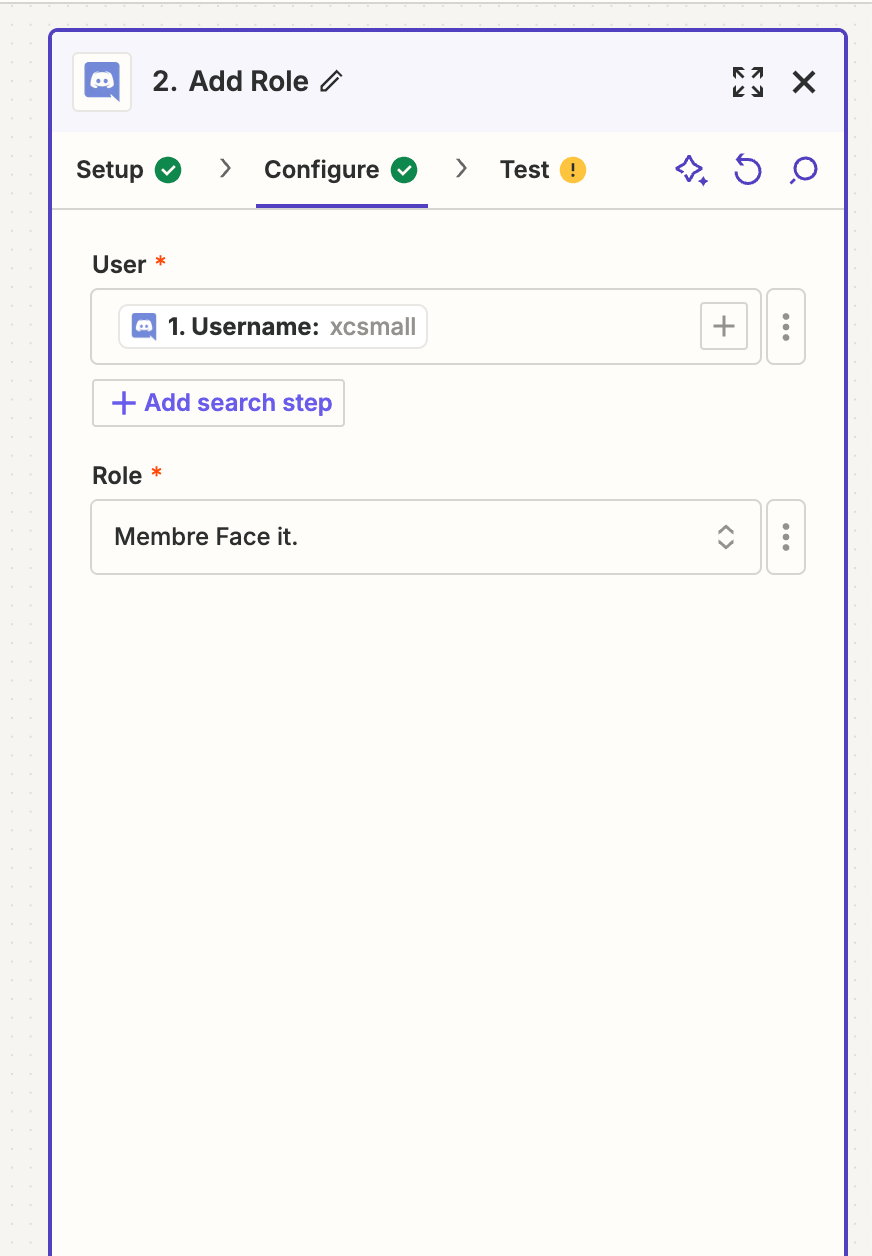
For us to have more info, post screenshots showing these:

  • how your Zap steps are outlined and configured in EDIT mode
  • the encountered error

  • Author
  • Beginner
  • September 25, 2024

Hello, thanks a lot for your help.

I could make some print screens, hope it’s enough to help me :)

Please let me know.

Best regards,

Géraldine


Troy Tessalone
Zapier Orchestrator & Solution Partner
Forum|alt.badge.img+14
  • Zapier Orchestrator & Solution Partner
  • September 25, 2024

@xcsmall 

Try using the [...] button at the right of the field to change to “Custom” mode, then map the Discord User ID variable from Step 1.


  • Author
  • Beginner
  • September 25, 2024

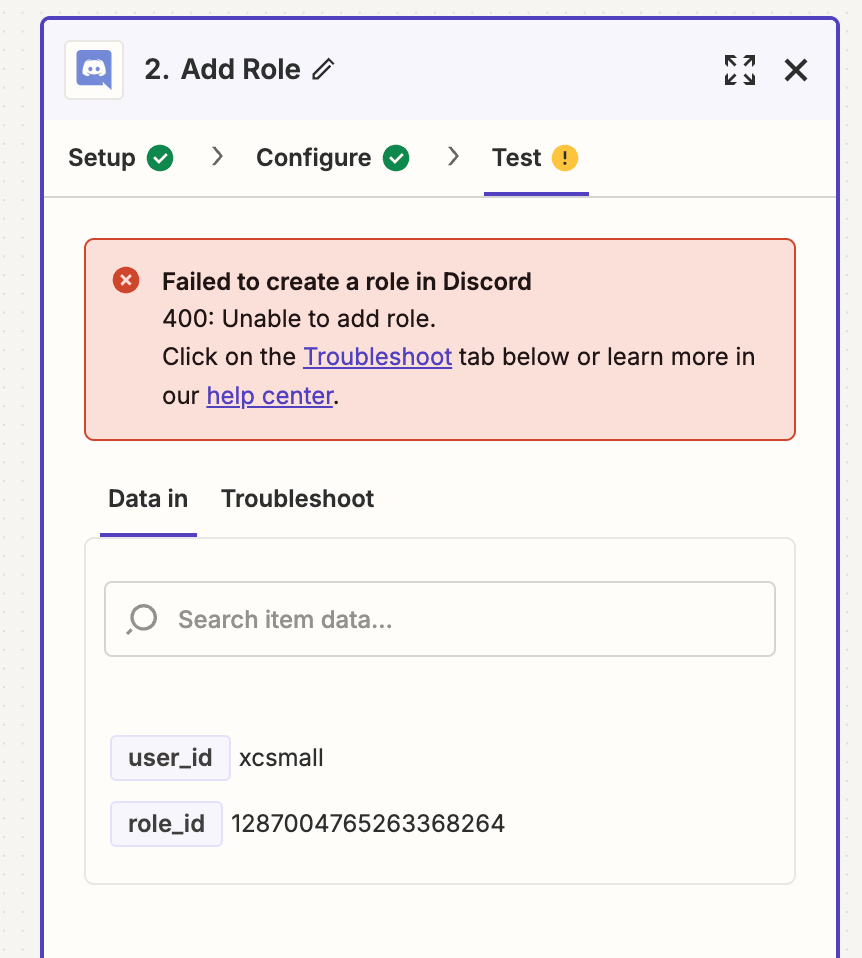
Hi, thanks for your message. I did apply the change and we still have an error but it’s not the same:

Failed to create a role in Discord

400: Unable to add role.

Click on the Troubleshoot tab below or learn more in our help center.

Any idea of what I could try?

Many thanks,

Géraldine


Troy Tessalone
Zapier Orchestrator & Solution Partner
Forum|alt.badge.img+14
  • Zapier Orchestrator & Solution Partner
  • September 25, 2024

@xcsmall 

For us to have more info, post screenshots showing these:

  • how your Zap steps are outlined and configured in EDIT mode
  • the encountered error

  • Author
  • Beginner
  • September 25, 2024


There you go, thanks a lot :


Troy Tessalone
Zapier Orchestrator & Solution Partner
Forum|alt.badge.img+14
  • Zapier Orchestrator & Solution Partner
  • September 25, 2024

@xcsmall 

The User field expects the User ID rather than the User Name.

Help link for using dynamic variables in dropdown lists: https://help.zapier.com/hc/en-us/articles/8496241696141-Add-custom-values-to-dropdown-menu-fields-in-Zaps


Also,  you may be encountering the error if the user already has the Role.


ken.a
Forum|alt.badge.img+6
  • Zapier Staff
  • Answer
  • September 26, 2024

Hi there @xcsmall,

I’m jumping in to see if I can help!

This happens when the Zapier bot's own role is too low. Bots cannot assign users to roles higher than the bot, itself. The bot's role needs to be higher than the role it's assigning.

Discord determines role priority by its physical place in the "Roles" list, and users can drag-and-drop to rearrange roles. Moving Zapier's role higher than the role it's assigning should resolve the issue.

Kindly give it a try and let me know how it goes? I'll keep an eye out for your response!


  • Author
  • Beginner
  • September 26, 2024

Thanks guys, it seems to have worked ! I’ll make a new test this morning to confirm that. Thanks a lot for your precious help :)


SamB
Community Manager
Forum|alt.badge.img+11
  • Community Manager
  • September 26, 2024

Yay! That’s awesome news @xcsmall. Really pleased Ken’s suggestion did the trick! 🎉

Please do reach back out to the Community if there’s anything else we can help with. Until then, happy Zapping! ⚡