Answer

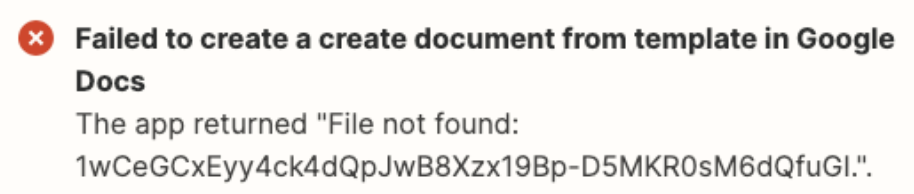
Failed to create a create documents from template in Google Docs: The app returned "File not found"

  • June 15, 2023
  • 6 replies
  • 921 views

otillema

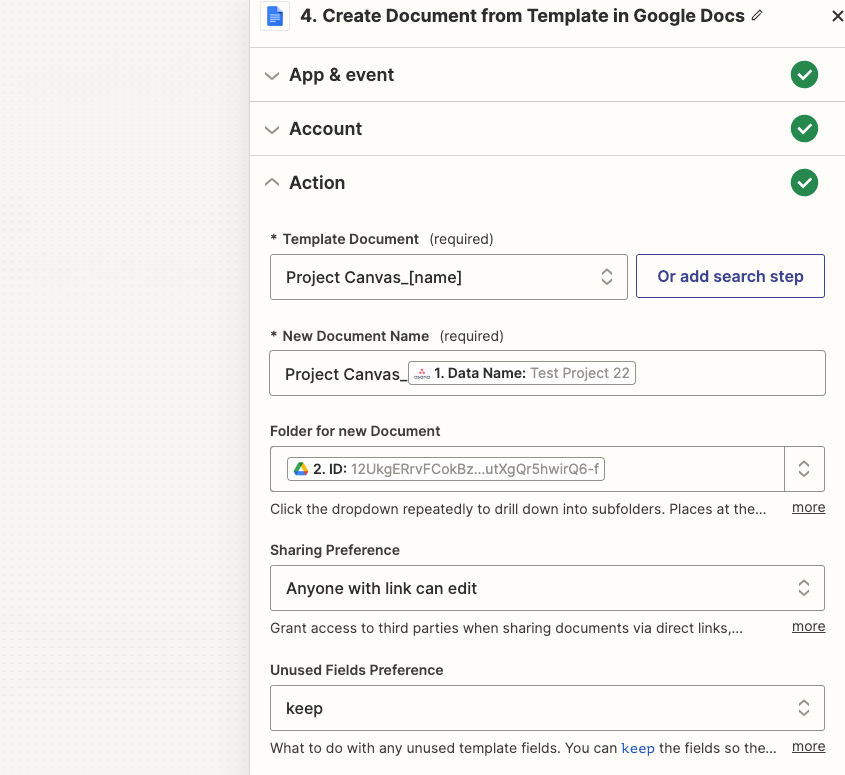
What am I missing here? I am getting this troubleshooting error, but the Google Doc file created (current, step 4) is showing up in the Google Drive Folder (step 2)….. There is information I would like to parse from Asana (step 1) to the Google Doc file being created so I need the rule to be successful. Any ideas?




Best answer by Troy Tessalone

@otillema 

Try these…

  1. Reselect the Template Document
  2. If that doesn’t work, find the GDoc Template Document and get the GDoc File ID from the browser URL, then map a custom static value of the GDoc File ID in the Template Document field.


This post has been closed for comments. Please create a new post if you need help or have a question about this topic.

6 replies

chanelle
Forum|alt.badge.img+8
  • Zapier Staff
  • June 15, 2023

Hi @otillema, glad you stopped by and welcome to Zapier Community! 

I took a look at your screenshots and believe I need just a bit more information to start with the troubleshooting process. Can you please do me a favor and provide another screenshot, similar to this, so I can take a closer look? 

Looking forward to helping you out with this! 


Troy Tessalone
Zapier Orchestrator & Solution Partner
Forum|alt.badge.img+14
  • Zapier Orchestrator & Solution Partner
  • June 15, 2023

Hi @otillema 

Good question.

Looks like there might be an extra period at the end of the file ID. (before the ending “)


otillema
  • Author
  • New
  • June 15, 2023

Hi @otillema 

Good question.

Looks like there might be an extra period at the end of the file ID. (before the ending “)


I am unable to adjust those as they are variables from previous steps, but the period must be to indicate the string is longer since there are more characters. Seems odd that file will still be created from the template and show up in the folder though.


Troy Tessalone
Zapier Orchestrator & Solution Partner
Forum|alt.badge.img+14
  • Zapier Orchestrator & Solution Partner
  • Answer
  • June 15, 2023

@otillema 

Try these…

  1. Reselect the Template Document
  2. If that doesn’t work, find the GDoc Template Document and get the GDoc File ID from the browser URL, then map a custom static value of the GDoc File ID in the Template Document field.


otillema
  • Author
  • New
  • June 15, 2023

Thank you! I just re-selected the template document and that worked!


ken.a
Forum|alt.badge.img+6
  • Zapier Staff
  • June 16, 2023

Hi @otillema,

That's fantastic news! We're thrilled to hear that everything is now working smoothly for you!

If you happen to have any other questions or need further assistance, please don't hesitate to reach out to us in the Community. We’re always happy to help! 😊