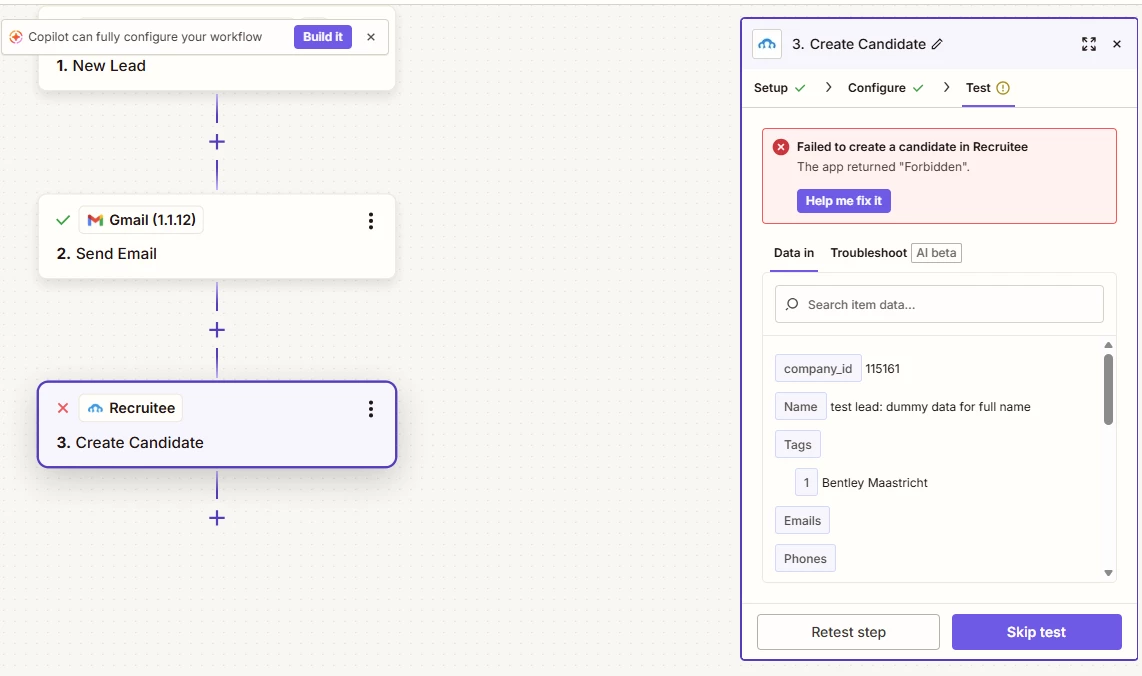
I’ve recently started receiving an error message, and as a result candidates are no longer being pushed into Recruitee.
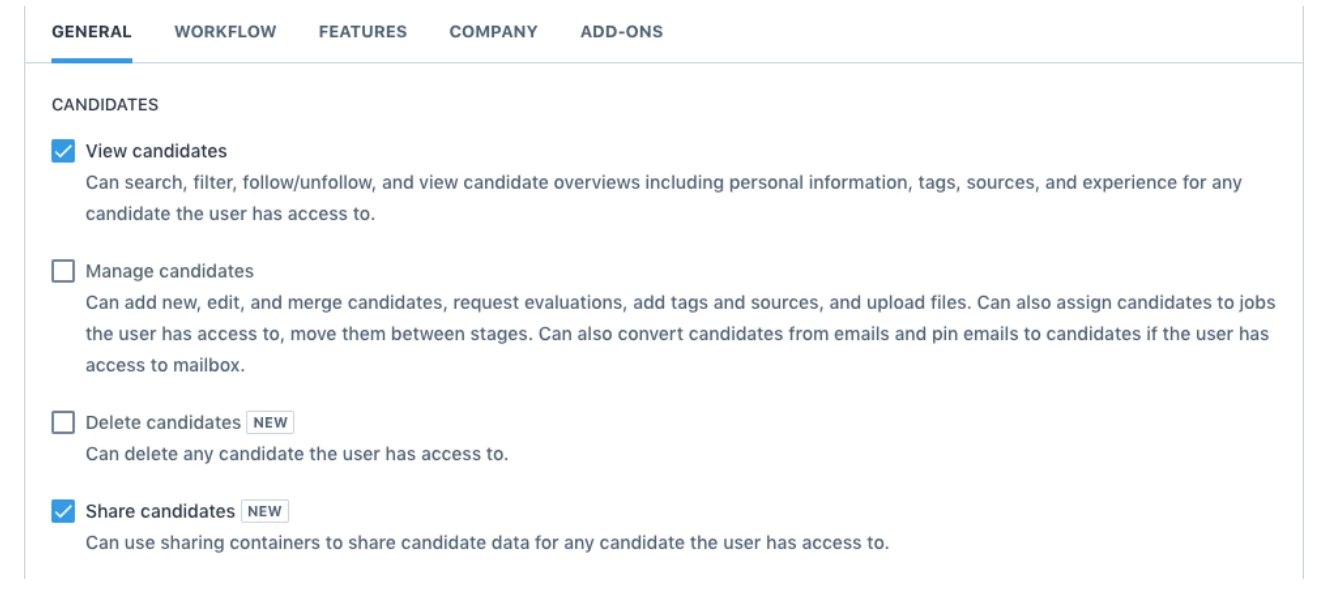
I have already tried reconnecting the integration, but this did not resolve the issue. My permissions within Recruitee are set correctly, so that does not appear to be the problem.
Could you help me investigate what might be causing this and how we can fix it?
Best answer by Sparsh from Automation Jinn
Hey @Martijn vd M,
Can you try deleting the connection and reconnecting it again to see if it works?
It might be some permission’s issue. You may want to also check that in Recruitee if you have the required permissions. You should have the permissions for adding a candidate. See more about it here- https://support.recruitee.com/en/articles/1066251-hiring-roles
It basically means the Recruitee API is rejecting it. Can you please verify that it’s the correct company id?
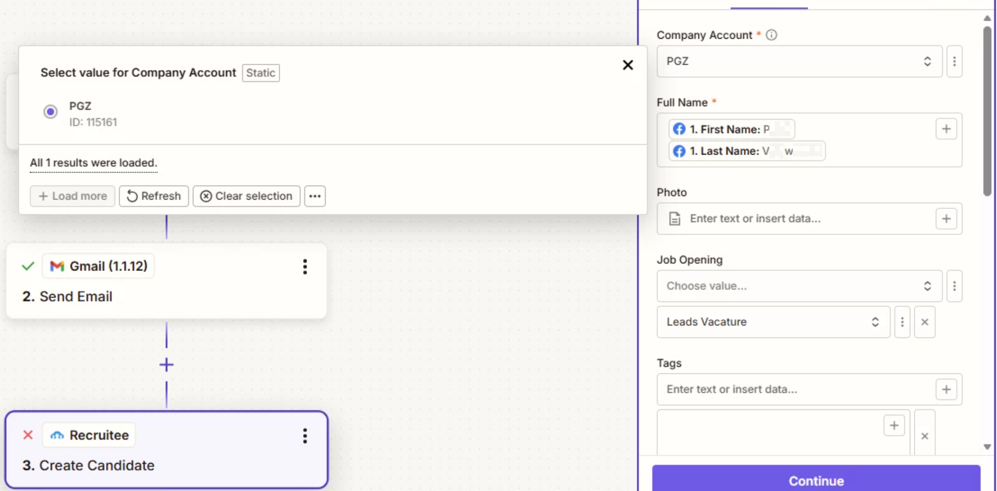
Also make sure that you are not inputing something in a field that’s not acceptable. I see that only company’s id and customer full name is required for this action. Try entering only those fields to see which fields are causing this problem.
I have configured the correct company ID, which is PGZ 115161. I also tried using only the first name and last name fields, but I’m still getting the same error message. Unfortunately, I’m not sure what’s causing this. In another Zapier setup connected to a different account of ours, everything works fine.
This post has been edited by a moderator to remove personally identifiable information (PII). Please remember that this is a public forum and avoid sharing personal or potentially sensitive details.
This post has been edited by a moderator to remove personally identifiable information (PII). Please remember that this is a public forum and avoid sharing personal or potentially sensitive details.
Can you try deleting the connection and reconnecting it again to see if it works?
It might be some permission’s issue. You may want to also check that in Recruitee if you have the required permissions. You should have the permissions for adding a candidate. See more about it here- https://support.recruitee.com/en/articles/1066251-hiring-roles
Just checking in – did you manage to get this sorted out or are you still stuck with the "Forbidden" error?
I noticed you tried most of the suggestions (reconnecting, checking Company ID, testing with just the name fields), but the issue seemed specific to one Recruitee account while another worked fine.
If you're still having trouble, you might want to:
Double-check with Recruitee support directly – they can see API rejection logs
Make sure the Recruitee user account you connected in Zapier has API access (not just UI permissions)
Confirm the Company ID format – sometimes spaces or non-numeric characters cause issues
Hope you got it working! Let us know what fixed it – it might help others facing the same thing.
We’re currently in contact with Recruitee support, as unfortunately it still isn’t working on our side. We’re not exactly sure yet what’s causing the issue, so we’ve asked them to take a closer look and help us troubleshoot further.
Hopefully they’ll be able to pinpoint the problem soon. I’ll keep you posted once we know more!
Thanks for the update @Martijn vd M, really glad you were able to sort it by getting your permissions extended in Recruitee! And a big thank you to @Sparsh from Automation Jinn and @Fahad S for helping out here 🤗
Early access
Next Gen Zaps
Build and deploy automations from AI tools you already use. With Agentic Management, if anything breaks, the agent diagnoses the issue and proposes a fix.