Question

Facebook Leads to Adestra - Email field missing on some Zaps

  • November 10, 2025
  • 7 replies
  • 30 views

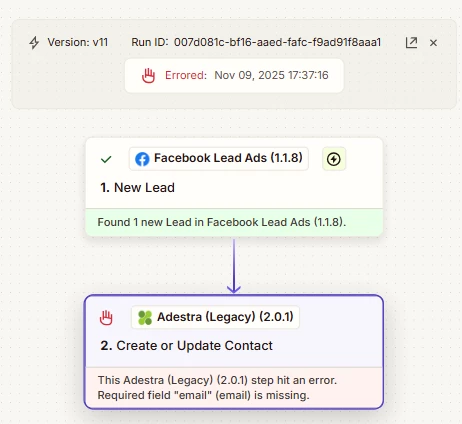
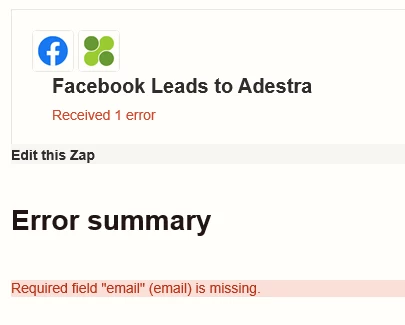
Hi, since the 3rd of Nov 2025, i have been getting frequent error messages on my Zap which pushes Facebook leads into Adestra. The majority of leads continue to push through with no error but i’ve got a number now that are erroring. The error message is that the email field is missing but when looking at the data, i can see the email address in all of the errored zaps. The Zapier support team believe it could be an issue with the integration, is anyone else having this issues, and is there a way you have resolved this please?

 

7 replies

AndrewJDavison
Forum|alt.badge.img+11
  • Zapier Solution Partner
  • November 10, 2025

@kalrathod01 

Can you open the history log for one of the failed runs, get a screenshot of the “Configure” and “Data in” tab of the Adestra step.

I want to check the email address is being sent correctly.


Troy Tessalone
Zapier Orchestrator & Solution Partner
Forum|alt.badge.img+14
  • Zapier Orchestrator & Solution Partner
  • November 10, 2025

Hi ​@kalrathod01 

You can add a Filter step to make sure the email exists.

Help: https://zapier.com/apps/filter/integrations#help


  • Author
  • Beginner
  • November 10, 2025

Hi Andrew, thank for replying!


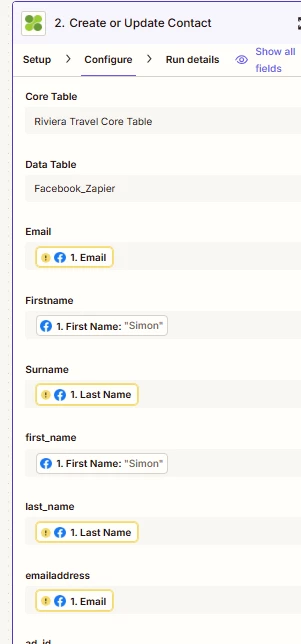
The history log for the failed runs - here's a screenshot.

both the email and last_name field have a yellow outline? how would i get rid of these, it feels like this might be the clue?


the "data in" tab show NO email field in the failed runs. BUT in the data, when i download the data from he failed runs, every one of the "failed" runs has an email address populated in all the email fields. This error is not occurring for every lead strangely. In this example below, you can see no email field at all, but as mentioned, if i download the data from zapier - all fields are populated including the email and last_name.


  • Author
  • Beginner
  • November 10, 2025


Troy Tessalone
Zapier Orchestrator & Solution Partner
Forum|alt.badge.img+14
  • Zapier Orchestrator & Solution Partner
  • November 10, 2025

@kalrathod01 

For a Zap Run, click on a step to see the DATA IN/OUT to give you more context.

You’ll want to check the DATA OUT from Zap step 1 that was received from the FB Lead Ad Form to check if email address was provided.


AndrewJDavison
Forum|alt.badge.img+11
  • Zapier Solution Partner
  • November 10, 2025

@kalrathod01 Yellow outlines means those fields were missing from the Facebook step - it’s possible you mapped the wrong fields (sometimes the field formatting changes between testing and live with Facebook).

Happy to take a closer look if you DM. I’ve solved this problem for other people.


Sparsh from Automation Jinn
Forum|alt.badge.img+6

Hey ​@kalrathod01,

Please post the screenshot of Data Out of New lead trigger for us to have more context. 

Here is a helpful article about dynamic mapping in Zapier-https://help.zapier.com/hc/en-us/articles/8496343026701-Send-data-between-steps-by-mapping-fields

Hope it helps!