
Question

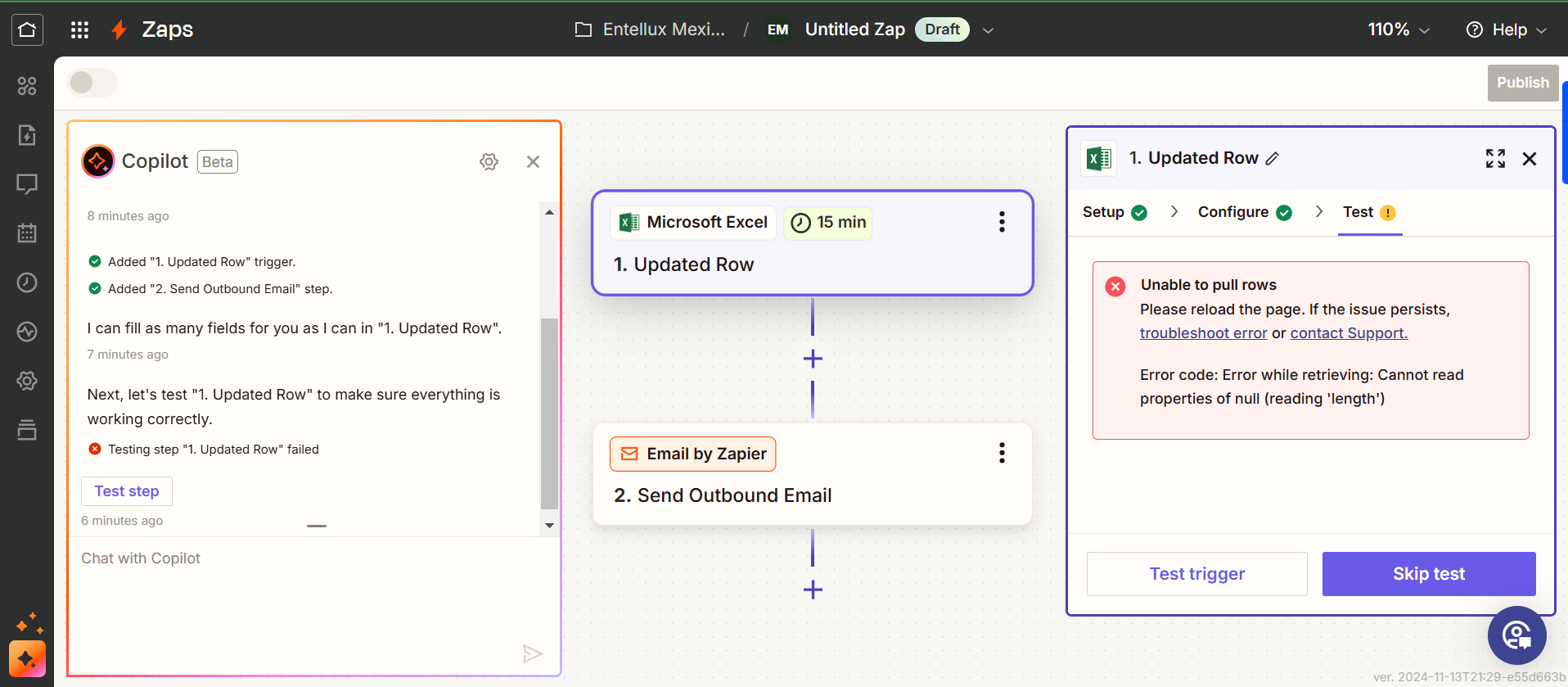
Excel trigger: Error code: Error while retrieving: Cannot read properties of null (reading 'length')

  • November 14, 2024
  • 2 replies
  • 70 views

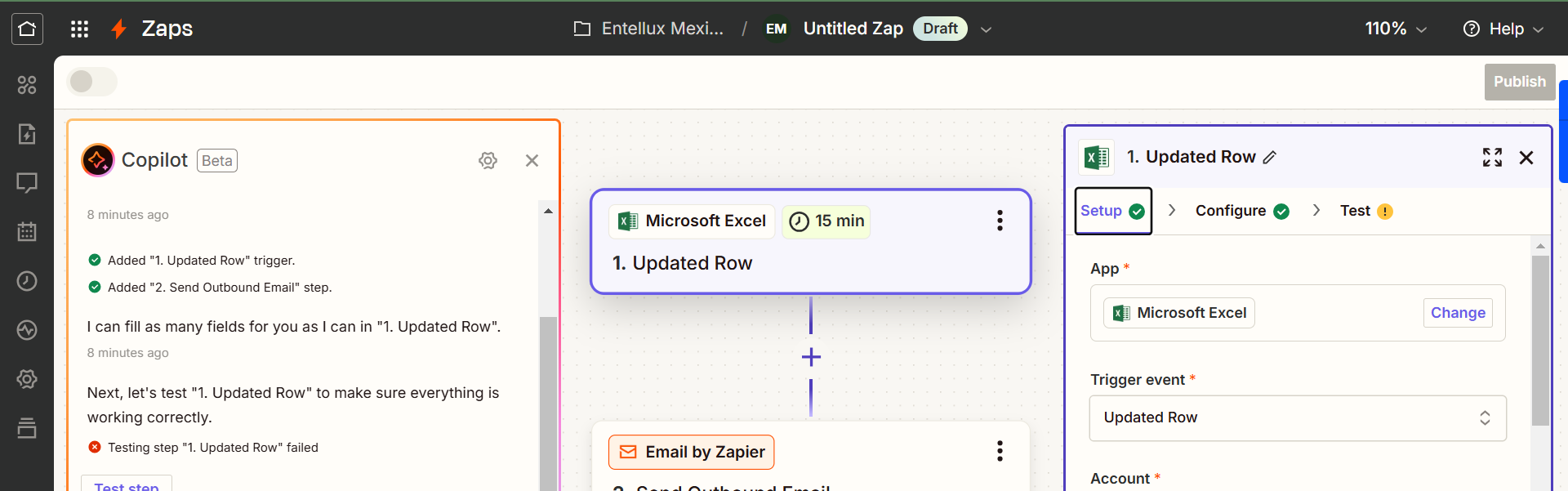
I am trying to create a zap where every time I update my Excel Sheet in Microsoft it will send an email. I am using the “Updated row” trigger as shown in the picture

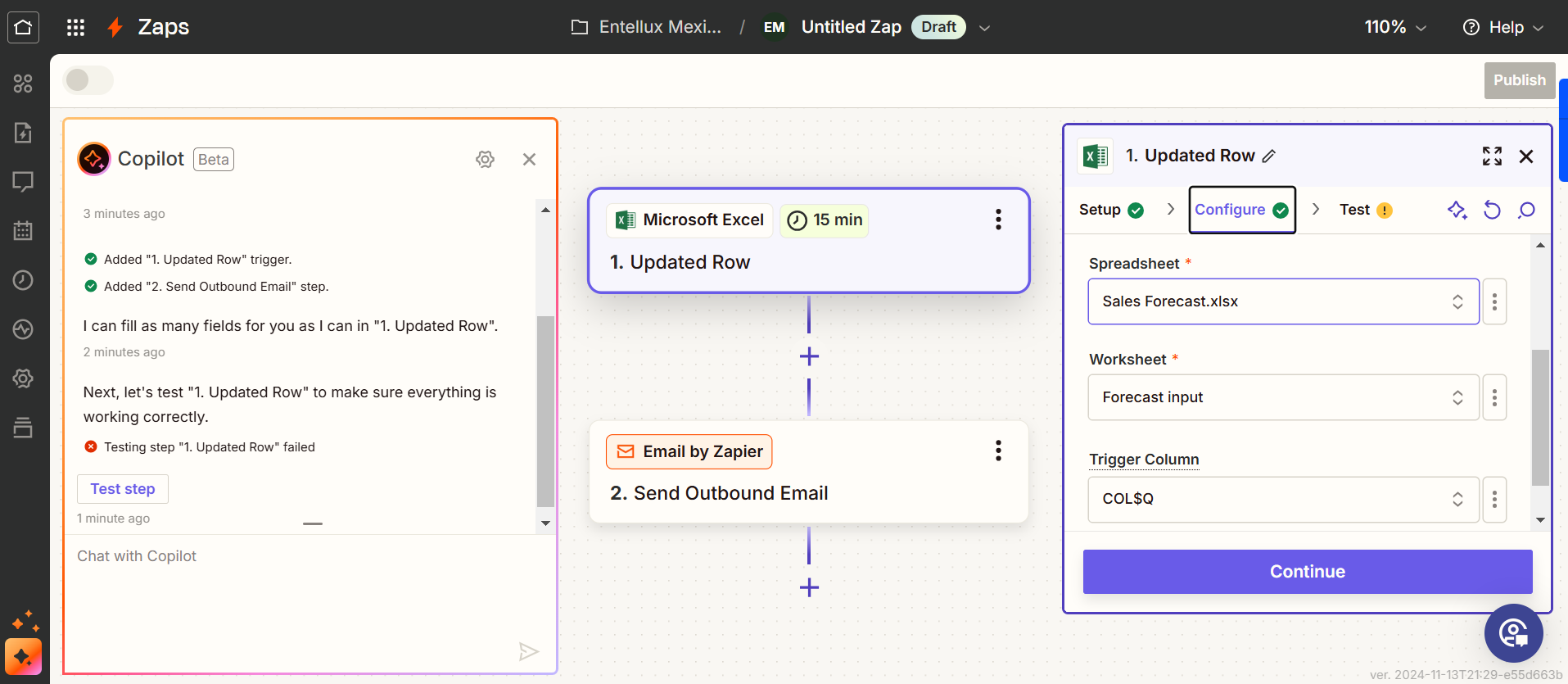
And then it is asking me for a trigger column and I enter the column that needs to be updated in order to trigger the zap just as shown in the picture:

When I click on test trigger, it shows me this result:


It has been like this also for other zaps I had.​


This post has been closed for comments. Please create a new post if you need help or have a question about this topic.

2 replies

Troy Tessalone
Zapier Orchestrator & Solution Partner
Forum|alt.badge.img+14
  • Zapier Orchestrator & Solution Partner
  • November 14, 2024

Hi @Erick_Sales 

Help links for using Excel in Zaps: https://zapier.com/apps/excel/help

Make sure to review the links to check that you meet the requirements to use Excel in Zaps.


SamB
Community Manager
Forum|alt.badge.img+11
  • Community Manager
  • November 22, 2024

Hey ​@Erick_Sales 👋

Just came across your post here and wanted to check how things are going on this? Did the help guides Troy linked to here help to point you in the right direction? 

If not, judging by that error there might be an issue with what’s been selected in the Updated Row trigger (perhaps the trigger column if it’s since been deleted/moved?) or the set up of the spreadsheet itself might need altering to ensure the Zap is able to read it, as per the How to Setup Your Microsoft Excel sheet to Work With Zapier guide.

Keen to make sure you’re all squared away here so do please keep us in the loop on how you’re getting on—happy to lend a hand if you’re still stuck at all! 🙂





