
Question

Duplicate records despite "Halt if multiple records found"

  • July 13, 2026
  • 5 replies
  • 44 views

dalenster

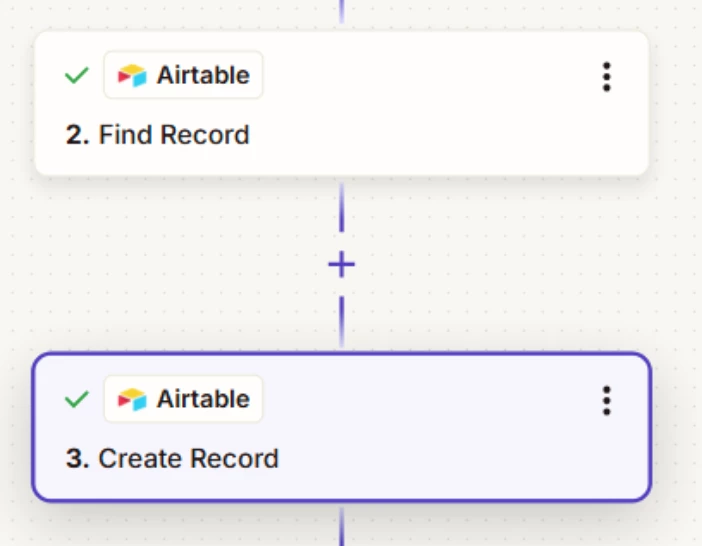
Hello, I have a zap that pulls in data via a webhook from a form submitted via WPNU’s Forminator.  Zapier and forminator are communicating and I have a “find record” based on an email. So when  form is submitted I’ll need it to look for an email, if the email is found I need it to stop and not create a record in Airtable. However, no matter what I do a new record is created despite the email already existing in the database.  Images linked:
https://www.awesomescreenshot.com/image/61869587?key=d5d237995b967d1c0047f4898b7c2847
https://www.awesomescreenshot.com/image/61869600?key=50d54958755afea91b6bec3f400738d7

https://www.awesomescreenshot.com/image/61869624?key=f38de523fd734dbc526e9508758d4ae8

5 replies

SamB
Community Manager
Forum|alt.badge.img+11
  • Community Manager
  • July 14, 2026

 Hey there ​@dalenster! 👋

There’s couple of ways to approach this. You could add a Filter to the Zap and set it to only continue if the Zap Search Was Found Status field output by the Find Record action was false, meaning an existing record was not found. This would halt the Zap if a record was found, and prevent the Create Record action from running. Check out our Add conditions to Zap workflows with filters guide for more details.

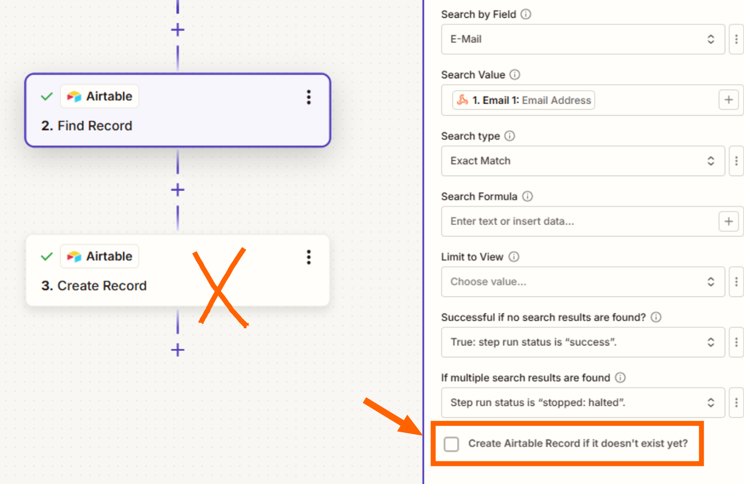
Or, you could remove the Create Record action and on the Find Record action, enable the Create Airtable Record if it doesn't exist yet? setting which would then allow you to select values from the Webhook, just like you’d done in the Create Record action:

2413887f68d1a050abd2f8b705a13eb7.png

This approach would also only create a new record if it didn’t find and existing record that matched.

Let us know how it goes. Happy to lend a hand if you get stuck at all! 🙂


Troy Tessalone
Zapier Orchestrator & Solution Partner
Forum|alt.badge.img+14
  • Zapier Orchestrator & Solution Partner
  • July 14, 2026

Hi ​@dalenster 

Try this…

First, remove Zap step 3: Airtable - Create Record

Then, do either:

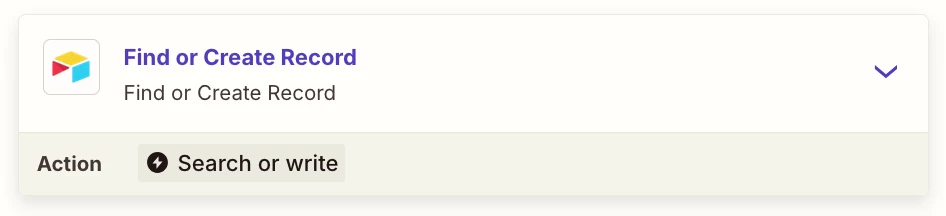
  1. Change the Find Record to be a Find or Create Record, by checking the checkbox at the bottom
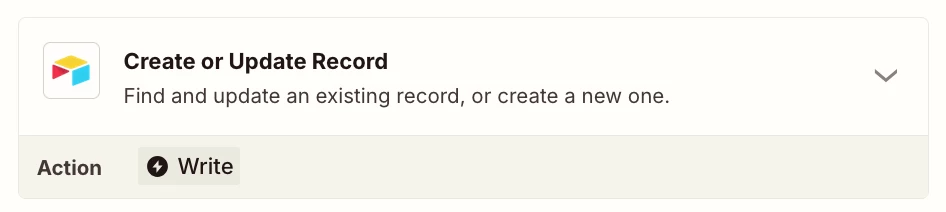
  2. Use this Zap action: Create or Update Record


With your current Zap step config, you are missing a Filter step after Airtable Find Record to only continue if found = false.

Filter help: https://zapier.com/apps/filter/integrations#help


  • New
  • July 14, 2026

The existing Filter / Find-or-Create advice should fix the immediate wiring. One extra failure mode is worth protecting against: two webhook runs can both search before either one has committed the new Airtable row, so both conclude “not found” and create duplicates.

I would also:

• Normalize the email before lookup (trim whitespace and lowercase it).
• Carry Forminator’s submission ID as a stable idempotency key and search that first; use email as the secondary identity key.
• Prefer one Find-or-Create / Create-or-Update action over a separate Find followed by an unconditional Create.
• If concurrent submissions are possible, put the idempotency key in a small lock/store step before Airtable, because Airtable itself does not enforce a unique constraint the way a relational database would.
• Write the Zap run ID and source submission ID into the Airtable record so any duplicate can be traced back to the exact run.

We hit this same race-condition class while building Atlantic: a successful search is not a transaction boundary. The durable fix was a normalized identity key plus idempotent writes across every retry.

Disclosure: I’m Ege, co-founder/CEO of Atlantic.


Forum|alt.badge.img+4
  • Zapier Solution Partner
  • July 20, 2026

Hi ​@dalenster did any of these suggestions work for you? Were you able to resolve the issue?


SamB
Community Manager
Forum|alt.badge.img+11
  • Community Manager
  • July 29, 2026

How did it go ​@dalenster? Let us know what approach you went with, or if you could still use some help with this.