Question

Demio not able to find new records

  • April 3, 2026
  • 3 replies
  • 17 views

Hi!

I’m trying to create a Zap with Demio → Google Sheet → Brevo → Meta Conversions. 

The problem is that, in Zapier, Demio “sees” only one registered person
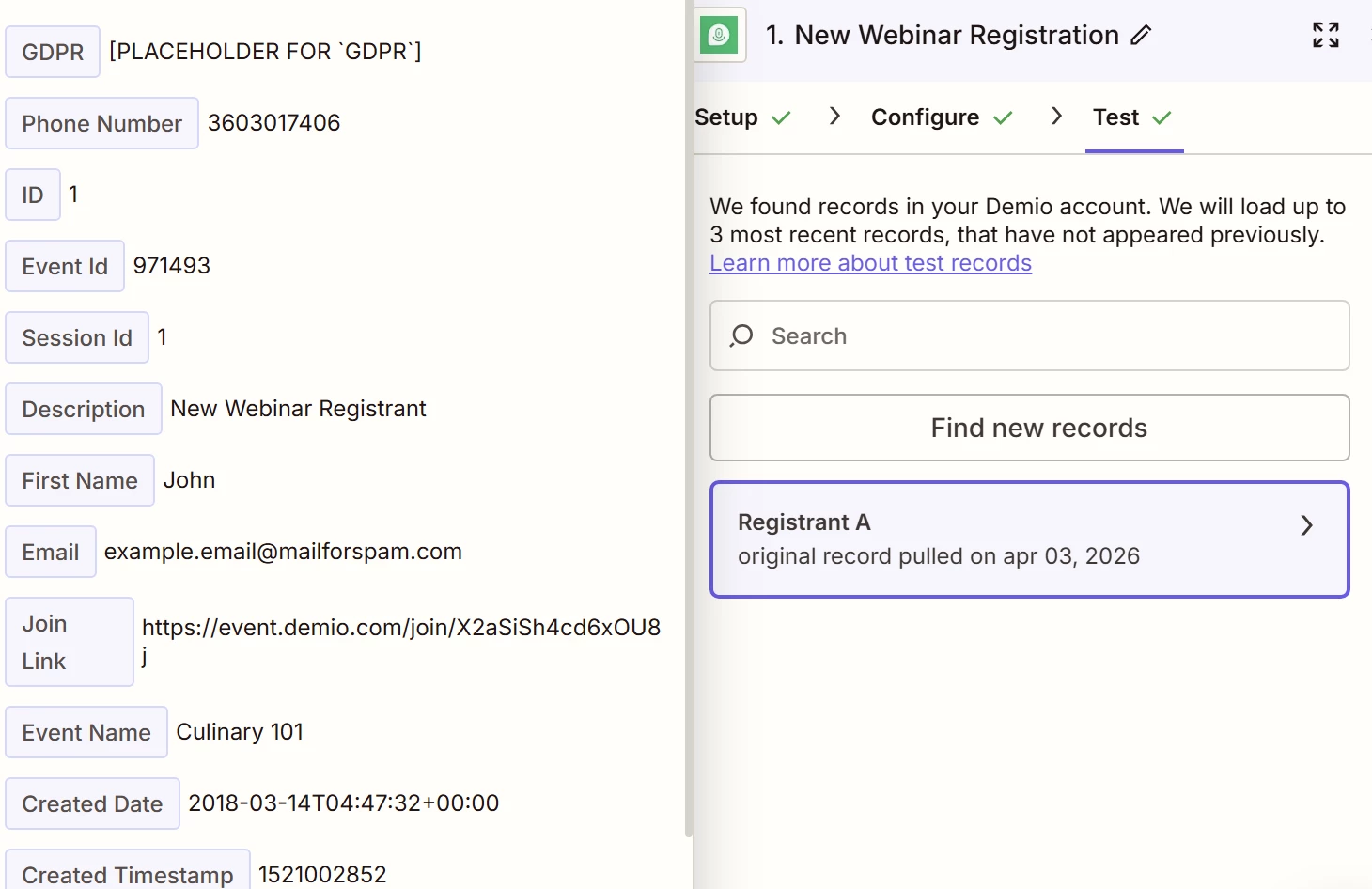


While there are, for sure, also other people. 

The strange thing is that if I publish the Zap stopping to the step “Create a new row in GSheet”, it works! 
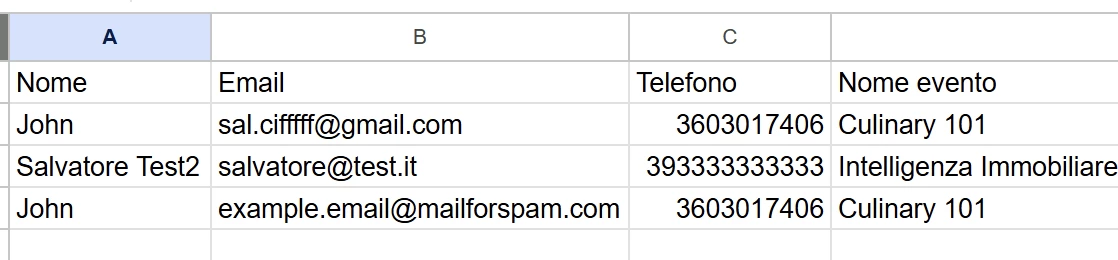


So the automation works, but Zapier doesn’t seem to “see” new people and this doesn’t help to test the automation for the next step. 

What should I do?

3 replies

Forum|alt.badge.img+2
  • Zapier Solution Partner
  • April 3, 2026

Hi ​@IntImm 

This is expected behavior. The "Test trigger" button pulls a sample record from your Demio account to help you map fields – it doesn't always show the newest record.

Since your Google Sheets step works when published, your Demio connection is fine.

To test Brevo and Meta Conversions:

  1. Replay existing data – Go to Zap History → find a successful run → click "Replay entire Zap run"

  2. Run a live test – Publish the full Zap, then create a new registration in Demio. Then click "Test trigger" again – the new record should appear.

If you're still running into issues after trying these steps, feel free to drop a screenshot of the error and a quick description of what your Zap is doing—happy to take a look and help troubleshoot.

And if you'd rather just get it sorted quickly, I offer a free 20-min Zapier troubleshooting call. Book it under Resources on my Zapier Directory profile: https://zapier.com/partnerdirectory/automatemybiz!-->


Troy Tessalone
Zapier Orchestrator & Solution Partner
Forum|alt.badge.img+14
  • Zapier Orchestrator & Solution Partner
  • April 3, 2026

Hi ​@IntImm 

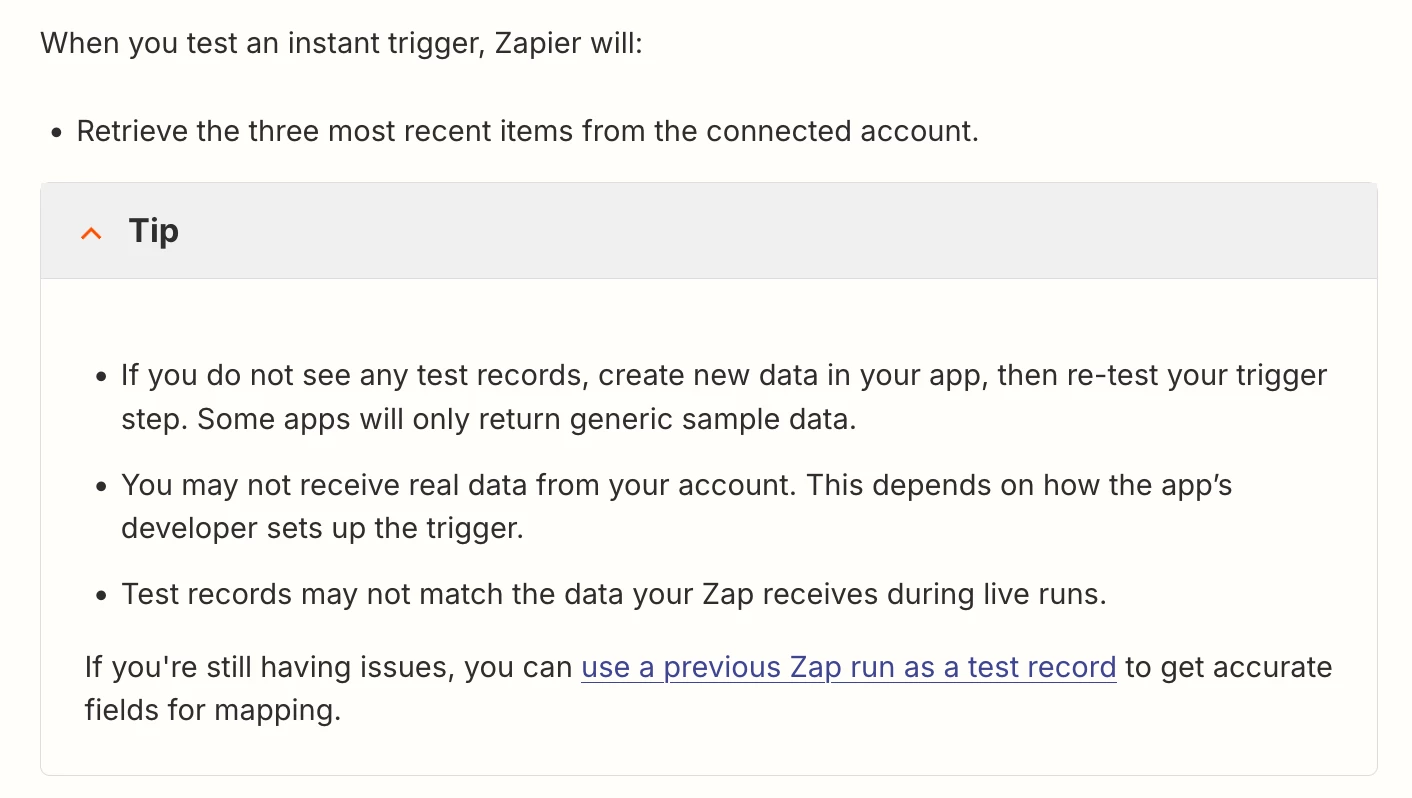
(see screenshot below)

Demio Zap triggers are instant.

Try testing in Demio after you configured the Zap trigger step, then try to pull thru your test as an example trigger record to use to configure your Zap action steps.

Help link to reference: https://help.zapier.com/hc/en-us/articles/8496244568589-How-Zap-triggers-work#h_01JJC9GMCT0VMVQHB8XNCNZ8PH


Forum|alt.badge.img

Hi ​@IntImm 
After clicking "Find New Records" some apps will only return a handful of live or sample records. These records could be from any point in time and they are designed to help you build your Zap.

the Zap editor’s test samples are separate from live run data, so they often don’t auto-refresh even when the Zap is running fine.

Here’s the quickest way to get fresh data into the editor:

  1. Confirm live runs look good
    Go to Zap History and open a recent successful run to make sure the trigger is receiving the latest data you expect.

  2. Use a live run as the trigger’s test record

    • Open the Zap and click Edit Zap.
    • In the left sidebar, click the Zap runs icon.
    • Find the most recent good run → click the menu → Use as test record.
    • Go back to the trigger step → Test tab, select the new “Record from Zap Run” and continue with that record.

      I recommend giving this a try and check how it goes.