Question

Data from typeform is different during testing the zap

  • December 6, 2024
  • 5 replies
  • 21 views

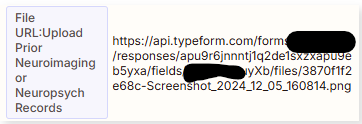
I have a zapier that triggers with a typeform submit, all the fields coming from typeform are mapping correctly except one that is a file upload, when I test the automation the field that is causing issues looks like this:
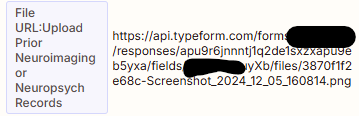
 

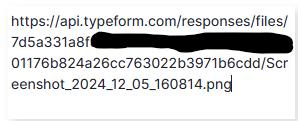
but when the zaps runs that data is different, the resulting value is this:
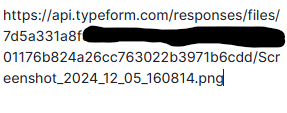
 

any reason why the value changes during the zaps is running?

This post has been closed for comments. Please create a new post if you need help or have a question about this topic.

5 replies

Troy Tessalone
Zapier Orchestrator & Solution Partner
Forum|alt.badge.img+14
  • Zapier Orchestrator & Solution Partner
  • December 6, 2024

Hi ​@minddev 

Is the different value impacting your Zap Run?

If yes, then how?

Screenshots to give us context.


Help links for using Typeform in Zaps: https://zapier.com/apps/typeform/integrations#help


  • Author
  • New
  • December 6, 2024

Hi ​@Troy Tessalone , in a later step I’m extracting the name of the file from the URL, you can see that in the first screeshot it shows the whole file name 3870f1f2e68c-Screenshot_2024……… but in the second screenshot the URL is different and it only says Screenshot_2024, I’m trying to uses this file name to looks for the file in google Drive and I need the full, when I test the zap it shows this URL but when the zap runs it show the second version


Troy Tessalone
Zapier Orchestrator & Solution Partner
Forum|alt.badge.img+14
  • Zapier Orchestrator & Solution Partner
  • December 6, 2024

@minddev 

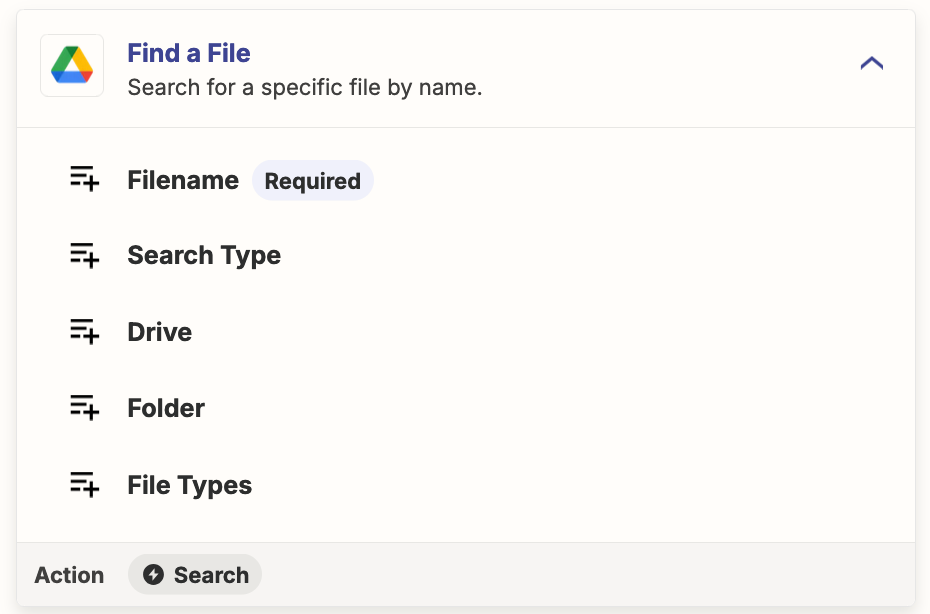
For the Zap action: GDrive - Find File

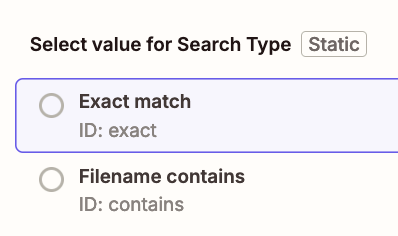
You can specify the Search Type as:

  • Exact Match
  • Filename Contains
    • Have you tried using this option?


  • Author
  • New
  • December 7, 2024

Thanks ​@Troy Tessalone yes I tried that option and it works but it will cause trouble in the future because we expect users to upload files with the same name, having the full file name from typeform would be ideal, what I don't understand is why the values from the form are different when I test the zap from what the zap have when it runs automatically  


Troy Tessalone
Zapier Orchestrator & Solution Partner
Forum|alt.badge.img+14
  • Zapier Orchestrator & Solution Partner
  • December 7, 2024

@minddev 

I recommend opening a ticket with Zapier Support for further troubleshooting: https://zapier.com/app/get-help