
Question

Custom fields displaying incorrect data

  • Sep 25, 2024 4:49 PM UTC
  • 6 replies
  • 81 views

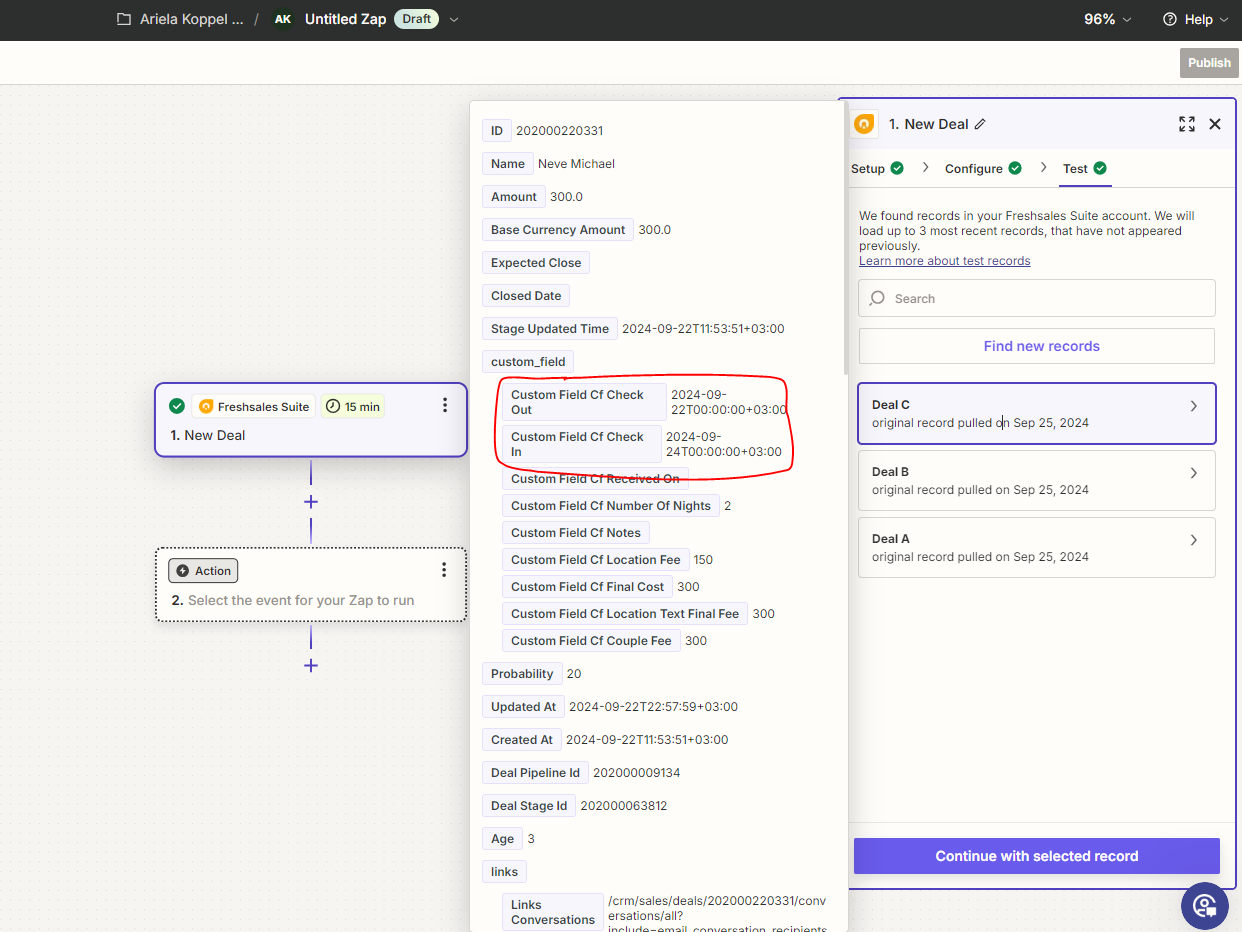
There are 2 custom fields that their data is switched. 

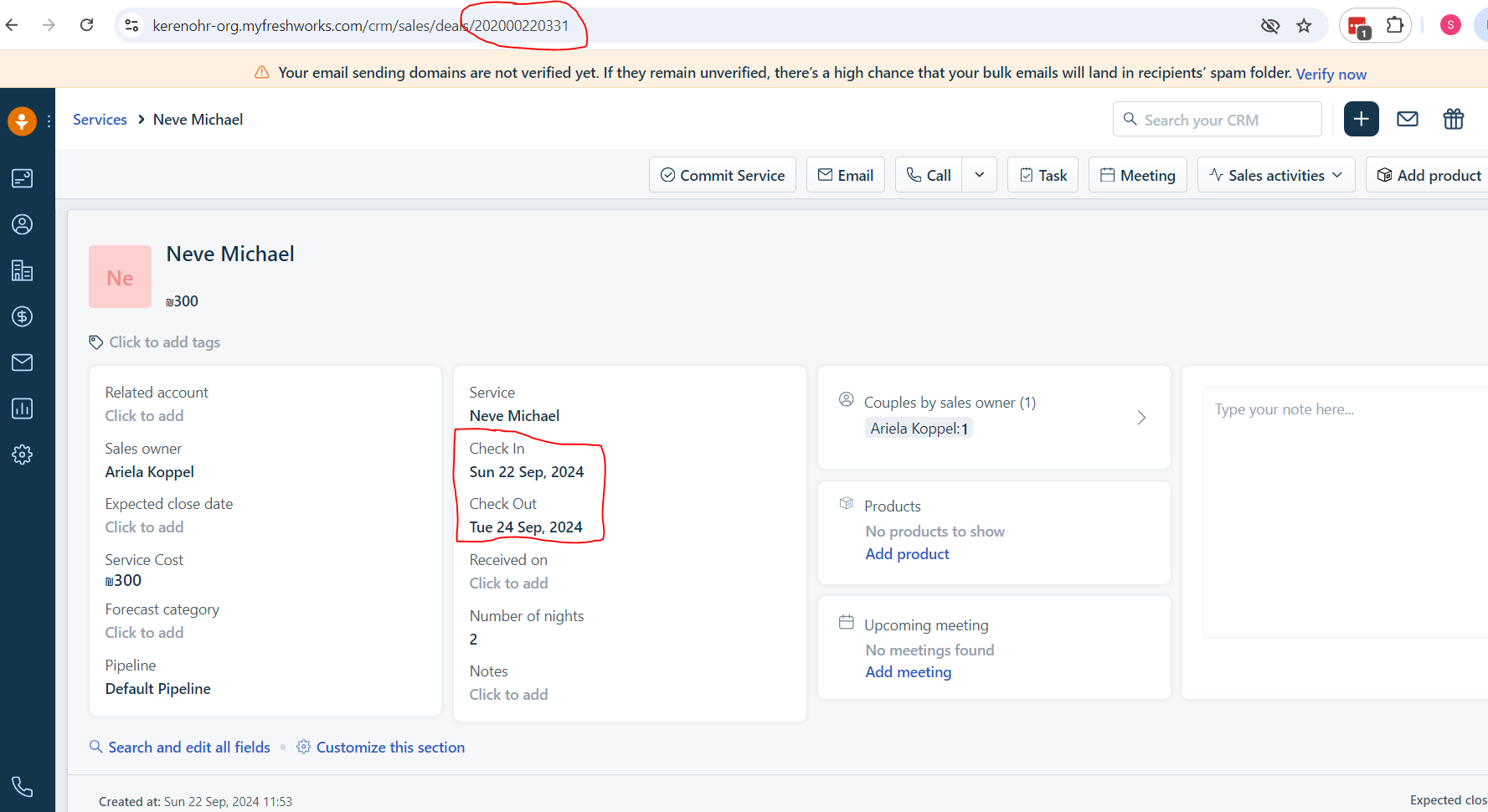
The Check In and Check Out dates should be switched round as can be clearly shown.

The data is coming from Freshsales and their devs assure me that they are sending the data correctly and I need to contact Zapier support. 

Appreciate any help on this!

Thank you!

Ariela
Check In

This post has been closed for comments. Please create a new post if you need help or have a question about this topic.

6 replies

Troy Tessalone
Zapier Orchestrator & Solution Partner
Forum|alt.badge.img+14
  • Zapier Orchestrator & Solution Partner
  • Sep 25, 2024 5:17 PM UTC

Hi @arielaKO 

As proof, can you provide screenshots of the same record in Freshsales that shows the correct data?


  • Author
  • Beginner
  • Sep 25, 2024 7:34 PM UTC

@Troy Tessalone Thanks for the reply. Yes sure. Here it is:


Troy Tessalone
Zapier Orchestrator & Solution Partner
Forum|alt.badge.img+14
  • Zapier Orchestrator & Solution Partner
  • Sep 25, 2024 8:56 PM UTC

@arielaKO 

You can try opening a ticket with Zapier Support to report the bug: https://zapier.com/app/get-help


ken.a
Forum|alt.badge.img+6
  • Zapier Staff
  • Sep 26, 2024 7:46 AM UTC

Hi @arielaKO,

I’m jumping in to see if I can help!

Before we dig deeper into this, could you please try reconnecting your Freshsales Suite account and after that, please create a new sample data and load the newly created sample data in the trigger step by clicking on the “Find new records” button.

Kindly give it a try and let me know how it goes? I'll keep an eye out for your response!


  • Author
  • Beginner
  • Sep 26, 2024 4:36 PM UTC

Hi @ken.a 


I reconnected the account, created new records but same issue still persists.

Thanks for your help!


JammerS
Forum|alt.badge.img+6
  • Zapier Staff
  • Sep 27, 2024 1:06 AM UTC

Hi @arielaKO,


We apologize for the inconvenience. It’s best to contact our support team to address this concern fully. You can reach us via this link: https://zapier.com/app/get-help so we can troubleshoot it further.  Thank you.