Question

Creating a client in Sage Cloud Accounting using Zapier

  • July 27, 2026
  • 5 replies
  • 53 views

Forum|alt.badge.img

Hi! I’m trying to create an zap that creates invoices in Sage cloud accounting from a zapier table. I’m just importing CSV data from our CRM as it doesn’t talk directly to sage. 

I can’t seem to get past the create a client stage when creating new clients. I tried a run with an existing client, and it was able to find them, but won’t create a new one. I keep getting the error message:

The app returned "This field is required."

All the required fields are entered, so I’m unclear on what’s missing. Any help?

 

5 replies

SamB
Community Manager
Forum|alt.badge.img+11
  • Community Manager
  • July 27, 2026

Welcome to the Community ​@austinculler! 😁

Do any of the Zapier Tables fields selected in the Sage Accounting action show "No data"? If so, the test would send nothing to those required fields, which might explain the error. 🤔

If that's not it, can you share a screenshot of the Configure tab for that Sage Accounting action so we can check the setup? Just make sure to blur any personal or sensitive info using a tool like Zappy before sharing since this is a public space.


Forum|alt.badge.img

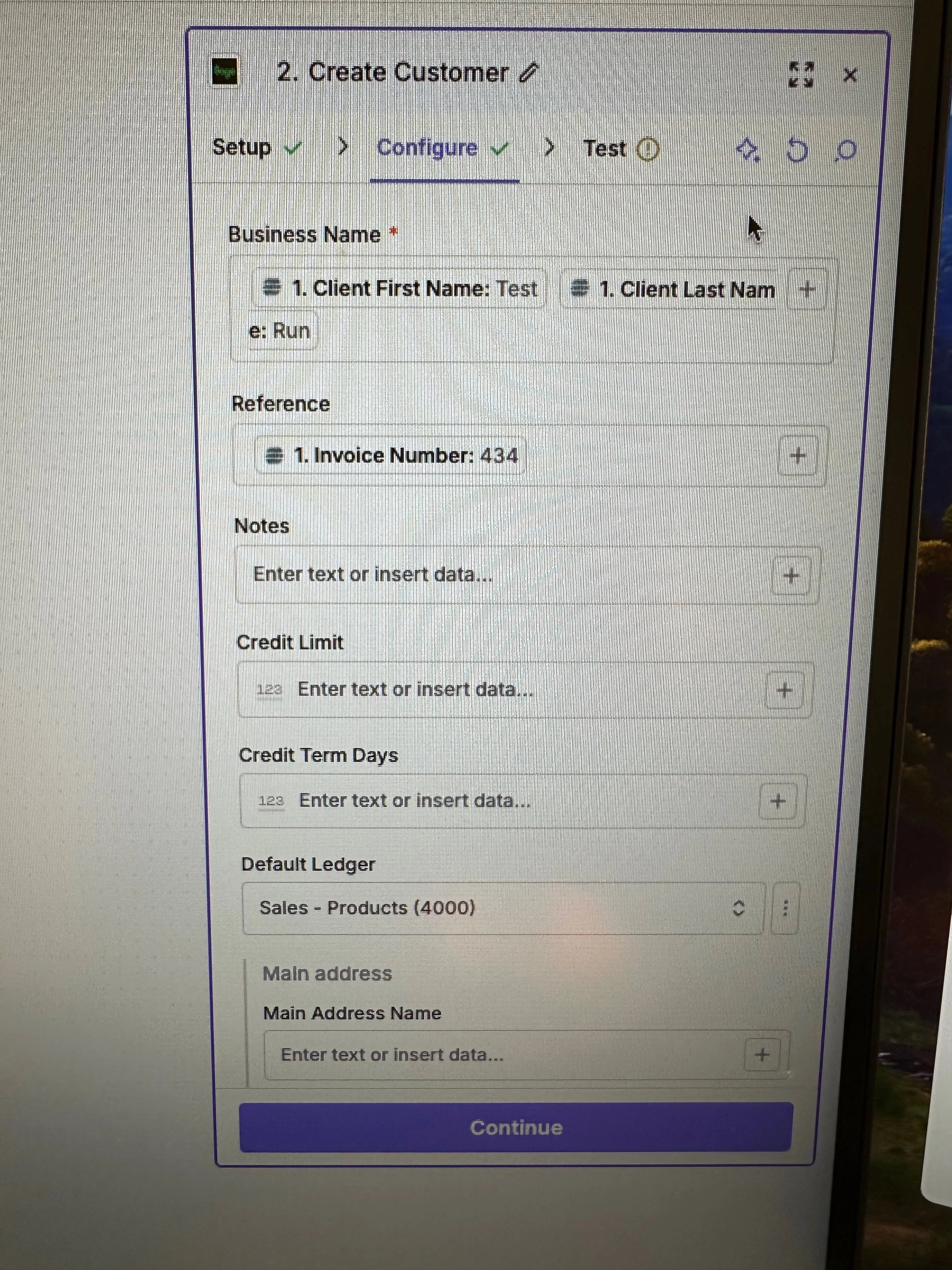
For some reason, the UI here isn’t letting me upload a photo. The fields are being pulled directly from Jobber and none are showing “no data”. They all are populated with the test data from an actual invoice. I’ll manually enter the info here:


businessname

Test Run

Reference

434

default_ledger

42fc82a3991511ecbcc60e97dc3b579b

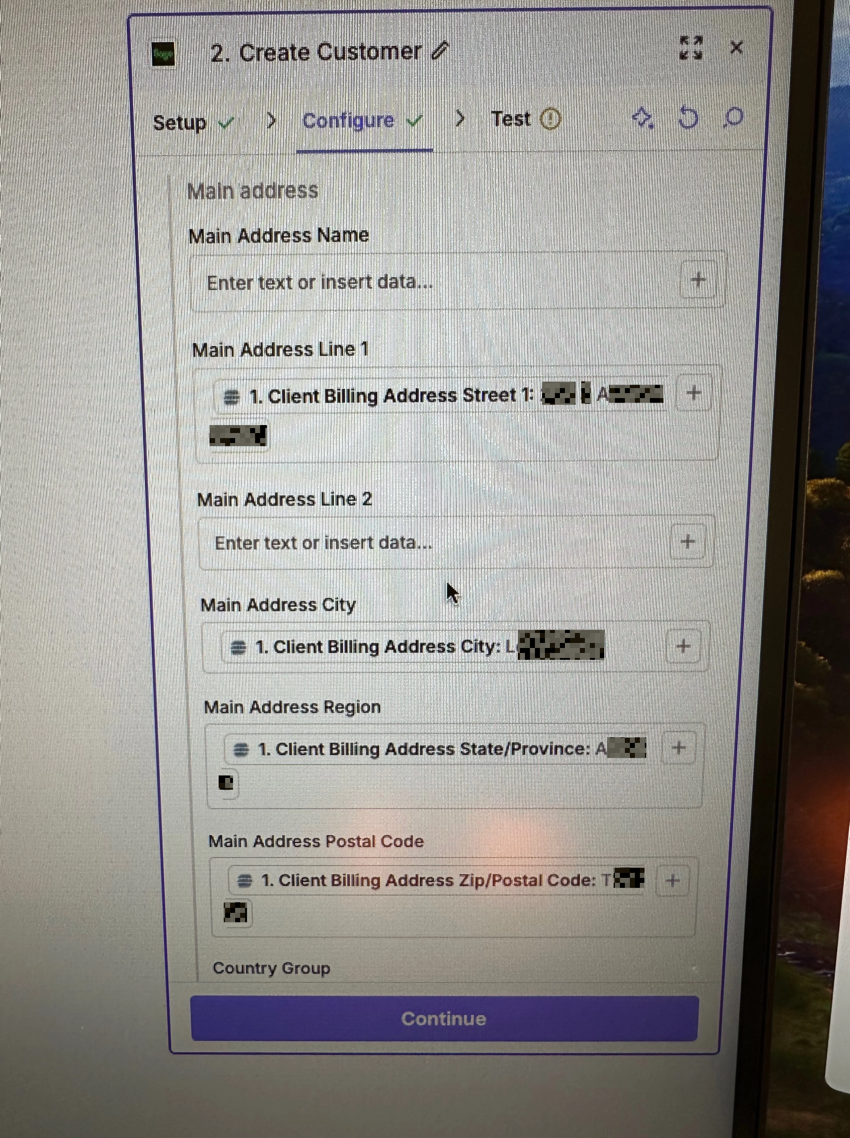
main_address_line1

XXX X AXXXX SXXXX

main_address_city

LXXXXXXXXX

main_address_region

AXXXXXX

main_address_postalcode

TXX XXX

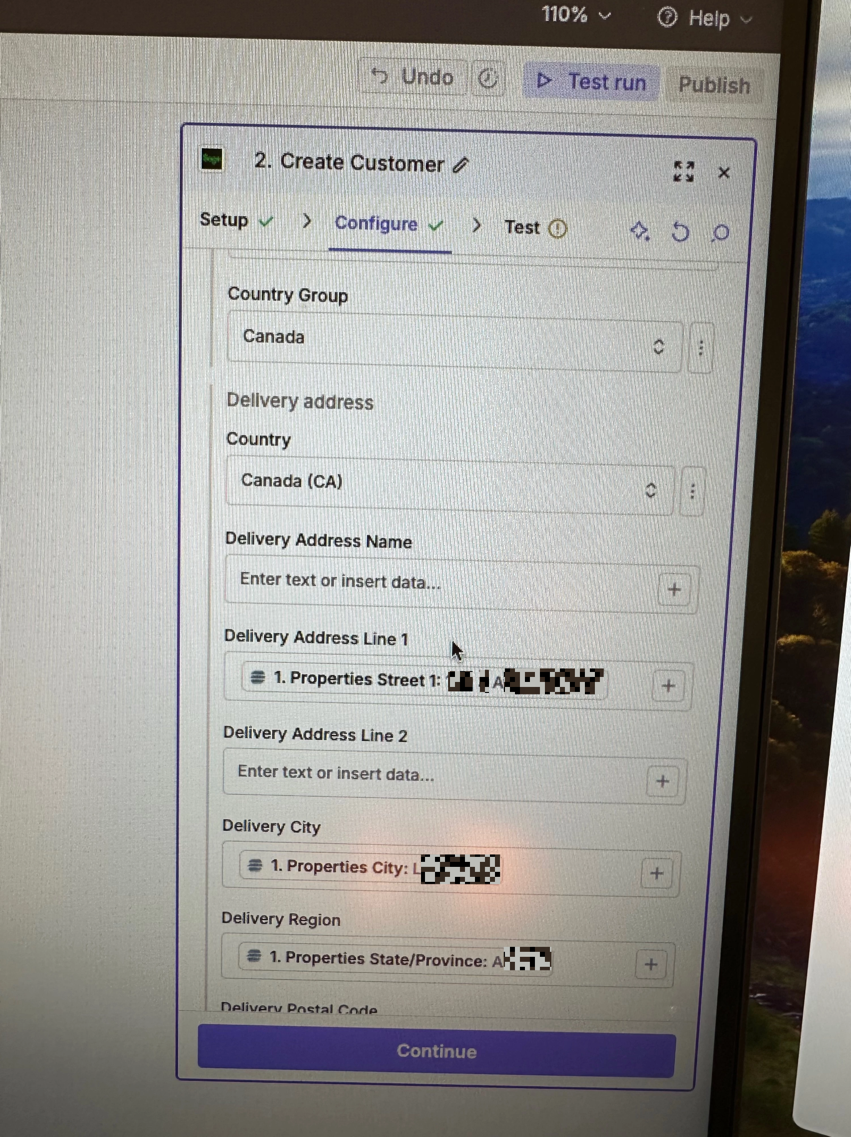
country_group_id

CA

country

CA

delivery_address_line1

1

XXX X AXXXX SXXXX

delivery_address_city

1

LXXXXXXXXX

delivery_address_region

1

AXXXXXX

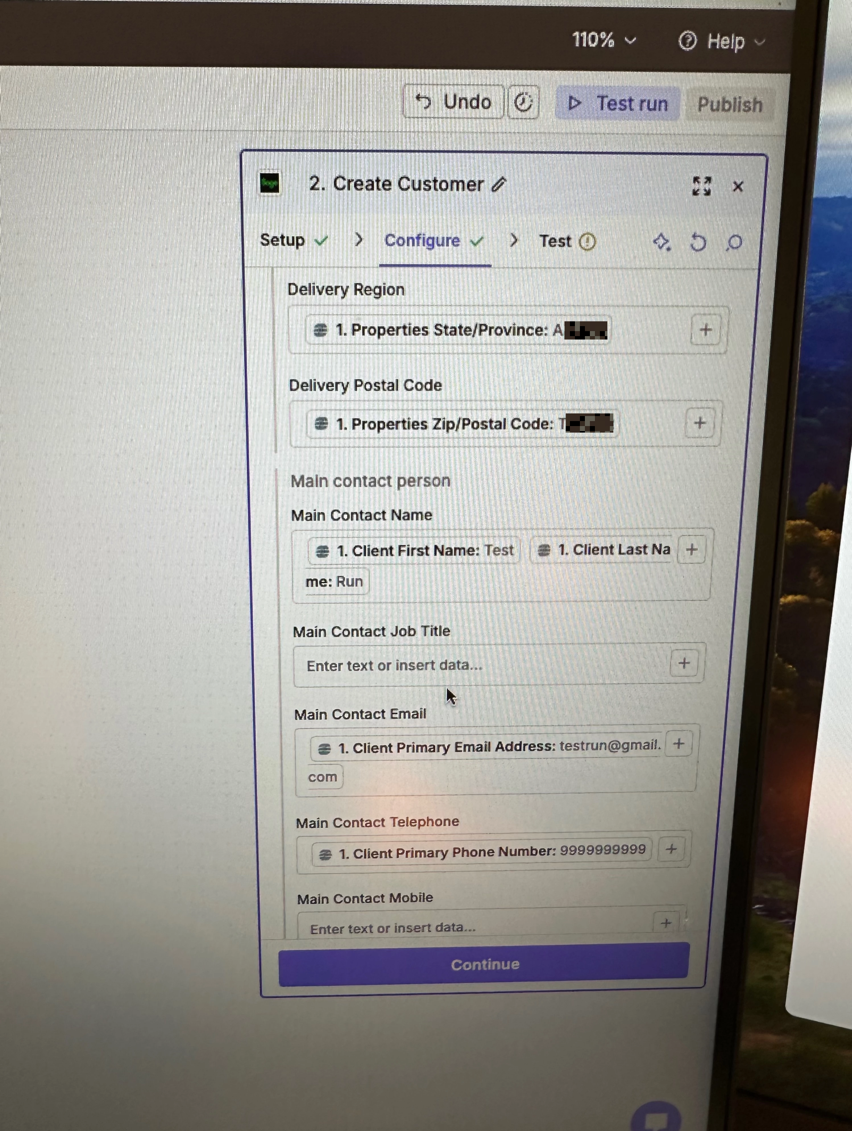
delivery_address_postalcode

1

TXX XXX

main_contact_name

Test Run

main_contact_email

testrun@gmail.com

main_contact_telephone

9999999999


Empty fields:

Notes

empty (optional)

Credit Limit

empty (optional)

Credit Term Days

empty (optional)

Main Address Line 2

empty (optional)

Main Contact Job Title

empty (optional)

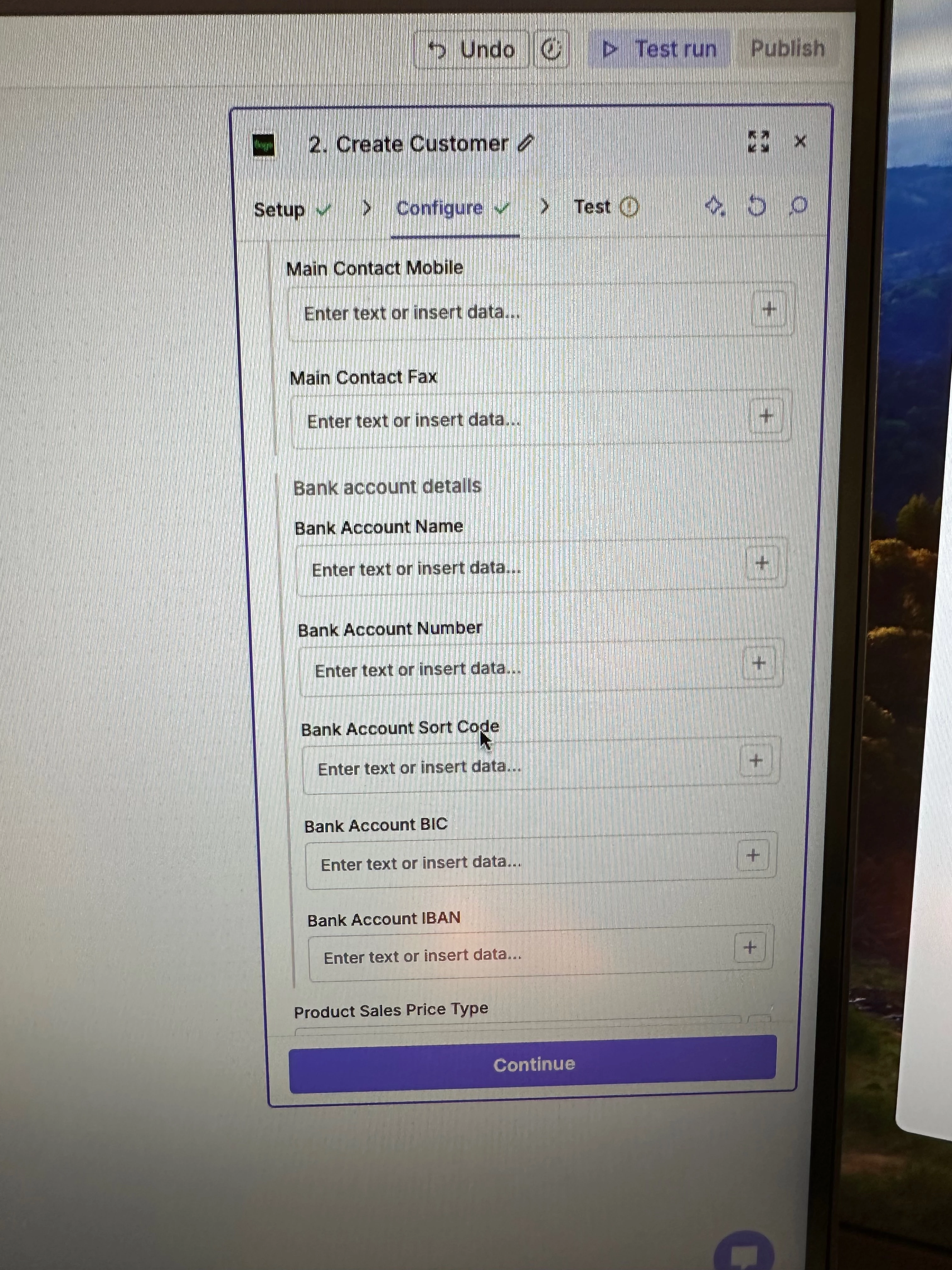
Main Contact Mobile

empty (optional)

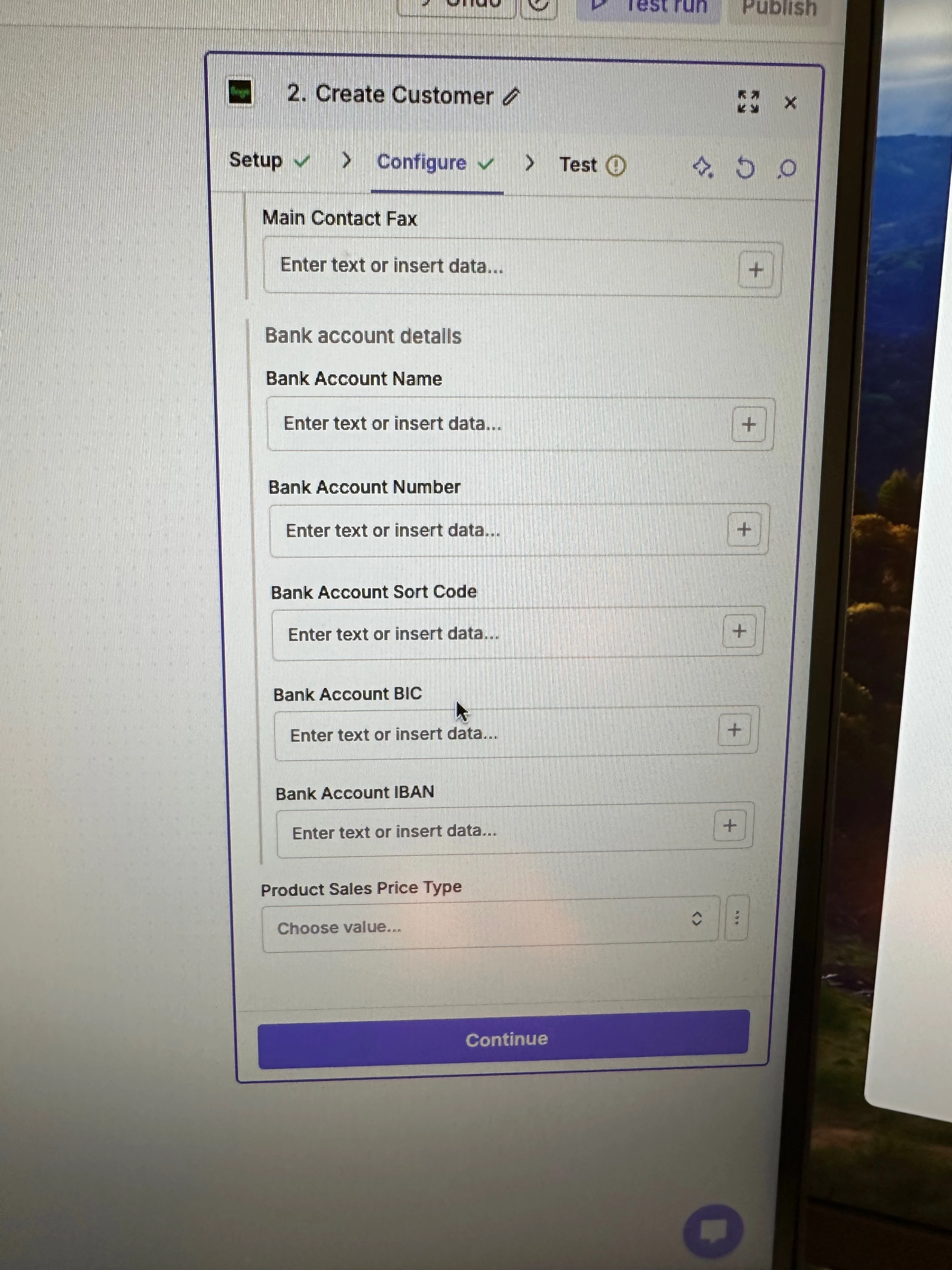
Main Contact Fax

empty (optional)

Bank Account Name

empty (optional)

Bank Account Number

empty (optional)

Bank Account Sort Code

empty (optional)

Bank Account BIC

empty (optional)

Bank Account IBAN

empty (optional)

Product Sales Price Type

empty (optional)

Delivery Address Line 2

empty (optional)

As you can see, when I run the test, the only fields that should be missing are optional. The troubleshooter had timeout as a possibility. I did succesfully create a client once using minimal customer data, so I’m not sure if that is what is going on. However, I need all the customer data for the zap to be fully functional.

This post has been edited by a moderator to remove personally identifiable information (PII). Please remember that this is a public forum and avoid sharing personal or potentially sensitive details.


Forum|alt.badge.img

Hi! I’ll upload my configure photos


This post has been edited by a moderator to remove personally identifiable information (PII). Please remember that this is a public forum and avoid sharing personal or potentially sensitive details.


Forum|alt.badge.img

Hi, I had the sample photos removed by the moderator. Can I re-upload them? They don’t include real customer data, but instead placeholder values like “Test Run” for customer name and “testrun@gmail.com”. Do you want me to present the data in a different way?

Edit: nevermind I see that they were just edited.


SamB
Community Manager
Forum|alt.badge.img+11
  • Community Manager
  • July 28, 2026

Thanks for sharing those screenshots ​@austinculler. You’re right, it definitely looks like the required Business Name field should be using “Test Run” as its value. So the error must be referring to another field, although no other field names appear to have the red asterisk * next to them that I’d expect to see if a field was required.

It looks like there’s main address and delivery address details being provided but I see there’s name fields for the addresses (Main Address Name and Delivery Address Name) that don’t have any values. So I’m wondering if those address name fields are optional but become required fields if other address fields are filled out. 

Can you try adding values for those fields to see if that then allows it to create the customer when you test the action again?