Hello,
I’m trying to achieve the following → create a new google drive folder (and subfolders afterwards) when a new or updated row is modified
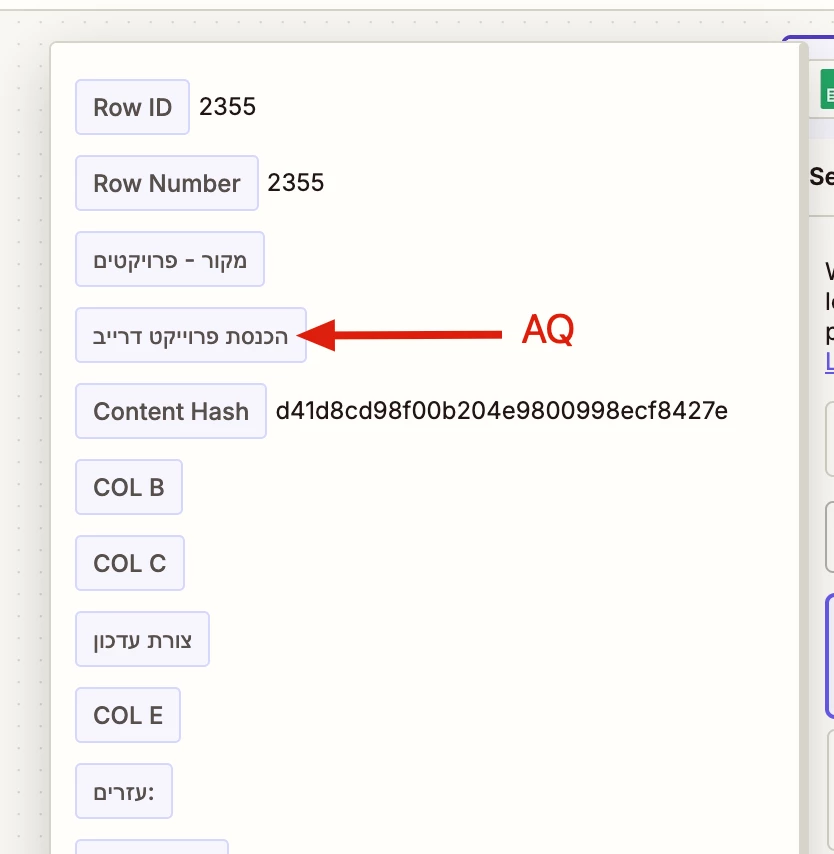
the triggered is in Column AQ which have a header and Arrayformula which populate the cell with the folder name based on the values of other cells in that row.
when testing the steps and clicking on the “find new records” I see only the bottom rows which are empty and I cannot use the rows with the data I need to continue the test.
I’ve tried to use a new tab in the worksheet with Unique formula that will give me just the rows with text but again if I make a change the “find new records” pulls the outdated data..
is there a way to clear the cache so it will show new data? is there a way to select the specific row I would like to use for the test?
this is the formula I use in col AQ:
=ARRAYFORMULA(IF(ISBLANK(A1524:A),,"project" & " " & A1524:A & " - " & C1524:C & " - " & E1524:E))
I’ve tried to delete all information in col AQ also the formula and still I get to see the old cached blank history from previous attempts (rows 2355 is the last row of the spreadsheet I also getting the last 3 rows)