Question

Copy Google Sheets table into an email (gmail)

  • January 31, 2026
  • 4 replies
  • 17 views

Hi, 


We created a zap that ends with copying a table from a Google Sheet and pasting it in an email. Unfortunately, the table is not showing up in the email…

Here are the two steps that we have used:
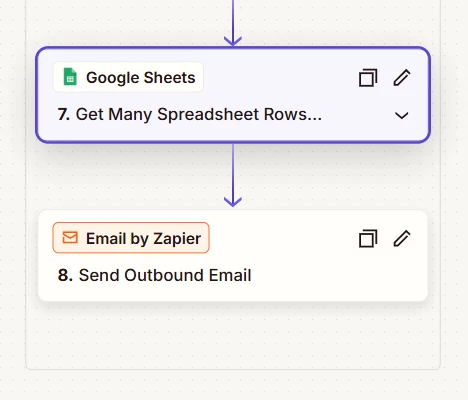
 

And the setup of each step:
Copying the Google Sheet data:
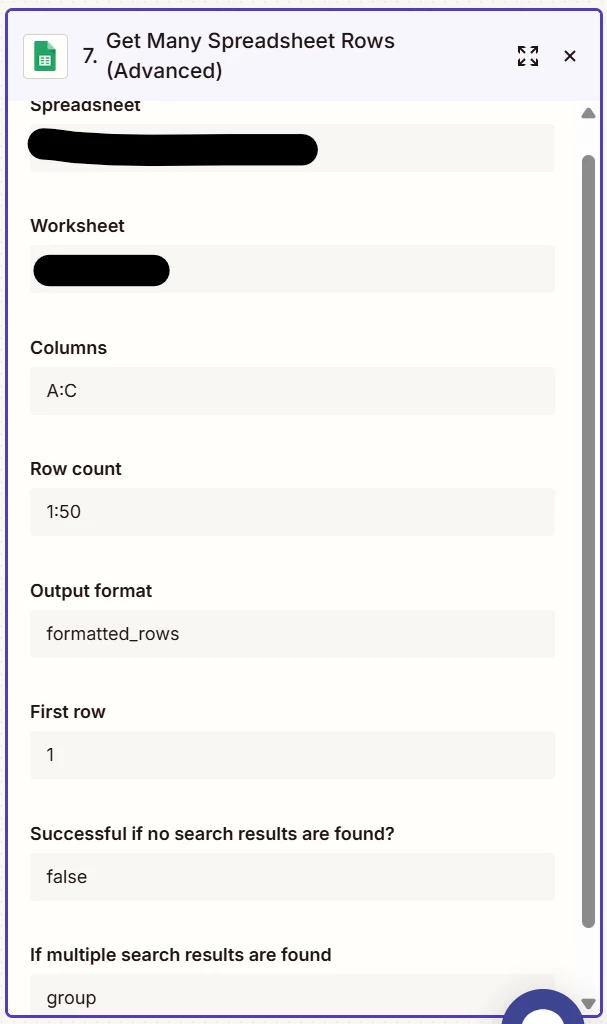


And how we setup copying it in the email body:
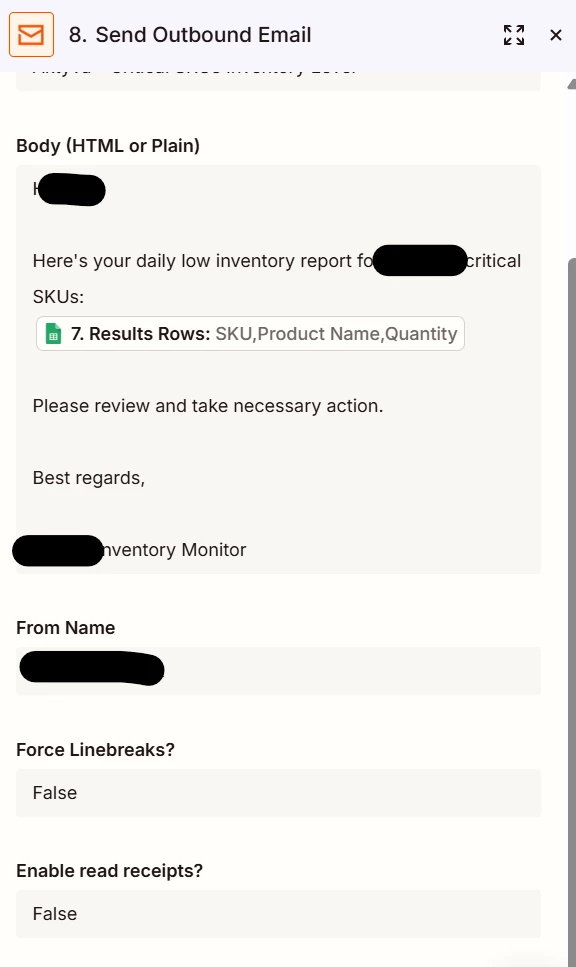


Last but not least, we confirm that Google sheet has been set up appropriately, with all the permissions required for zap.
 

Thank you for your help!

4 replies

Troy Tessalone
Zapier Orchestrator & Solution Partner
Forum|alt.badge.img+14
  • Zapier Orchestrator & Solution Partner
  • January 31, 2026

Hi ​@Humanoid 

You need to format the returned GSheet step data as HTML to be used in the email.


OPTIONS


  • New
  • January 31, 2026

The issue here is that Zapier's Gmail action doesn't natively handle full table formatting from Google Sheets well—HTML gets stripped or mangled in most cases.
Quick fix that usually works: add a Formatter by Zapier step (Utilities > Text) right before Gmail to convert your table rows into plain text with pipes or tabs for alignment, like this:

         Column1 | Column2 | Column3
         Value A | Value B | Value C 
Then drop that formatted text block into the email body. Keeps it readable without fancy HTML fights. If you need proper tables, switch to sending via SendGrid or another email app that respects HTML better.


  • Author
  • Beginner
  • February 1, 2026

Hi ​@Troy Tessalone Thank you for your prompt response!
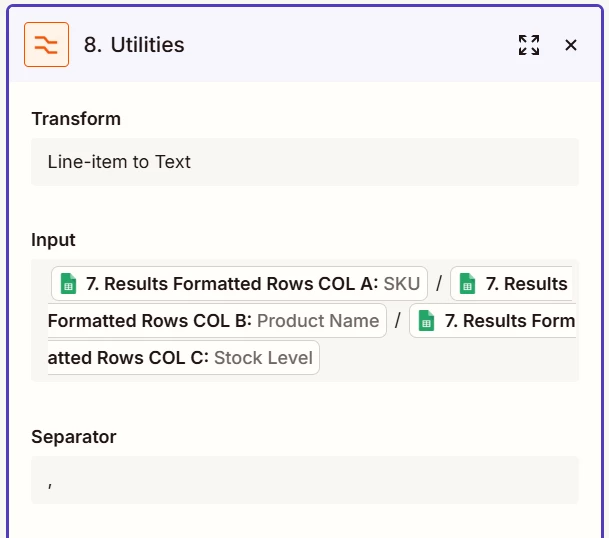
We added the step as recommended:
 

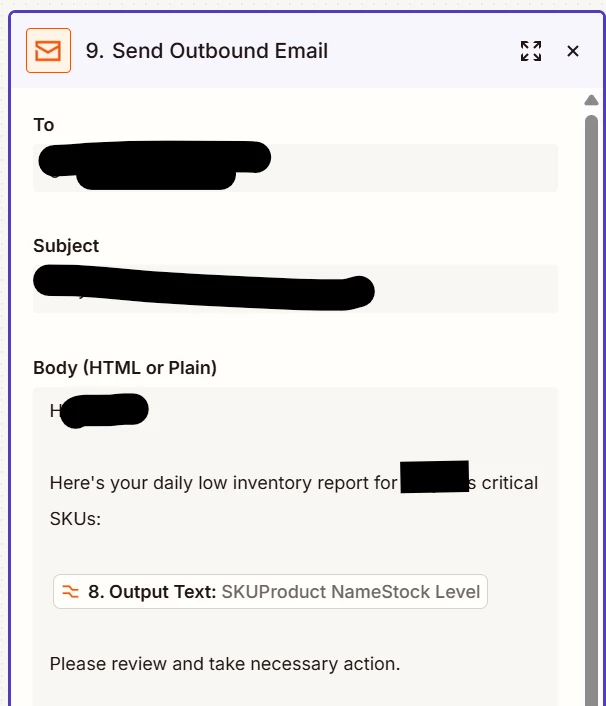
and call the output in the email as follow:

We do get the data in text format, which is great progress, but it is returned in columns instead of lines.
Example- instead of getting the content of the cells like this: Line 1 / Col A - Col B - Col C, then Line 2 / Col A - Col B - Col C, we get:

  • Col A / Line 1, Col A / Line 2, Col A / Line 3, …
  • Then: Col B / Line 1, Col B / Line 2, …
  • and finally: Col C / Line 1, Col C / Line 2, …

Is there a way to change this? (We obviously want the content of the table line by line and not column by column)

Thank you very much!


Troy Tessalone
Zapier Orchestrator & Solution Partner
Forum|alt.badge.img+14
  • Zapier Orchestrator & Solution Partner
  • February 1, 2026

@Humanoid 

First, I do not recommend using the Email by Zapier app to send emails as there are limitations.

Help: https://zapier.com/apps/email/integrations#help

Instead, use your own email app account. (e.g. Gmail, Outlook)


Help link about HTML tables: https://www.w3schools.com/html/html_tables.asp


For the Formatter step, for the Separator field instead of a comma use: [:newline:]