Question

Connecting DripJobs to Slack for proposal notifications

  • April 14, 2026
  • 5 replies
  • 22 views

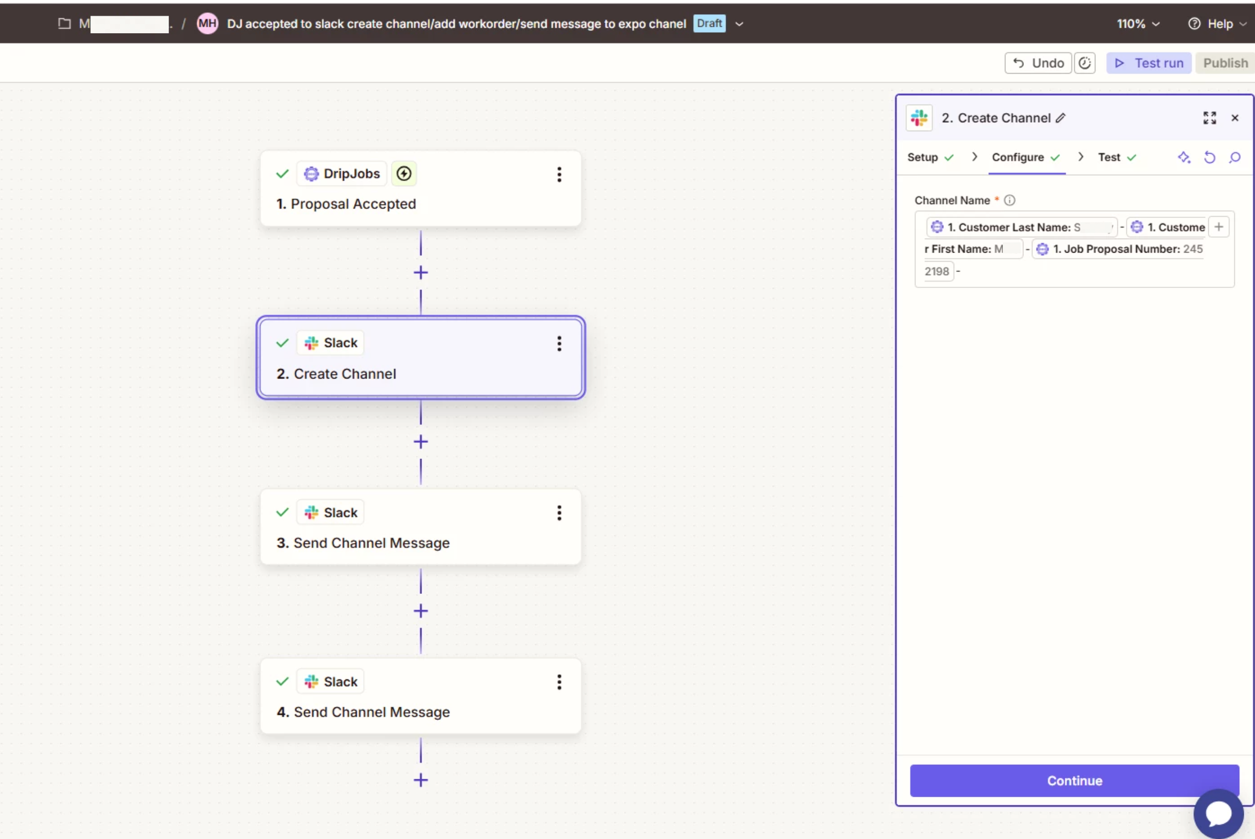
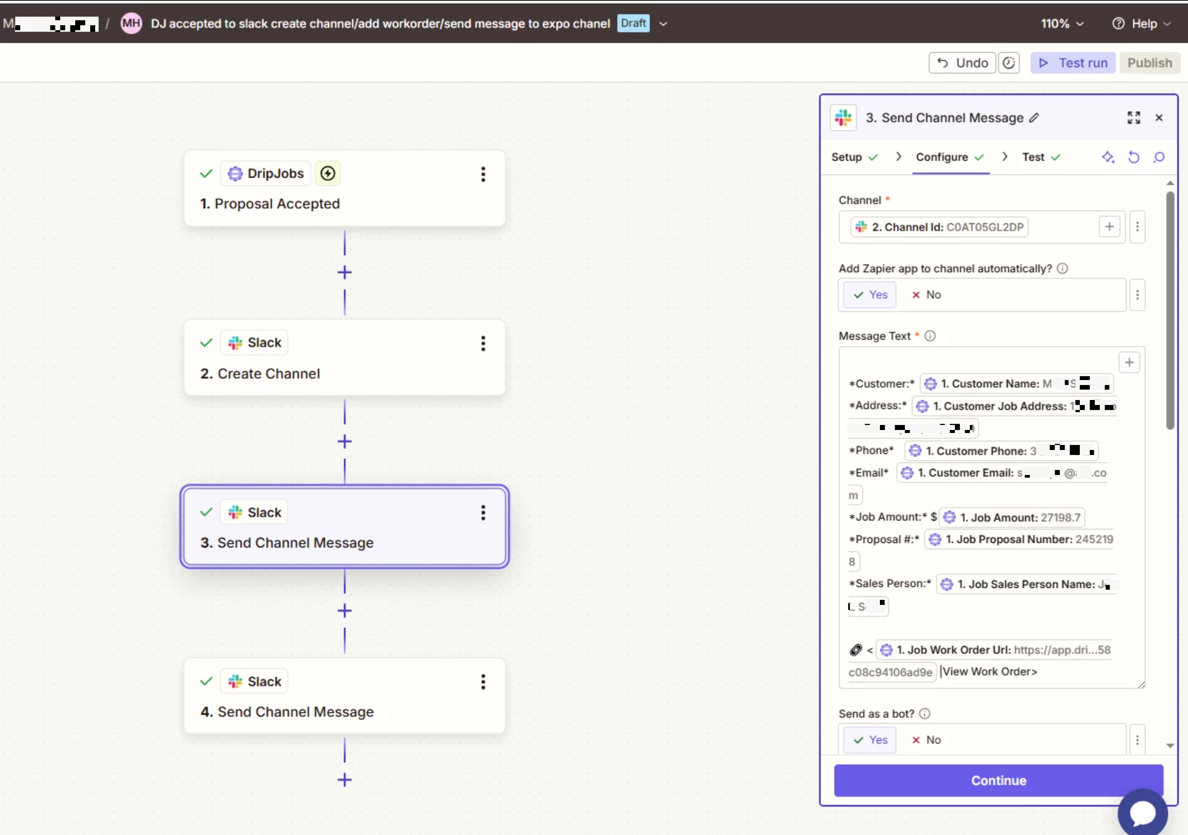
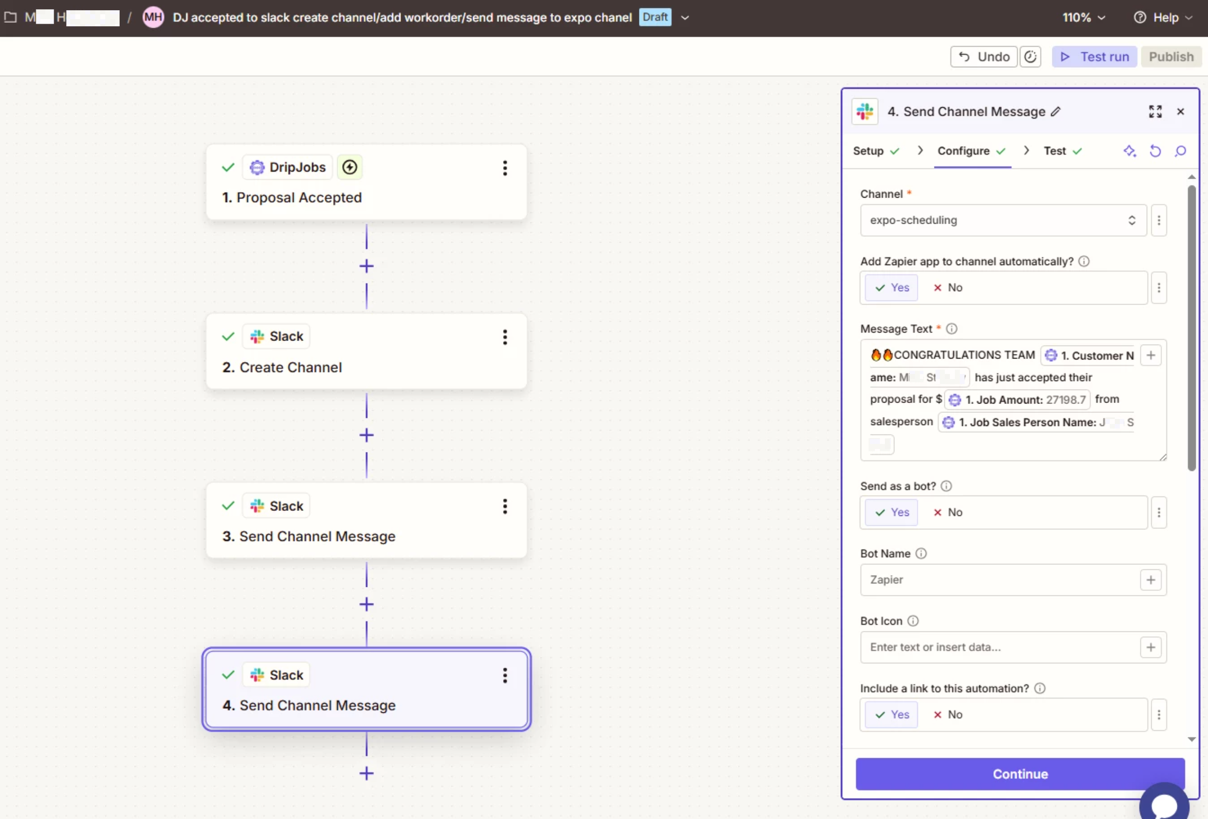
When a new proposal is accepted in dripjobs its setup to zap into slack.  it should create a slack chanell with jobname and number.  It should zap the work order into that chanell chat and then it should also zap the sale info as a chat into one of our channels to notify the sale occured.  when i test it runs fine.  but when the real thing happens its not working 

5 replies

Troy Tessalone
Zapier Orchestrator & Solution Partner
Forum|alt.badge.img+14
  • Zapier Orchestrator & Solution Partner
  • April 14, 2026

Hi ​@mikehoffmann 

For us to have more context, post screenshots showing how your Zap steps are outlined and configured in the CONFIGURE tab while in EDIT mode with the field mappings visible.


Forum|alt.badge.img+2
  • Zapier Solution Partner
  • April 14, 2026

Hi ​@mikehoffmann 

The "test works, live fails" issue is almost always caused by two things. Here's how to fix both:

Fix #1: Use Channel ID, Not Channel Name

When posting to a newly created channel, you must use the Channel ID from the "Create Channel" step, not the Channel Name.

  • In your "Send Work Order" step, select Custom instead of picking a channel from the dropdown

  • Map the Channel ID field from your "Create Channel" step

  • A channel ID looks like C12345ABCD

This is the most common cause of channel_not_found errors.

Fix #2: Add a 1-Minute Delay

Slack needs a moment to fully create the channel before it can receive messages. Add a Delay by Zapier action between the two steps:

  • Set it to "Delay For" and enter 1 minute

Fix #3: Check Your Slack Permissions

For the sale info notification to post into an existing channel, your Slack connection needs:

  • chat:write (required)

  • chat:write.public (to post to channels the bot isn't in)

Reconnect Slack in Zapier (My Apps > Slack > Reconnect) and verify these scopes are granted.

Debug with Zap History

If it still fails, check Zap History (left sidebar in Zapier dashboard) to see the exact error message. That will tell you exactly what's wrong.

If you're still running into issues after trying these steps, feel free to drop a screenshot of the error and a quick description of what your Zap is doing—happy to take a look and help troubleshoot.

And if you'd rather just get it sorted quickly, I offer a free 20-min Zapier troubleshooting call. Book it under Resources on my Zapier Directory profile: https://zapier.com/partnerdirectory/automatemybiz!-->


thank you for response!  


This post has been edited by a moderator to remove personally identifiable information (PII). Please remember that this is a public forum and avoid sharing personal or potentially sensitive details.


Troy Tessalone
Zapier Orchestrator & Solution Partner
Forum|alt.badge.img+14
  • Zapier Orchestrator & Solution Partner
  • April 14, 2026

@mikehoffmann 

For live Zap Runs, check the Zap Run history to see the DATA IN/OUT for each step to help you trace the data flow and troubleshoot.


It is possible that that structure of the data returned from the Zap trigger step is different in EDIT vs LIVE.


Here’s how to use a previous live Zap Run as a Zap trigger example to configure the Zap action steps: https://help.zapier.com/hc/en-us/articles/35632951078029-Use-previous-Zap-runs-as-trigger-test-records


Forum|alt.badge.img+2
  • Zapier Solution Partner
  • April 15, 2026

Hi ​@mikehoffmann 

I suggest checking the formatting of your channel name. Here are the Slack channel naming rules:

Allowed characters: Lowercase letters (a-z), numbers (0-9), hyphens (-), and underscores (_) only 

Not allowed: Spaces, uppercase letters, and special characters like ! @ # $ % ^ & * ( ) ' "

Hope this helps you get it sorted! And let me know how it goes — happy to dig deeper if needed!

If you’re still running into issues, could you share a screenshot of Zap Run history DATA IN/OUT and a quick description of what your Zap is doing? That’ll make it much easier to understand what’s going wrong