
Question

Connect 'find a folder' to actually filing in that folder

  • August 18, 2023
  • 8 replies
  • 149 views

katherinek

I understand that I can connect ‘Find a folder’ in Google drive to actually filing something (say, an email attachment) in that folder.

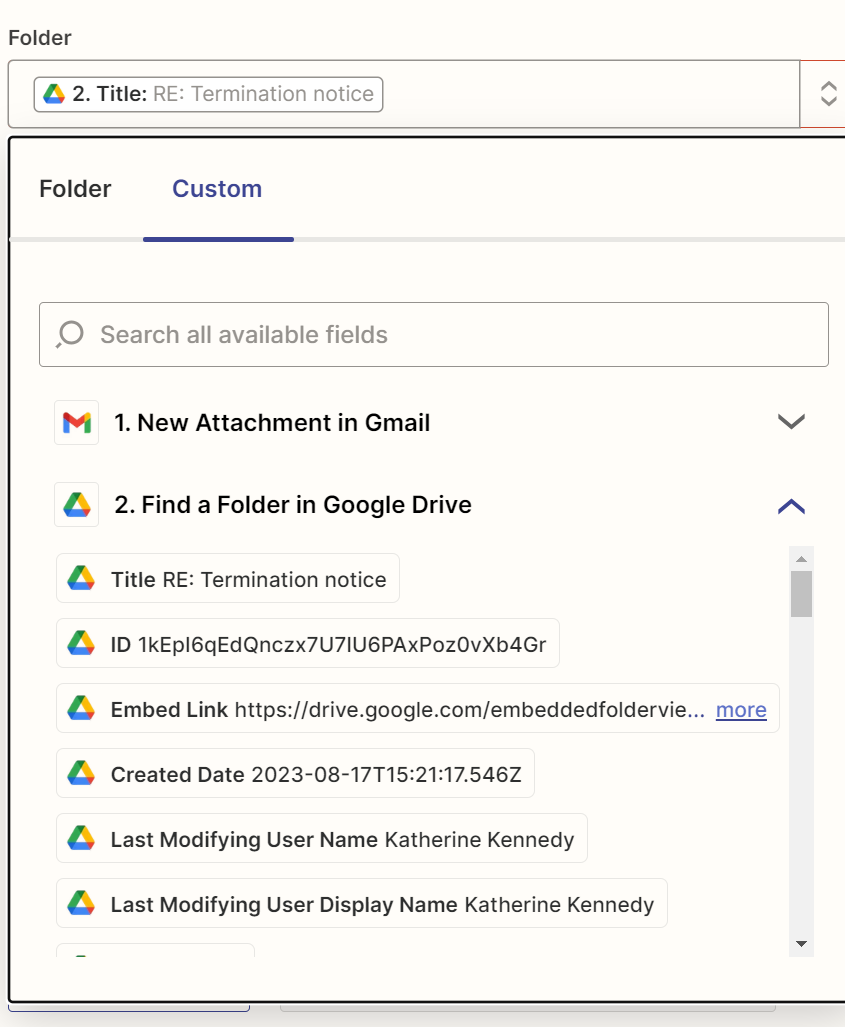
But in the ‘file in folder’ step I’m struggling to see how to say ‘please file the attachment in the folder you just found in step 2’.  I’m guessing I use the ‘Custom’ option but then I’m presented with what is to me a bewildering array of fields. Which one (if any) do I choose?  Thank you!
 

This post has been closed for comments. Please create a new post if you need help or have a question about this topic.

8 replies

jayeshkumarbhatia
Forum|alt.badge.img+7

Hi @katherinek ,


You can add an action - Find a folder above Find a file action. Find a folder will give an id which you can use in Find a file action. 


Hope this helps!


Troy Tessalone
Zapier Orchestrator & Solution Partner
Forum|alt.badge.img+14
  • Zapier Orchestrator & Solution Partner
  • August 18, 2023

Hi @katherinek 

Good question.

The Folder field expects the GDrive Folder ID:


katherinek
  • Author
  • Beginner
  • August 18, 2023

Thank you very much!  Go it!

I don’t think it’s possible to go more then one folder deep  is it? (e.g. My Shared Drive/Legal/Folder is OK but I can’t go My Shared Drive/Legal/Folder/subfolder)?


Troy Tessalone
Zapier Orchestrator & Solution Partner
Forum|alt.badge.img+14
  • Zapier Orchestrator & Solution Partner
  • August 18, 2023

@katherinek 

Go more than one folder deep to do what?


katherinek
  • Author
  • Beginner
  • August 18, 2023

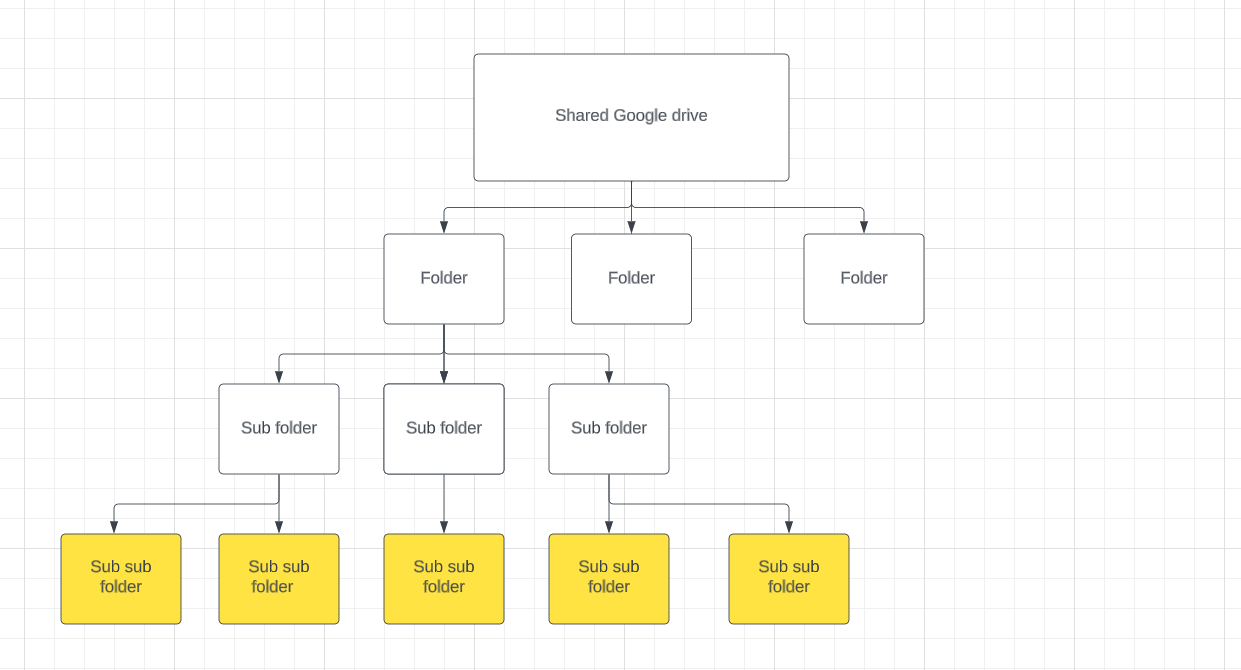
Find a folder and store a file in it. Our folder structure is like this:

It actually goes a lot deeper (sub sub sub sub folders) but you get the gist!

Thanks to your help, I can now put the attachment in a Sub Folder, but not I think in a sub sub folder (yellow layer)…? (Unless I can specify the sub-folder which doesn’t work for my use case)


Troy Tessalone
Zapier Orchestrator & Solution Partner
Forum|alt.badge.img+14
  • Zapier Orchestrator & Solution Partner
  • August 18, 2023

@katherinek

You can continue to add GDrive Find Folder steps, and specify the GDrive Folder ID in the Folder field.


katherinek
  • Author
  • Beginner
  • August 21, 2023

Ah brilliant!  I hope you don’t mind me banging on… is it possible to find a folder containing a word or words, rather than being identical?


Troy Tessalone
Zapier Orchestrator & Solution Partner
Forum|alt.badge.img+14
  • Zapier Orchestrator & Solution Partner
  • August 21, 2023

@katherinek 

If you use partial search terms to find GDrive Folders/Files, then there’s a chance the fuzzy matching logic will find a file/folder you didn’t expect.