Best answer

Cognito Forms Zap Get Entry not working properly

  • July 26, 2026
  • 6 replies
  • 49 views

Ive set it up to pass as success if no entry found, but I still get an error.

 

Best answer by SamB

Hi ​@jmiller635 👋

You're right, based on the settings shown in those screenshots the Zap should continue. But it looks like Cognito Forms is returning that "Entry not found" result as an error rather than a success, so I’d suggest contacting our Support team to take a closer look at why that’s happening.

For now, you might want to look into adding an error handler to that step to allow it to continue even if it can’t find anything. If you’ve not used error handling before, you can learn more about it here: Set up custom error handling.

Keep us posted on how you get on!

6 replies

Troy Tessalone
Zapier Orchestrator & Solution Partner
Forum|alt.badge.img+14
  • Zapier Orchestrator & Solution Partner
  • July 26, 2026

Hi ​@jmiller635 

For us to have more info, post screenshots showing how Zap step 2 is configured.

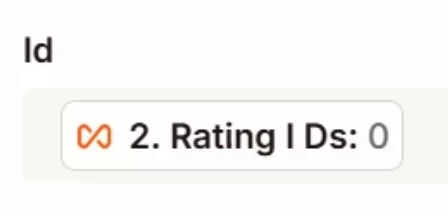
Error is likely because there is no Cognito Form Entry with ID = 0


  • Author
  • Beginner
  • July 26, 2026

Correct there is not an Entry #0. My understanding is when no entry is found as the settings say in configuration screenshot I posted, it should continue to the next step.


SamB
Community Manager
Forum|alt.badge.img+11
  • Community Manager
  • Answer
  • July 27, 2026

Hi ​@jmiller635 👋

You're right, based on the settings shown in those screenshots the Zap should continue. But it looks like Cognito Forms is returning that "Entry not found" result as an error rather than a success, so I’d suggest contacting our Support team to take a closer look at why that’s happening.

For now, you might want to look into adding an error handler to that step to allow it to continue even if it can’t find anything. If you’ve not used error handling before, you can learn more about it here: Set up custom error handling.

Keep us posted on how you get on!


Troy Tessalone
Zapier Orchestrator & Solution Partner
Forum|alt.badge.img+14
  • Zapier Orchestrator & Solution Partner
  • July 27, 2026

@jmiller635 

Post screenshots showing how your Zap step 2 LOOPING step is configured as that is likely where the root issue exists.


  • Author
  • Beginner
  • July 27, 2026

@jmiller635 

Post screenshots showing how your Zap step 2 LOOPING step is configured as that is likely where the root issue exists.

Step 2 has been setup to intentionally have Entry #0 when there is not a matching entry lookup in my form
(not zero entries) because I know there is no entry for #0. In my run if I do not pass a number in step 2, I do get an error in Step 2. Step 2 passes with no error with Entry#0, but in step 3 it does not continue as it should. I’ve sent this to support, will update when solution is found. Thanks!


Troy Tessalone
Zapier Orchestrator & Solution Partner
Forum|alt.badge.img+14
  • Zapier Orchestrator & Solution Partner
  • July 27, 2026

@jmiller635 

For us to have true context, post screenshots showing how your Zap step 2 looping step is configured in the CONFIGURE tab while in EDIT mode with the field mappings visible.