Question

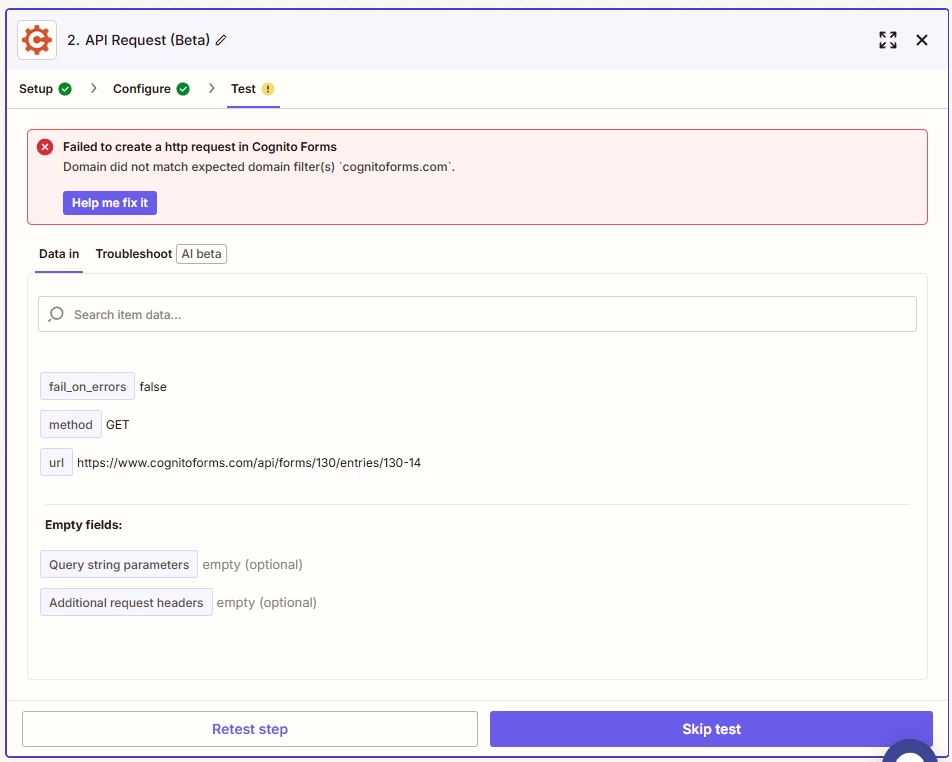
Cognito Forms error: Domain did not match expected domain filter(s)

  • May 16, 2025
  • 4 replies
  • 51 views

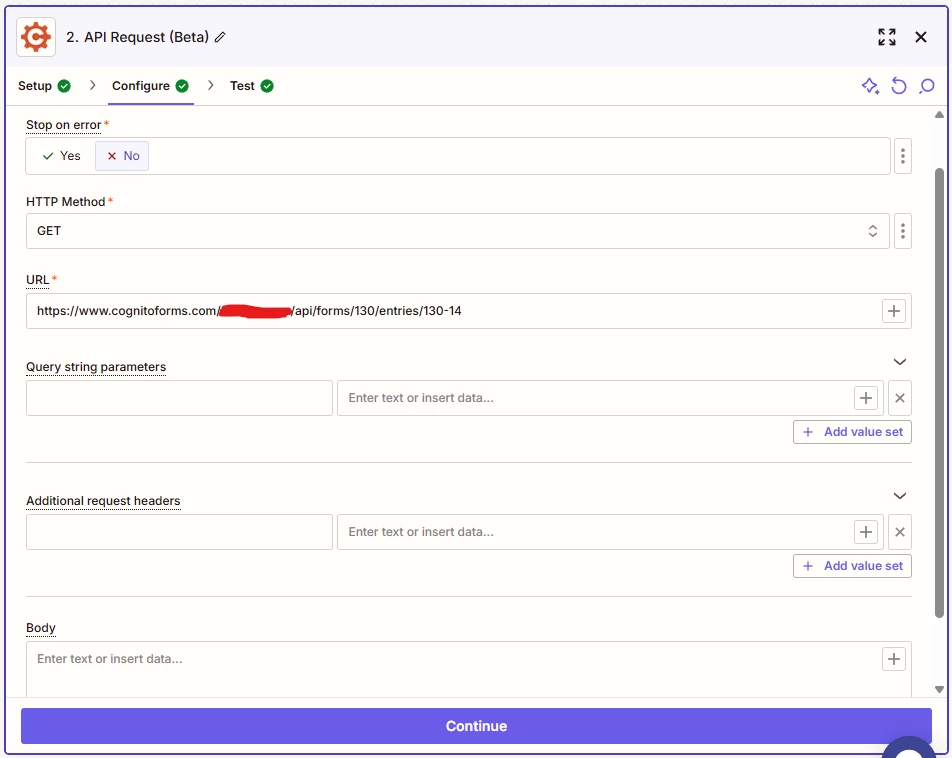
Getting the above error when trying to configure an API Request (Beta) step with Cognito Forms. Below is a screenshot showing the current setup of that API Request action.

 

This post has been closed for comments. Please create a new post if you need help or have a question about this topic.

4 replies

Troy Tessalone
Zapier Orchestrator & Solution Partner
Forum|alt.badge.img+14
  • Zapier Orchestrator & Solution Partner
  • May 16, 2025

Hi ​@vishalnomula 

Try removing the path value that you have redacted.

GET 'https://www.cognitoforms.com/api/forms/{formId}/entries/{entryId}'

Cognito Forms API endpoint documentation: https://www.cognitoforms.com/support/476/data-integration/cognito-forms-api/rest-api-reference#tag/entries/GET/forms/{formId}/entries/{entryId}


  • Author
  • Beginner
  • May 16, 2025

Hi ​@Troy Tessalone

Thanks for the suggestion. I have already tried that but still get the same error. Please see screenshot below:


Troy Tessalone
Zapier Orchestrator & Solution Partner
Forum|alt.badge.img+14
  • Zapier Orchestrator & Solution Partner
  • May 16, 2025

@vishalnomula 

Try removing the www. in the URL


Troy Tessalone
Zapier Orchestrator & Solution Partner
Forum|alt.badge.img+14
  • Zapier Orchestrator & Solution Partner
  • May 16, 2025

@vishalnomula 

I was able to replicate the issue.

It may have an issue with the backend integration for Cognito Forms.

You can try submitting a ticket to Zapier Support: https://zapier.com/app/get-help


Instead, you can try using this Zap app/event:

  • Webhooks - GET
  • Webhooks - Custom Request
    • Method: GET

Webhooks Zap App Help: https://zapier.com/apps/webhook/integrations#help