Hello Zapier Community!
I am trying to update client contact information from Clio Manage into Mailchimp using Zapier.
My Zap setup is:
- Clio Manage – New Contact
- Clio Manage – Find Person by ID
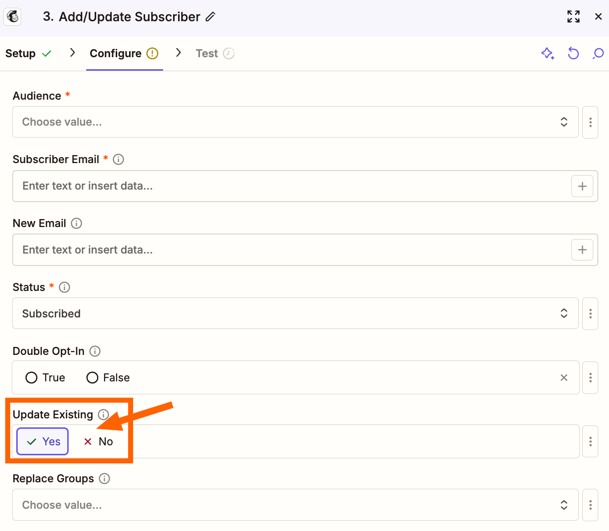
- Mailchimp – Create/Update Subscriber
The issue is that the data appears correctly throughout Zapier. In Step 3 (Mailchimp Create/Update Subscriber), I can see the contact information being sent, including fields such as name, address, phone number, and birthday.
However, when I check the contact record in Mailchimp after the Zap runs, the information is not updated or does not appear.
My Mailchimp audience fields and merge tags are set up:
- FNAME
- LNAME
- ADDRESS
- PHONE
- BIRTHDAY
The Zap run shows success, but Mailchimp does not reflect the updated information.
Questions:
- Is there a Mailchimp setting that prevents Create/Update Subscriber from updating existing contacts?
- Do I need to map the Mailchimp merge fields in a specific way?
- Is there a difference between updating a subscriber and updating contact profile fields in Mailchimp through Zapier?
Any advice would be appreciated. Thank you.