

Answer

Can't select HH Date format

  • June 21, 2023
  • 3 replies
  • 58 views

phteven7

Hi, I’m trying to create an out of office hour bot to reply in Slack when people tag our Slack group in OOO.

To achieve this I’d like to check at what hour our team was tagged in a conversation/post. Looking at the below document I should be able to select “HH” in the To Format field, but this option is not in the dropdown and when I enter “HH” as Custom value nothing happens.

https://zapier.com/help/create/format/modify-date-formats-in-zaps#customize-date-time-options
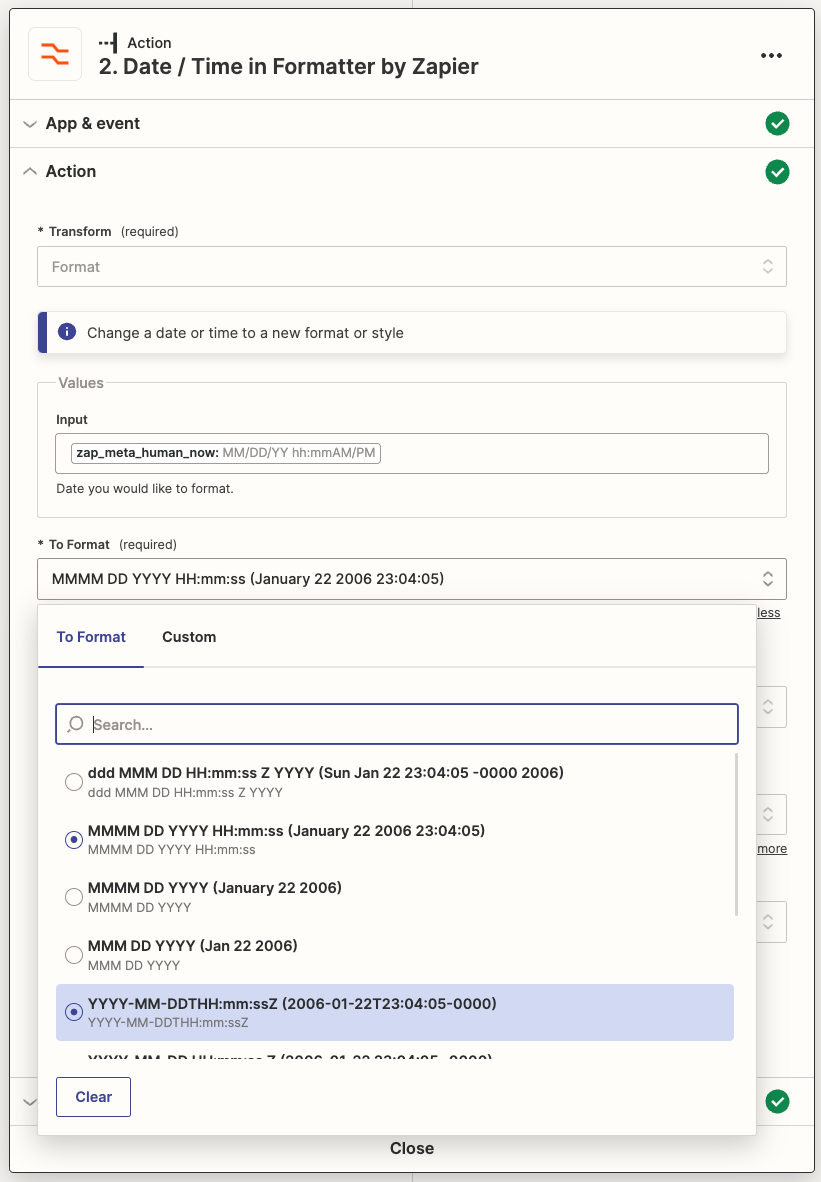

Basically I’m trying to recreate what’s presented here:


Best answer by SamB

Hi @phteven7, thanks for joining the Community! 🎉

From the screenshot it looks like the Custom value option isn’t selected.

To select a custom format you’ll need to click on Custom and then type the desired format (HH) directly into the To Format Field:

64d9dd924cd75960673f3ca446bc5d52.png

Can you give that a try and let us know if that get it’s working?

This post has been closed for comments. Please create a new post if you need help or have a question about this topic.

3 replies

SamB
Community Manager
Forum|alt.badge.img+11
  • Community Manager
  • Answer
  • June 21, 2023

Hi @phteven7, thanks for joining the Community! 🎉

From the screenshot it looks like the Custom value option isn’t selected.

To select a custom format you’ll need to click on Custom and then type the desired format (HH) directly into the To Format Field:

64d9dd924cd75960673f3ca446bc5d52.png

Can you give that a try and let us know if that get it’s working?


phteven7
  • Author
  • New
  • June 21, 2023

Thanks a lot, that was it.


SamB
Community Manager
Forum|alt.badge.img+11
  • Community Manager
  • June 21, 2023

YAY! Thanks for taking the time to pop back in here to confirm that worked, @phteven7. I’m so pleased that did the trick! 🤗


