
Cant see the the whole “data out”, everytime I do test steps. I tried zooming in/out as advised by some experts here but to no avail, doesnt help at all. That “editing” thing would not removed, its blocking the whole data
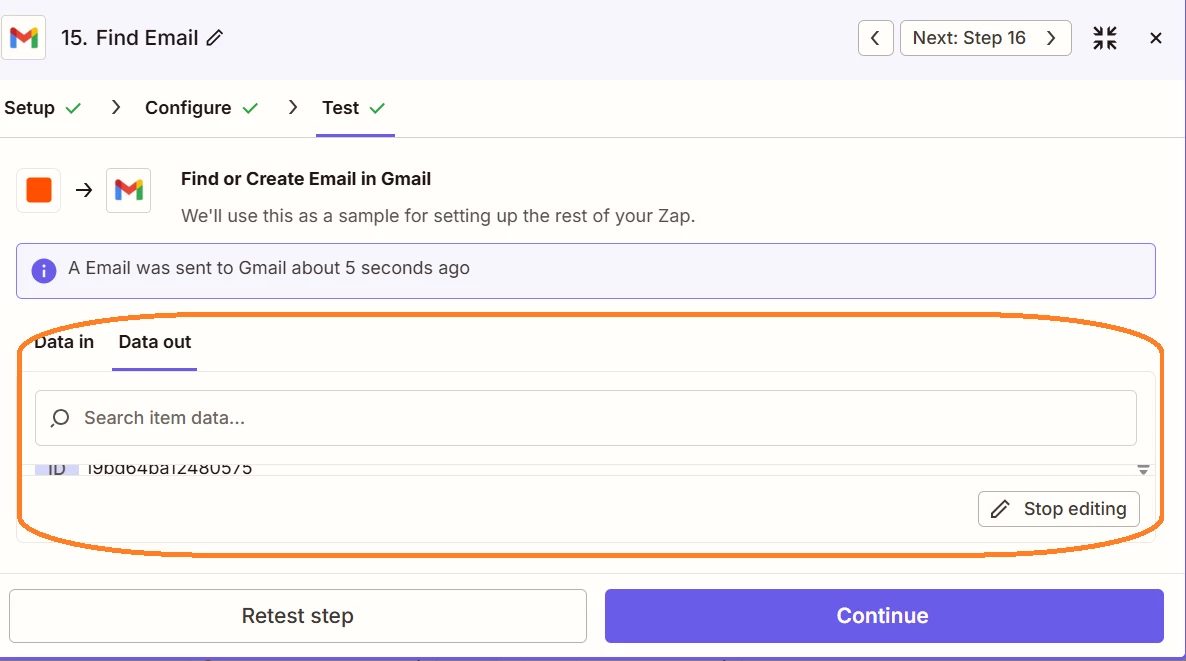

Cant see the the whole “data out”, everytime I do test steps. I tried zooming in/out as advised by some experts here but to no avail, doesnt help at all. That “editing” thing would not removed, its blocking the whole data
Best answer by Sparsh from Automation Jinn
Hey
Problem some settings issue in the browser. Can you try using a different browser or reset the setting of your current browser to see if it fixes your issue? Hope it helps!

Build and deploy automations from AI tools you already use. With Agentic Management, if anything breaks, the agent diagnoses the issue and proposes a fix.
Enter your E-mail address. We'll send you an e-mail with instructions to reset your password.





