Answer

Can't find "Contact ID" Field in the Zap when connecting Salesforce to ShipStation.

  • November 7, 2023
  • 5 replies
  • 224 views

Forum|alt.badge.img+1

HI. Creating a new Zap to connect Salesforce to Ship station to print ship labels and track shipping status, but i’m stuck at the very first step!!

When the SF opportunity stage is changed to Fulfilment I want to find the associated contact record.

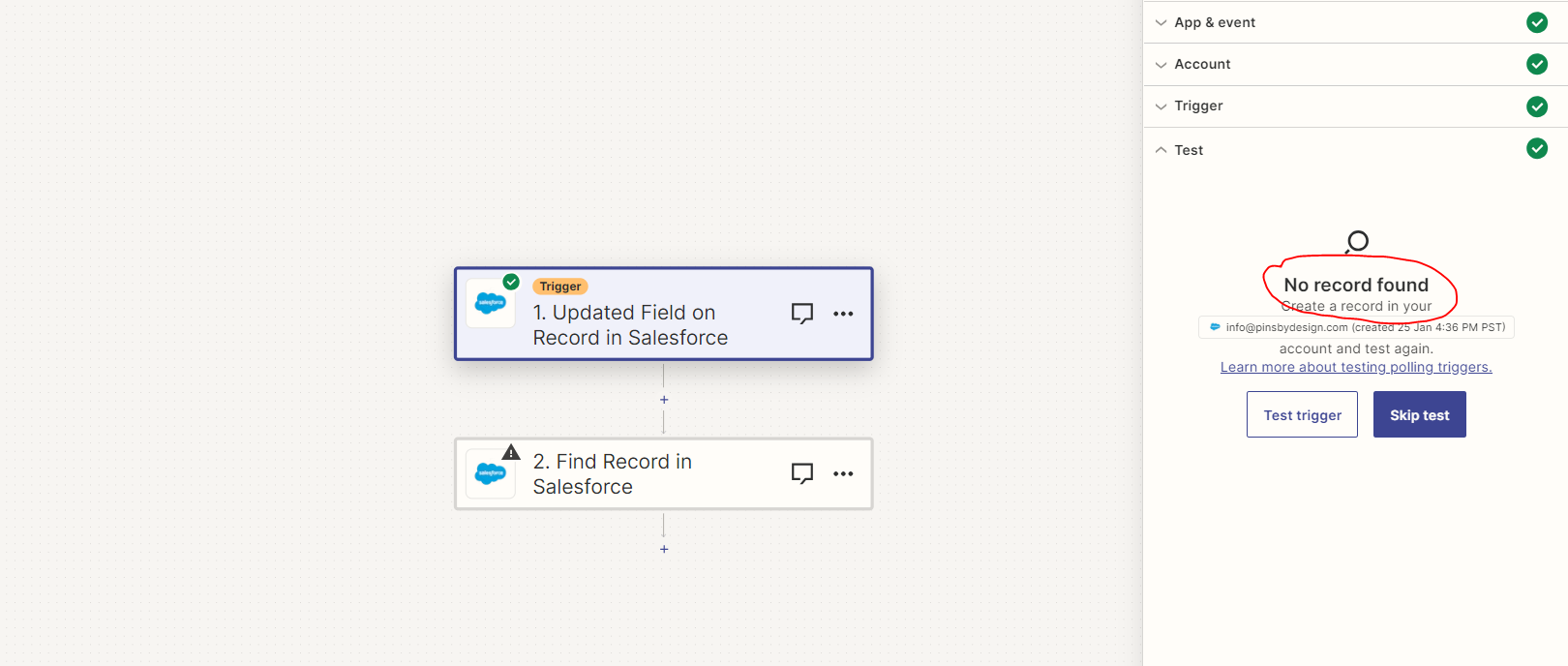
1 - The trigger seems to work, but there is no record found. (Image #1)

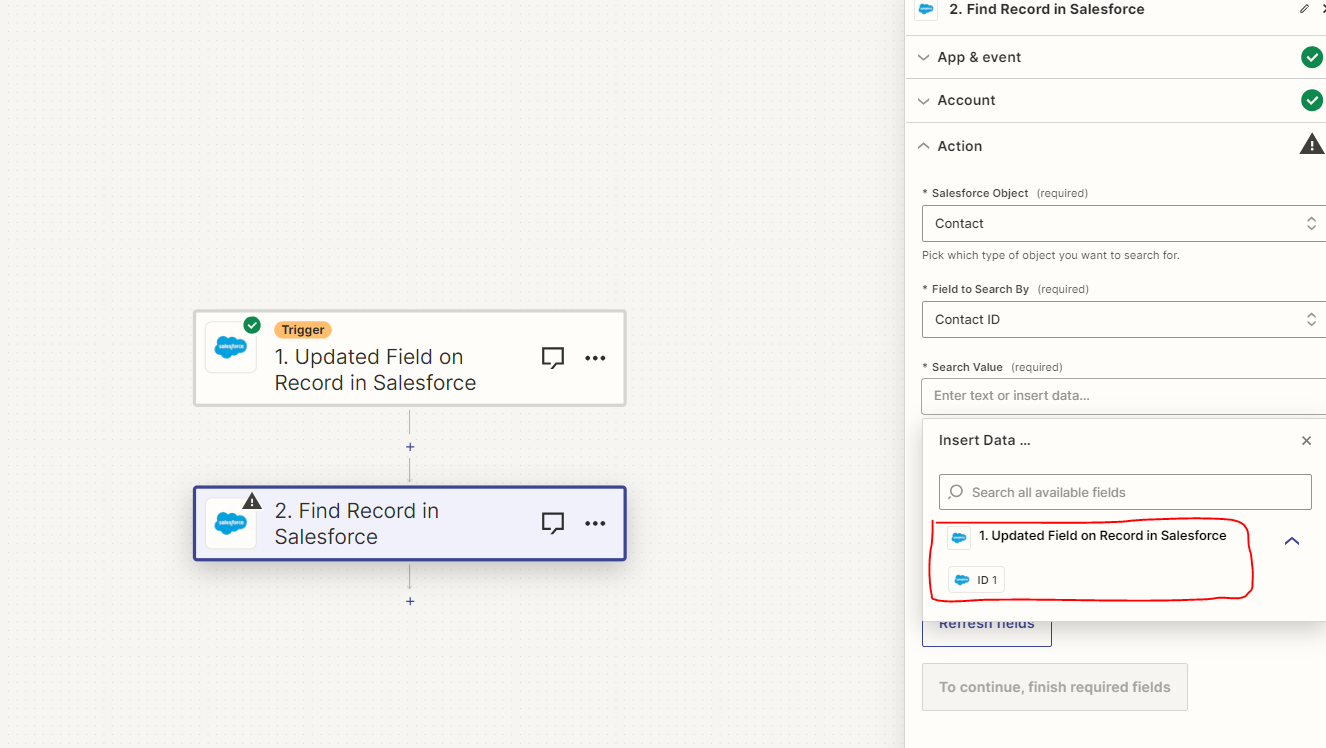
2 - So when I go to step 2 (find a record) and I need to insert data, the field I need (Contact Id) is not listed.  (Image #2)

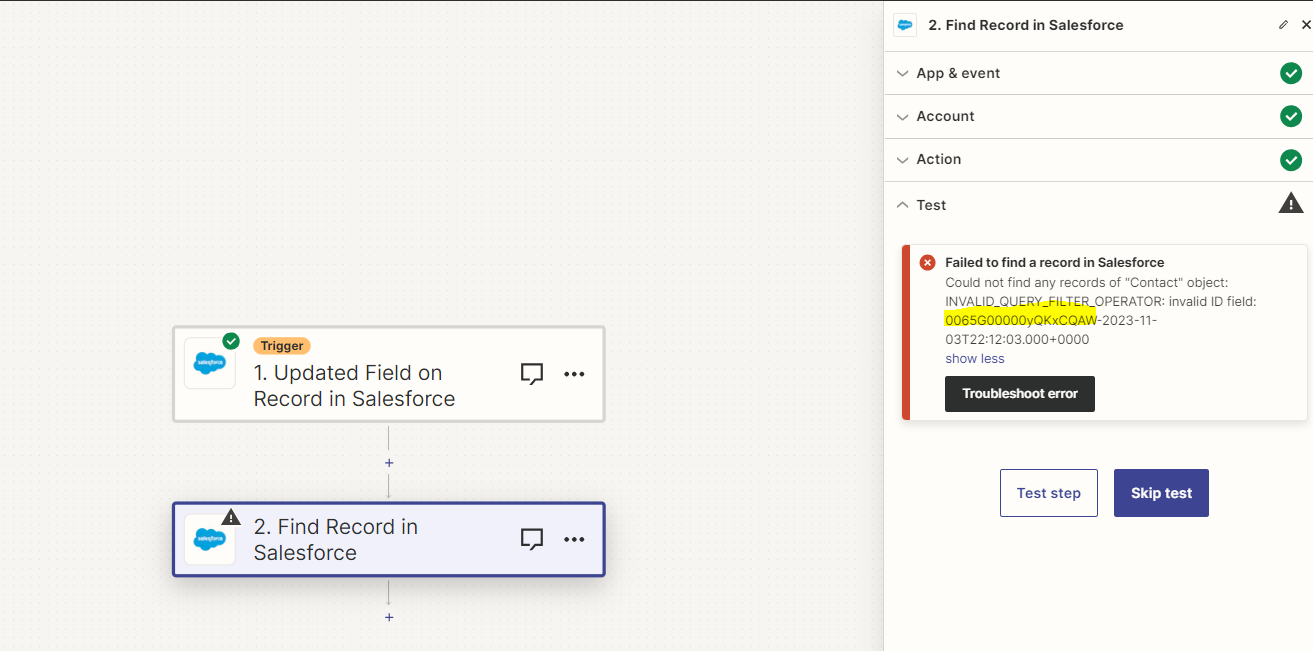
3 - If I choose the ID field and run it I get an error  (Image #3)

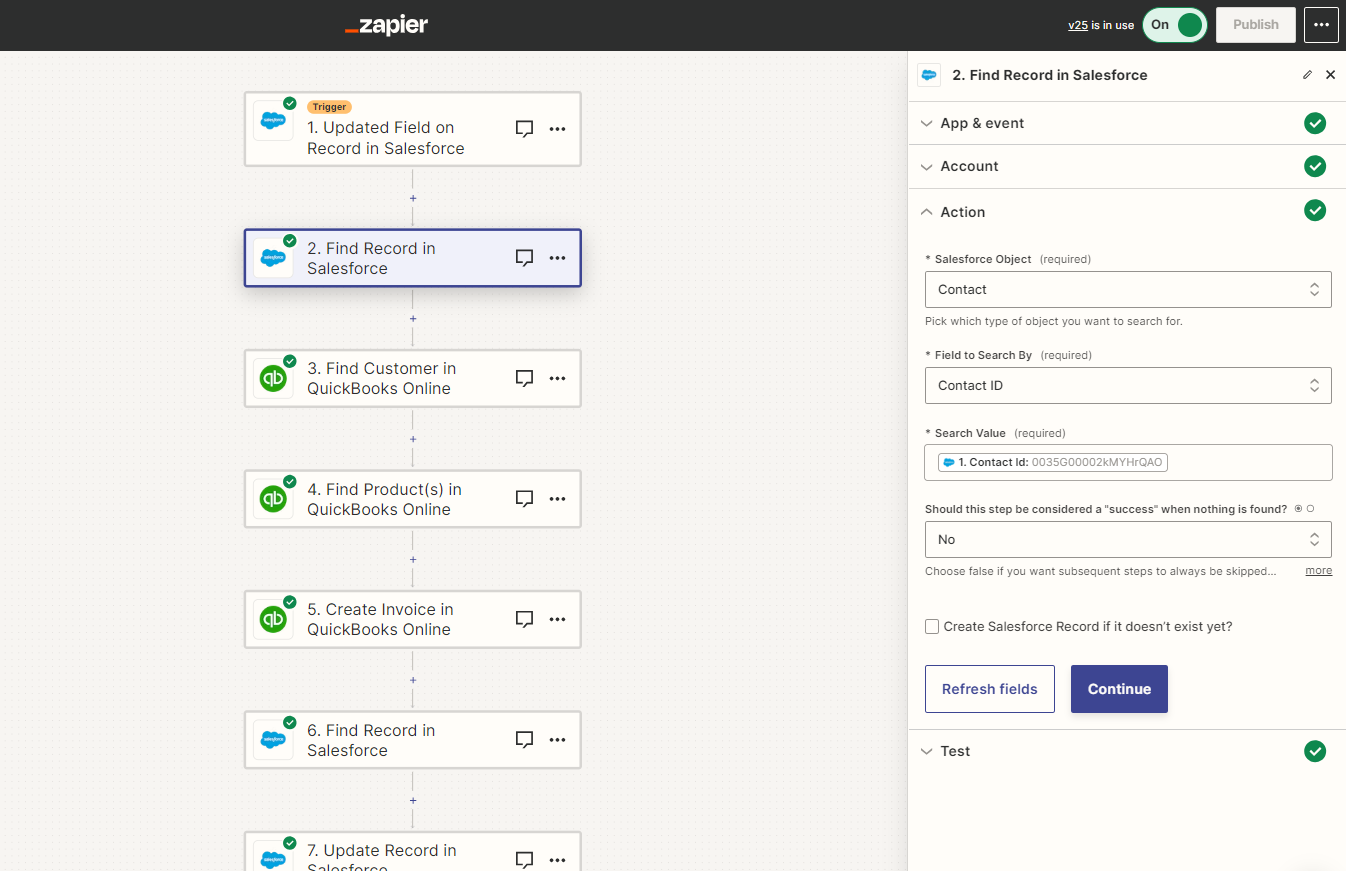
4 - I have this exact step in another zap and it works  (Image #4) - I just cant find the Contact Id field in step 2


TIA for any help with this


Best answer by PinMaker

Thank you - I had a Typo in the “field updated to” causing the error. Appreciate your willingness to help.

This post has been closed for comments. Please create a new post if you need help or have a question about this topic.

5 replies

Troy Tessalone
Zapier Orchestrator & Solution Partner
Forum|alt.badge.img+14
  • Zapier Orchestrator & Solution Partner
  • November 8, 2023

Hi @PinMaker 

Good question.

Make sure to test a representative record in Salesforce to match the Zap trigger conditions, then refresh to pull thru new examples to help you configure the action steps.


Forum|alt.badge.img+1
  • Author
  • Beginner
  • November 8, 2023

Thank you @Troy Tessalone 

How can I choose a representative record? when I click the test trigger it says no record found.

Once I can get a representative record how do I refresh?

Sorry for such basic questions.


Troy Tessalone
Zapier Orchestrator & Solution Partner
Forum|alt.badge.img+14
  • Zapier Orchestrator & Solution Partner
  • November 8, 2023

@PinMaker 

You will have to edit a record in Salesforce to meet the Zap trigger conditions.

Then click this button:


Forum|alt.badge.img+1
  • Author
  • Beginner
  • Answer
  • November 8, 2023

Thank you - I had a Typo in the “field updated to” causing the error. Appreciate your willingness to help.


SamB
Community Manager
Forum|alt.badge.img+11
  • Community Manager
  • November 8, 2023

Thanks so much for following up to share what the cause of the error was, @PinMaker. Really pleased you were able to sort it! 🙌 

If you run into any further issues or questions at all please do reach back out again - the Community is always here and happy to help!