Question

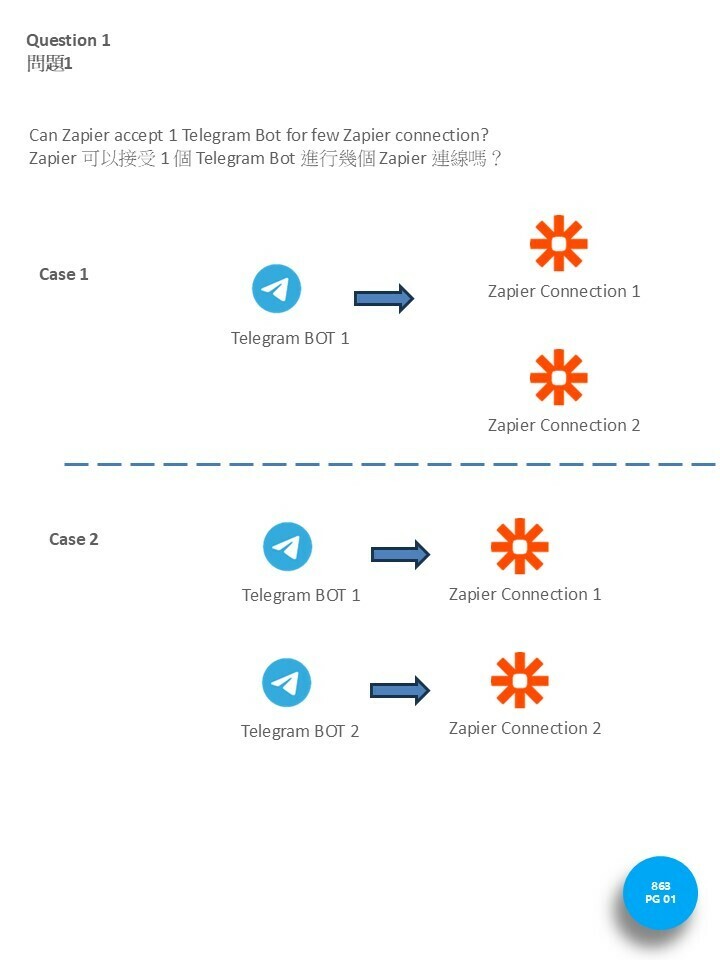
Can I use the same Telegram bot for multiple Zapier connections?

  • October 7, 2024
  • 5 replies
  • 34 views

Forum|alt.badge.img

1 telegram robot, can do 1 zapier only?

Can i use the same robot for different kind of connection?

This post has been closed for comments. Please create a new post if you need help or have a question about this topic.

5 replies

Troy Tessalone
Zapier Orchestrator & Solution Partner
Forum|alt.badge.img+14
  • Zapier Orchestrator & Solution Partner
  • October 7, 2024

Hi @horacechan 

Help links for using Telegram in Zaps: https://zapier.com/apps/telegram/help

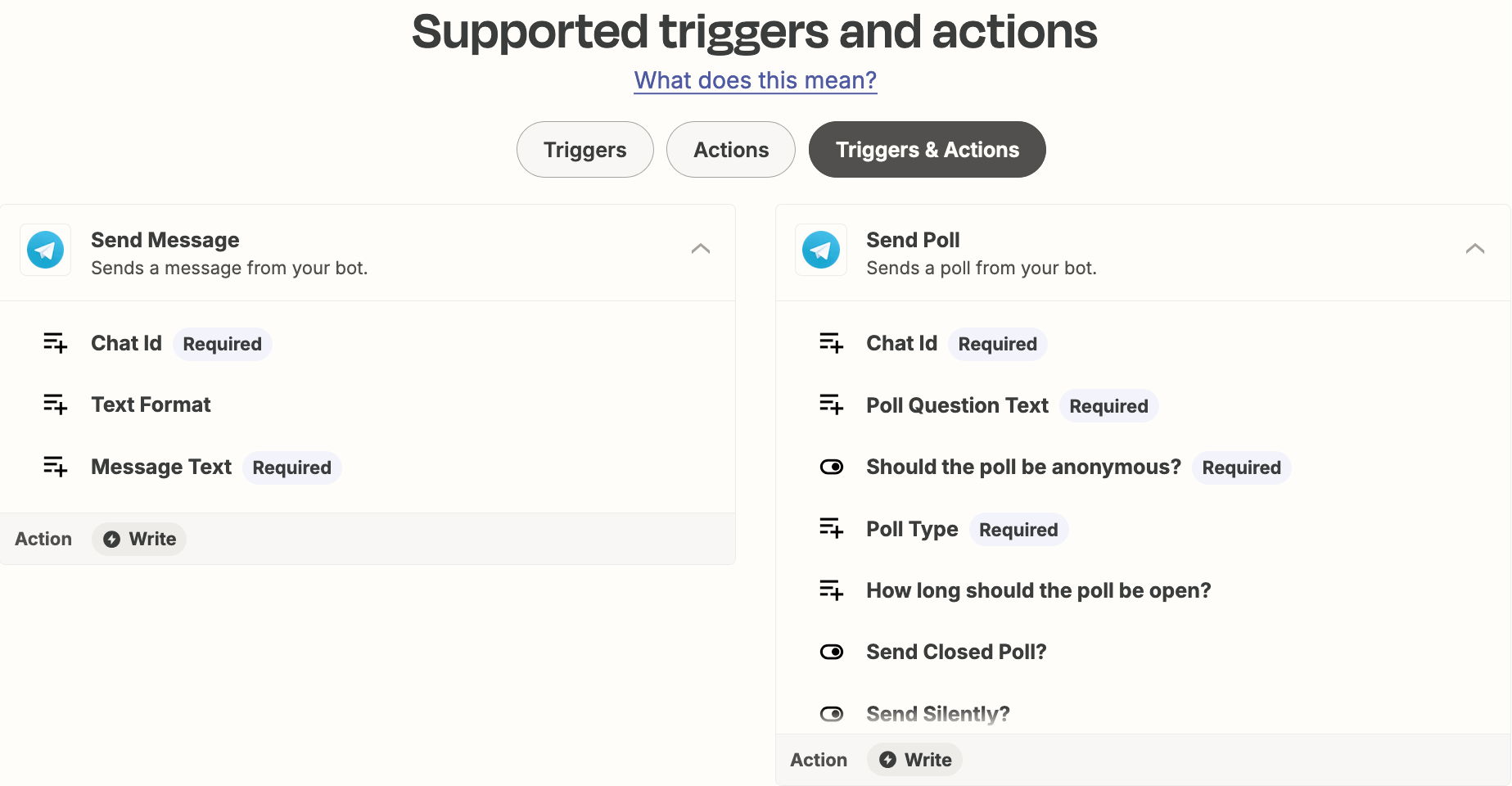
Available Telegram Zap triggers/actions:


Forum|alt.badge.img
  • Author
  • Beginner
  • October 9, 2024

please answer my question

Can i use the same robot for different kind of connection? or need different robot?



ken.a
Forum|alt.badge.img+6
  • Zapier Staff
  • October 9, 2024

Hi @horacechan,

I’m not really familiar with Telegram that much. However, I believe the Telegram bot is linked to your account. Have you tested this yet? If so, are you running into some issues here?

I'll be keeping an eye out for your response!


Forum|alt.badge.img
  • Author
  • Beginner
  • October 9, 2024

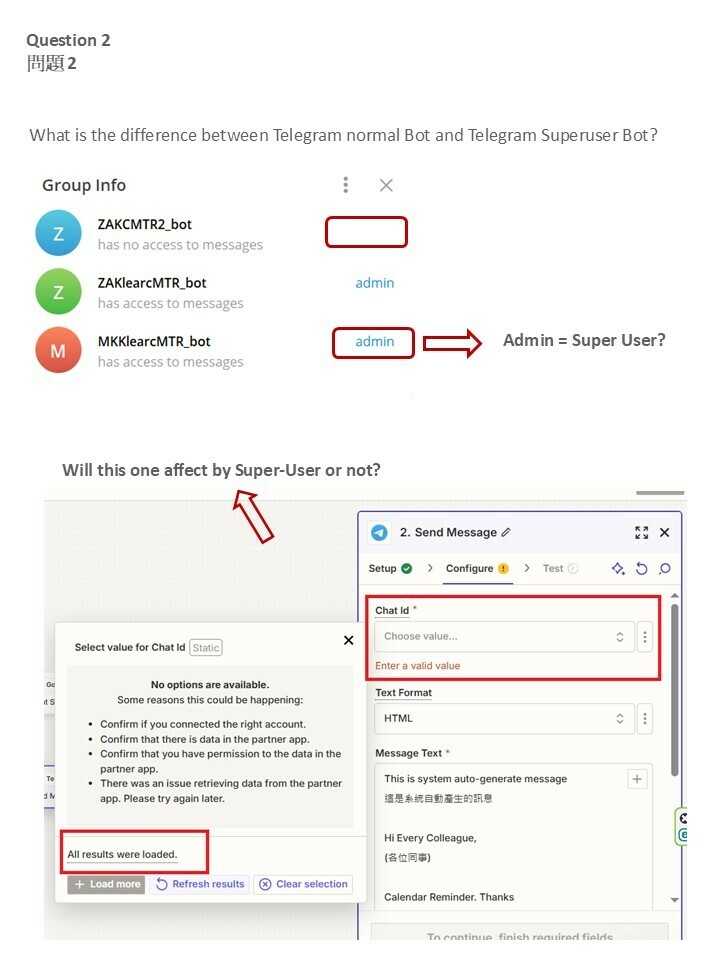
My question is , now because the telegram bot was changed to admin user, cannot find from zapier.


Please assist. (as picture) . Thanks


Troy Tessalone
Zapier Orchestrator & Solution Partner
Forum|alt.badge.img+14
  • Zapier Orchestrator & Solution Partner
  • October 9, 2024

@horacechan 

Info from the help links that may provide guidance: https://zapier.com/apps/telegram/help

Is there any additional info? Yes
  • The Chat ID field can accept a chat ID or a channel username.
  • The Chat ID field is a dropdown menu showing active chats or channels from the past 24 hours.
  • To refresh your chats or channels options:
    • Send a message in the chat or channel that doesn't appear in the Chat ID dropdown menu.
    • In your Zap, click the Chat ID field and click Load More.
    • Your chat or channel should appear in the Chat ID dropdown menu.