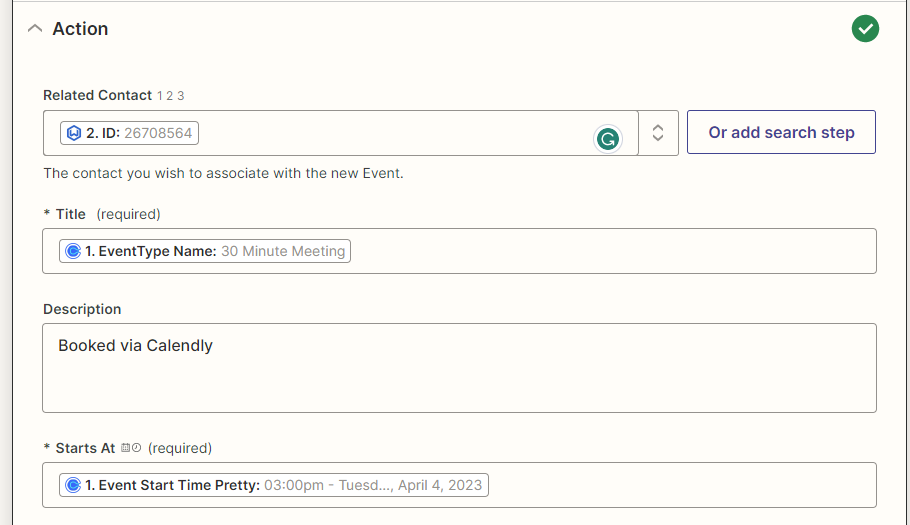
I need to create a zap that adds new Calendly bookings as an event in Wealthbox, attached to the contact record.
My zap successfully “Finds a Contact” in Wealthbox (or creates a new contact if one is not found), but in the “Create Event” step for Wealthbox, no matter what custom fields I try (from the Calendly event step or the Find a Contact on Wealthbox step), the event that is created on Wealthbox does not populate a “Related To” client.
Does anyone have any advice for how to make the field populate?
Thanks!
Best answer by Charie
Hi @OAWC
Thanks for sharing the screenshots.
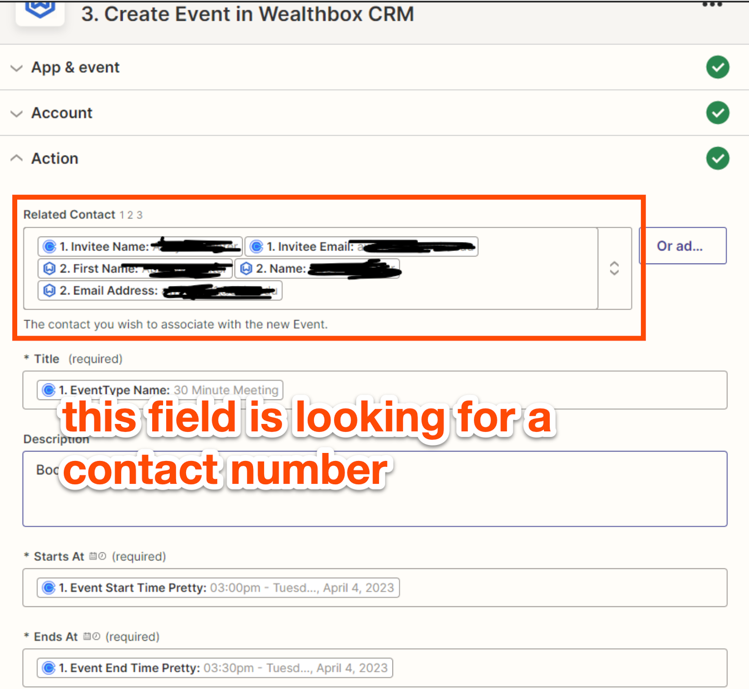
Based on the screenshots above, it looks like the issue might be related to this:
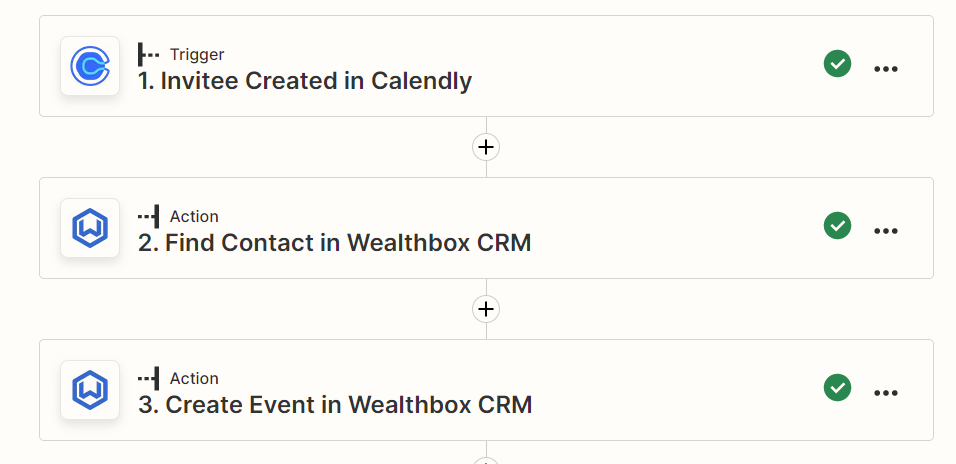
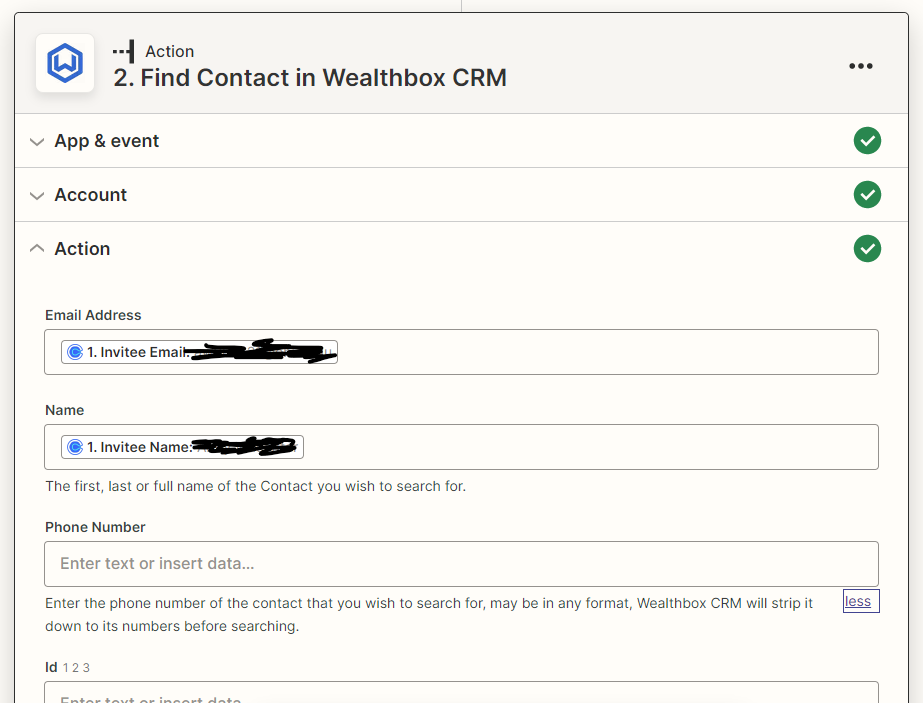
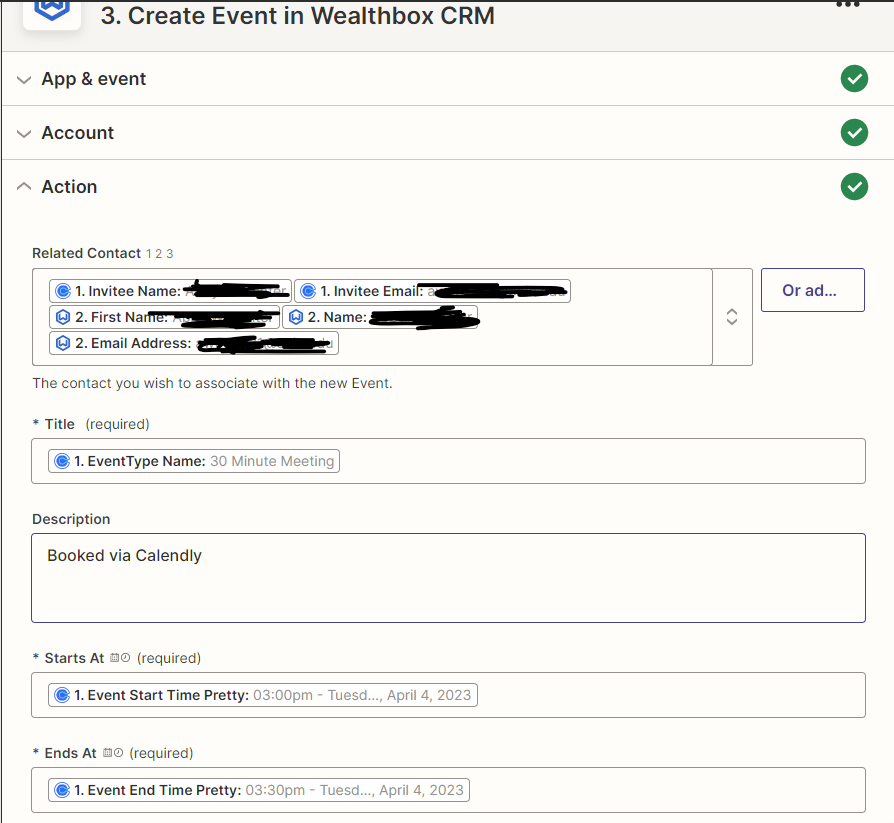
To ensure we’re on the same page, could you kindly send screenshots of how you’ve configured the Zap's steps so far? That’ll help me make sure I give you the best suggestion possible.
(If there’s any personal information, kindly blur them.)
Thank you so much, @Charie! It seems no matter what I put in the “Related Contact” field, the event that is created in Wealthbox does not “Relate To” a contact.
Thank you so much, @Charie! I tried the phone number to no avail but was able to successfully execute the Zap by selecting the “Wealthbox ID” custom field from the Find a Contact step, as shown below.
The different field types was definitely the secret, and I hadn’t noticed it at all, so I really appreciate your help!
If you have any more questions, feel free to post them in the Community. We’re always happy to help! 😊
Early access
Next Gen Zaps
Build and deploy automations from AI tools you already use. With Agentic Management, if anything breaks, the agent diagnoses the issue and proposes a fix.